Stufin
Home Quick Cart Profile

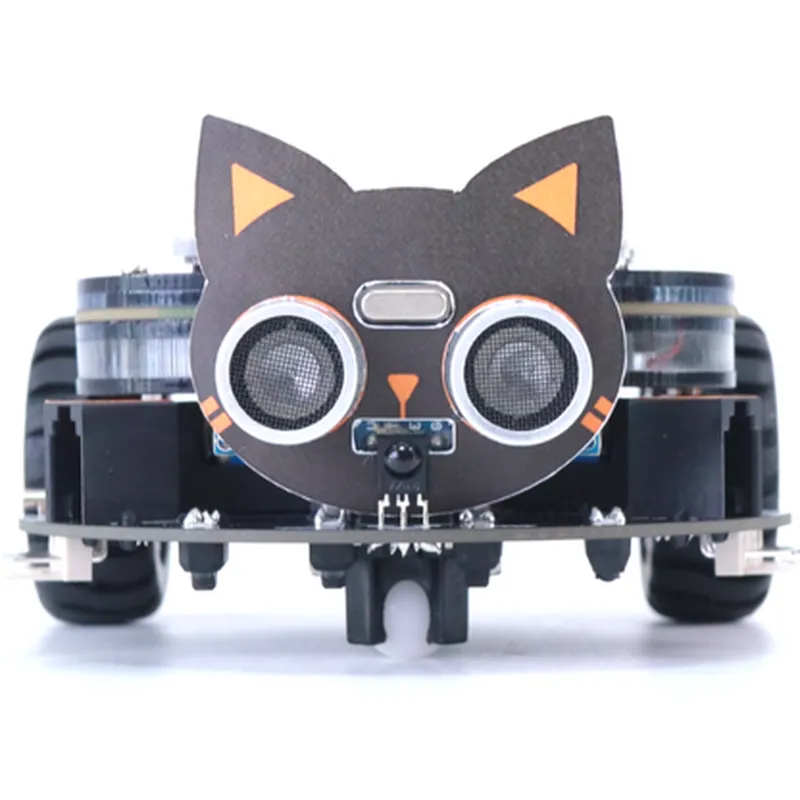
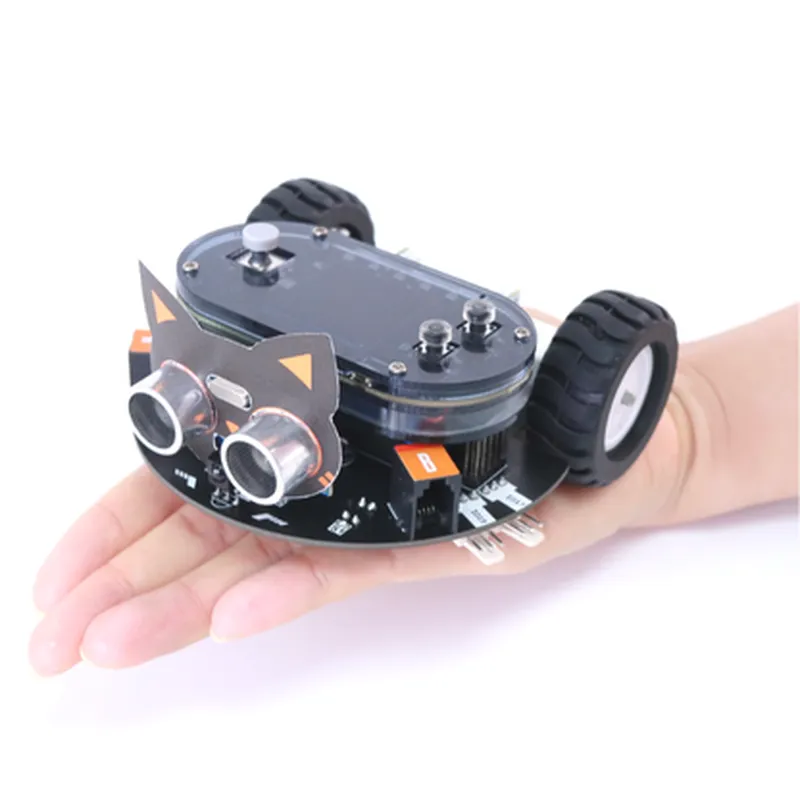
WeeeCore Bot AIOT Voice Programming Robot

Buy Now on Stufin

Pin Configuration

  • WeeeCore Bot AIOT Voice Programming Robot Component Documentation
  • Pinout Description
  • The WeeeCore Bot AIOT Voice Programming Robot is a comprehensive IoT device that enables voice-controlled programming for various applications. The device features a variety of pins that facilitate connections to external components, peripherals, and sensors. Below is a detailed description of each pin, its function, and how to connect them.
  • Pinout Structure:
  • The WeeeCore Bot AIOT Voice Programming Robot has a total of 40 pins, divided into four categories:
  • 1. Power and Ground Pins (4 pins)
  • 2. Digital Input/Output Pins (20 pins)
  • 3. Analog Input Pins (6 pins)
  • 4. Special Function Pins (10 pins)
  • Power and Ground Pins:
  • VIN (Pin 1): Input voltage pin for the device (recommended operating voltage: 5V).
  • GND (Pin 2): Ground pin for the device.
  • 3V3 (Pin 3): 3.3V power output pin for external components.
  • GND (Pin 4): Duplicate ground pin for convenience.
  • Digital Input/Output Pins:
  • GPIO0 (Pin 5): General-purpose digital input/output pin.
  • GPIO1 (Pin 6): General-purpose digital input/output pin.
  • GPIO2 (Pin 7): General-purpose digital input/output pin.
  • ...
  • GPIO19 (Pin 24): General-purpose digital input/output pin.
  • Note: These digital pins can be used for various purposes such as connecting sensors, actuators, LEDs, or communicating with other devices.
  • Analog Input Pins:
  • A0 (Pin 25): Analog input pin for sensors or analog devices.
  • A1 (Pin 26): Analog input pin for sensors or analog devices.
  • A2 (Pin 27): Analog input pin for sensors or analog devices.
  • A3 (Pin 28): Analog input pin for sensors or analog devices.
  • A4 (Pin 29): Analog input pin for sensors or analog devices.
  • A5 (Pin 30): Analog input pin for sensors or analog devices.
  • Note: These analog pins can be used to connect analog sensors, potentiometers, or other analog devices.
  • Special Function Pins:
  • TX (Pin 31): Serial communication transmitter pin for UART communication.
  • RX (Pin 32): Serial communication receiver pin for UART communication.
  • SCL (Pin 33): I2C clock pin for communicating with I2C devices.
  • SDA (Pin 34): I2C data pin for communicating with I2C devices.
  • SDA Mic (Pin 35): Dedicated pin for connecting a microphone for voice recognition.
  • SPK+ (Pin 36): Positive speaker pin for connecting a speaker.
  • SPK- (Pin 37): Negative speaker pin for connecting a speaker.
  • WS2812 (Pin 38): Dedicated pin for connecting WS2812 addressable LEDs.
  • BOOT (Pin 39): Bootloader pin for firmware updates.
  • RST (Pin 40): Reset pin for resetting the device.
  • Note: These special function pins are used for specific purposes such as serial communication, I2C communication, microphone input, speaker output, and firmware updates.
  • Connection Structure:
  • When connecting external components to the WeeeCore Bot AIOT Voice Programming Robot, ensure that you follow the correct pinout structure and voltage levels to avoid damage to the device or the connected components.
  • Use a breadboard or a PCB to connect external components to the device.
  • Connect power sources (VIN and GND) to the device before adding any external components.
  • Verify the voltage levels and signal types (digital or analog) before connecting external components.
  • Use level shifters or voltage dividers if necessary to match the voltage levels between the device and external components.
  • Follow the recommended operating voltage and current ratings for the device and external components.
  • Remember to consult the datasheet and documentation for each external component you connect to the WeeeCore Bot AIOT Voice Programming Robot to ensure compatibility and proper operation.

Code Examples

WeeeCore Bot AIOT Voice Programming Robot Documentation
Overview
The WeeeCore Bot AIOT Voice Programming Robot is an innovative IoT component designed to simplify voice-controlled automation and programming for various applications. This robot allows users to create custom voice commands to interact with and control other IoT devices, making it an ideal solution for smart home automation, robotics, and more.
Hardware Features
Wi-Fi and Bluetooth connectivity
 Built-in microphone and speaker
 Compatible with popular voice assistants (e.g., Alexa, Google Assistant)
 40-pin GPIO interface for connecting external devices
 Programmable using WeeeCore's proprietary AIOT Voice Programming Language (AVPL)
Software Features
AVPL compiler and interpreter
 Voice recognition and synthesis capabilities
 Integration with popular IoT platforms (e.g., Home Assistant, OpenHAB)
Code Examples
### Example 1: Simple Voice-Controlled LED Toggle
Hardware Requirements
WeeeCore Bot AIOT Voice Programming Robot
 LED module connected to GPIO pin 18
AVPL Code
```
import weeecore.bot
# Define the voice command and corresponding action
voice_command "turn on the light" {
  gpio.write(18, HIGH)
}
voice_command "turn off the light" {
  gpio.write(18, LOW)
}
```
Explanation
In this example, the WeeeCore Bot is programmed to respond to two voice commands: "turn on the light" and "turn off the light". When the corresponding voice command is spoken, the bot will toggle the LED connected to GPIO pin 18 accordingly.
### Example 2: Home Automation using IFTTT Integration
Hardware Requirements
WeeeCore Bot AIOT Voice Programming Robot
 Smart plug connected to a lamp, controlled using IFTTT (If This Then That) applet
AVPL Code
```
import weeecore.bot
import ifttt
# Define the voice command and corresponding IFTTT trigger
voice_command "turn on the living room lamp" {
  ifttt.trigger("living_room_lamp_on")
}
voice_command "turn off the living room lamp" {
  ifttt.trigger("living_room_lamp_off")
}
```
Explanation
In this example, the WeeeCore Bot is integrated with IFTTT to control a smart plug connected to a lamp. When the user speaks the voice command, the bot triggers the corresponding IFTTT applet, which in turn controls the smart plug.
### Example 3: Voice-Controlled Robot Navigation (Advanced)
Hardware Requirements
WeeeCore Bot AIOT Voice Programming Robot
 Robot chassis with motor controllers connected to GPIO pins 23, 24, 25, and 26
AVPL Code
```
import weeecore.bot
import robotics
# Define the voice command and corresponding navigation actions
voice_command "move forward" {
  robotics.motor_control(23, 24, 1)  # Set motor 1 to forward
  robotics.motor_control(25, 26, 1)  # Set motor 2 to forward
  delay(1000)  # Move for 1 second
}
voice_command "turn left" {
  robotics.motor_control(23, 24, -1)  # Set motor 1 to reverse
  robotics.motor_control(25, 26, 1)  # Set motor 2 to forward
  delay(500)  # Turn for 0.5 seconds
}
voice_command "stop" {
  robotics.motor_control(23, 24, 0)  # Set motor 1 to stop
  robotics.motor_control(25, 26, 0)  # Set motor 2 to stop
}
```
Explanation
In this advanced example, the WeeeCore Bot is used to control a robot chassis with motor controllers connected to GPIO pins. The bot responds to voice commands to navigate the robot, including moving forward, turning left, and stopping.
Note: These examples are just a few demonstrations of the WeeeCore Bot's capabilities. The AVPL language and the robot's features can be extended and customized to suit various applications and use cases.