122 mm (L) x 76 mm (W) x 44 mm (H)


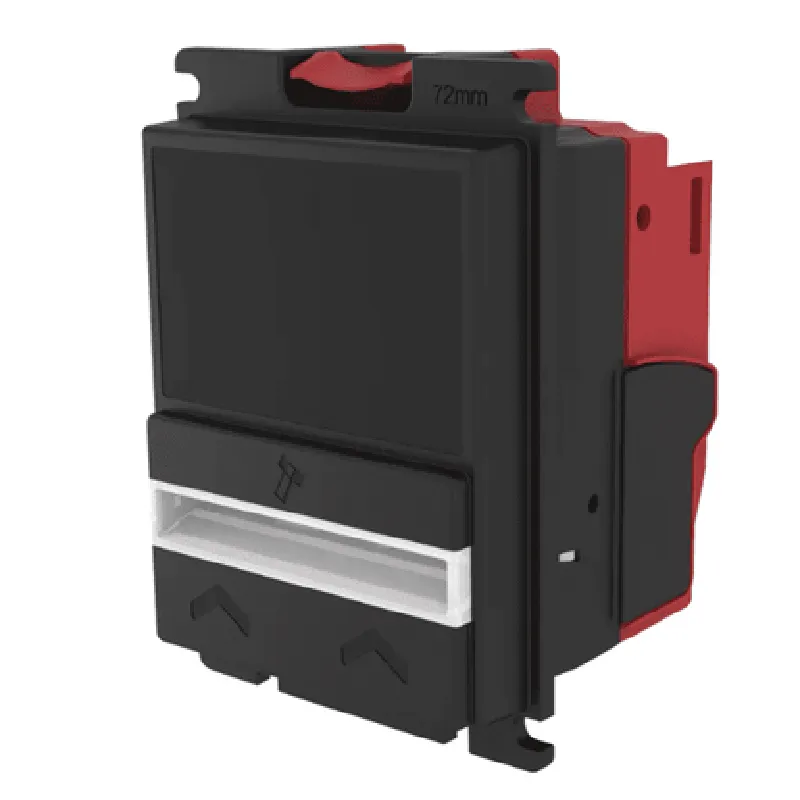
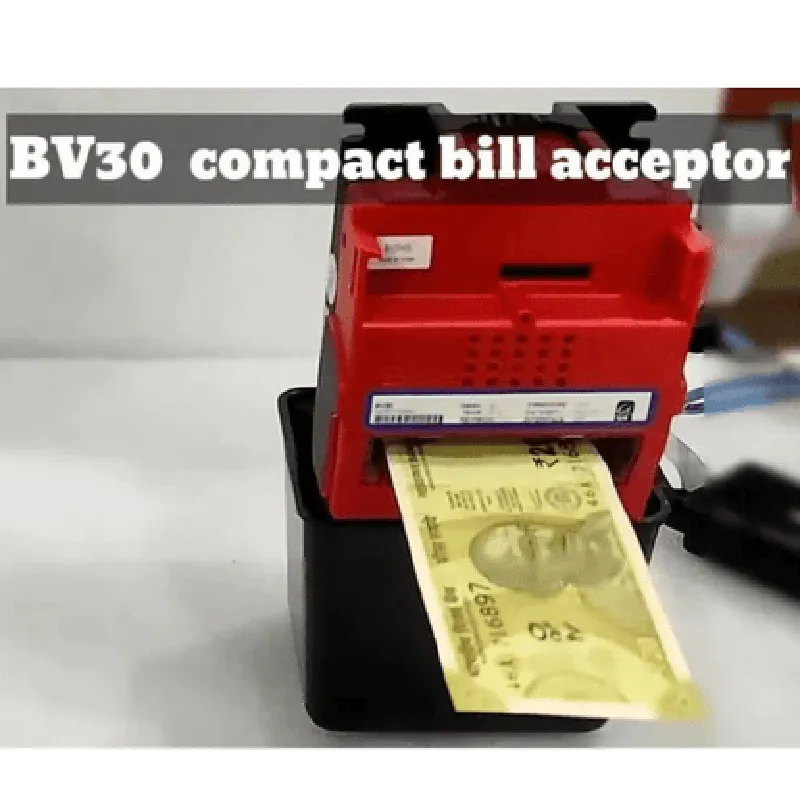
122 mm (L) x 76 mm (W) x 44 mm (H)
450 g
12 V DC, 1.5 A
0C to 40C
20% to 80% RH
Up to 2 bills per second
Accepts bills from various countries and denominations
RS-232, USB, pulse outputs
Applications
| The BV30 Compact Bill Acceptor is suitable for a wide range of applications, including |
Vending machines
Amusement and gaming devices
Parking and transportation systems
Retail and banking systems
Kiosks and self-service terminals
Conclusion
The BV30 Compact Bill Acceptor is a reliable and efficient solution for accepting and validating bills in various industries. Its compact design, high-accuracy validation, and multi-currency support make it an ideal choice for applications where space is limited and reliability is critical.
BV30 Compact Bill Acceptor DocumentationOverviewThe BV30 Compact Bill Acceptor is a compact, high-performance bill acceptor designed for various applications, including vending machines, amusement machines, and kiosks. This component is ideal for integrating cash payment capabilities into IoT devices. The BV30 features a compact design, high acceptance rate, and anti-stringing mechanism, making it a reliable choice for IoT applications.Technical SpecificationsAccepts bills of various denominations ($1, $5, $10, $20, $50, and $100)
Compact design: 75mm x 75mm x 25mm (W x H x D)
Interface: RS232, USB, or Pulse output
Power consumption: 12V DC, 1A
Operating temperature: -20C to 40C
Humidity: 5% to 95% non-condensingCode Examples### Example 1:BV30 with Arduino (RS232 Interface)In this example, we'll connect the BV30 to an Arduino board using the RS232 interface. We'll demonstrate how to read the bill acceptor's status and retrieve the inserted bill value.Hardware Requirements:Arduino Board (e.g., Arduino Uno)
BV30 Compact Bill Acceptor
RS232 cable
Power supply (12V DC, 1A)Software Requirements:Arduino IDE (version 1.8.x or later)Code:
```c++
#include <SoftwareSerial.h>// BV30 RS232 interface pins
#define BV30_RX 2
#define BV30_TX 3SoftwareSerial bv30Serial(BV30_RX, BV30_TX);void setup() {
Serial.begin(9600);
bv30Serial.begin(9600);
}void loop() {
// Read BV30 status
bv30Serial.write(0x02); // Send ENQ command (inquiry)
delay(50);
char buffer[10];
bv30Serial.readBytes(buffer, 10);
Serial.print("BV30 Status: ");
Serial.println(buffer);// Check if a bill is inserted
if (buffer[0] == 'I') {
// Read bill value
bv30Serial.write(0x03); // Send EOT command (end of transmission)
delay(50);
bv30Serial.readBytes(buffer, 10);
Serial.print("Bill Value: ");
Serial.println(buffer);
}
delay(1000);
}
```
### Example 2:BV30 with Raspberry Pi (USB Interface)In this example, we'll connect the BV30 to a Raspberry Pi using the USB interface. We'll demonstrate how to read the bill acceptor's status and retrieve the inserted bill value using Python.Hardware Requirements:Raspberry Pi (e.g., Raspberry Pi 4)
BV30 Compact Bill Acceptor
USB cable
Power supply (12V DC, 1A)Software Requirements:Raspbian OS (version 10 or later)
Python 3.xCode:
```python
import serial# Open the USB serial connection to the BV30
ser = serial.Serial('/dev/ttyUSB0', 9600)while True:
# Read BV30 status
ser.write(b'x02') # Send ENQ command (inquiry)
response = ser.read(10)
print("BV30 Status:", response.decode())# Check if a bill is inserted
if response[0] == b'I':
# Read bill value
ser.write(b'x03') # Send EOT command (end of transmission)
response = ser.read(10)
print("Bill Value:", response.decode())
time.sleep(1)
```
### Example 3:BV30 with ESP32 (Pulse Output Interface)In this example, we'll connect the BV30 to an ESP32 board using the Pulse output interface. We'll demonstrate how to read the bill acceptor's status and count the inserted bills.Hardware Requirements:ESP32 board (e.g., ESP32 DevKitC)
BV30 Compact Bill Acceptor
Pulse output cable
Power supply (12V DC, 1A)Software Requirements:ESP32 Arduino Core (version 1.0.6 or later)Code:
```c++
#include <Arduino.h>// BV30 Pulse output pin
#define BV30_PULSE 18volatile int billCount = 0;void setup() {
Serial.begin(9600);
pinMode(BV30_PULSE, INPUT);
}void loop() {
// Read BV30 status
if (digitalRead(BV30_PULSE) == HIGH) {
billCount++;
Serial.print("Bill inserted! Count: ");
Serial.println(billCount);
delay(100);
}
}
```
These code examples demonstrate how to interface with the BV30 Compact Bill Acceptor using different communication interfaces and programming languages. By following these examples, you can integrate the BV30 into your IoT projects, enabling cash payment capabilities for various applications.