The module requires a microcontroller or other digital system to process the analog output signal and calculate heart rate and pulse data.


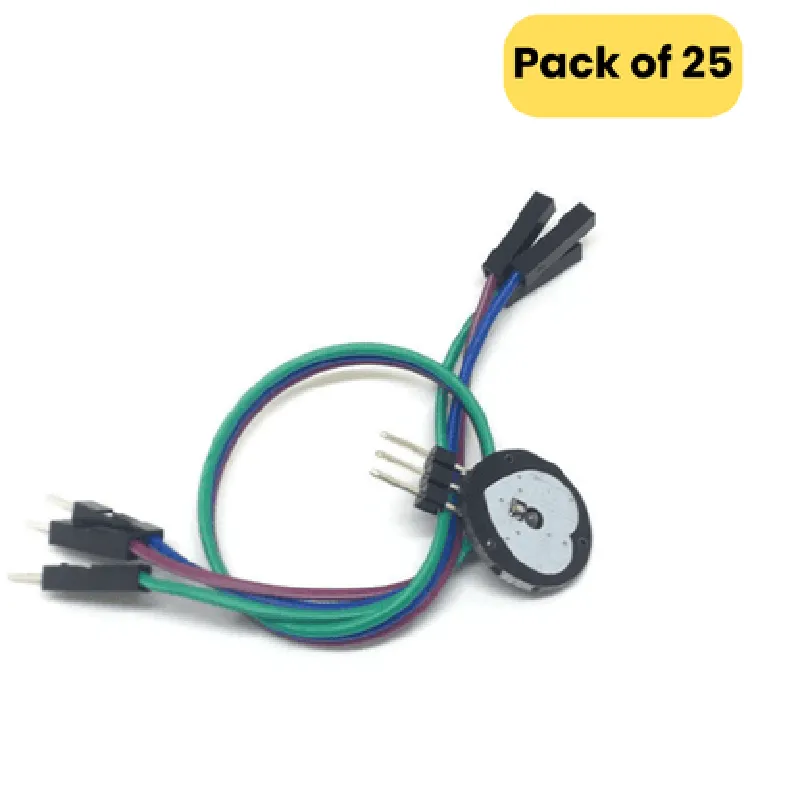
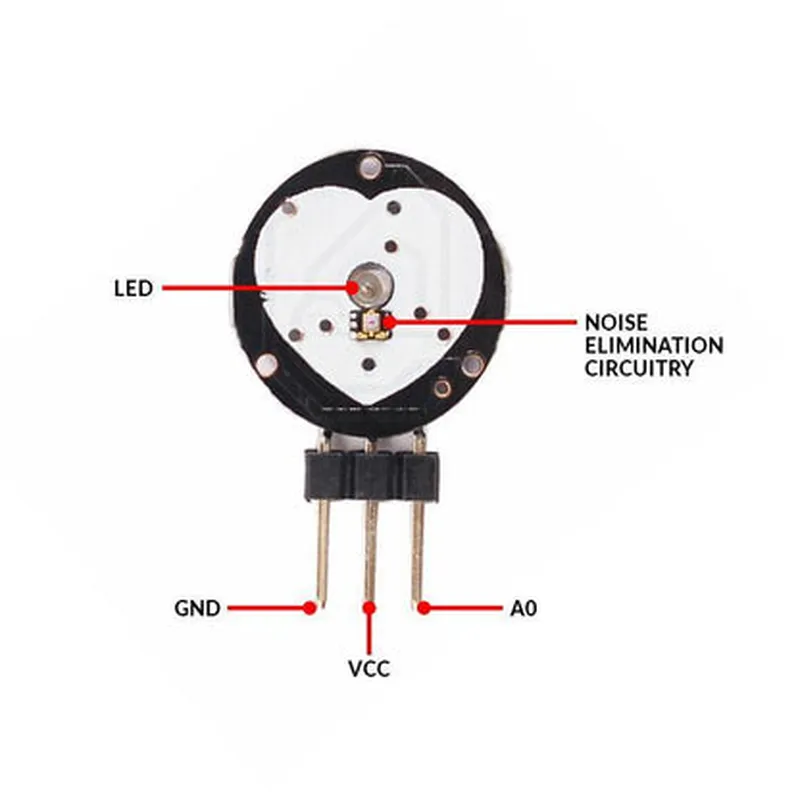
The module requires a microcontroller or other digital system to process the analog output signal and calculate heart rate and pulse data.
Heart Rate Pulse Sensor Module (Pack of 25) DocumentationIntroductionThe Heart Rate Pulse Sensor Module is a versatile and compact module designed to detect and measure heart rate and pulse signals. This module is ideal for various applications, including health monitoring, fitness tracking, and medical devices. This documentation provides an overview of the module's specifications, pinouts, and code examples to help you get started with using this component in your projects.SpecificationsOperating Voltage: 3.3V - 5V
Operating Current: 10mA
Sensitivity: Adjustable via potentiometer
Output Signal: Analog signal (0-5V)
Response Time: 10ms
Accuracy: 2%PinoutsThe Heart Rate Pulse Sensor Module has a total of 4 pins:VCC: Power supply (3.3V - 5V)
GND: Ground
OUT: Analog output signal (0-5V)
ADC: Analog-to-Digital Converter input (optional)Code Examples### Example 1: Basic Heart Rate Measurement with ArduinoThis example demonstrates how to use the Heart Rate Pulse Sensor Module with an Arduino board to measure and display the heart rate.```cpp
const int pulsePin = A0; // Connect OUT pin to analog input A0
int pulseValue = 0;
int heartRate = 0;void setup() {
Serial.begin(9600);
}void loop() {
pulseValue = analogRead(pulsePin);
heartRate = map(pulseValue, 0, 1023, 0, 255);
Serial.print("Heart Rate: ");
Serial.print(heartRate);
Serial.println(" BPM");
delay(1000);
}
```### Example 2: Heart Rate Monitoring with Raspberry Pi (Python)This example demonstrates how to use the Heart Rate Pulse Sensor Module with a Raspberry Pi to measure and display the heart rate using Python.```python
import RPi.GPIO as GPIO
import time# Set up GPIO mode
GPIO.setmode(GPIO.BCM)# Set up output pin for LED indicator
GPIO.setup(17, GPIO.OUT)# Set up input pin for pulse sensor
GPIO.setup(23, GPIO.IN)while True:
pulse_value = GPIO.input(23)
if pulse_value:
print("Heartbeat detected!")
GPIO.output(17, GPIO.HIGH)
time.sleep(0.1)
GPIO.output(17, GPIO.LOW)
time.sleep(0.1)
else:
print("No heartbeat detected.")
GPIO.output(17, GPIO.LOW)
time.sleep(0.1)
```Note: In this example, we use GPIO pin 17 as an LED indicator to visualize the heartbeat detection.### Example 3: Heart Rate Data Logging with ESP32 (MicroPython)This example demonstrates how to use the Heart Rate Pulse Sensor Module with an ESP32 board to measure and log heart rate data to a CSV file using MicroPython.```python
import machine
import utime# Set up ADC pin for pulse sensor
adc = machine.ADC(machine.Pin(32))while True:
pulse_value = adc.read_u16()
heart_rate = pulse_value / 1023 255
print("Heart Rate: ", heart_rate, " BPM")
with open("heart_rate_log.csv", "a") as file:
file.write(str(utime.time()) + "," + str(heart_rate) + "
")
utime.sleep(1)
```Note: In this example, we use the ESP32's built-in ADC to read the pulse sensor's output signal and log the heart rate data to a CSV file named "heart_rate_log.csv".These code examples provide a starting point for using the Heart Rate Pulse Sensor Module in various IoT projects. Make sure to adjust the pin connections and code according to your specific hardware setup and requirements.