2.0 + EDR


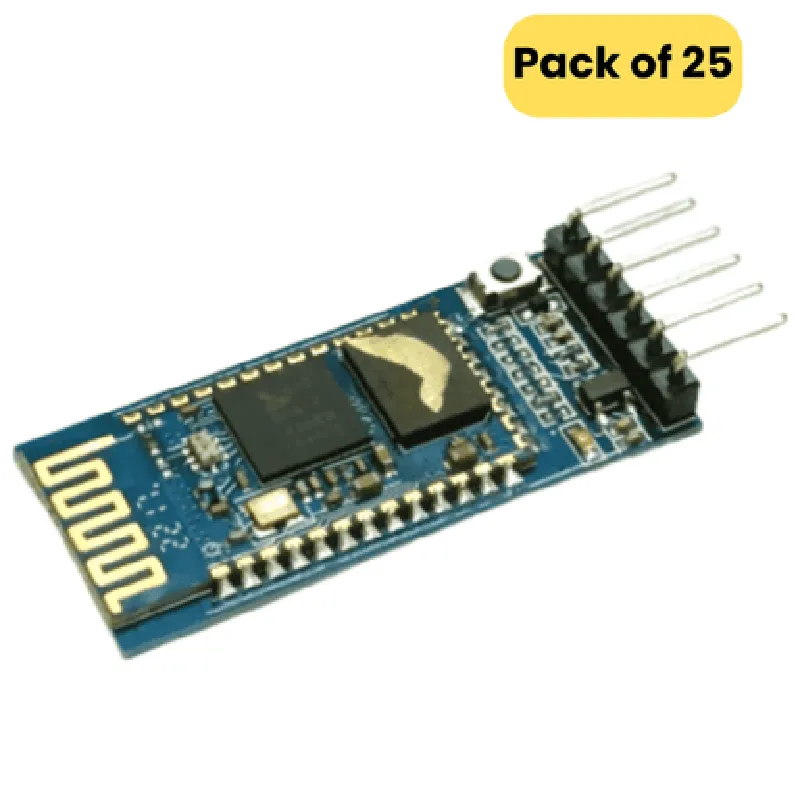
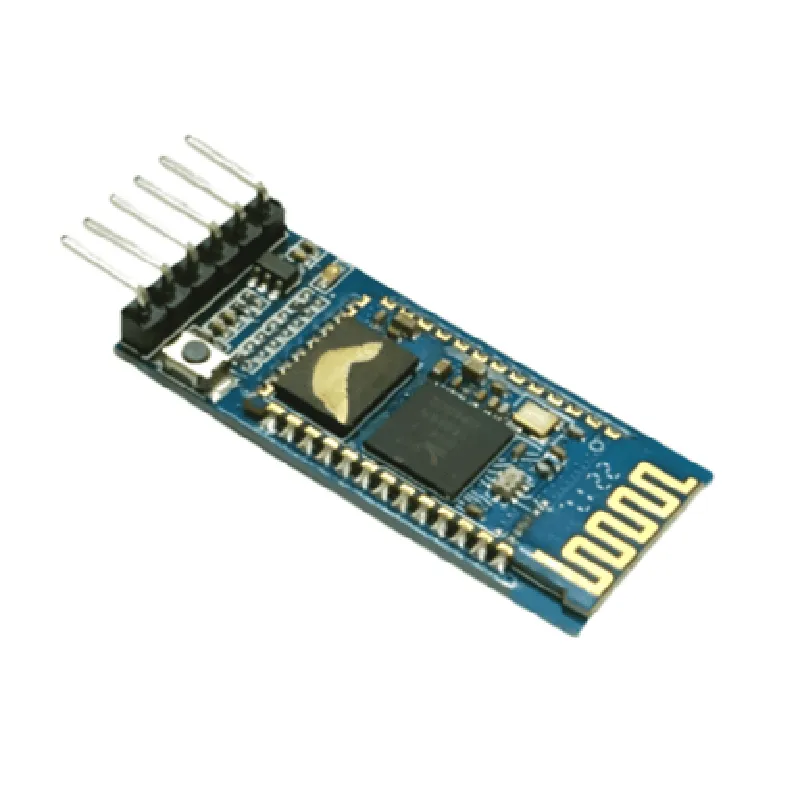
2.0 + EDR
2.4 GHz
Up to 3 Mbps
Up to 10 meters (33 feet)
3.3V to 5V DC
30 mA (average), 100 mA (peak)
-20C to +75C
### Communication Features
UART interface (RX, TX, VCC, GND)
9600, 19200, 38400, 57600, 115200 bps
8-bit data, 1-bit stop bit, no parity
### Other Features
Power, Bluetooth connection, and data transmission status
Supports sleep mode to conserve power
Upgradable via UART interface
Small size (12.5 mm x 25 mm) for easy integration into projects
### Package Contents
25x HC-05 Bluetooth Modules
25x 4-pin Headers (for easy connection to microcontrollers)
Applications
---------------
| The HC-05 Bluetooth Module is suitable for a wide range of IoT applications, including |
Robotics and robotic arms
Home automation systems
Wireless sensors and monitoring systems
Smart home devices
Wearable devices
Industrial automation systems
Important Notes
-------------------
The HC-05 module is a slave device and cannot act as a master device.
The module requires an external power supply.
The module's default baud rate is 9600 bps. Changing the baud rate requires reconfiguration.
The module's firmware can be upgraded using the UART interface.
By providing a reliable and compact wireless communication solution, the HC-05 Bluetooth Module is an excellent choice for IoT projects that require Bluetooth connectivity.
HC-05 Bluetooth Module DocumentationOverviewThe HC-05 Bluetooth Module is a widely used Bluetooth Serial Pass-Through Module that enables wireless communication between microcontrollers, computers, and other devices. It supports master and slave modes, making it a versatile component for various IoT applications.Technical SpecificationsOperating Voltage: 3.3V to 5V
Operating Frequency: 2.4GHz
Transmission Range: Up to 10 meters (30 feet)
Data Transfer Rate: Up to 3Mbps
Power Consumption: 30mA (average), 80mA (peak)PinoutVCC: Power Supply (3.3V to 5V)
GND: Ground
RXD: Receive Data
TXD: Transmit Data
STATE: Bluetooth Connection Status Indicator
EN: Enable Pin (High to Enable)Examples### Example 1: Arduino Bluetooth Serial CommunicationIn this example, we will use the HC-05 Bluetooth Module to establish a serial communication between an Arduino Uno board and a smartphone or computer.Hardware RequirementsArduino Uno Board
HC-05 Bluetooth Module
Breadboard and Jumper WiresSoftware RequirementsArduino IDE (version 1.8.x or later)Code
```c++
#include <SoftwareSerial.h>// Define the RX and TX pins for the HC-05 module
SoftwareSerial btSerial(2, 3); // RX, TXvoid setup() {
Serial.begin(9600);
btSerial.begin(9600);
}void loop() {
// Read data from Bluetooth module
if (btSerial.available() > 0) {
String data = btSerial.readStringUntil('
');
Serial.print("Received: ");
Serial.println(data);
}// Send data to Bluetooth module
String sendData = "Hello, Bluetooth!";
btSerial.println(sendData);
Serial.print("Sent: ");
Serial.println(sendData);delay(1000);
}
```
ExplanationIn this example, we use the `SoftwareSerial` library to establish a serial communication between the Arduino Uno board and the HC-05 Bluetooth Module. We define the RX and TX pins for the module and initialize the serial communication at 9600bps. In the `loop()` function, we read data from the Bluetooth module and send data to the module using the `btSerial` object.### Example 2: MicroPython Bluetooth Serial Communication with Raspberry PiIn this example, we will use the HC-05 Bluetooth Module to establish a serial communication between a Raspberry Pi and a microcontroller or another device.Hardware RequirementsRaspberry Pi Board
HC-05 Bluetooth Module
Breadboard and Jumper WiresSoftware RequirementsMicroPython (version 1.12 or later)Code
```python
import machine
import uart# Initialize the UART interface for the HC-05 module
uart0 = machine.UART(0, baudrate=9600)while True:
# Read data from Bluetooth module
data = uart0.readline()
if data:
print("Received: ", data.decode())# Send data to Bluetooth module
sendData = "Hello, Bluetooth!
"
uart0.write(sendData.encode())
print("Sent: ", sendData)machine.sleep(1000)
```
ExplanationIn this example, we use the `machine` and `uart` modules to establish a serial communication between the Raspberry Pi and the HC-05 Bluetooth Module. We initialize the UART interface for the module and set the baudrate to 9600bps. In the `while` loop, we read data from the Bluetooth module using the `readline()` method and send data to the module using the `write()` method.Note: These examples are just a starting point, and you may need to modify the code to suit your specific requirements. Always ensure that the HC-05 module is properly configured and paired with the device before using it in your application.