1 Hz to 100 kHz


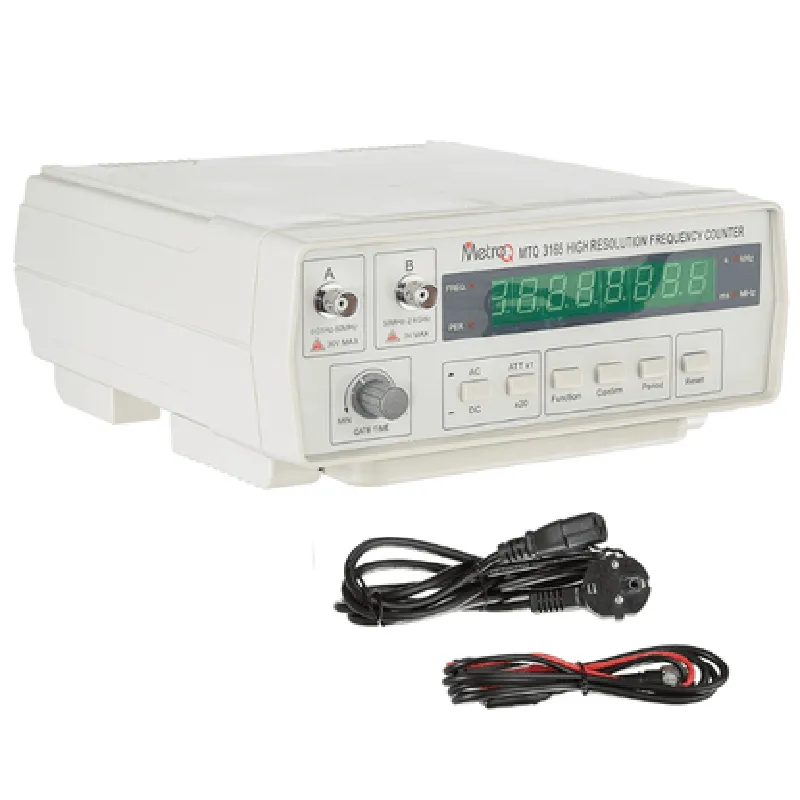
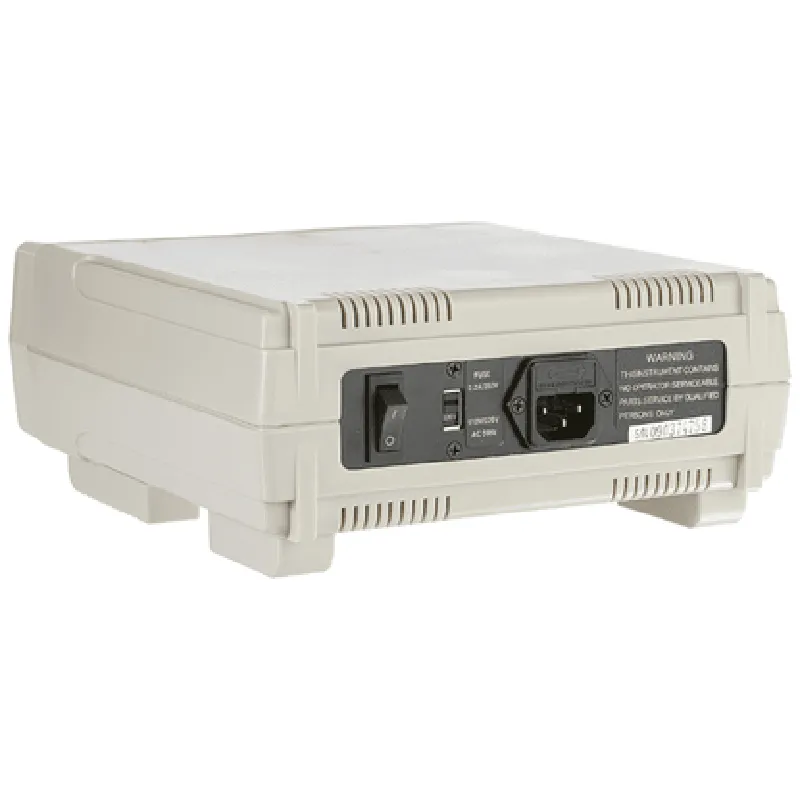
1 Hz to 100 kHz
(0.01% + 1 digit)
0.01 Hz
4-digit, 7-segment LED display
Yes
Filtering and amplification
| Multi-Signal Measurement | Yes |
Yes
9V DC
0C to 40C
-20C to 70C
80% RH (non-condensing)
120 mm x 60 mm x 30 mm
150 g
Applications
| The MetroQ MTQ 3165 Digital Frequency Meter is suitable for various applications, including |
Laboratory measurements
Industrial automation and control
Automotive diagnosis and testing
Quality control and inspection
Research and development
Conclusion
The MetroQ MTQ 3165 Digital Frequency Meter is a high-precision instrument designed for accurate frequency measurement in various applications. Its compact and rugged design, combined with its advanced features and technical specifications, make it an ideal solution for professionals and hobbyists alike.
MetroQ MTQ 3165 Digital Frequency Meter DocumentationOverviewThe MetroQ MTQ 3165 Digital Frequency Meter is a highly accurate and reliable IoT component designed to measure frequency, period, and duty cycle of digital signals. This device is ideal for various applications, including industrial automation, robotics, and signal processing.Technical SpecificationsMeasurement range: 1 Hz to 100 MHz
Resolution: 0.001 Hz
Accuracy: 0.01%
Input signal levels: TTL, CMOS, and NPN
Power supply: 5V DC
Communication interface: UART (TTL level)PinoutVCC: 5V power supply
GND: Ground
RX: UART receive pin (TTL level)
TX: UART transmit pin (TTL level)
SIG: Input signal pinExample Code### Example 1: Basic Frequency Measurement using ArduinoThis example demonstrates how to use the MetroQ MTQ 3165 with an Arduino board to measure the frequency of a digital signal.```c++
#include <SoftwareSerial.h>#define MTQ_RX 2 // RX pin of MTQ 3165 (connect to Arduino TX)
#define MTQ_TX 3 // TX pin of MTQ 3165 (connect to Arduino RX)
#define MTQ_SIG 4 // Input signal pin of MTQ 3165SoftwareSerial mtqSerial(MTQ_RX, MTQ_TX);void setup() {
Serial.begin(9600);
mtqSerial.begin(9600);
}void loop() {
// Send command to MTQ 3165 to measure frequency
mtqSerial.println("FREQ?");
delay(100);// Read response from MTQ 3165
if (mtqSerial.available() > 0) {
float frequency = mtqSerial.parseFloat();
Serial.print("Frequency: ");
Serial.print(frequency, 3);
Serial.println(" Hz");
}delay(1000);
}
```### Example 2: Frequency Measurement with Python using PySerialThis example demonstrates how to use the MetroQ MTQ 3165 with a Python script to measure the frequency of a digital signal using the PySerial library.```python
import serial# Open serial connection to MTQ 3165
mtq_serial = serial.Serial('COM3', 9600, timeout=1) # Replace COM3 with your serial portwhile True:
# Send command to MTQ 3165 to measure frequency
mtq_serial.write(b'FREQ?
')
response = mtq_serial.readline().decode().strip()# Parse response from MTQ 3165
if response:
frequency = float(response)
print(f"Frequency: {frequency:.3f} Hz")# Wait 1 second before taking the next measurement
time.sleep(1)
```### Example 3: Integrate with Raspberry Pi using Python and GPIOThis example demonstrates how to use the MetroQ MTQ 3165 with a Raspberry Pi to measure the frequency of a digital signal using Python and the RPi.GPIO library.```python
import RPi.GPIO as GPIO
import time
import serial# Set up GPIO pins for serial communication
GPIO.setmode(GPIO.BCM)
GPIO.setup(17, GPIO.OUT) # TX pin (connect to MTQ 3165 RX)
GPIO.setup(23, GPIO.IN) # RX pin (connect to MTQ 3165 TX)# Open serial connection to MTQ 3165
mtq_serial = serial.Serial('/dev/ttyAMA0', 9600, timeout=1)while True:
# Send command to MTQ 3165 to measure frequency
mtq_serial.write(b'FREQ?
')
response = mtq_serial.readline().decode().strip()# Parse response from MTQ 3165
if response:
frequency = float(response)
print(f"Frequency: {frequency:.3f} Hz")# Wait 1 second before taking the next measurement
time.sleep(1)
```These examples demonstrate how to communicate with the MetroQ MTQ 3165 Digital Frequency Meter using different platforms and programming languages. The device can be easily integrated into various IoT projects, including industrial automation, robotics, and signal processing applications.