Measures resistance levels up to 40M


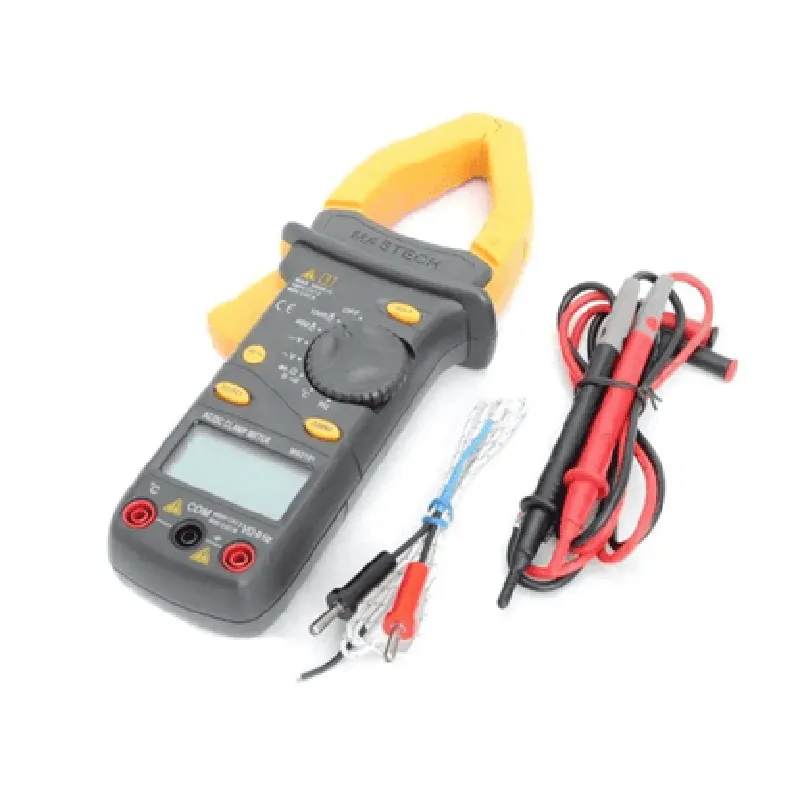
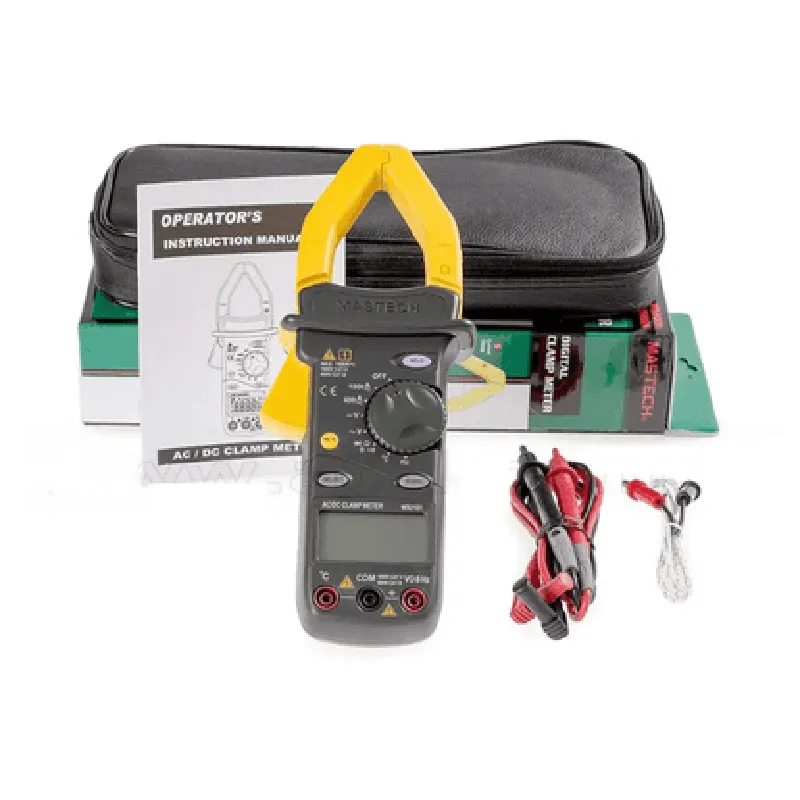
Measures resistance levels up to 40M
Tests for continuity and detects diodes
Measures capacitance levels up to 100F
Measures frequency levels up to 100kHz
Key Features
Additional Specifications
| + Voltage | (0.5% + 1 digit) |
| + Current | (1.5% + 1 digit) |
| + Resistance | (0.5% + 1 digit) |
| + Capacitance | (2% + 1 digit) |
| + Frequency | (0.5% + 1 digit) |
-10C to 40C (14F to 104F)
-20C to 60C (-4F to 140F)
1.5V x 2 (UM-2/AAA) batteries
Applications
| The Mastech MS2101 Digital AC/DC Clamp Meter is suitable for a wide range of applications, including |
Electrical maintenance and troubleshooting
Electronics repair and design
Industrial automation and control systems
HVAC and refrigeration systems
Renewable energy systems (solar, wind, etc.)
Safety Precautions
Always follow proper safety procedures when working with electrical systems.
Ensure the device is turned off before changing batteries or performing any maintenance.
Use the device in accordance with the user manual and applicable safety standards.
By providing accurate and reliable measurements, the Mastech MS2101 Digital AC/DC Clamp Meter is an essential tool for professionals and hobbyists alike, optimizing their workflow and ensuring efficient troubleshooting and maintenance of electrical systems.
Mastech MS2101 Digital AC/DC Clamp Meter DocumentationOverviewThe Mastech MS2101 is a digital clamp meter that measures AC/DC voltage, current, resistance, continuity, and frequency. It is a versatile tool for electrical engineers, technicians, and hobbyists alike. This documentation provides an overview of the component's features and capabilities, as well as code examples to demonstrate its usage in various contexts.FeaturesMeasures AC/DC voltage (up to 1000V), current (up to 1000A), resistance (up to 40M), and frequency (up to 400kHz)
Automatic range selection for voltage and current measurements
Continuity testing with audible beep and LED indication
Data hold function for capturing stable readings
Auto-power off feature to conserve battery life
Compact design with ergonomically designed grip for comfortable handlingCode Examples### Example 1: Measuring AC Voltage using an ArduinoIn this example, we will use the Mastech MS2101 to measure AC voltage and display the reading on an Arduino-based system.Hardware RequirementsMastech MS2101 Digital AC/DC Clamp Meter
Arduino Board (e.g., Arduino Uno)
Breadboard and jumper wiresSoftware RequirementsArduino IDE (version 1.8.x or later)Code
```c++
#include <Arduino.h>const int clampMeterPin = A0; // Connect the Mastech MS2101's output to Arduino's analog input A0void setup() {
Serial.begin(9600);
}void loop() {
int reading = analogRead(clampMeterPin);
float voltage = reading 5.0 / 1023.0; // Convert analog reading to voltage (assuming 5V reference)
Serial.print("AC Voltage: ");
Serial.print(voltage);
Serial.println(" V");
delay(1000); // Take a reading every second
}
```
ExplanationIn this example, we connect the Mastech MS2101's output to the Arduino's analog input A0. The Arduino reads the analog voltage output from the clamp meter and converts it to a digital value using the `analogRead()` function. We then use a simple scaling formula to convert the digital value to the actual AC voltage, assuming a 5V reference voltage. The result is printed to the serial console every second.### Example 2: Measuring DC Current using a Raspberry PiIn this example, we will use the Mastech MS2101 to measure DC current and display the reading on a Raspberry Pi-based system.Hardware RequirementsMastech MS2101 Digital AC/DC Clamp Meter
Raspberry Pi (e.g., Raspberry Pi 4)
Breadboard and jumper wiresSoftware RequirementsRaspbian OS (version 10 or later)
Python 3.xCode
```python
import RPi.GPIO as GPIO
import time# Set up the GPIO library
GPIO.setmode(GPIO.BCM)# Define the Mastech MS2101's output pin
clampMeterPin = 17# Set up the pin as an input
GPIO.setup(clampMeterPin, GPIO.IN)while True:
# Read the digital output from the Mastech MS2101
reading = GPIO.input(clampMeterPin)# Convert the digital reading to a current value (assuming 1mA per digit)
current = reading 0.001print("DC Current: {:.2f} A".format(current))time.sleep(1) # Take a reading every second
```
ExplanationIn this example, we connect the Mastech MS2101's output to a Raspberry Pi's GPIO pin (BCM 17 in this case). We use the RPi.GPIO library to read the digital output from the clamp meter and convert it to a DC current value, assuming a scaling factor of 1mA per digit. The result is printed to the console every second.Note: These code examples are for illustrative purposes only and may require modifications to suit your specific use case. Additionally, ensure that you follow proper safety precautions when working with electrical circuits and devices.