AC/DC voltage measurement with a range of 0.1mV to 1000V


AC/DC voltage measurement with a range of 0.1mV to 1000V
AC/DC current measurement with a range of 0.1mA to 10A
Resistance measurement with a range of 0.1 to 20M
Capacitance measurement with a range of 10nF to 20mF
Frequency measurement with a range of 10Hz to 10MHz
Continuity testing with audible buzzer
Diode test with voltage and current measurement
Key Features
Specifications
| + Voltage | 0.1mV to 1000V (AC/DC) |
| + Current | 0.1mA to 10A (AC/DC) |
| + Resistance | 0.1 to 20M |
| + Capacitance | 10nF to 20mF |
| + Frequency | 10Hz to 10MHz |
0.5% for voltage and current measurements
0.1mV, 0.1mA, 0.1, 1nF, 1Hz
0C to 40C (32F to 104F)
-20C to 60C (-4F to 140F)
9V battery ( included)
155 x 75 x 38mm (6.1 x 2.9 x 1.5 inches)
Approximately 250g (8.8 oz)
Applications
| The SANWA CD800A Digital Multimeter is suitable for a wide range of applications, including |
Electrical troubleshooting and diagnosis
Circuit analysis and design
Quality control and inspection
Education and training
Hobbyist and DIY projects
Certifications and Compliance
| The SANWA CD800A meets the following certifications and standards |
CE certified
RoHS compliant
IEC 61010-1 and IEC 61010-2-030 safety standards
By offering a comprehensive range of measurement functions, advanced features, and high accuracy, the SANWA CD800A Digital Multimeter is an ideal tool for professionals and hobbyists in various fields.
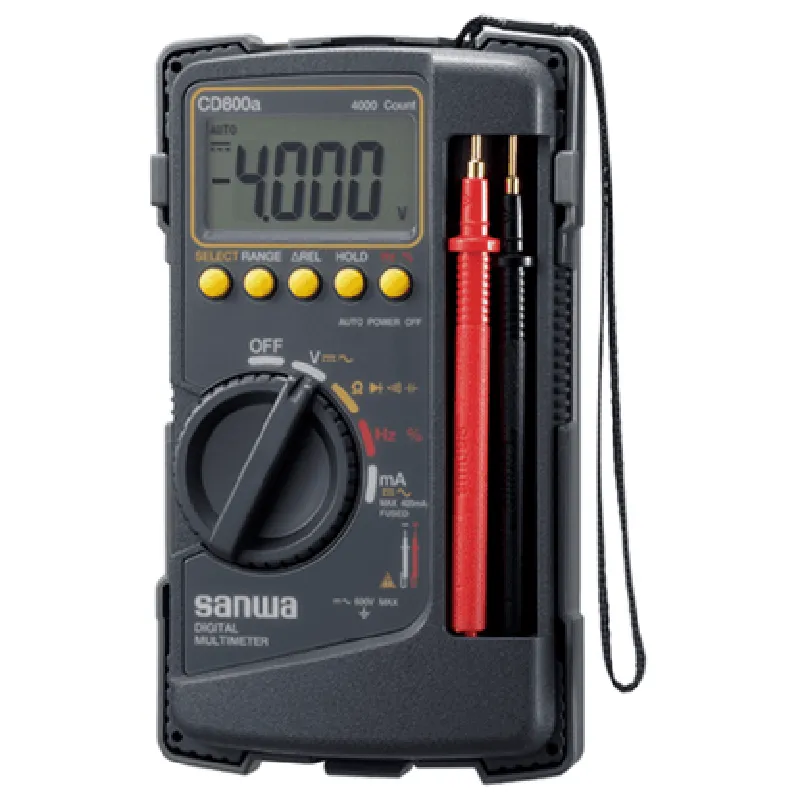
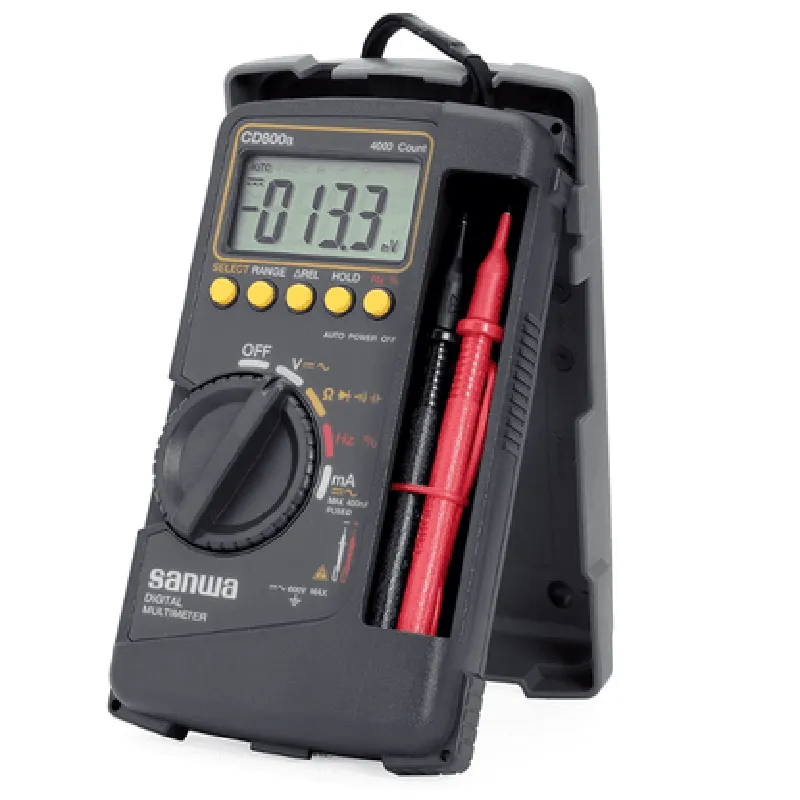
SANWA CD800A Digital Multimeter DocumentationOverviewThe SANWA CD800A is a high-precision digital multimeter designed for measuring various electrical parameters such as voltage, current, resistance, continuity, and capacitance. This component is widely used in various industries, including electronics, automotive, and industrial automation.Pinout and InterfacesThe SANWA CD800A has a compact design with a 3-digit LCD display and a rotary switch for selecting measurement functions. The device has the following interfaces:Rotary switch: Selects measurement function (V, A, , etc.)
LCD display: 3-digit display for measuring values
Test leads: Red (positive) and black (negative) leads for connecting to the device under testCode Examples### Example 1: Measuring Voltage using an Arduino BoardIn this example, we will use an Arduino board to measure the voltage across a resistive load using the SANWA CD800A.Hardware Requirements:SANWA CD800A Digital Multimeter
Arduino Board (e.g., Arduino Uno)
Resistive load (e.g., 1 k resistor)
Breadboard and jumper wiresSoftware Requirements:Arduino IDE (version 1.8.x or later)Code:
```c++
const int multimeterPin = A0; // Analog input pin for multimeter readingvoid setup() {
Serial.begin(9600);
pinMode(multimeterPin, INPUT);
}void loop() {
int multimeterValue = analogRead(multimeterPin);
float voltage = multimeterValue (5.0 / 1023.0);
Serial.print("Voltage: ");
Serial.print(voltage);
Serial.println(" V");
delay(1000);
}
```
Explanation:1. Connect the positive (red) lead of the SANWA CD800A to the analog input pin (A0) of the Arduino board.
2. Connect the negative (black) lead of the SANWA CD800A to the ground pin of the Arduino board.
3. Connect the resistive load (1 k resistor) across the test leads.
4. Upload the code to the Arduino board and open the serial monitor.
5. The Arduino board will read the voltage value from the SANWA CD800A and display it on the serial monitor.### Example 2: Measuring Current using a Raspberry PiIn this example, we will use a Raspberry Pi to measure the current drawn by a DC motor using the SANWA CD800A.Hardware Requirements:SANWA CD800A Digital Multimeter
Raspberry Pi (e.g., Raspberry Pi 4)
DC motor
Breadboard and jumper wiresSoftware Requirements:Raspberry Pi OS (version 2020-02-13 or later)
Python 3.xCode:
```python
import time
import RPi.GPIO as GPIO# Set up GPIO library
GPIO.setmode(GPIO.BCM)# Define multimeter pin
multimeter_pin = 17# Set up multimeter pin as input
GPIO.setup(multimeter_pin, GPIO.IN)while True:
# Read multimeter value
multimeter_value = GPIO.input(multimeter_pin)
# Convert to current value (assuming 10mA/V)
current = multimeter_value 10
print("Current: {:.2f} mA".format(current))
time.sleep(1)
```
Explanation:1. Connect the positive (red) lead of the SANWA CD800A to a GPIO pin (e.g., GPIO 17) on the Raspberry Pi.
2. Connect the negative (black) lead of the SANWA CD800A to the ground pin on the Raspberry Pi.
3. Connect the DC motor to a power source and connect the motor leads to the test leads.
4. Run the Python script on the Raspberry Pi.
5. The Raspberry Pi will read the current value from the SANWA CD800A and display it on the console.Important Notes:Always follow proper safety precautions when working with electrical circuits and devices.
Ensure the SANWA CD800A is set to the correct measurement function and range before taking readings.
The code examples provided are for illustration purposes only and may require modifications for specific use cases.