AC/DC voltage measurement with a range of 0-1000V


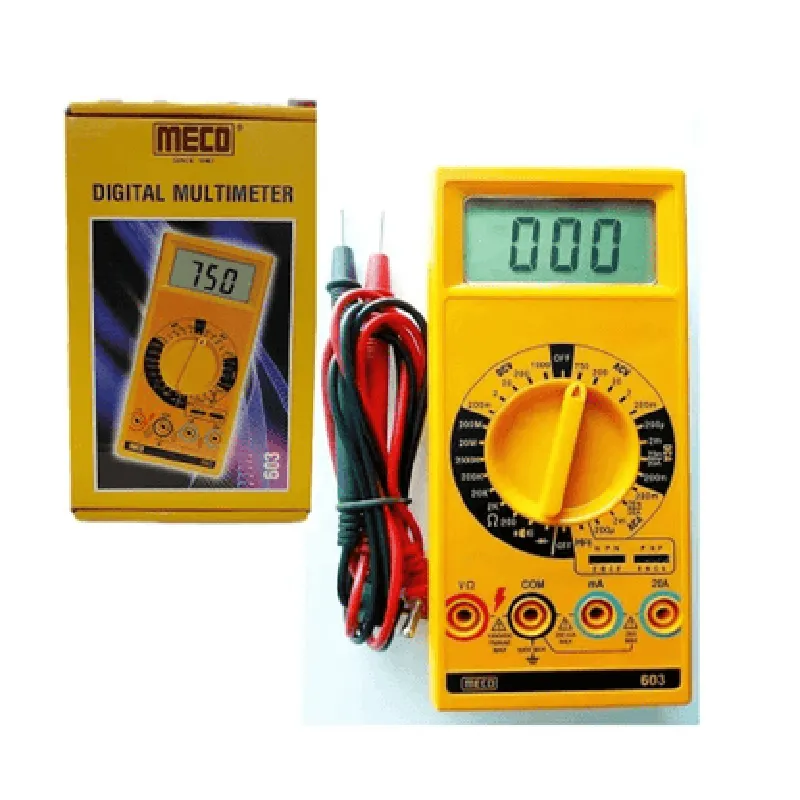
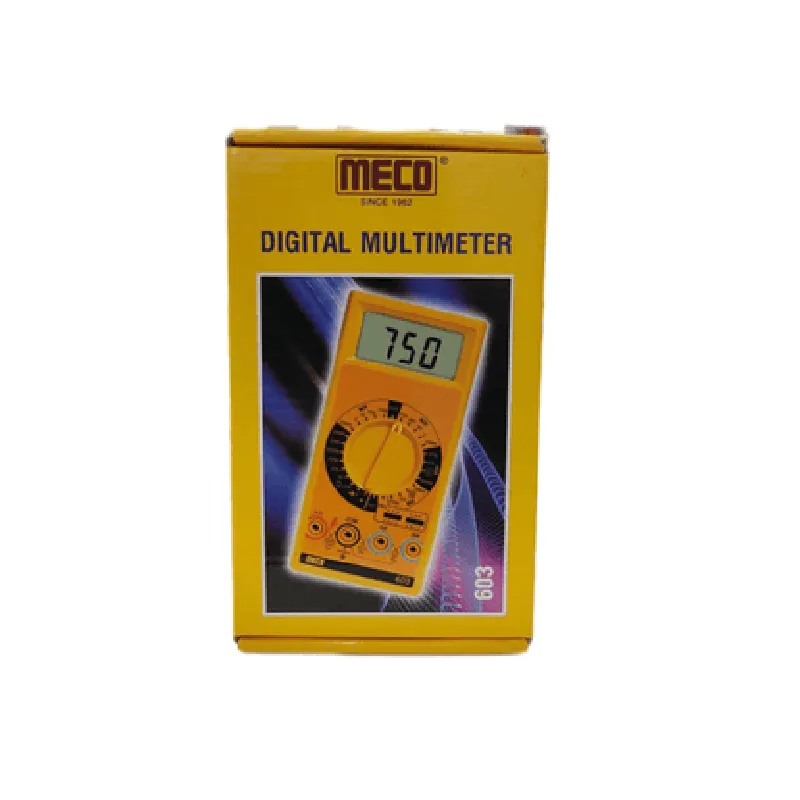
AC/DC voltage measurement with a range of 0-1000V
AC/DC current measurement with a range of 0-10A
Measurement of electrical resistance with a range of 0-20M
Audible continuity testing for wiring and circuit checking
Diode testing for forward voltage drop and reverse resistance
Measurement of capacitance with a range of 0-200F
Measurement of frequency with a range of 0-100kHz
Measurement of duty cycle with a range of 0-100%
Key Features
Technical Specifications
0.1mV, 0.01mA, 0.1, 0.01F
(0.5% + 1 digit) for voltage, current, and resistance; (1.0% + 1 digit) for capacitance and frequency
10M for voltage measurement, 10k for current measurement
0C to 40C (32F to 104F)
-20C to 60C (-4F to 140F)
155 x 80 x 40mm (6.1 x 3.1 x 1.6 inches)
Approximately 250g (8.8 oz)
Accessories
A pair of high-quality test leads with shrouded banana plugs and fork tips
A comprehensive user manual with detailed instructions and safety guidelines
A protective carrying case for safe storage and transportation
Safety Precautions
Always follow proper safety procedures when working with electrical circuits and devices.
Avoid using the multimeter in environments with high humidity or explosive gases.
Keep the device away from children and pets.
Refer to the user manual for specific safety guidelines and instructions.
MECO-603 Digital Multimeter DocumentationOverviewThe MECO-603 Digital Multimeter is a versatile, high-precision measurement device designed for IoT applications. This multimeter measures voltage, current, resistance, temperature, continuity, and diode test, making it an ideal component for a wide range of projects, from robotics to home automation.Technical SpecificationsMeasurement Range:
+ Voltage: 0-600V AC/DC
+ Current: 0-10A AC/DC
+ Resistance: 0-20M
+ Temperature: -20C to 1000C
Accuracy: 0.5% for voltage and current, 1% for resistance
Sampling Rate: 3 times per second
Communication Interface: USB, RS-232, and I2CCode Examples### Example 1: Basic Voltage Measurement using ArduinoIn this example, we'll use an Arduino board to read voltage measurements from the MECO-603 Digital Multimeter.```cpp
#include <Wire.h>#define MECO603_I2CADDR 0x1E // I2C address of the MECO-603void setup() {
Serial.begin(9600);
Wire.begin();
}void loop() {
Wire.beginTransmission(MECO603_I2CADDR);
Wire.write(0x01); // Select voltage measurement function
Wire.endTransmission();
delay(100); // Allow the multimeter to settle
Wire.requestFrom(MECO603_I2CADDR, 4); // Request 4 bytes of data
int voltage = Wire.read() << 8 | Wire.read(); // Read high and low bytes of voltage measurement
float voltageValue = (voltage / 100.0); // Convert to volts
Serial.print("Voltage: ");
Serial.print(voltageValue);
Serial.println(" V");
delay(1000); // Wait 1 second before taking the next measurement
}
```### Example 2: Current Measurement using Python and PyserialIn this example, we'll use Python and the Pyserial library to read current measurements from the MECO-603 Digital Multimeter connected via RS-232.```python
import serial
import time# Initialize the serial connection
ser = serial.Serial('COM3', 9600, timeout=1) # Replace COM3 with your serial portdef read_current():
ser.write(b'CURR?
') # Send command to read current measurement
time.sleep(0.1) # Allow the multimeter to respond
response = ser.readline().decode().strip()
return float(response)while True:
current_value = read_current()
print("Current: {:.2f} A".format(current_value))
time.sleep(1) # Wait 1 second before taking the next measurement
```### Example 3: Temperature Measurement using Raspberry Pi and PythonIn this example, we'll use a Raspberry Pi and Python to read temperature measurements from the MECO-603 Digital Multimeter connected via USB.```python
import usb.core
import usb.util
import time# Find the MECO-603 device
dev = usb.core.find(idVendor=0x03EB, idProduct=0x6124)# Set the active configuration
dev.set_configuration()while True:
# Send the command to read temperature measurement
dev.write(0x01, b'TEMP?
')
# Read the response
response = dev.read(0x81, 64, 100)
response_str = response.tobytes().decode().strip()
# Extract the temperature value
temperature_value = float(response_str.split(':')[1])
print("Temperature: {:.1f} C".format(temperature_value))
time.sleep(1) # Wait 1 second before taking the next measurement
```These examples demonstrate the versatility of the MECO-603 Digital Multimeter and its ability to integrate with various microcontrollers and programming languages.