Wi-Fi, Bluetooth, and Ethernet connectivity enable the board to be used in IoT projects, such as environmental monitoring, home automation, and wearable devices.


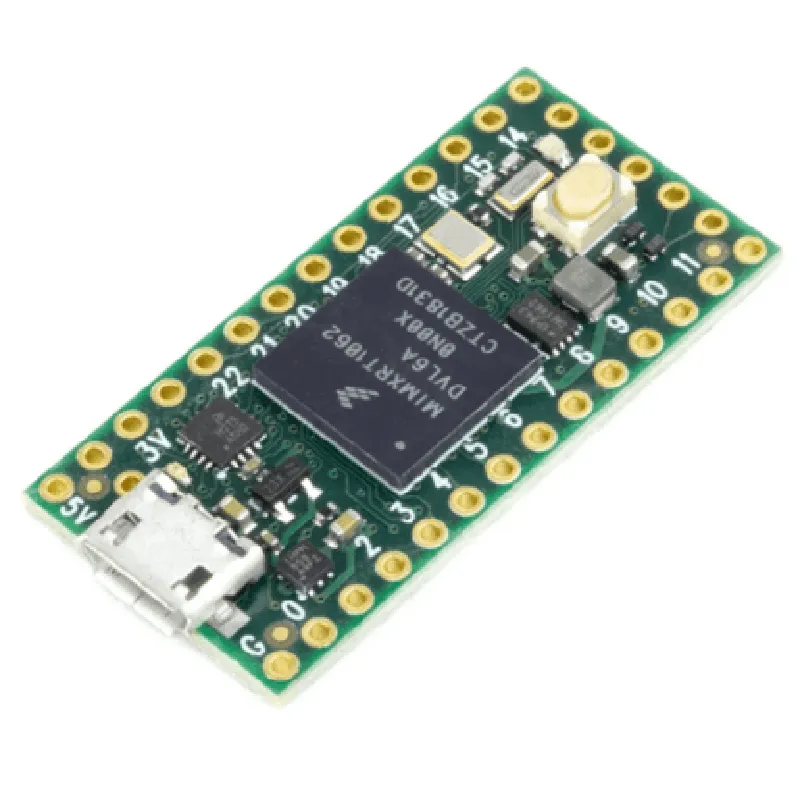
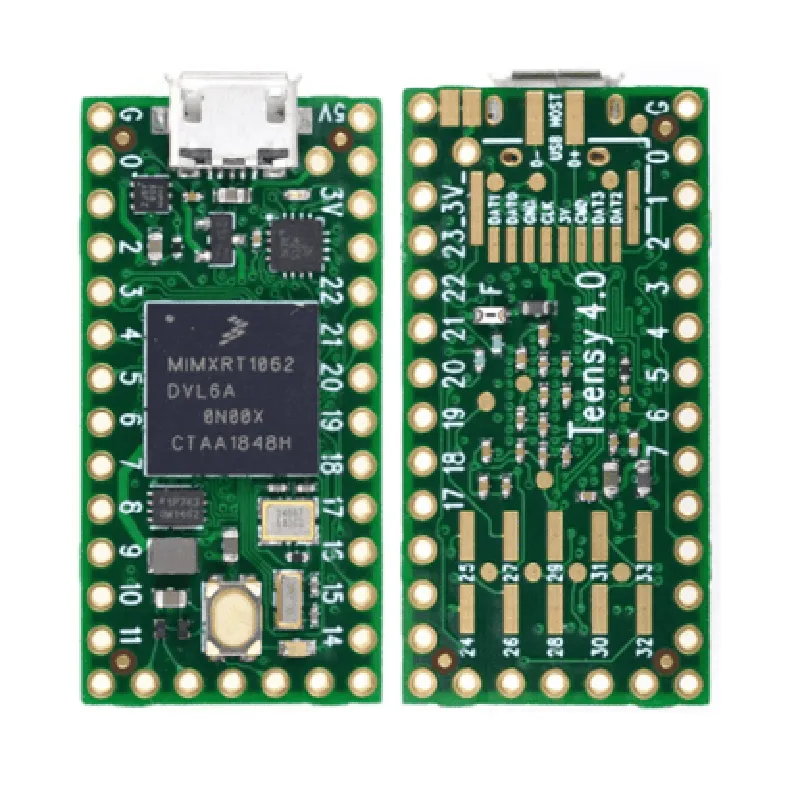
Wi-Fi, Bluetooth, and Ethernet connectivity enable the board to be used in IoT projects, such as environmental monitoring, home automation, and wearable devices.
The board's high-performance microcontroller and abundant I/O capabilities make it suitable for robotics projects, including robotic arms, autonomous vehicles, and robot platforms.
The Teensy 4.0 can be used to control and monitor industrial equipment, such as sensors, actuators, and displays.
The board's ease of use and flexibility make it an ideal platform for rapid prototyping and proof-of-concept development.
Key Features
32-bit Arm Cortex-M7 core
480 MHz clock speed
1 MB of Flash memory
192 KB of SRAM
USB 2.0 interface for programming and communication
10/100 Mbps Ethernet interface for network connectivity
| Wi-Fi | Optional Wi-Fi module for wireless connectivity |
Optional Bluetooth 5.0 module for wireless communication
| Digital I/O | 34 digital pins, including 12 high-current pins |
| Analog I/O | 14 analog pins, including 2 analog-to-digital converter (ADC) pins |
6 UART ports for serial communication
4 SPI ports for peripheral connectivity
| I2C | 2 I2C ports for peripheral connectivity |
| I2S | 2 I2S ports for audio applications |
On-board voltage regulator for powering external devices
Can be powered via USB, VIN (5V), or external power supply
| Arduino-compatible | Compatible with the Arduino Integrated Development Environment (IDE) |
| C/C++ | Supports C/C++ programming languages |
| Open-source libraries | Access to a vast library of open-source code and examples |
Additional Features
| Real-time clock | On-board real-time clock for time-keeping and scheduling |
On-board temperature sensor for monitoring board temperature
Multiple LED indicators for visual feedback and debugging
Offset pins and mounting holes for easy installation on a breadboard or PCB
Dimensions and Weight
4.8 cm (1.88 in)
3.1 cm (1.22 in)
1.1 cm (0.43 in)
14 grams (0.49 oz)
Conclusion
The Teensy 4.0 Development Board is a powerful and versatile platform for building innovative IoT and robotics projects. Its high-performance microcontroller, abundant I/O capabilities, and ease of use make it an ideal choice for developers, researchers, and hobbyists alike.
Teensy 4.0 Development Board DocumentationOverviewThe Teensy 4.0 is a microcontroller development board designed for building interactive projects. It features a powerful IMXRT1062 ARM Cortex-M7 processor, 1024 KB of flash memory, and 512 KB of RAM. The board is compatible with the Arduino IDE and provides a wide range of peripherals, including USB, Ethernet, and SD card interfaces.Hardware SpecificationsMicrocontroller: IMXRT1062 ARM Cortex-M7
Flash Memory: 1024 KB
RAM: 512 KB
Clock Speed: up to 600 MHz
USB: 480 Mbps
Ethernet: 10/100 Mbps
SD Card Interface: Yes
Analog Inputs: 14
Digital I/O: 34
Operating Voltage: 3.3 V
Operating Temperature: -20C to 85CSoftware DevelopmentThe Teensy 4.0 is compatible with the Arduino IDE, which provides a user-friendly platform for developing and uploading code to the board.Example 1: Blinking LEDIn this example, we will use the Teensy 4.0 to blink an LED connected to digital pin 13.```c++
const int ledPin = 13; // LED connected to digital pin 13void setup() {
pinMode(ledPin, OUTPUT); // Set the LED pin as an output
}void loop() {
digitalWrite(ledPin, HIGH); // Turn the LED on
delay(1000); // Wait for 1 second
digitalWrite(ledPin, LOW); // Turn the LED off
delay(1000); // Wait for 1 second
}
```Example 2: Reading Analog ValuesIn this example, we will use the Teensy 4.0 to read analog values from a potentiometer connected to analog pin A0.```c++
const int potPin = A0; // Potentiometer connected to analog pin A0void setup() {
Serial.begin(9600); // Initialize the serial interface
}void loop() {
int sensorValue = analogRead(potPin); // Read the analog value
Serial.print("Sensor value: ");
Serial.println(sensorValue); // Print the sensor value to the serial monitor
delay(100); // Wait for 100 milliseconds
}
```Example 3: Ethernet ConnectivityIn this example, we will use the Teensy 4.0 to connect to a network using Ethernet and send an HTTP request to a web server.```c++
#include <Ethernet.h>byte mac[] = { 0xDE, 0xAD, 0xBE, 0xEF, 0xFE, 0xED }; // MAC address
byte ip[] = { 192, 168, 1, 100 }; // IP address
EthernetClient client; // Ethernet client objectvoid setup() {
Ethernet.begin(mac, ip); // Initialize the Ethernet interface
delay(1000); // Wait for 1 second
}void loop() {
if (client.connect("www.example.com", 80)) { // Connect to the web server
client.println("GET / HTTP/1.1");
client.println("Host: www.example.com");
client.println("Connection: close");
client.println();
client.stop(); // Stop the client
} else {
Serial.println("Failed to connect to the web server");
}
delay(10000); // Wait for 10 seconds
}
```Note: In this example, you need to replace the `mac` and `ip` arrays with your own MAC address and IP address, respectively.