Capture thermal images for predictive maintenance, quality control, and surveillance.


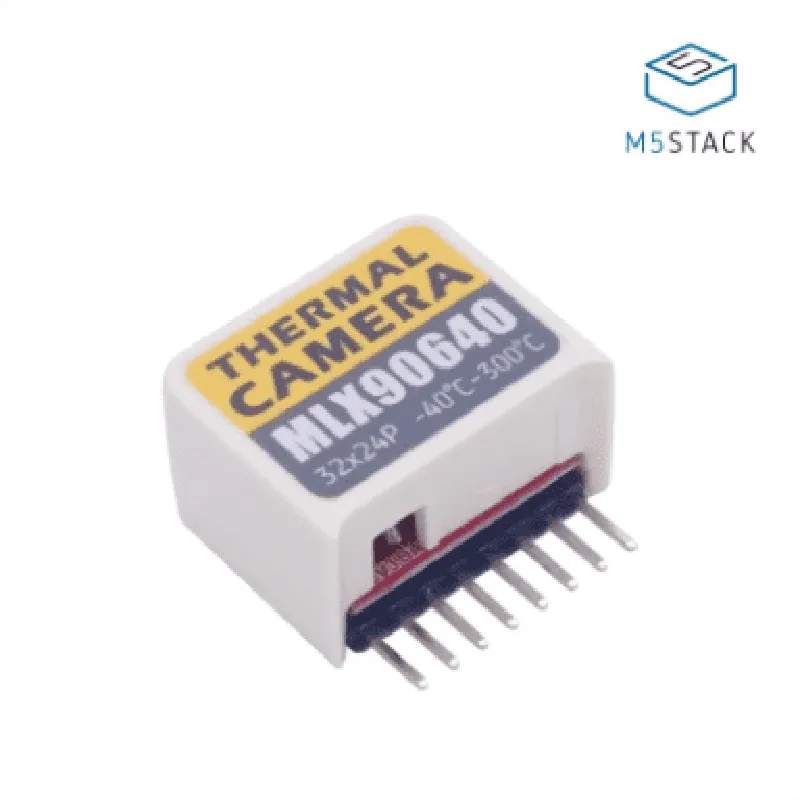
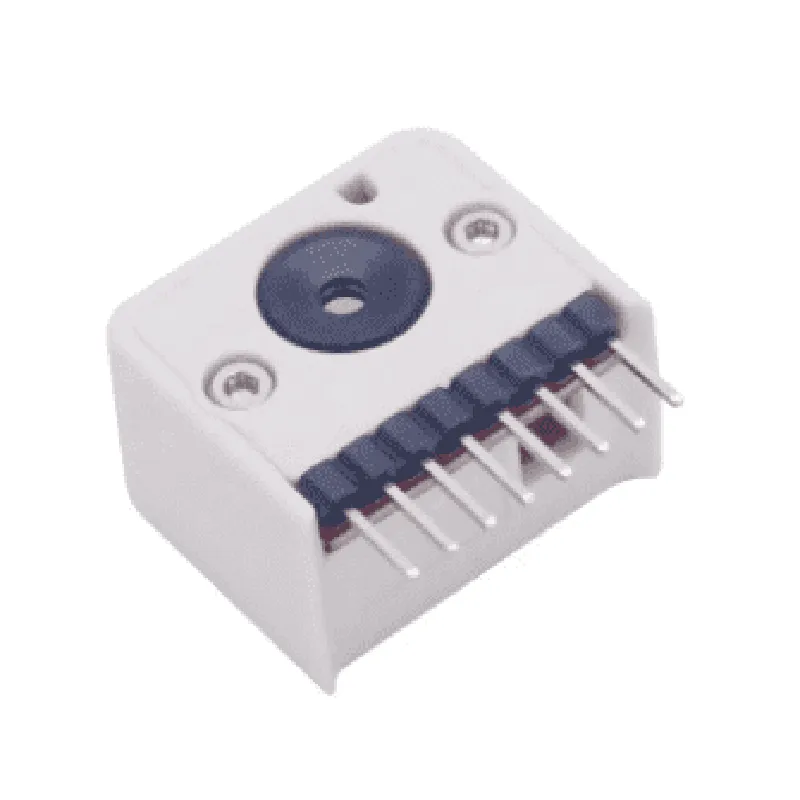
Capture thermal images for predictive maintenance, quality control, and surveillance.
Measure temperatures ranging from -40C to 300C with an accuracy of 1.5C.
| I2C Communication | Communicate with the M5 StickC microcontroller via the I2C protocol, allowing for seamless integration and data transfer. |
Key Features
--------------
| High-Precision Thermal Sensor | The MLX90640 thermal sensor provides accurate temperature measurements and thermal images. |
The hat's compact size (18mm x 18mm) makes it suitable for integration into small-scale projects and applications.
The module operates at a low voltage (3.3V) and consumes minimal power, making it ideal for battery-powered devices.
The hat is specifically designed for use with the M5 StickC microcontroller, simplifying the integration process and reducing development time.
| RoHS-Compliant | The module complies with the Restriction of Hazardous Substances (RoHS) directive, ensuring environmental sustainability. |
Technical Specifications
---------------------------
MLX90640 thermal sensor
32x24 pixels
-40C to 300C
1.5C
I2C
3.3V
10mA (typical)
100kHz (I2C clock frequency)
18mm x 18mm
2g (approx.)
Applications
--------------
| The M5 StickC Thermal Camera Hat (MLX90640) is suitable for a variety of applications, including |
Monitor temperatures in industrial, automotive, and healthcare applications.
Integrate with IoT devices for remote temperature monitoring and thermal imaging.
Use in robotics applications for thermal imaging and temperature sensing.
By combining the M5 StickC Thermal Camera Hat (MLX90640) with the M5 StickC microcontroller, developers can create innovative, IoT-based thermal imaging solutions with ease.
M5 StickC Thermal Camera Hat (MLX90640) DocumentationOverviewThe M5 StickC Thermal Camera Hat is a thermographic camera module based on the MLX90640 sensor, designed for thermal imaging applications. It is a compact, low-power consumption device that can be easily integrated with the M5 StickC microcontroller board. This module provides high-resolution thermal images, making it suitable for various IoT applications, such as temperature monitoring, predictive maintenance, and thermal anomaly detection.Technical SpecificationsMLX90640 thermal sensor with 32x24 pixels resolution
Temperature range: -40C to 300C
Accuracy: 1.5C (typical)
Resolution: 12-bit
Frame rate: up to 64 Hz
Interface: I2C
Power consumption: 1.8V, <100 mASoftware Libraries and ExamplesThe M5 StickC Thermal Camera Hat can be used with the M5 StickC microcontroller board, which is based on the ESP32 chip. The following examples demonstrate how to use this component in various contexts:Example 1: Basic Thermal ImagingThis example uses the `M5StickC_MLX90640` library to read thermal data from the MLX90640 sensor and display it on the M5 StickC's built-in LCD screen.```c
#include <M5StickC.h>
#include <M5StickC_MLX90640.h>M5StickC_MLX90640 thermalCamera;void setup() {
M5.begin();
thermalCamera.begin();
}void loop() {
thermalCamera.readSensor();
uint16_t thermalData = thermalCamera.getThermalData();
M5.Lcd.clear(BLACK);
M5.Lcd.setCursor(0, 0);
M5.Lcd.print("Thermal Image:");
for (int i = 0; i < 768; i++) {
uint16_t temperature = thermalData[i];
M5.Lcd.setCursor(i % 32, i / 32);
M5.Lcd.print(temperature, DEC);
}
delay(1000);
}
```Example 2: Temperature Monitoring with Wi-Fi ConnectivityThis example uses the `WiFi` and `M5StickC_MLX90640` libraries to connect to a Wi-Fi network and send thermal data to a remote server using HTTP requests.```c
#include <WiFi.h>
#include <M5StickC.h>
#include <M5StickC_MLX90640.h>const char ssid = "your_ssid";
const char password = "your_password";
const char serverUrl = "http://your_server_url.com/thermal_data";M5StickC_MLX90640 thermalCamera;
WiFiClient client;void setup() {
M5.begin();
thermalCamera.begin();
WiFi.begin(ssid, password);
while (WiFi.status() != WL_CONNECTED) {
delay(1000);
Serial.println("Connecting to WiFi...");
}
Serial.println("Connected to WiFi");
Serial.println("Initializing HTTP connection...");
}void loop() {
thermalCamera.readSensor();
uint16_t thermalData = thermalCamera.getThermalData();
String thermalDataString = "";
for (int i = 0; i < 768; i++) {
thermalDataString += String(thermalData[i], DEC) + ",";
}
client.setServer(serverUrl, 80);
client.println("POST /thermal_data HTTP/1.1");
client.println("Host: " + String(serverUrl));
client.println("Connection: close");
client.println("Content-Type: application/x-www-form-urlencoded");
client.println("Content-Length: " + String(thermalDataString.length()));
client.println();
client.print(thermalDataString);
delay(10000);
}
```Example 3: Integration with a Machine Learning ModelThis example uses the `TensorFlow Lite` library to integrate the M5 StickC Thermal Camera Hat with a machine learning model for thermal anomaly detection.```c
#include <TensorFlowLite.h>
#include <M5StickC.h>
#include <M5StickC_MLX90640.h>M5StickC_MLX90640 thermalCamera;
tflite::MicroInterpreter interpreter;void setup() {
M5.begin();
thermalCamera.begin();
// Load the TensorFlow Lite model
tflite::Model model = tflite::LoadModelFromFile("thermal_anomaly_detection.tflite");
interpreter = new tflite::MicroInterpreter(model, 1);
}void loop() {
thermalCamera.readSensor();
uint16_t thermalData = thermalCamera.getThermalData();
// Preprocess thermal data for input to the machine learning model
float inputData = new float[768];
for (int i = 0; i < 768; i++) {
inputData[i] = thermalData[i] / 100.0;
}
// Run the machine learning model
TfLiteTensor inputTensor = interpreter->input(0);
inputTensor->data.f = inputData;
interpreter->Invoke();
TfLiteTensor outputTensor = interpreter->output(0);
float outputData = outputTensor->data.f;
// Check for thermal anomalies
bool isAnomaly = false;
for (int i = 0; i < 1; i++) {
if (outputData[i] > 0.5) {
isAnomaly = true;
break;
}
}
if (isAnomaly) {
Serial.println("Thermal anomaly detected!");
} else {
Serial.println("No thermal anomaly detected.");
}
delay(10000);
}
```These examples demonstrate the capabilities of the M5 StickC Thermal Camera Hat and its potential applications in various IoT contexts.