Stufin
Home Quick Cart Profile

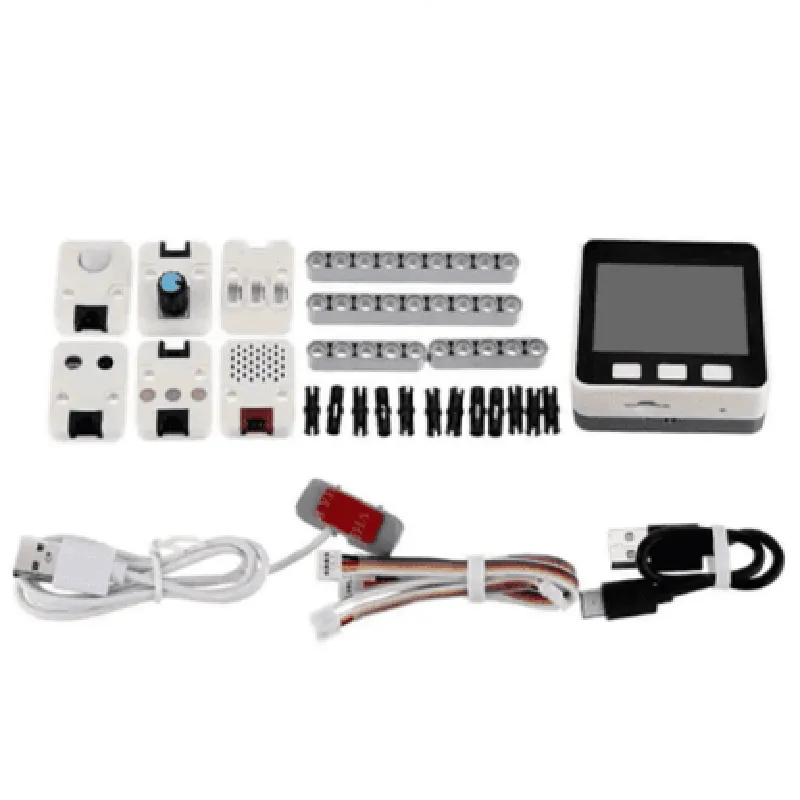
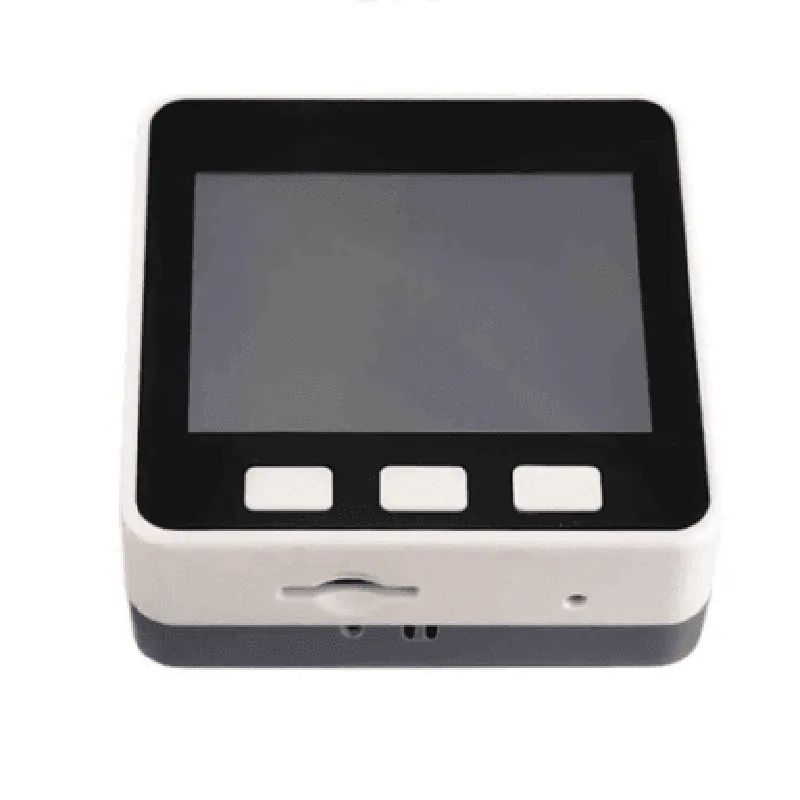
M5GO IoT Starter Kit V2.6

Buy Now on Stufin

Touch Panel

The display is equipped with a touch panel, enabling users to interact with their projects using intuitive touch-based interfaces.

Built-in Speaker and MicrophoneThe M5GO IoT Starter Kit features a built-in speaker and microphone, allowing for voice-based interactions and audio feedback.

### 3. Connectivity and Expansion

Wi-Fi and BluetoothThe kit supports Wi-Fi and Bluetooth connectivity, enabling seamless communication with other devices and the cloud.

GROVE Interface

The M5GO IoT Starter Kit features a GROVE interface, which allows for easy connection of various sensors and modules.

30-Pin GPIOThe kit provides a 30-pin GPIO (General-Purpose Input/Output) interface, offering flexibility for custom connections and expansions.

### 4. Power Management

USB-C PoweredThe kit can be powered via a USB-C connection, making it easy to connect to a computer or a power adapter.

Battery Slot

A built-in battery slot accommodates an external battery, enabling portable IoT projects.

Power Management IC (PMIC)The M5GO IoT Starter Kit features a PMIC, which efficiently manages power consumption and charging.

### 5. Additional Features

RTC (Real-Time Clock)The kit includes an RTC, allowing for accurate timekeeping and scheduling in IoT projects.

Accelerometer and Gyroscope

The M5GO IoT Starter Kit comes with built-in accelerometer and gyroscope sensors, enabling motion detection and orientation tracking.

Functionality

----------------

The M5GO IoT Starter Kit V2.6 is designed to facilitate the development of IoT projects across various domains, including

Smart Home Automation

Wearable Devices

Robotics and Automation

Environmental Monitoring

Industrial IoT

The kit's modular design and rich feature set enable users to create complex IoT projects, leveraging the capabilities of the ESP32-WROVER-B module and the GROVE interface. The M5GO IoT Starter Kit V2.6 is an ideal platform for prototyping, proof-of-concept development, and education.

Target Audience

-------------------

IoT Developers and Engineers

Hobbyists and Enthusiasts

Students and Educators

Researchers and Innovators

Pin Configuration

  • M5GO IoT Starter Kit V2.6 Pinout Explanation
  • The M5GO IoT Starter Kit V2.6 is a versatile development board designed for IoT applications. It features a compact design and a comprehensive set of peripherals, making it an ideal choice for beginners and experienced developers alike. Here's a detailed explanation of the pins on the M5GO IoT Starter Kit V2.6, point by point:
  • GPIO Pins
  • 1. GPIO0:
  • Function: Digital Input/Output
  • Use: General-purpose digital I/O
  • Note: Can be used for various applications, such as controlling LEDs, reading button states, or communicating with sensors
  • 2. GPIO1:
  • Function: Digital Input/Output
  • Use: General-purpose digital I/O
  • Note: Same as GPIO0, but with a different pin assignment
  • 3. GPIO2:
  • Function: Digital Input/Output, I2C SDA (default)
  • Use: General-purpose digital I/O or I2C communication
  • Note: Can be used for I2C communication with devices like sensors, displays, or EEPROMs
  • 4. GPIO3:
  • Function: Digital Input/Output, I2C SCL (default)
  • Use: General-purpose digital I/O or I2C communication
  • Note: Can be used for I2C communication with devices like sensors, displays, or EEPROMs
  • 5. GPIO4:
  • Function: Digital Input/Output, SPI DI (default)
  • Use: General-purpose digital I/O or SPI communication
  • Note: Can be used for SPI communication with devices like SD cards, displays, or sensors
  • 6. GPIO5:
  • Function: Digital Input/Output, SPI CLK (default)
  • Use: General-purpose digital I/O or SPI communication
  • Note: Can be used for SPI communication with devices like SD cards, displays, or sensors
  • 7. GPIO16:
  • Function: Digital Input/Output, Wakeup Pin (default)
  • Use: General-purpose digital I/O or Wakeup functionality
  • Note: Can be used to wake up the board from deep sleep mode
  • 8. GPIO17:
  • Function: Digital Input/Output
  • Use: General-purpose digital I/O
  • Note: Same as GPIO0, but with a different pin assignment
  • 9. GPIO18:
  • Function: Digital Input/Output
  • Use: General-purpose digital I/O
  • Note: Same as GPIO0, but with a different pin assignment
  • 10. GPIO19:
  • Function: Digital Input/Output, I2S BCK (default)
  • Use: General-purpose digital I/O or I2S communication
  • Note: Can be used for I2S communication with audio devices
  • 11. GPIO21:
  • Function: Digital Input/Output, I2S WS (default)
  • Use: General-purpose digital I/O or I2S communication
  • Note: Can be used for I2S communication with audio devices
  • 12. GPIO22:
  • Function: Digital Input/Output, I2S DO (default)
  • Use: General-purpose digital I/O or I2S communication
  • Note: Can be used for I2S communication with audio devices
  • 13. GPIO23:
  • Function: Digital Input/Output
  • Use: General-purpose digital I/O
  • Note: Same as GPIO0, but with a different pin assignment
  • 14. GPIO25:
  • Function: Digital Input/Output
  • Use: General-purpose digital I/O
  • Note: Same as GPIO0, but with a different pin assignment
  • Communication Pins
  • 1. UART0_TX:
  • Function: UART Transmission
  • Use: Serial communication with devices like a serial console or a GPS module
  • 2. UART0_RX:
  • Function: UART Reception
  • Use: Serial communication with devices like a serial console or a GPS module
  • 3. I2C_SCL:
  • Function: I2C Clock
  • Use: I2C communication with devices like sensors, displays, or EEPROMs
  • 4. I2C_SDA:
  • Function: I2C Data
  • Use: I2C communication with devices like sensors, displays, or EEPROMs
  • 5. SPI_CLK:
  • Function: SPI Clock
  • Use: SPI communication with devices like SD cards, displays, or sensors
  • 6. SPI_MOSI:
  • Function: SPI Master Out Slave In
  • Use: SPI communication with devices like SD cards, displays, or sensors
  • 7. SPI_MISO:
  • Function: SPI Master In Slave Out
  • Use: SPI communication with devices like SD cards, displays, or sensors
  • Power and Reset Pins
  • 1. VCC:
  • Function: Power Supply
  • Use: Supply power to the board (3.3V or 5V)
  • 2. GND:
  • Function: Ground
  • Use: Ground connection for the power supply
  • 3. EN:
  • Function: Enable Pin
  • Use: Enable or disable the power supply to the board
  • 4. RST:
  • Function: Reset Pin
  • Use: Reset the board to its default state
  • Other Pins
  • 1. LED:
  • Function: Onboard LED
  • Use: Indicates the board's status (e.g., power, Wi-Fi connection)
  • 2. BATTERY:
  • Function: Battery Connection
  • Use: Connect an external battery for power supply
  • 3. USB:
  • Function: USB Connection
  • Use: Connect to a computer for programming, debugging, or power supply
  • Note:
  • The M5GO IoT Starter Kit V2.6 has a specific pinout, so ensure you refer to the official documentation and schematics for accurate information.
  • Be cautious when connecting peripherals to avoid damage or short circuits.
  • Always use the correct voltage and current ratings for your project to avoid damaging the board or its components.
  • By understanding the pins and their functions, you can unlock the full potential of the M5GO IoT Starter Kit V2.6 and develop innovative IoT projects.

Code Examples

M5GO IoT Starter Kit V2.6 Documentation
Overview
The M5GO IoT Starter Kit V2.6 is a comprehensive development board designed for IoT applications, featuring a range of sensors, wireless connectivity, and a user-friendly interface. This documentation provides an overview of the kit's components, technical specifications, and code examples to demonstrate its usage in various contexts.
Components
ESP32 microcontroller
 1.3-inch LCD display
 Wi-Fi and Bluetooth 4.2 connectivity
 Environmental sensors (temperature, humidity, pressure)
 Accelerometer and gyroscope
 microSD card slot
 USB-C interface
 Battery management system (BMS)
Technical Specifications
Microcontroller: ESP32-D0WDQ6
 Operating Frequency: 240 MHz
 Flash Memory: 16MB
 SRAM: 520KB
 Wi-Fi: 802.11 b/g/n
 Bluetooth: 4.2
 Display: 1.3-inch LCD, 240x240 pixels
 Power Consumption: 500mA (max)
Code Examples
### Example 1: Environmental Monitoring
This example demonstrates how to use the on-board environmental sensors to monitor temperature, humidity, and pressure.
```c
#include <M5GO.h>
void setup() {
  M5.begin();
  M5.Lcd.clear();
  M5.Lcd.setCursor(0, 0);
  M5.Lcd.println("Environmental Monitoring");
}
void loop() {
  float temp = M5.Env.getTemperature();
  float humi = M5.Env.getHumidity();
  float pres = M5.Env.getPressure();
M5.Lcd.setCursor(0, 1);
  M5.Lcd.print("Temperature: ");
  M5.Lcd.print(temp);
  M5.Lcd.println(" C");
M5.Lcd.setCursor(0, 2);
  M5.Lcd.print("Humidity: ");
  M5.Lcd.print(humi);
  M5.Lcd.println(" %");
M5.Lcd.setCursor(0, 3);
  M5.Lcd.print("Pressure: ");
  M5.Lcd.print(pres);
  M5.Lcd.println(" mbar");
delay(1000);
}
```
### Example 2: Wi-Fi Connectivity and Web Interface
This example demonstrates how to connect to a Wi-Fi network and create a simple web interface using the on-board Wi-Fi module.
```c
#include <M5GO.h>
#include <WiFi.h>
const char ssid = "your_wifi_ssid";
const char password = "your_wifi_password";
WiFiServer server(80);
void setup() {
  M5.begin();
  WiFi.begin(ssid, password);
  while (WiFi.status() != WL_CONNECTED) {
    delay(1000);
    M5.Lcd.println("Connecting to Wi-Fi...");
  }
M5.Lcd.println("Connected to Wi-Fi");
  M5.Lcd.println("Starting web server...");
server.begin();
}
void loop() {
  WiFiClient client = server.available();
if (client) {
    M5.Lcd.println("Client connected");
client.println("HTTP/1.1 200 OK");
    client.println("Content-type:text/html");
    client.println();
client.print("<h1>M5GO IoT Starter Kit V2.6</h1>");
    client.print("<p>Environmental Monitoring:</p>");
    client.print("<p>Temperature: ");
    client.print(M5.Env.getTemperature());
    client.print(" C</p>");
    client.print("<p>Humidity: ");
    client.print(M5.Env.getHumidity());
    client.print(" %</p>");
    client.print("<p>Pressure: ");
    client.print(M5.Env.getPressure());
    client.print(" mbar</p>");
client.stop();
  }
}
```
These examples demonstrate the capabilities of the M5GO IoT Starter Kit V2.6 and provide a starting point for developing more complex IoT applications.