FlySky FS-TH9X 2.4G 9CH Transmitter


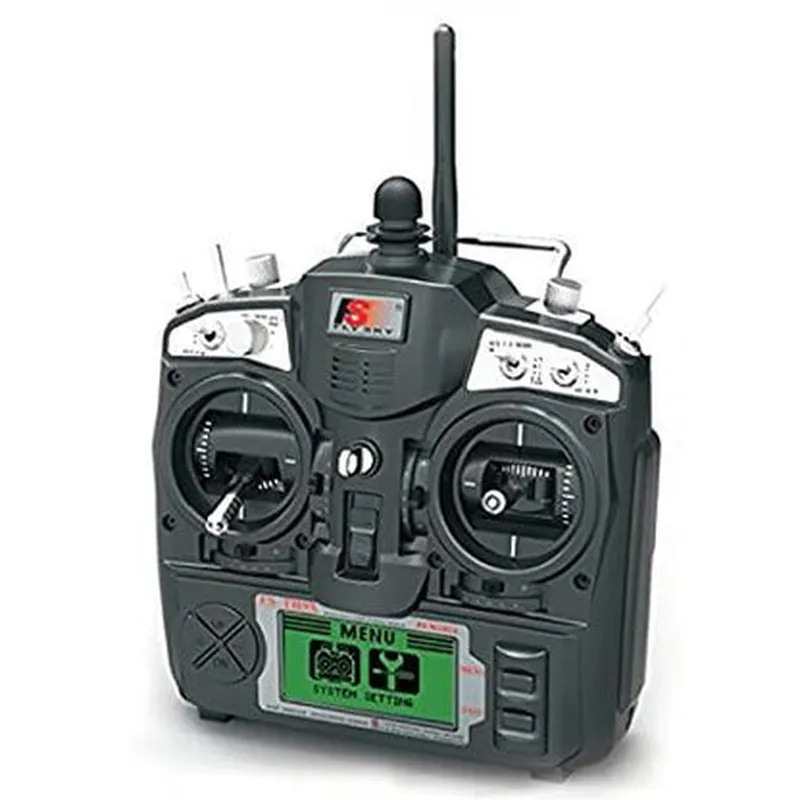
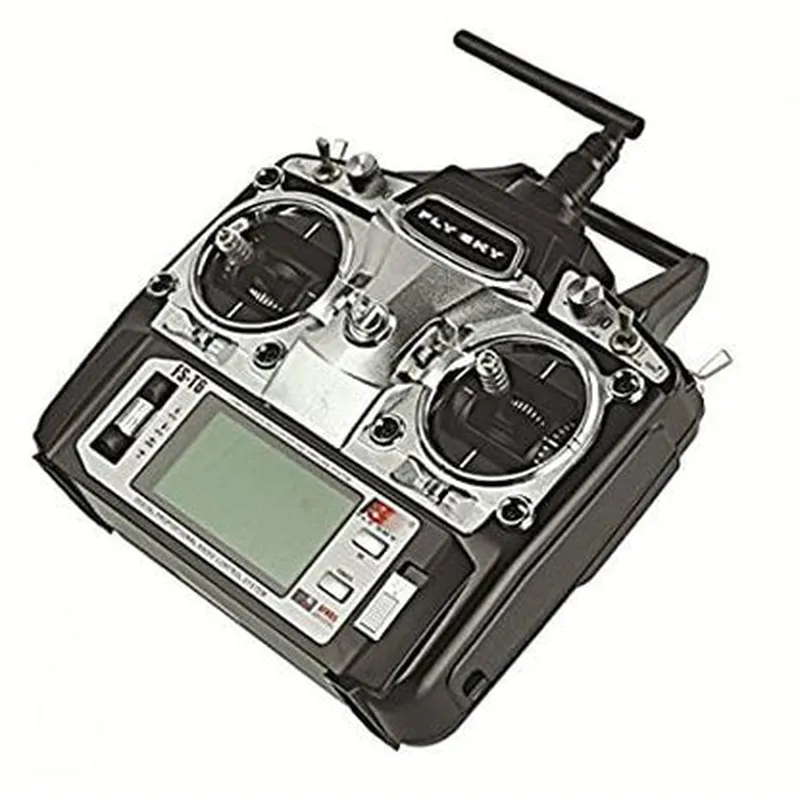
FlySky FS-TH9X 2.4G 9CH Transmitter
The FlySky FS-TH9X 2.4G 9CH Transmitter is a wireless remote control system designed for use with radio-controlled (RC) models, drones, and other IoT devices. This transmitter offers a high level of precision and reliability, making it an ideal choice for professionals and hobbyists alike.
The FlySky FS-TH9X 2.4G 9CH Transmitter is a handheld device that sends commands to a receiver unit, which is connected to the RC model or IoT device. The transmitter uses 2.4GHz frequency hopping spread spectrum technology to transmit signals, providing a robust and interference-free connection.
| The transmitter features a 9-channel design, allowing users to control multiple functions on their RC model or IoT device, such as |
Aileron and elevator controls for aircraft
Steering and throttle controls for cars and boats
Pitch and yaw controls for drones and multicopters
Customizable functions for IoT devices and robotic systems
2.4GHz
GFSK
up to 100mW
up to 1.5 km (0.93 miles)
9
1024x1024
-105 dBm
4 x AA batteries (not included)
up to 50 mA
approximately 400g (14.1 oz)
184 x 114 x 54 mm (7.24 x 4.49 x 2.13 in)
CE Certification
FCC Compliance
RoHS Compliance
1-year warranty from the manufacturer
Dedicated customer support and technical assistance
The FlySky FS-TH9X 2.4G 9CH Transmitter is a high-performance wireless remote control system designed for use with RC models and IoT devices. Its advanced features, high-precision control, and robust transmission capabilities make it an ideal choice for professionals and hobbyists alike.
FlySky FS-TH9X 2.4G 9CH Transmitter DocumentationOverviewThe FlySky FS-TH9X 2.4G 9CH Transmitter is a popular, affordable, and feature-rich radio transmitter designed for remote control applications, including drones, robots, and other IoT devices. This transmitter operates on the 2.4 GHz frequency band and supports up to 9 channels, making it an ideal choice for complex projects.Technical SpecificationsFrequency: 2.4 GHz
Channel count: 9
Modulation: GFSK (Gaussian Frequency Shift Keying)
Range: Up to 2.5 km (1.55 miles)
Power: 4x AA batteries (not included)
Weight: 360g (12.7 oz)
Dimensions: 180 x 155 x 60 mm (7.09 x 6.10 x 2.36 in)Code Examples### Example 1: Using the FlySky FS-TH9X with an Arduino RobotIn this example, we'll demonstrate how to use the FlySky FS-TH9X to control a simple Arduino-based robot.Hardware RequirementsFlySky FS-TH9X 2.4G 9CH Transmitter
Arduino Board (e.g., Arduino Uno or Arduino Mega)
Robot chassis and motors
L298N motor driver (optional)Software RequirementsArduino IDE (version 1.8.x or later)Code
```c++
#include <RH_ASK.h> // RadioHead ASK library for Arduino// Define the transmitter pin connections
#define TX_PIN 2 // Digital pin 2 for transmitter data
#define VCC_PIN 3 // Digital pin 3 for transmitter VCC// Create a RadioHead ASK object
RH_ASK transmitter;void setup() {
// Initialize the transmitter
transmitter.init(TX_PIN, VCC_PIN);
}void loop() {
// Read the transmitter channel values
int channel1 = transmitter.readChannel(1);
int channel2 = transmitter.readChannel(2);
int channel3 = transmitter.readChannel(3);// Use the channel values to control the robot
if (channel1 > 1500) {
// Move forward
digitalWrite(MOTOR_FW, HIGH);
} else {
// Move backward
digitalWrite(MOTOR_BW, HIGH);
}if (channel2 > 1500) {
// Turn left
digitalWrite(MOTOR_LEFT, HIGH);
} else {
// Turn right
digitalWrite(MOTOR_RIGHT, HIGH);
}delay(20);
}
```
### Example 2: Using the FlySky FS-TH9X with a Raspberry Pi DroneIn this example, we'll demonstrate how to use the FlySky FS-TH9X to control a Raspberry Pi-based drone.Hardware RequirementsFlySky FS-TH9X 2.4G 9CH Transmitter
Raspberry Pi (e.g., Raspberry Pi 4)
Drone frame and motors
ESC (Electronic Speed Controller)Software RequirementsRaspbian OS (version 10 or later)
Python 3.xCode
```python
import pygame
import RPi.GPIO as GPIO# Initialize pygame for joystick input
pygame.init()
pygame.joystick.init()# Define the transmitter channel mappings
CHANNEL_ROLL = 0
CHANNEL_PITCH = 1
CHANNEL_YAW = 2
CHANNEL_THROTTLE = 3# Define the GPIO pins for motor control
MOTOR_PIN_FW = 17
MOTOR_PIN_BW = 23
MOTOR_PIN_LEFT = 24
MOTOR_PIN_RIGHT = 25# Set up the GPIO pins as output
GPIO.setmode(GPIO.BCM)
GPIO.setup(MOTOR_PIN_FW, GPIO.OUT)
GPIO.setup(MOTOR_PIN_BW, GPIO.OUT)
GPIO.setup(MOTOR_PIN_LEFT, GPIO.OUT)
GPIO.setup(MOTOR_PIN_RIGHT, GPIO.OUT)while True:
# Read the joystick input
joystick = pygame.joystick.Joystick(0)
roll = joystick.get_axis(CHANNEL_ROLL)
pitch = joystick.get_axis(CHANNEL_PITCH)
yaw = joystick.get_axis(CHANNEL_YAW)
throttle = joystick.get_axis(CHANNEL_THROTTLE)# Control the drone motors based on the input
if roll > 0.5:
GPIO.output(MOTOR_PIN_FW, GPIO.HIGH)
else:
GPIO.output(MOTOR_PIN_FW, GPIO.LOW)if pitch > 0.5:
GPIO.output(MOTOR_PIN_BW, GPIO.HIGH)
else:
GPIO.output(MOTOR_PIN_BW, GPIO.LOW)if yaw > 0.5:
GPIO.output(MOTOR_PIN_LEFT, GPIO.HIGH)
else:
GPIO.output(MOTOR_PIN_LEFT, GPIO.LOW)if throttle > 0.5:
GPIO.output(MOTOR_PIN_RIGHT, GPIO.HIGH)
else:
GPIO.output(MOTOR_PIN_RIGHT, GPIO.LOW)# Delay to avoid overwhelming the motors
time.sleep(0.02)
```
These examples demonstrate how to use the FlySky FS-TH9X 2.4G 9CH Transmitter to control various IoT devices, including robots and drones. The transmitter's 9 channels provide ample flexibility for complex projects, and its 2.4 GHz frequency band ensures reliable communication over long distances.