XD-621 Induction Touch Switch


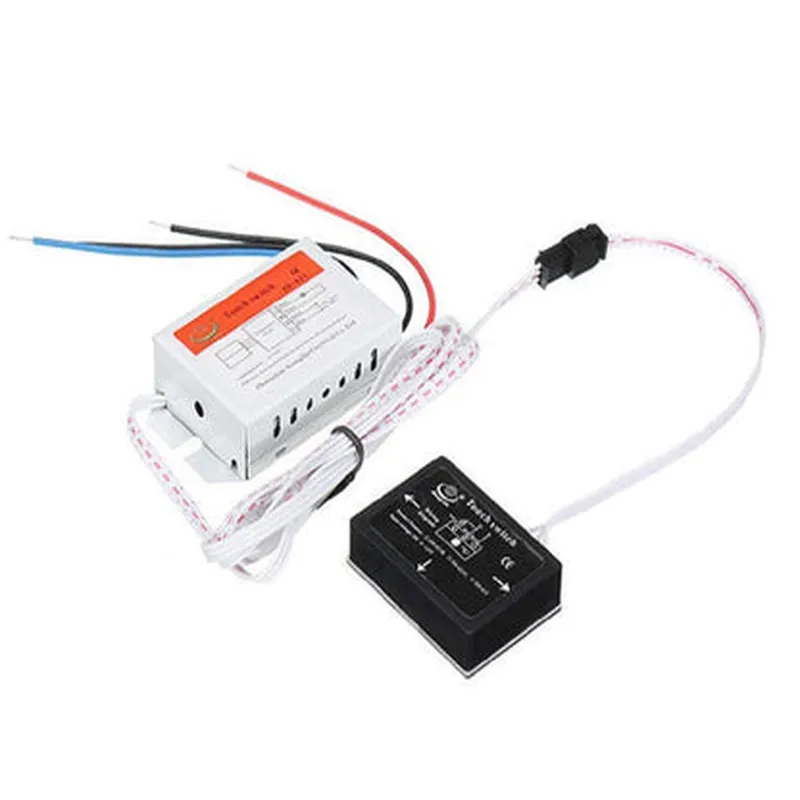
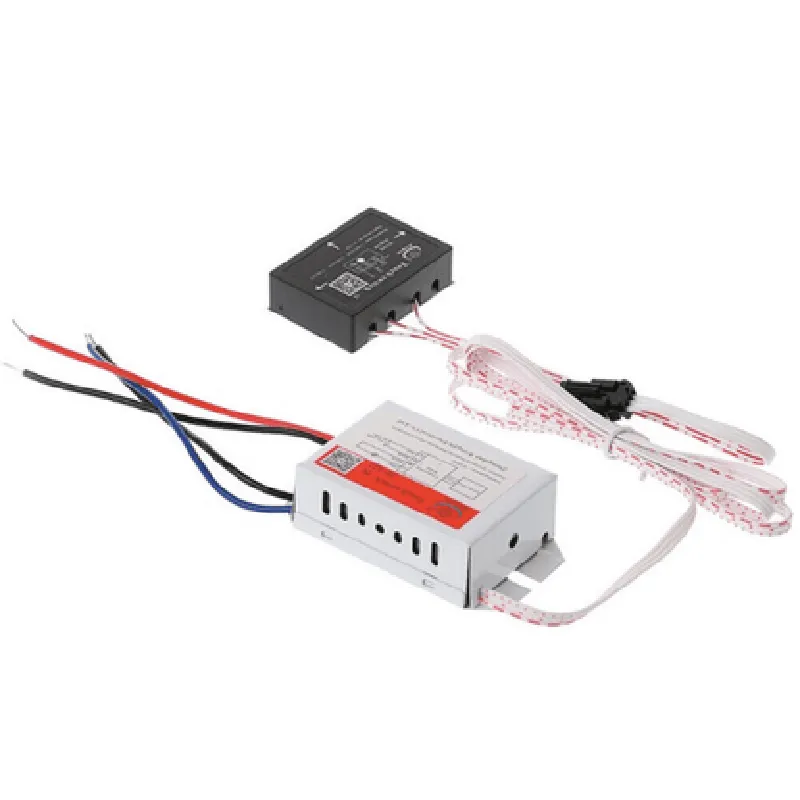
XD-621 Induction Touch Switch
The XD-621 Induction Touch Switch is a state-of-the-art, non-invasive, and highly sensitive human-machine interface (HMI) component designed for various industrial and consumer applications. This induction-based touch switch offers high reliability, durability, and precision, making it an ideal choice for modern smart devices and IoT systems.
The XD-621 Induction Touch Switch operates on the principle of electromagnetic induction, where it detects changes in the electromagnetic field caused by a user's proximity or touch. When a user approaches or touches the switch, the device detects the disturbance in the magnetic field and triggers a switching action. This action can be used to control various loads, such as LEDs, relays, or microcontrollers.
| Parameter | Value |
| --- | --- |
| Operating Frequency | 125 kHz |
| Sensitivity | Adjustable (5-50 mm) |
| Operating Voltage | 3.3 V to 5.5 V |
| Power Consumption | < 10 mA |
| Output Signal | Digital (TTL) |
| Response Time | < 10 ms |
| Temperature Range | -20C to 70C |
| Humidity Range | 20% to 80% RH |
| Dimensions | 12 mm x 12 mm x 2 mm |
| The XD-621 Induction Touch Switch is suitable for a wide range of applications, including |
Smart home devices
Industrial control systems
Medical devices
Consumer electronics
IoT devices
Automotive systems
High sensitivity and accuracy
Non-invasive and water/dust resistant
Low power consumption and compact design
Adjustable sensitivity and multi-functionality
RoHS compliant and suitable for various applications
XD-621 Induction Touch Switch DocumentationOverviewThe XD-621 Induction Touch Switch is a capacitive touch sensor module designed for human-machine interface applications. It features high sensitivity, low power consumption, and resistance to electromagnetic interference (EMI). This module is ideal for use in IoT projects, home automation systems, and industrial control panels.Pinout| Pin | Function |
| --- | --- |
| VCC | Power supply (3.3V or 5V) |
| GND | Ground |
| OUT | Digital output (active low) |
| EN | Enable pin (active high) |Operating PrincipleThe XD-621 Induction Touch Switch uses capacitive sensing technology to detect changes in capacitance when a user's finger approaches the sensor surface. The module's onboard microcontroller processes the sensor data and outputs a digital signal indicating the touch state.Code Examples### Example 1: Basic Touch Detection with ArduinoIn this example, we'll use the XD-621 Induction Touch Switch with an Arduino board to control an LED.```c++
const int touchPin = 2; // Connect OUT pin to digital pin 2
const int ledPin = 13; // Connect an LED to digital pin 13void setup() {
pinMode(touchPin, INPUT);
pinMode(ledPin, OUTPUT);
}void loop() {
if (digitalRead(touchPin) == LOW) {
digitalWrite(ledPin, HIGH); // Turn on the LED when the touch sensor is triggered
} else {
digitalWrite(ledPin, LOW); // Turn off the LED when the touch sensor is not triggered
}
delay(50);
}
```### Example 2: Debounced Touch Detection with ESP32In this example, we'll use the XD-621 Induction Touch Switch with an ESP32 board to control a relay module.```cpp
const int touchPin = 32; // Connect OUT pin to digital pin 32
const int relayPin = 15; // Connect a relay module to digital pin 15
bool touchState = false;
bool previousState = false;void setup() {
pinMode(touchPin, INPUT);
pinMode(relayPin, OUTPUT);
}void loop() {
touchState = digitalRead(touchPin) == LOW;
if (touchState && !previousState) {
digitalWrite(relayPin, !digitalRead(relayPin)); // Toggle the relay state on touch
}
previousState = touchState;
delay(50);
}
```### Example 3: Threshold-Based Touch Detection with Raspberry Pi (Python)In this example, we'll use the XD-621 Induction Touch Switch with a Raspberry Pi to control a GUI button.```python
import RPi.GPIO as GPIO
import timeGPIO.setmode(GPIO.BCM)
touch_pin = 17 # Connect OUT pin to GPIO 17
button_pin = 23 # Connect a GUI button to GPIO 23GPIO.setup(touch_pin, GPIO.IN)
GPIO.setup(button_pin, GPIO.OUT)while True:
if GPIO.input(touch_pin) == GPIO.LOW:
GPIO.output(button_pin, GPIO.HIGH) # Press the GUI button when the touch sensor is triggered
time.sleep(0.1)
GPIO.output(button_pin, GPIO.LOW)
time.sleep(0.05)
```Note: Make sure to adjust the pin connections and modify the code according to your specific hardware setup and requirements.Troubleshooting TipsEnsure that the XD-621 Induction Touch Switch is properly connected to the microcontroller or single-board computer.
Adjust the sensitivity of the touch sensor by changing the capacitor values or adding a pull-up resistor to the OUT pin.
Use a debouncing technique to filter out noise and false triggerings.
Consult the datasheet for specific operating conditions, voltage levels, and current limitations.