Stufin
Home Quick Cart Profile

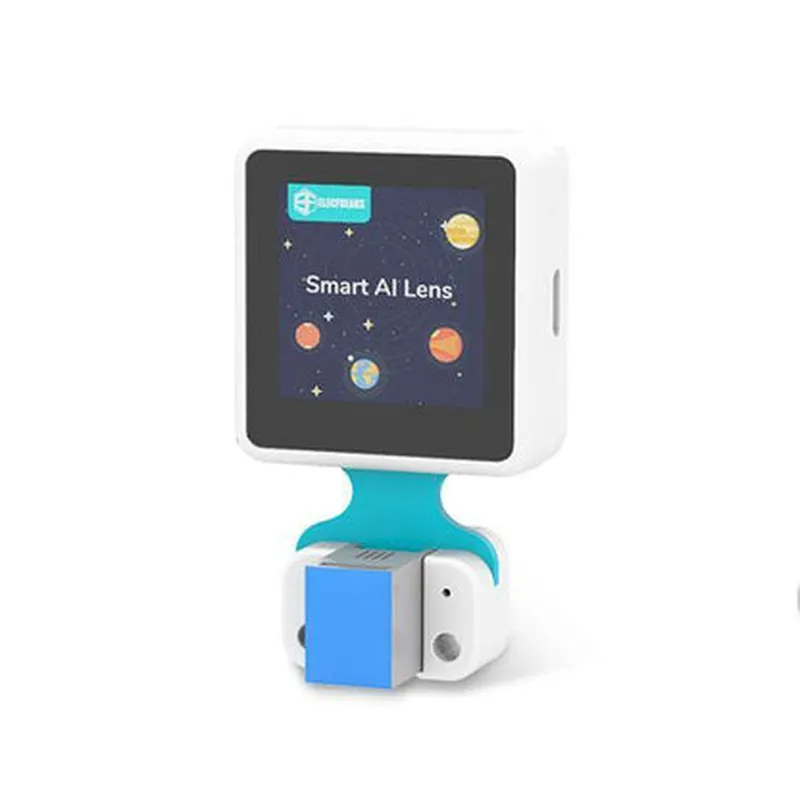
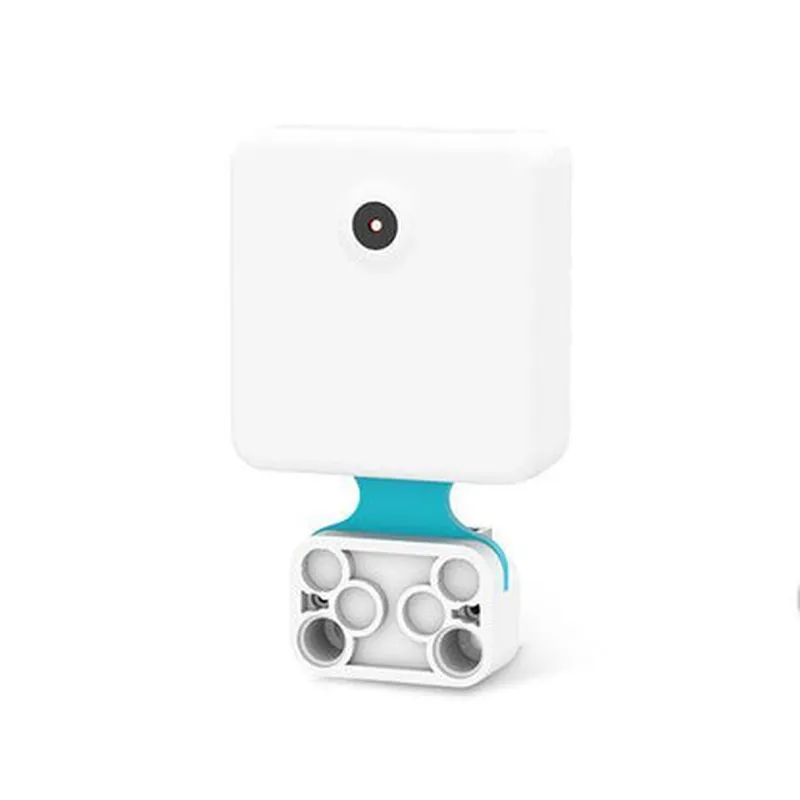
Smart AI Lens Kit for Micro:Bit by Elecfreaks

Buy Now on Stufin

Smart AI Lens Kit for Micro

Bit by Elecfreaks

Overview

The Smart AI Lens Kit for Micro

  • Robotics: Enhance robots with computer vision capabilities for object detection, tracking, and manipulation.
  • Home Automation: Develop intelligent home automation systems that can recognize and respond to gestures, faces, and objects.
  • Healthcare: Create assistive devices that can detect and interpret facial expressions, gestures, or objects for people with disabilities.
  • Education: Use the kit to teach students about AI, computer vision, and programming concepts in a hands-on and interactive way.
Bit by Elecfreaks has a wide range of potential applications, including
By harnessing the power of artificial intelligence and computer vision, the Smart AI Lens Kit for MicroBit by Elecfreaks opens up endless possibilities for innovation and creativity in IoT and robotics projects.

Camera Resolution

2MP (1600x1200)

Camera Field of View

65

AI Chip Clock Speed

100 MHz

I2C Bus SpeedUp to 400 kHz

UART Baudrate

Up to 115200 bps

Power Consumption

100 mA (average), 250 mA (peak)

Operating Temperature

-20C to 60C

Dimensions

42x25mm

Applications

Pin Configuration

  • Smart AI Lens Kit for Micro:Bit by Elecfreaks Pinout Guide
  • The Smart AI Lens Kit for Micro:Bit by Elecfreaks is a powerful IoT component designed to integrate artificial intelligence and machine learning capabilities into Micro:Bit projects. This guide provides a detailed explanation of each pin on the Smart AI Lens Kit, along with connection instructions.
  • Pin Structure:
  • The Smart AI Lens Kit has a 12-pin interface, with the following pinout structure:
  • Pin 1: GND (Ground)
  • Function: Provides a common ground connection for the kit.
  • Connection: Connect to the Micro:Bit's GND pin or any other GND pin on your project.
  • Pin 2: VCC (Power)
  • Function: Supplies power to the kit.
  • Connection: Connect to the Micro:Bit's 3V pin or any other power source (3.3V recommended).
  • Pin 3: SCL (Serial Clock)
  • Function: Serial clock input for I2C communication.
  • Connection: Connect to the Micro:Bit's SCL pin (pin 19).
  • Pin 4: SDA (Serial Data)
  • Function: Serial data input/output for I2C communication.
  • Connection: Connect to the Micro:Bit's SDA pin (pin 20).
  • Pin 5: INT (Interrupt)
  • Function: Interrupt output from the AI lens kit.
  • Connection: Connect to any digital input pin on the Micro:Bit (e.g., pin 0, 1, 2, etc.).
  • Pin 6: RST (Reset)
  • Function: Reset input for the AI lens kit.
  • Connection: Connect to any digital output pin on the Micro:Bit (e.g., pin 0, 1, 2, etc.).
  • Pin 7: PS (Power Save)
  • Function: Power save mode input.
  • Connection: Connect to any digital output pin on the Micro:Bit (e.g., pin 0, 1, 2, etc.).
  • Pin 8: NC (Not Connected)
  • Function: Not connected, reserved for future use.
  • Connection: Do not connect.
  • Pin 9: NC (Not Connected)
  • Function: Not connected, reserved for future use.
  • Connection: Do not connect.
  • Pin 10: D0 (Data 0)
  • Function: Data output from the AI lens kit (SPI interface).
  • Connection: Connect to any digital input pin on the Micro:Bit (e.g., pin 0, 1, 2, etc.).
  • Pin 11: D1 (Data 1)
  • Function: Data output from the AI lens kit (SPI interface).
  • Connection: Connect to any digital input pin on the Micro:Bit (e.g., pin 0, 1, 2, etc.).
  • Pin 12: CS (Chip Select)
  • Function: Chip select input for SPI communication.
  • Connection: Connect to any digital output pin on the Micro:Bit (e.g., pin 0, 1, 2, etc.).
  • Connection Tips:
  • When connecting the Smart AI Lens Kit to the Micro:Bit, ensure that the pins are aligned correctly and securely connected to prevent damage or malfunction.
  • Use a breadboard or a PCB to connect the kit to the Micro:Bit and other components in your project.
  • Make sure to follow the I2C and SPI communication protocols when programming the kit.
  • By following this pinout guide, you can successfully connect and integrate the Smart AI Lens Kit for Micro:Bit by Elecfreaks into your IoT projects.

Code Examples

Smart AI Lens Kit for Micro:Bit by Elecfreaks Documentation
Overview
The Smart AI Lens Kit for Micro:Bit by Elecfreaks is a revolutionary IoT component that enables artificial intelligence (AI) capabilities on the Micro:Bit platform. This kit consists of a camera module, a Micro:Bit board, and a AI lens, allowing users to develop AI-powered projects with visual recognition, object detection, and image processing capabilities.
Hardware Components
Camera Module: 2MP OV7670 sensor with a 1/4 inch lens
 Micro:Bit Board: BBC Micro:Bit V2 or V1.5 compatible
 AI Lens: Custom-designed lens for AI-powered applications
Software Support
The Smart AI Lens Kit is compatible with MicroPython, MakeCode, and Python programming languages.
API and Functions
The kit provides the following APIs and functions:
`ai_lens.take_photo()`: Captures an image using the camera module.
 `ai_lens.detect_objects()`: Detects objects in the captured image using AI algorithms.
 `ai_lens.recognize_faces()`: Recognizes faces in the captured image using AI algorithms.
 `ai_lens.classify_image()`: Classifies the captured image into predefined categories using AI algorithms.
Code Examples
### Example 1: Basic Image Capture and Object Detection
In this example, we will capture an image using the camera module and detect objects using the AI lens kit.
```makecode
import microbit
from ai_lens import
ai_lens.init()
while True:
    image = ai_lens.take_photo()
    objects = ai_lens.detect_objects(image)
    print("Detected objects:", objects)
    microbit.sleep(1000)
```
### Example 2: Face Recognition and Display on Micro:Bit Screen
In this example, we will capture an image, recognize faces, and display the face recognition result on the Micro:Bit screen.
```python
import microbit
from ai_lens import
ai_lens.init()
while True:
    image = ai_lens.take_photo()
    faces = ai_lens.recognize_faces(image)
    if faces:
        microbit.display.scroll("Face detected!")
    else:
        microbit.display.scroll("No face detected.")
    microbit.sleep(1000)
```
### Example 3: Image Classification using AI Lens Kit and Micro:Bit Accelerometer
In this example, we will capture an image, classify the image using the AI lens kit, and use the Micro:Bit accelerometer to detect the device's orientation.
```python
import microbit
from ai_lens import
ai_lens.init()
while True:
    image = ai_lens.take_photo()
    classification = ai_lens.classify_image(image)
    print("Image classification:", classification)
    
    x, y, z = microbit.accelerometer.get_values()
    if x > 500:
        microbit.display.scroll("Device is facing up!")
    elif x < -500:
        microbit.display.scroll("Device is facing down!")
    microbit.sleep(1000)
```
Troubleshooting and FAQs
For troubleshooting and frequently asked questions, please refer to the Elecfreaks official documentation and support resources.
Conclusion
The Smart AI Lens Kit for Micro:Bit by Elecfreaks is a powerful IoT component that enables AI capabilities on the Micro:Bit platform. With its camera module, AI lens, and Micro:Bit board, users can develop innovative projects with visual recognition, object detection, and image processing capabilities. The provided code examples demonstrate the kit's capabilities in various contexts, making it an excellent starting point for developers and hobbyists alike.