Stufin
Home Quick Cart Profile

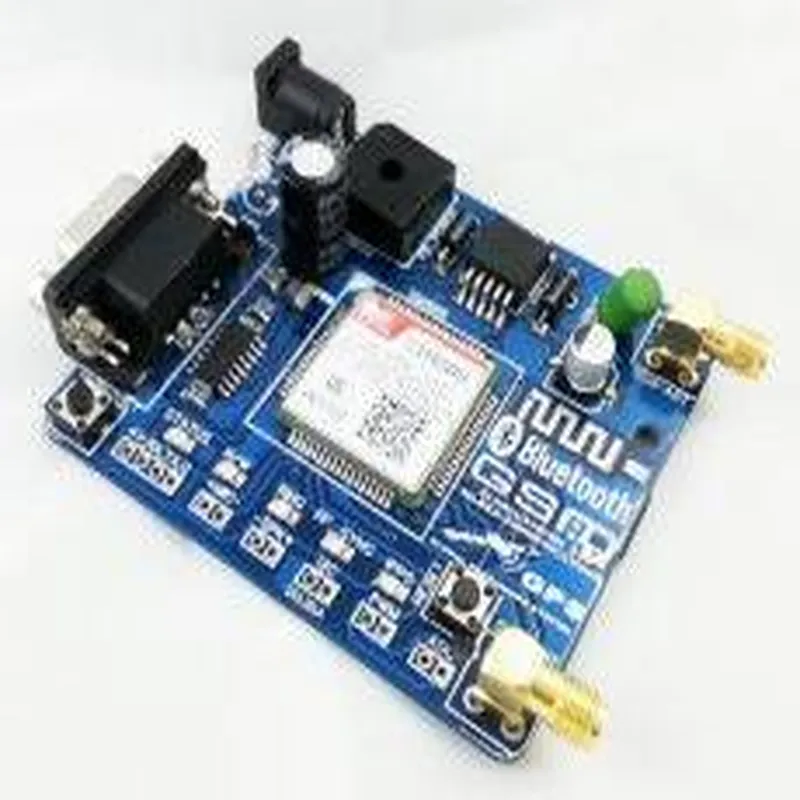
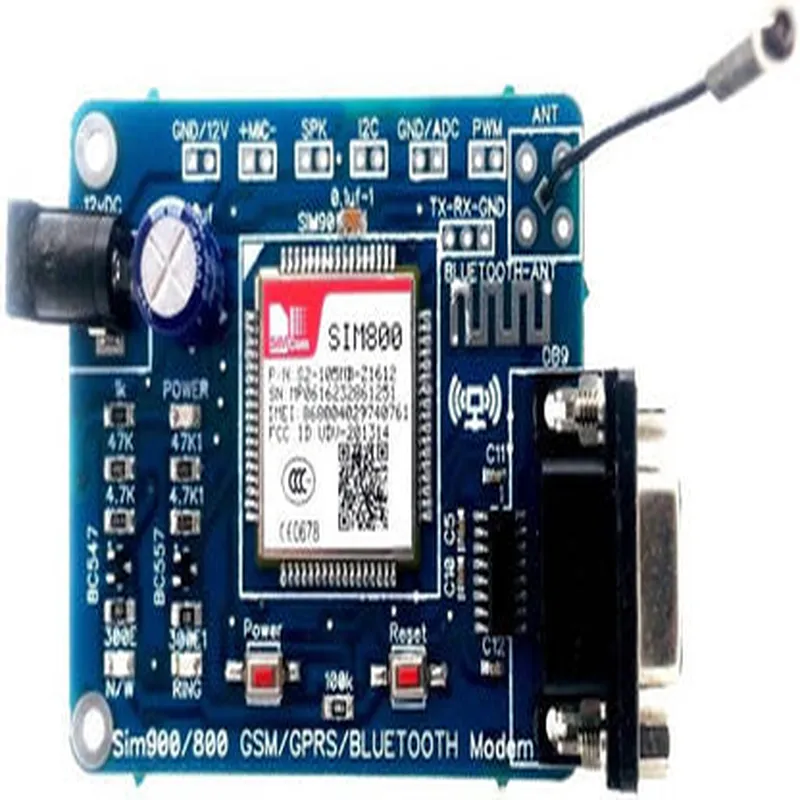
Sim800 GSM-GPRS-Bluetooth Modem

Buy Now on Stufin

GSM

Enables voice calls, SMS, and data transmission using the Global System for Mobile Communications (GSM) standard.


GPRS

Supports General Packet Radio Service (GPRS) for high-speed data transmission, suitable for internet connectivity, M2M communication, and IoT applications.

Bluetooth

Provides wireless personal area network (PAN) connectivity using the Bluetooth 2.0 protocol, enabling device-to-device communication.

Key Features

  • Tri-mode Capability: Supports GSM, GPRS, and Bluetooth protocols, making it a highly versatile and adaptable module.
  • Quad-Band GSM: Operates on four frequency bands (850/900/1800/1900 MHz), ensuring global compatibility and roaming capabilities.
  • GPRS Class 10: Supports high-speed data transmission up to 85.6 kbps.
  • Bluetooth 2.0: Provides wireless PAN connectivity with a range of up to 10 meters.
  • SIM Card Slot: Accommodates a standard SIM card for cellular network connectivity.
  • Serial Interface: Offers a serial interface (UART) for easy integration with microcontrollers and other devices.
  • Low Power Consumption: Designed for low power consumption, with a sleep current of less than 5mA.
  • Small Form Factor: Compact design (17.5 mm x 15.5 mm x 2.5 mm) makes it suitable for use in a wide range of IoT applications.
  • Operating Temperature: Functional in a temperature range of -40C to +85C, making it suitable for use in harsh environments.
  • Certifications: Compliant with regulatory standards, including CE, FCC, and RoHS.

Applications

The Sim800 GSM-GPRS-Bluetooth Modem is suitable for a wide range of IoT applications, including

Remote monitoring and control systems

M2M communication

Wearable devices

Industrial automation

Smart home appliances

Vehicle tracking systems

Mobile payment systems

Technical Specifications

Power Supply

3.4V to 4.4V

Frequency Bands

GSM850/900/1800/1900 MHz, GPRS: 850/900 MHz

Data Transmission

GPRSup to 85.6 kbps, Bluetooth: up to 3 Mbps

Serial Interface

UART, 3.3V logic level

Bluetooth Range

up to 10 meters

Operating System

Compatible with Windows, Linux, and Android

Conclusion

The Sim800 GSM-GPRS-Bluetooth Modem is a highly versatile and adaptable wireless communication module, offering a unique combination of GSM, GPRS, and Bluetooth capabilities. Its compact design, low power consumption, and ease of integration make it an ideal solution for a wide range of IoT applications.

Pin Configuration

  • Sim800 GSM-GPRS-Bluetooth Modem Pinout Explanation
  • The Sim800 GSM-GPRS-Bluetooth Modem is a popular IoT component that enables wireless communication through GSM, GPRS, and Bluetooth protocols. The module has a total of 22 pins, which are explained below:
  • Power Pins
  • 1. VCC (Pin 1): Power supply pin, typically connected to a 3.8V to 4.2V DC power source.
  • 2. GND (Pin 2): Ground pin, connected to the ground of the power supply and the circuit.
  • GSM/GPRS Pins
  • 3. RXD (Pin 3): Receiver data pin, used for receiving data from the GSM/GPRS network.
  • 4. TXD (Pin 4): Transmitter data pin, used for sending data to the GSM/GPRS network.
  • 5. RTS (Pin 5): Request to Send pin, used for flow control in the GSM/GPRS network.
  • 6. CTS (Pin 6): Clear to Send pin, used for flow control in the GSM/GPRS network.
  • 7. DTR (Pin 7): Data Terminal Ready pin, used for flow control in the GSM/GPRS network.
  • 8. DSR (Pin 8): Data Set Ready pin, used for flow control in the GSM/GPRS network.
  • Bluetooth Pins
  • 9. BT_TXD (Pin 9): Bluetooth transmitter data pin, used for sending data through the Bluetooth interface.
  • 10. BT_RXD (Pin 10): Bluetooth receiver data pin, used for receiving data through the Bluetooth interface.
  • SIM Card Pins
  • 11. VSIM (Pin 11): SIM card voltage supply pin, typically connected to a 1.8V to 2.5V DC power source.
  • 12. RST (Pin 12): SIM card reset pin, used for resetting the SIM card.
  • 13. CLK (Pin 13): SIM card clock pin, used for clocking the SIM card.
  • 14. DATA (Pin 14): SIM card data pin, used for exchanging data with the SIM card.
  • 15. CMD (Pin 15): SIM card command pin, used for sending commands to the SIM card.
  • Status and Control Pins
  • 16. NETLight (Pin 16): Network status indicator pin, turns high when the modem is connected to the network.
  • 17. STATUS (Pin 17): Modem status indicator pin, turns high when the modem is powered on.
  • 18. RING (Pin 18): Ring indicator pin, turns high when an incoming call is detected.
  • Other Pins
  • 19. MIC+ (Pin 19): Microphone positive pin, used for connecting an external microphone.
  • 20. MIC- (Pin 20): Microphone negative pin, used for connecting an external microphone.
  • 21. SPK+ (Pin 21): Speaker positive pin, used for connecting an external speaker.
  • 22. SPK- (Pin 22): Speaker negative pin, used for connecting an external speaker.
  • Connection Structure:
  • When connecting the Sim800 GSM-GPRS-Bluetooth Modem to a microcontroller or a development board, make sure to follow the correct connection structure:
  • Power the modem using a suitable power supply (VCC and GND).
  • Connect the GSM/GPRS pins (RXD, TXD, RTS, CTS, DTR, and DSR) to the microcontroller's serial communication pins (e.g., UART).
  • Connect the Bluetooth pins (BT_TXD and BT_RXD) to the microcontroller's serial communication pins (e.g., UART) or a dedicated Bluetooth module.
  • Connect the SIM card pins (VSIM, RST, CLK, DATA, and CMD) to the SIM card socket or a SIM card breakout board.
  • Connect the status and control pins (NETLight, STATUS, and RING) to GPIO pins on the microcontroller or development board.
  • Connect the audio pins (MIC+/- and SPK+/-) to an external microphone and speaker, if required.
  • Remember to check the datasheet and documentation provided by the manufacturer for specific connection requirements and guidelines.

Code Examples

Sim800 GSM-GPRS-Bluetooth Modem Documentation
Overview
The Sim800 GSM-GPRS-Bluetooth Modem is a versatile wireless communication module that integrates GSM, GPRS, and Bluetooth capabilities. It is a quad-band GSM/GPRS module that supports 850/900/1800/1900 MHz frequencies, allowing it to work globally. This module is ideal for IoT applications that require wireless connectivity, such as remote monitoring, tracking, and automation systems.
Key Features
Quad-band GSM/GPRS support (850/900/1800/1900 MHz)
 Bluetooth 3.0 with SPP (Serial Port Profile) protocol
 Supports SMS, USSD, and TCP/UDP protocols
 Operates at 3.4V to 4.5V power supply
 Compact size (24mm x 24mm x 3mm)
Hardware Connection
To use the Sim800 module, you need to connect it to a microcontroller or a single-board computer. The module has a 1x10 pin header that can be connected to a breadboard or a custom PCB. The pinouts are as follows:
| Pin | Function |
| --- | --- |
| 1 | VCC (3.4V to 4.5V) |
| 2 | GND |
| 3 | TXD (Transmit) |
| 4 | RXD (Receive) |
| 5 | RTS (Request to Send) |
| 6 | CTS (Clear to Send) |
| 7 | DTR (Data Terminal Ready) |
| 8 | DSR (Data Set Ready) |
| 9 | RI (Ring Indicator) |
| 10 | NC (Not Connected) |
Code Examples
### Example 1: Sending SMS using Arduino
In this example, we will use the Sim800 module to send an SMS using an Arduino board.
Hardware Requirements:
Arduino Uno or compatible board
 Sim800 GSM-GPRS-Bluetooth Modem
 Breadboard and jumper wires
Software Requirements:
Arduino IDE (version 1.8.x or later)
Code:
```cpp
#include <SoftwareSerial.h>
#define SIM800_TX_PIN 10
#define SIM800_RX_PIN 11
SoftwareSerial sim800Serial(SIM800_TX_PIN, SIM800_RX_PIN);
void setup() {
  sim800Serial.begin(9600);
  Serial.begin(9600);
// Initialize the Sim800 module
  sim800Serial.println("AT");
  delay(1000);
// Set the SMS mode to text mode
  sim800Serial.println("AT+CMGF=1");
  delay(1000);
}
void loop() {
  // Set the recipient's phone number
  String phoneNumber = "1234567890";
// Set the SMS message
  String message = "Hello from Arduino!";
// Send the SMS
  sim800Serial.print("AT+CMGS=""" + phoneNumber + """");
  delay(1000);
  sim800Serial.println(message);
  delay(1000);
  sim800Serial.println((char)26); // Send the SMS
delay(5000);
}
```
### Example 2: Establishing a GPRS Connection using Python
In this example, we will use the Sim800 module to establish a GPRS connection using a Raspberry Pi.
Hardware Requirements:
Raspberry Pi (any model)
 Sim800 GSM-GPRS-Bluetooth Modem
 Breadboard and jumper wires
Software Requirements:
Python 3.x (with pyserial library)
Code:
```python
import serial
# Initialize the serial connection
ser = serial.Serial('/dev/ttyUSB0', 9600, timeout=5)
# Initialize the Sim800 module
ser.write(b'AT
')
response = ser.readline()
print(response.decode())
# Set the GPRS APN
ser.write(b'AT+SAPBR=3,""CONTYPE"