

Stufin
Home Quick Cart Profile

2.4inch Raspberry Pi Display Hat - 4D Systems

Buy Now on Stufin

Component Name

2.4inch Raspberry Pi Display Hat - 4D Systems

Overview

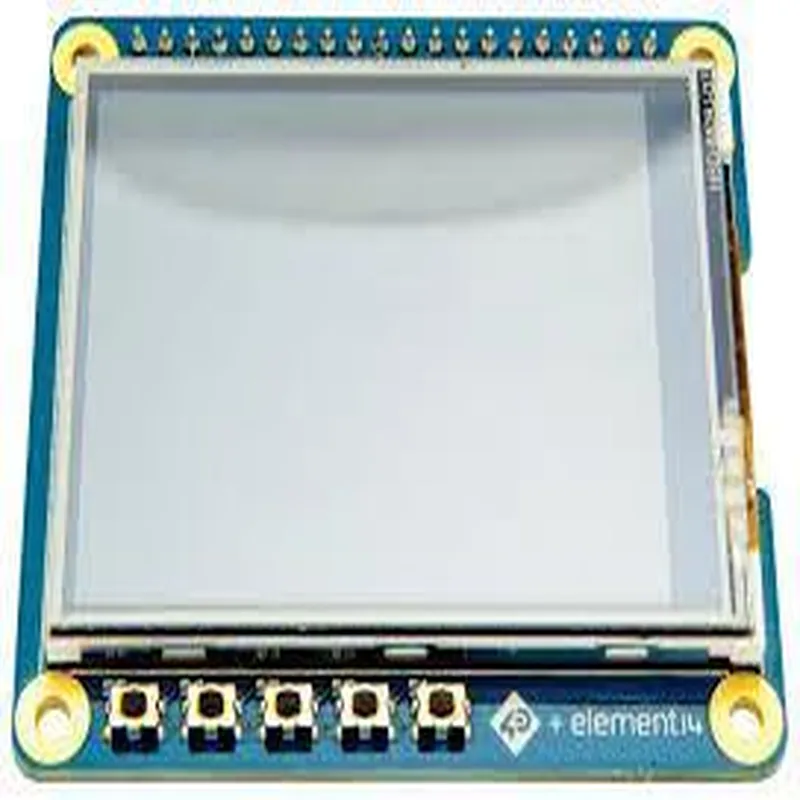
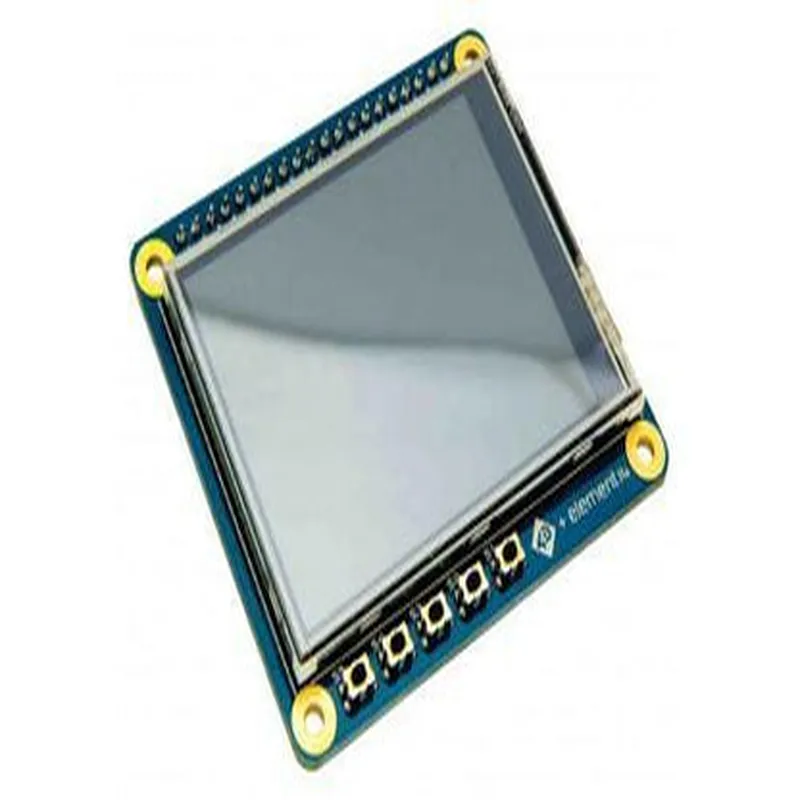
The 2.4inch Raspberry Pi Display Hat is a compact, high-resolution display module designed specifically for Raspberry Pi single-board computers. This display hat is manufactured by 4D Systems, a leading provider of innovative display solutions. The module is designed to provide a cost-effective, easy-to-use, and high-quality display solution for various IoT projects and applications.

Functionality

The 2.4inch Raspberry Pi Display Hat is a plug-and-play display module that allows users to add a high-quality display to their Raspberry Pi project. The module is designed to work seamlessly with the Raspberry Pi, providing a simple and efficient way to display information, graphics, and images. The display hat features a 2.4-inch diagonal LCD screen with a high-resolution 240x320 pixel display, making it ideal for a wide range of applications, including

IoT projects

Robotics

Home automation

Industrial control systems

Medical devices

Wearable devices

Key Features

  • High-Resolution Display: The display hat features a high-resolution 240x320 pixel LCD screen, providing clear and vibrant images.
  • 2.4inch Diagonal Screen Size: The compact screen size makes it ideal for small form factor projects and applications.
  • Compatibility with Raspberry Pi: The display hat is specifically designed for use with Raspberry Pi single-board computers, ensuring seamless integration and compatibility.
  • Plug-and-Play Design: The module is designed for easy installation, with no soldering or complex wiring required.
  • Low Power Consumption: The display hat is designed to be power-efficient, making it suitable for battery-powered projects and applications.
  • Built-in Resistive Touchscreen: The display hat features a built-in resistive touchscreen, allowing users to interact with their projects and applications.
  • High-Speed SPI Interface: The module communicates with the Raspberry Pi via a high-speed SPI interface, ensuring fast and efficient data transfer.
  • Support for Multiple Operating Systems: The display hat is compatible with a range of operating systems, including Raspbian, Ubuntu, and Windows 10 IoT.
  • RoHS and CE Compliance: The module is compliant with RoHS and CE regulations, ensuring it meets international standards for environmental and safety requirements.
  • Compact and Rugged Design: The display hat is designed to be compact and rugged, making it suitable for use in a wide range of environments and applications.

Technical Specifications

Display Type

2.4inch Diagonal LCD Screen

Resolution

240x320 pixels

Interface

High-Speed SPI

Touchscreen

Built-in Resistive Touchscreen

Power Consumption

150mA (typical)

Operating Temperature

-20C to 70C

Storage Temperature

-30C to 80C

Dimensions

65mm x 56.5mm x 15mm

Conclusion

The 2.4inch Raspberry Pi Display Hat from 4D Systems is a high-quality, compact, and easy-to-use display module designed specifically for Raspberry Pi projects and applications. Its high-resolution display, built-in touchscreen, and low power consumption make it an ideal solution for a wide range of IoT projects and applications.

Pin Configuration

  • 2.4inch Raspberry Pi Display Hat - 4D Systems Pinout Guide
  • The 2.4inch Raspberry Pi Display Hat from 4D Systems is a compact and versatile display module designed specifically for Raspberry Pi single-board computers. This display hat features a 2.4-inch TFT LCD display with a resolution of 240x320 pixels. The module communicates with the Raspberry Pi through a 26-pin header, which is compatible with the Raspberry Pi's GPIO header.
  • Pinout Structure:
  • The 26-pin header is divided into three sections:
  • 1. Power Pins (4 pins)
  • 2. Display Interface Pins (12 pins)
  • 3. GPIO Pins (10 pins)
  • Pin Descriptions:
  • Power Pins (4 pins)
  • Pin 1: VCC (3.3V Power)
  • + Provides power to the display module from the Raspberry Pi's 3.3V power rail.
  • Pin 2: GND (Ground)
  • + Provides a ground connection for the display module.
  • Pin 3: VIN (5V Power)
  • + Optional power input for the display module (not recommended for use with Raspberry Pi).
  • Pin 4: GND (Ground)
  • + Additional ground connection for the display module.
  • Display Interface Pins (12 pins)
  • Pin 5: D0 (Display Data Bit 0)
  • + One of the 16-bit display data bus lines.
  • Pin 6: D1 (Display Data Bit 1)
  • + One of the 16-bit display data bus lines.
  • Pin 7: D2 (Display Data Bit 2)
  • + One of the 16-bit display data bus lines.
  • Pin 8: D3 (Display Data Bit 3)
  • + One of the 16-bit display data bus lines.
  • Pin 9: D4 (Display Data Bit 4)
  • + One of the 16-bit display data bus lines.
  • Pin 10: D5 (Display Data Bit 5)
  • + One of the 16-bit display data bus lines.
  • Pin 11: D6 (Display Data Bit 6)
  • + One of the 16-bit display data bus lines.
  • Pin 12: D7 (Display Data Bit 7)
  • + One of the 16-bit display data bus lines.
  • Pin 13: D8 (Display Data Bit 8)
  • + One of the 16-bit display data bus lines.
  • Pin 14: D9 (Display Data Bit 9)
  • + One of the 16-bit display data bus lines.
  • Pin 15: D10 (Display Data Bit 10)
  • + One of the 16-bit display data bus lines.
  • Pin 16: D11 (Display Data Bit 11)
  • + One of the 16-bit display data bus lines.
  • GPIO Pins (10 pins)
  • Pin 17: GPIO 17
  • + General-purpose input/output pin.
  • Pin 18: GPIO 18
  • + General-purpose input/output pin.
  • Pin 19: GPIO 19
  • + General-purpose input/output pin.
  • Pin 20: GPIO 20
  • + General-purpose input/output pin.
  • Pin 21: GPIO 21
  • + General-purpose input/output pin.
  • Pin 22: GPIO 22
  • + General-purpose input/output pin.
  • Pin 23: GPIO 23
  • + General-purpose input/output pin.
  • Pin 24: GPIO 24
  • + General-purpose input/output pin.
  • Pin 25: GPIO 25
  • + General-purpose input/output pin.
  • Pin 26: GPIO 26
  • + General-purpose input/output pin.
  • Connecting the Pins:
  • To connect the 2.4inch Raspberry Pi Display Hat to your Raspberry Pi, follow these steps:
  • 1. Align the 26-pin header on the display hat with the GPIO header on the Raspberry Pi.
  • 2. Gently press the display hat onto the Raspberry Pi, ensuring all pins are securely connected.
  • 3. Secure the display hat to the Raspberry Pi using the provided screws or adhesive tape.
  • Important Notes:
  • Ensure the display hat is properly aligned with the Raspberry Pi's GPIO header to avoid damage to the pins or the board.
  • Use caution when handling the display hat and Raspberry Pi to prevent static electricity damage.
  • Consult the 4D Systems documentation and Raspberry Pi documentation for specific guidance on using the display hat with your Raspberry Pi model.

Code Examples

2.4inch Raspberry Pi Display Hat - 4D Systems Documentation
Overview
The 2.4inch Raspberry Pi Display Hat is a compact and high-resolution display module designed specifically for the Raspberry Pi single-board computer. This display hat is manufactured by 4D Systems and features a 2.4-inch QVGA TFT LCD display with a resolution of 320x240 pixels. The display hat is compatible with all Raspberry Pi models and provides a convenient way to add a display capability to IoT projects.
Hardware Specifications
Display Size: 2.4 inches
 Display Type: QVGA TFT LCD
 Resolution: 320x240 pixels
 Interface: SPI
 Power Supply: 3.3V
 Dimensions: 65x56mm
Software Requirements
Raspberry Pi OS (Raspbian)
 Python 3.x
Connecting the Display Hat to Raspberry Pi
To connect the display hat to the Raspberry Pi, follow these steps:
1. Carefully attach the display hat to the Raspberry Pi's GPIO header, making sure that the pins are aligned properly.
2. Connect the power cable to the Raspberry Pi's 3.3V pin.
3. Connect the SPI bus cables to the Raspberry Pi's SPI pins (SCLK, MOSI, MISO, CE0, CE1).
Code Examples
### Example 1: Displaying a Static Image
This example demonstrates how to display a static image on the 2.4inch Raspberry Pi Display Hat using Python and the `PIL` (Python Imaging Library).
dependencies:
`PIL` (Python Imaging Library)
code:
```python
import os
import PIL.Image as Image
from PIL import ImageDraw, ImageFont
# Initialize the display
disp = pygame.display.set_mode((320, 240))
# Load the image
image = Image.open('image.bmp')
# Display the image on the screen
disp.blit(image, (0, 0))
pygame.display.update()
```
In this example, we load a BMP image using the `PIL` library and display it on the screen using the `pygame` library.
### Example 2: Displaying Real-Time Sensor Data
This example demonstrates how to display real-time sensor data on the 2.4inch Raspberry Pi Display Hat using Python and the `RPi.GPIO` library.
dependencies:
`RPi.GPIO`
 ` Adafruit_CharLCD` (for the LCD display)
code:
```python
import RPi.GPIO as GPIO
from Adafruit_CharLCD import Adafruit_CharLCD
# Initialize the GPIO pins
GPIO.setmode(GPIO.BCM)
# Initialize the LCD display
lcd = Adafruit_CharLCD(rs=26, en=19, d4=13, d5=6, d6=5, d7=11,
                         cols=20, lines=4)
# Read temperature data from a DS18B20 sensor
temp_sensor = DS18B20('28-000007751dff')
temperature = temp_sensor.get_temperature()
# Display the temperature data on the LCD display
lcd.message('Temperature: {:.1f}C'.format(temperature))
# Update the display every second
while True:
    lcd.message('Temperature: {:.1f}C'.format(temp_sensor.get_temperature()))
    time.sleep(1)
```
In this example, we read temperature data from a DS18B20 sensor using the `RPi.GPIO` library and display it on the LCD display using the `Adafruit_CharLCD` library. The temperature data is updated every second.
Note: These code examples are just a starting point, and you may need to modify them to suit your specific project requirements. Additionally, you may need to install additional libraries and dependencies depending on your project's requirements.