iMax B6AC Smart Balance Charger 80W


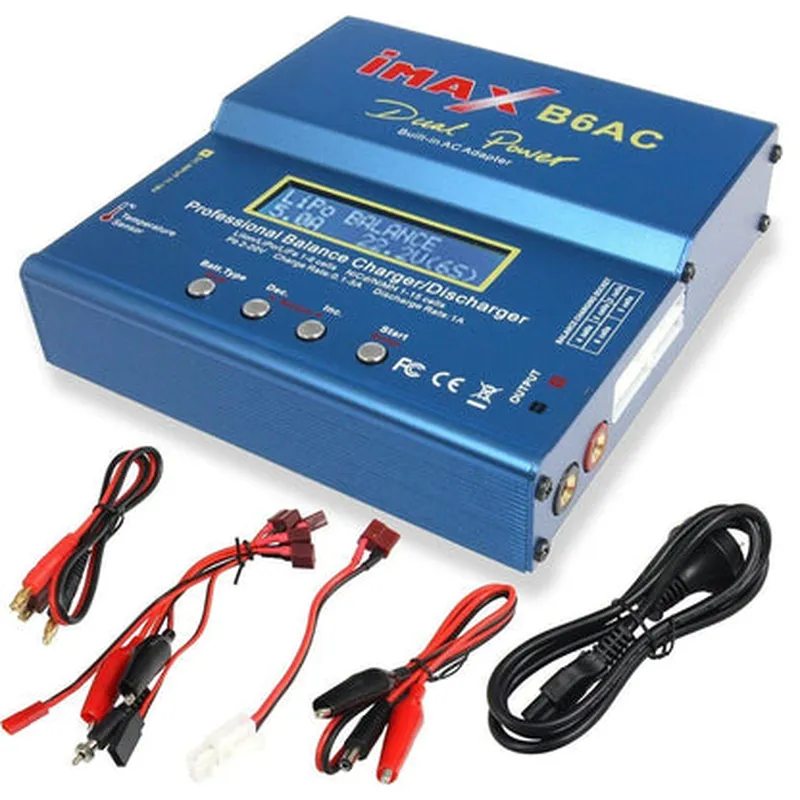
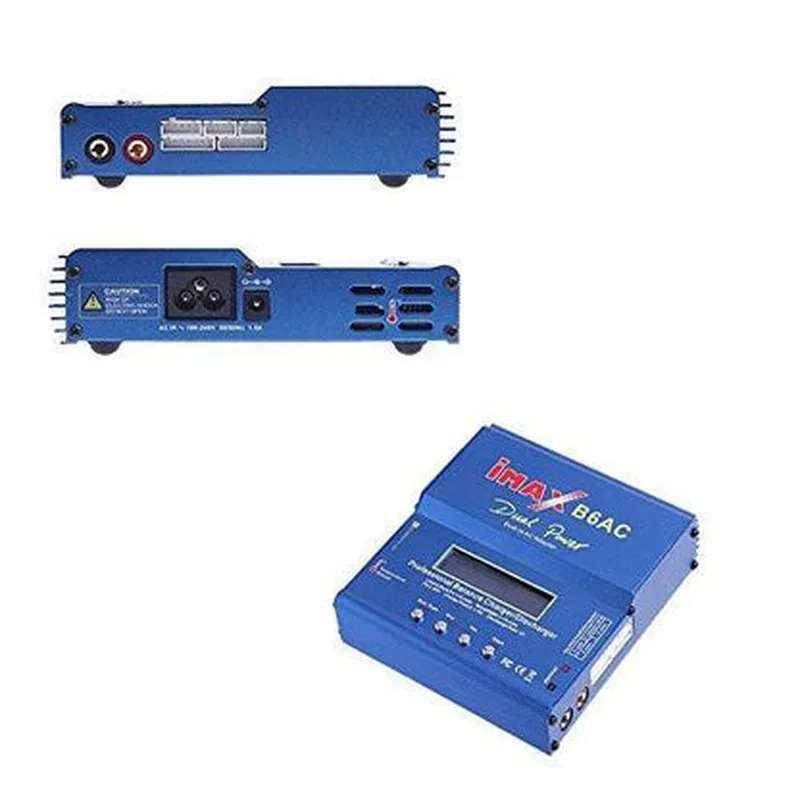
iMax B6AC Smart Balance Charger 80W
Intelligent Battery Chargers
The iMax B6AC Smart Balance Charger 80W is a high-performance, intelligent battery charger designed for Li-ion, Li-Po, and NiMH batteries. This advanced charger features a compact design, high-powered charging capabilities, and a range of innovative features that make it an ideal choice for hobbyists, professionals, and industries requiring efficient and reliable battery management.
| The iMax B6AC Smart Balance Charger 80W is designed to charge, balance, and discharge batteries with precision and safety. Its primary functions include |
The charger can charge a wide range of battery types, including Li-ion, Li-Po, and NiMH, with a maximum output power of 80W.
The charger features built-in balancing circuits that ensure individual cell balance, preventing overcharging and prolonging battery life.
The charger can discharge batteries to a storage voltage, thereby preserving battery health and extending lifespan.
The charger can perform cycle life testing, providing valuable insights into battery performance and health.
| High-Power Charging | 80W maximum output power enables rapid charging of high-capacity batteries. |
| Multi-Chemistry Support | Compatible with Li-ion, Li-Po, and NiMH batteries, making it a versatile charger for various applications. |
Ensures that each cell is charged and balanced independently, preventing overcharging and promoting optimal battery performance.
| Built-in LCD Display | Provides real-time monitoring of charging parameters, including voltage, current, and capacity. |
Supports various charging modes, including Constant Charge, Constant Current, and Trickle Charge.
Incorporates overcharge, over-discharge, and short-circuit protection to ensure safe and reliable charging operations.
Allows for charging data analysis and firmware updates via a USB interface.
Durable, compact, and lightweight design makes it easy to transport and store.
11.0-18.0V
3.7-22.2V
Up to 6A
80W maximum
Backlit LCD display
140 x 90 x 40mm (5.5 x 3.5 x 1.6 inches)
360g (12.7 oz)
Conforms to EU health, safety, and environmental protection standards
Meets US Federal Communications Commission regulations for electromagnetic emissions
Complies with EU directives restricting hazardous substances in electrical equipment
Ideal for charging and balancing high-capacity Li-ion batteries used in drone and UAV applications.
Suitable for charging and balancing EV batteries, ensuring optimal performance and range.
Applicable in various industrial and commercial settings where reliable and efficient battery management is crucial.
Perfect for model enthusiasts, RC car owners, and other hobbyists who require advanced battery management capabilities.
iMax B6AC Smart Balance Charger 80W DocumentationOverviewThe iMax B6AC Smart Balance Charger 80W is a high-performance charger designed for charging and balancing Lithium-based batteries, Nickel-based batteries, and Lead-acid batteries. This charger features advanced charging algorithms, automatic identification of battery types, and a large LCD display for monitoring charging status.Technical SpecificationsInput: 11-18V DC
Output: 80W
Charging Modes: Lithium, Nickel, Lead-acid, and memory effect correction
Battery Capacity: 1-6 cells (Lithium), 1-15 cells (Nickel), 1-10 cells (Lead-acid)
Dimensions: 134 x 90 x 35mmCode Examples### Example 1: Arduino Serial CommunicationIn this example, we will demonstrate how to use the iMax B6AC Smart Balance Charger 80W with an Arduino board to monitor charging status and battery voltage.```c
#include <SoftwareSerial.h>// Define the serial pins for communication with the charger
#define RX_PIN 2
#define TX_PIN 3SoftwareSerial chargerSerial(RX_PIN, TX_PIN);void setup() {
// Initialize the serial communication at 9600 baud
chargerSerial.begin(9600);
}void loop() {
// Send a request to the charger to retrieve the battery voltage
chargerSerial.println("V");// Wait for the charger to respond
delay(50);// Read the response from the charger
if (chargerSerial.available() > 0) {
String response = chargerSerial.readStringUntil('
');
int voltage = response.toInt();// Print the battery voltage to the serial console
Serial.print("Battery Voltage: ");
Serial.print(voltage);
Serial.println(" mV");
}// Wait 1 second before sending the next request
delay(1000);
}
```### Example 2: Python Script for Monitoring Charging StatusIn this example, we will demonstrate how to use the iMax B6AC Smart Balance Charger 80W with a Python script to monitor the charging status of a Lithium-ion battery.```python
import serial# Initialize the serial communication at 9600 baud
charger_serial = serial.Serial('COM3', 9600, timeout=1)while True:
# Send a request to the charger to retrieve the charging status
charger_serial.write(b"S
")# Wait for the charger to respond
response = charger_serial.readline().decode().strip()# Parse the response to determine the charging status
if response == "Charging":
print("The battery is charging...")
elif response == "Full":
print("The battery is fully charged.")
else:
print("The charger is idle.")# Wait 1 second before sending the next request
time.sleep(1)
```Note: In the above examples, the serial communication pins and baud rates may need to be adjusted according to the specific setup and requirements.