Stufin
Home Quick Cart Profile

Male to Female jumper wires (20cm) (20pcs)

Buy Now on Stufin

Component Name

Male to Female Jumper Wires (20cm) (20pcs)


Description

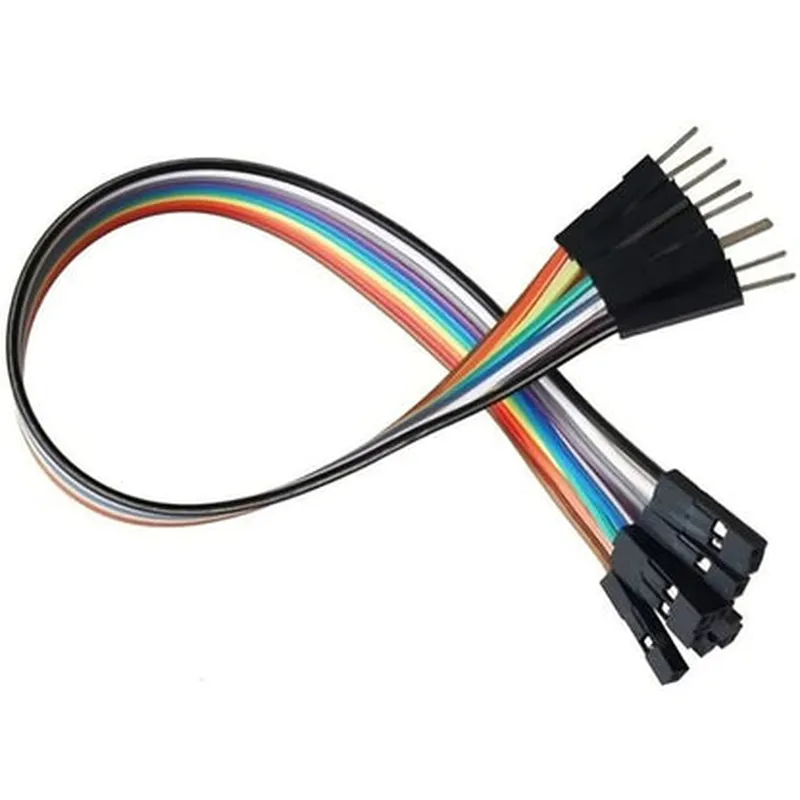
The Male to Female Jumper Wires (20cm) is a set of 20 pre-cut, pre-stripped jumper wires with a 20cm (7.87 inch) length, designed to connect devices and components in various electronics and IoT projects. These jumper wires feature a male pin on one end and a female socket on the other, allowing for secure and flexible connections between breadboards, PCBs, and other electronic components.

Functionality

The primary function of these jumper wires is to establish connections between components in prototyping, testing, and development stages of electronics and IoT projects. They enable users to quickly and conveniently connect and disconnect devices, sensors, and modules without the need for soldering or dedicating permanent connections.

Key Features

  • Length and Material: Each jumper wire measures 20cm (7.87 inches) in length, providing sufficient flexibility for connecting components with varying distanaces. The wires are made of insulated copper, ensuring reliable conductivity and minimal signal loss.
  • Male and Female Connectors: The wires feature a male pin (2.54mm/0.1 inch spacing) on one end and a female socket (2.54mm/0.1 inch spacing) on the other, allowing for secure connections to breadboards, PCBs, and other electronic components.
  • Pre-Cut and Pre-Stripped: The jumper wires come pre-cut and pre-stripped, saving users time and effort in preparing the wires for use.
  • 20-Piece Set: The package includes 20 individual jumper wires, providing a sufficient quantity for various projects and applications.
  • Color-Coded: The wires are color-coded, making it easier to distinguish between different connections and reducing the likelihood of mistakes.
  • Flexible and Durable: The wires are designed to be flexible and durable, withstanding repeated connections and disconnections without compromising their performance.

Applications

  • Prototyping and Development: Ideal for prototyping and development stages of electronics and IoT projects, allowing for quick and easy connections and disconnections.
  • Electronics Projects: Suitable for a wide range of electronics projects, including robotics, automation, and microcontroller-based applications.
  • Education and Training: Useful for educational institutions and training programs, providing students with a convenient and cost-effective way to learn electronics and IoT concepts.

Length

20cm (7.87 inches)

Material

Insulated copper

Connector Type

Male pin (2.54mm/0.1 inch spacing) and female socket (2.54mm/0.1 inch spacing)

Package Quantity

20 pieces

Color-CodedYes

Compatibility

These jumper wires are compatible with most breadboards, PCBs, and electronic components with 2.54mm (0.1 inch) spacing.

By providing a reliable and flexible connection solution, the Male to Female Jumper Wires (20cm) (20pcs) are an essential tool for electronics and IoT enthusiasts, professionals, and educators.
Pin Configuration

  • Component Documentation: Male to Female Jumper Wires (20cm) (20pcs)
  • Overview
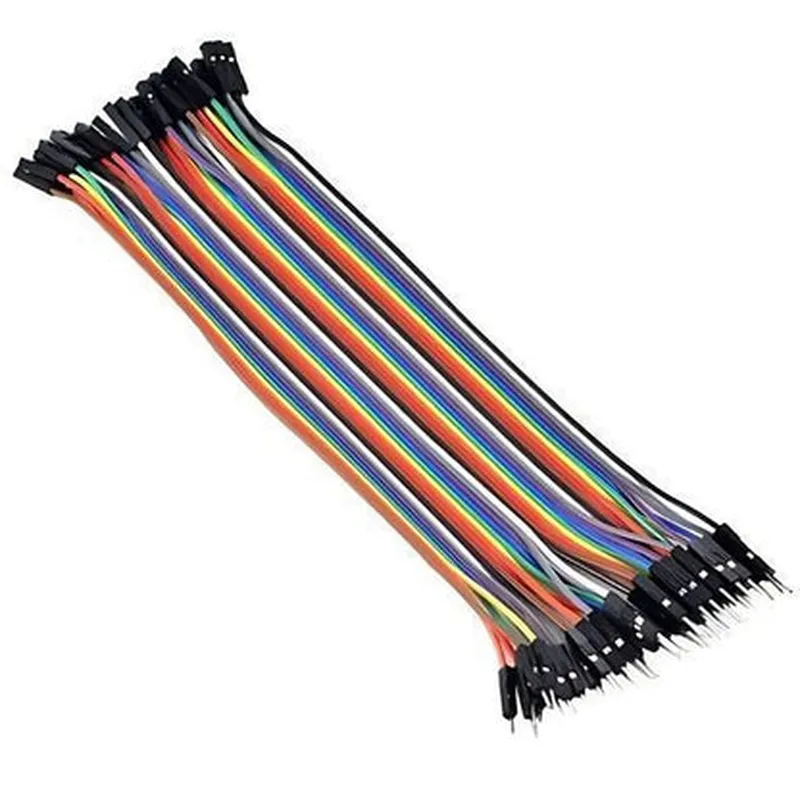
  • The Male to Female jumper wires are a set of 20 pieces of 20cm long wires with male headers on one end and female headers on the other end. These jumper wires are designed to connect components, modules, and breadboards in IoT and electronics projects.
  • Pin Description
  • Each jumper wire consists of two ends:
  • Male End:
  • Has a single-pin male header
  • Is typically connected to a breadboard, Arduino, or other components with female headers
  • Female End:
  • Has a single-pin female header
  • Is typically connected to a breadboard, Arduino, or other components with male headers
  • Connecting the Pins:
  • To connect the pins, follow these steps:
  • Step 1: Identify the Pins
  • Identify the male end of the jumper wire, which has a single-pin male header.
  • Identify the female end of the jumper wire, which has a single-pin female header.
  • Step 2: Connect the Male End
  • Locate the component or module that you want to connect the jumper wire to, such as a breadboard or an Arduino board.
  • Ensure the component or module has a female header that matches the male end of the jumper wire.
  • Insert the male end of the jumper wire into the corresponding female header on the component or module.
  • Make sure the connection is secure and the male end is fully seated in the female header.
  • Step 3: Connect the Female End
  • Locate the component or module that you want to connect the other end of the jumper wire to, such as another breadboard or module.
  • Ensure the component or module has a male header that matches the female end of the jumper wire.
  • Insert the female end of the jumper wire into the corresponding male header on the component or module.
  • Make sure the connection is secure and the female end is fully seated in the male header.
  • Important Considerations
  • Always check the polarity and voltage ratings of the components or modules before making connections.
  • Ensure the jumper wires are not damaged or bent excessively, as this can cause signal degradation or shorts.
  • Use the jumper wires within their rated voltage and current capabilities to avoid damage or electrical shock.
  • Technical Specifications
  • Wire length: 20cm
  • Wire quantity: 20 pieces per set
  • Male end: Single-pin male header
  • Female end: Single-pin female header
  • Operating temperature: -20C to 80C
  • Insulation: PVC or equivalent
  • Conductor: Copper or equivalent
  • Rating: 0.5A/50V (Maximum)
  • By following these steps and considering the technical specifications, you can safely and effectively use the Male to Female jumper wires (20cm) (20pcs) in your IoT and electronics projects.

Code Examples

Male to Female Jumper Wires (20cm) (20pcs)
Overview
The Male to Female Jumper Wires (20cm) (20pcs) are a set of 20 jumper wires, each 20cm in length, with male headers on one end and female headers on the other. These wires are commonly used in prototyping and development of IoT projects, allowing for easy connections between breadboards, Arduino boards, Raspberry Pi, and other electronic components.
Physical Characteristics
Length: 20cm
 Wire gauge: 20 AWG
 Insulation: PVC
 Header type: Male (on one end) and Female (on the other end)
 Number of wires: 20
Technical Specifications
Operating temperature: -20C to 80C
 Voltage rating: 250V AC
 Current rating: 1A
Code Examples
### Example 1: Connecting an LED to an Arduino Board using Male to Female Jumper Wires
In this example, we will connect an LED to an Arduino board using the Male to Female Jumper Wires.
Hardware Requirements
Arduino Board (e.g. Arduino Uno)
 LED
 Male to Female Jumper Wires (20cm) (20pcs)
 Breadboard
Code
```c
const int ledPin = 13;  // Choose a digital pin on the Arduino board
void setup() {
  pinMode(ledPin, OUTPUT);  // Set the pin as an output
}
void loop() {
  digitalWrite(ledPin, HIGH);  // Turn the LED on
  delay(1000);  // Wait for 1 second
  digitalWrite(ledPin, LOW);  // Turn the LED off
  delay(1000);  // Wait for 1 second
}
```
Connections
Connect the male end of a jumper wire to digital pin 13 on the Arduino board.
 Connect the female end of the jumper wire to the anode (positive leg) of the LED.
 Connect the cathode (negative leg) of the LED to the GND pin on the breadboard using another jumper wire.
 Connect the GND pin on the breadboard to the GND pin on the Arduino board using another jumper wire.
### Example 2: Connecting a Sensor to a Raspberry Pi using Male to Female Jumper Wires
In this example, we will connect a temperature sensor to a Raspberry Pi using the Male to Female Jumper Wires.
Hardware Requirements
Raspberry Pi (e.g. Raspberry Pi 4)
 Temperature sensor (e.g. DS18B20)
 Male to Female Jumper Wires (20cm) (20pcs)
 Breadboard
Code
```python
import RPi.GPIO as GPIO
import time
# Set up the GPIO library
GPIO.setmode(GPIO.BCM)
# Define the pin for the temperature sensor
temp_pin = 17
# Set up the pin as an input
GPIO.setup(temp_pin, GPIO.IN)
while True:
    # Read the temperature data from the sensor
    temp_data = GPIO.input(temp_pin)
    print("Temperature: ", temp_data)
    time.sleep(1)
```
Connections
Connect the male end of a jumper wire to GPIO pin 17 on the Raspberry Pi.
 Connect the female end of the jumper wire to the VCC pin on the temperature sensor.
 Connect the GND pin on the temperature sensor to the GND pin on the breadboard using another jumper wire.
 Connect the GND pin on the breadboard to the GND pin on the Raspberry Pi using another jumper wire.
Note: The code examples provided are for illustrative purposes only and may require modification to work with specific hardware and software configurations.