Solderless Breadboard Jumper Wire Connectors (140pcs)


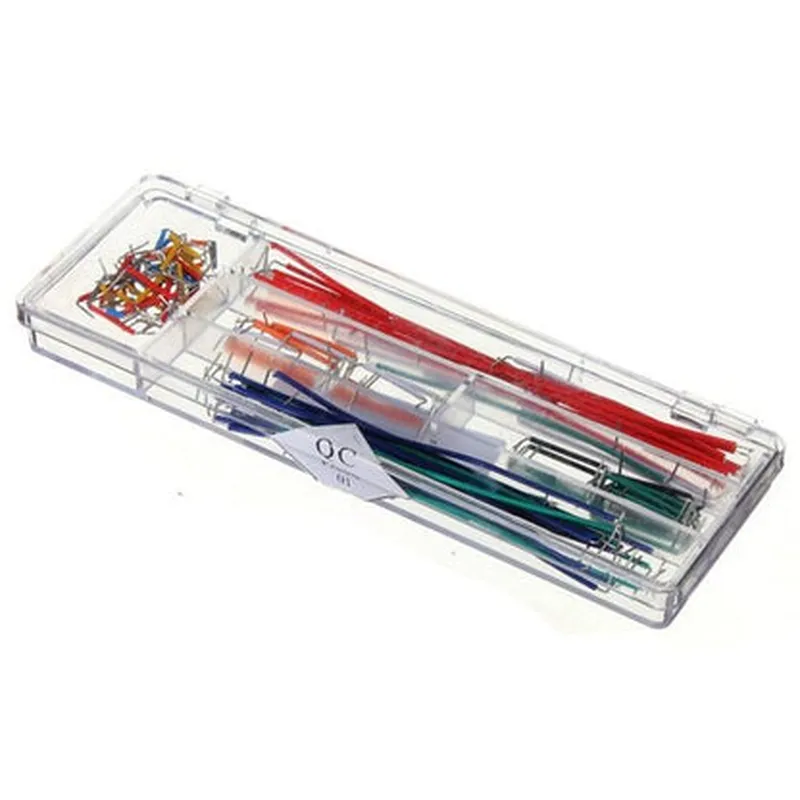
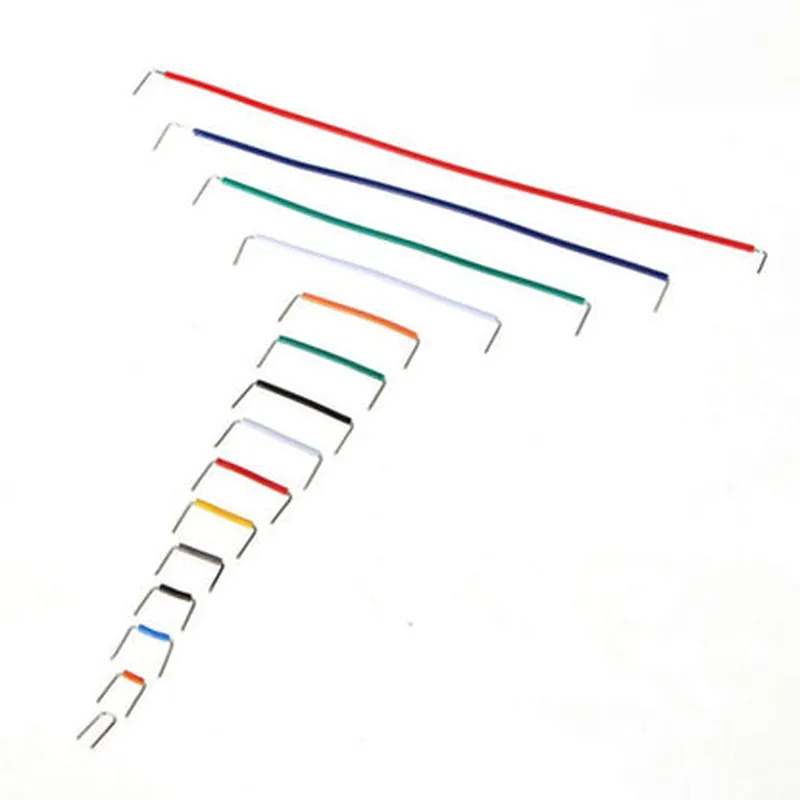
Solderless Breadboard Jumper Wire Connectors (140pcs)
The Solderless Breadboard Jumper Wire Connectors are a set of 140 individual connectors designed for easy and convenient connections between components on a breadboard or other prototyping platforms. These connectors simplify the development and testing of electronic circuits, allowing users to focus on building and experimenting with their projects without the need for soldering.
| The Solderless Breadboard Jumper Wire Connectors serve as a reliable and efficient way to connect and disconnect components on a breadboard. They enable users to |
Create temporary connections between components
Experiment with different circuit configurations
Test and debug electronic circuits
Prototype and develop projects quickly and efficiently
Copper wire with PVC insulation
20 AWG, 22 AWG, and 24 AWG
14 cm (5.5 inches)
Standard 0.1" spacing
-20C to 80C (-4F to 176F)
140 individual connectors
| The Solderless Breadboard Jumper Wire Connectors are ideal for various applications, including |
Prototyping and development of electronic circuits
Education and training in electronics and programming
Hobbyist projects and DIY electronics
Proof-of-concept development and testing
Research and development in IoT, robotics, and other fields
Solderless Breadboard Jumper Wire Connectors (140pcs) DocumentationOverviewThe Solderless Breadboard Jumper Wire Connectors are a set of 140 individual wire connectors designed for use with breadboards, protoboards, and other electronic projects. They provide a convenient and easy way to connect components, sensors, and modules to a breadboard without the need for soldering.Connector SpecificationsTotal Count: 140 pieces
Wire Gauge: 20 AWG (0.8 mm)
Wire Length: 20 cm (7.9 in)
Connector Type: Male-to-Male, Male-to-Female, Female-to-Female
Insulation: PVC (Polyvinyl Chloride)
Operating Temperature: -20C to 80C (-4F to 176F)Using the Jumper Wire Connectors with ArduinoThe following example demonstrates how to use the Solderless Breadboard Jumper Wire Connectors to connect an LED to an Arduino Uno board.Example 1: LED Circuit with ArduinoHardware RequirementsArduino Uno board
1 x LED
1 x 220 resistor
2 x Jumper Wire Connectors (Male-to-Male)Software RequirementsArduino IDE (version 1.8.13 or later)Code
```c
const int ledPin = 13; // Choose any digital pin on the Arduino boardvoid setup() {
pinMode(ledPin, OUTPUT);
}void loop() {
digitalWrite(ledPin, HIGH);
delay(1000);
digitalWrite(ledPin, LOW);
delay(1000);
}
```
Connections1. Connect the positive leg of the LED to a digital pin on the Arduino board (e.g., Pin 13) using a Male-to-Male Jumper Wire Connector.
2. Connect the negative leg of the LED to a ground pin on the Arduino board using another Male-to-Male Jumper Wire Connector.
3. Connect the 220 resistor in series with the LED to limit the current.Using the Jumper Wire Connectors with Raspberry PiThe following example demonstrates how to use the Solderless Breadboard Jumper Wire Connectors to connect a button to a Raspberry Pi 4B.Example 2: Button with Raspberry PiHardware RequirementsRaspberry Pi 4B
1 x Button
1 x Breadboard
2 x Jumper Wire Connectors (Female-to-Male)Software RequirementsRaspbian OS (version 10 or later)
Python 3.xCode
```python
import RPi.GPIO as GPIO# Set up GPIO mode
GPIO.setmode(GPIO.BCM)# Define the button pin
button_pin = 17# Set up the button pin as an input
GPIO.setup(button_pin, GPIO.IN, pull_up_down=GPIO.PUD_UP)while True:
# Read the button state
button_state = GPIO.input(button_pin)
if button_state == False:
print("Button pressed!")
else:
print("Button released!")
time.sleep(0.1)
```
Connections1. Connect one end of a Female-to-Male Jumper Wire Connector to the button's signal pin.
2. Connect the other end of the Jumper Wire Connector to a GPIO pin on the Raspberry Pi (e.g., Pin 17).
3. Connect the button's ground pin to a ground pin on the Raspberry Pi using another Female-to-Male Jumper Wire Connector.Tips and PrecautionsAlways handle the Jumper Wire Connectors by the insulation to prevent damage to the wires.
Ensure the connectors are securely seated on the breadboard or PCB to prevent accidental disconnections.
Use the correct gauge of wire for your project to minimize voltage drops and heat generation.