XT60 Male Connector


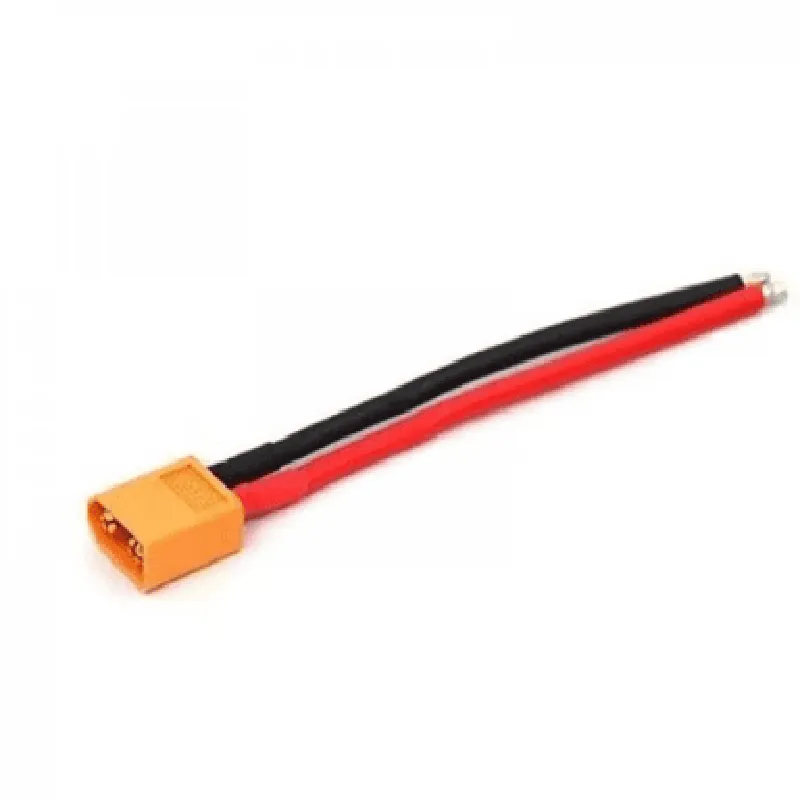
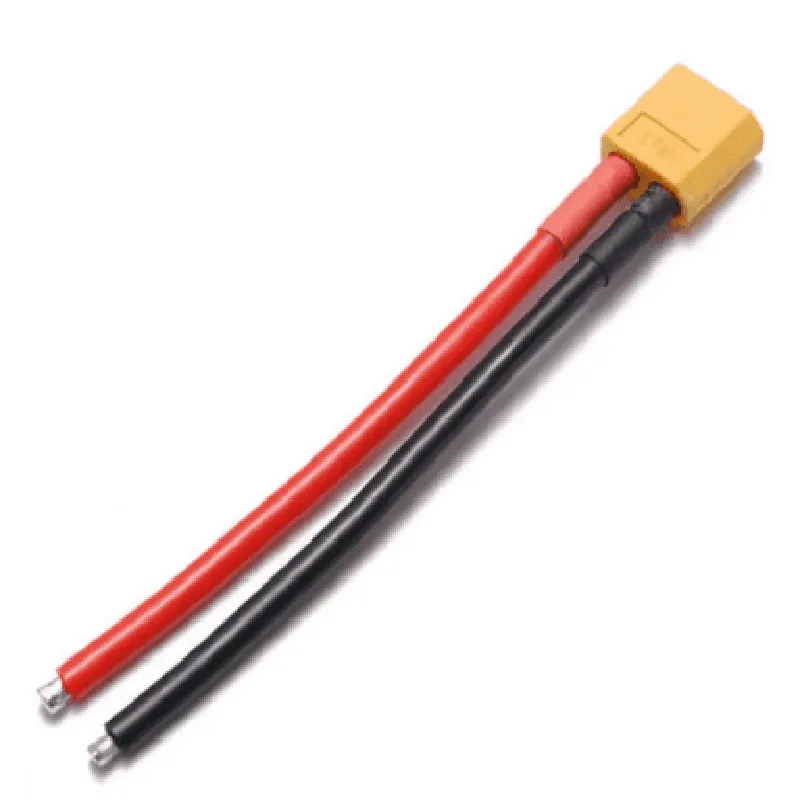
XT60 Male Connector
The XT60 Male Connector is a type of electrical connector commonly used in various IoT applications, such as drones, robotics, and other battery-powered devices. It is a high-current, compact, and reliable connector designed for connecting batteries, motors, and other high-power components.
The XT60 Male Connector is designed to provide a secure and efficient connection between devices, enabling the transfer of power and signals. Its primary function is to connect a battery or power source to a device, such as a drone or a robot, allowing it to operate.
22mm (0.87in)
12mm (0.47in)
10mm (0.39in)
| The XT60 Male Connector is constructed from high-quality materials, including |
Copper alloy (contacts)
Gold plating (contacts)
Thermoplastic (housing)
| The XT60 Male Connector is commonly used in various IoT applications, including |
Drone racing
FPV (First-Person View)
Robotics
Electric vehicles
High-power devices
The XT60 Male Connector is a reliable, compact, and high-current connector designed for use in high-power IoT applications. Its ease of installation, compatibility with a range of devices, and gold-plated contacts make it an ideal choice for designers and engineers.
XT60 Male Connector DocumentationOverviewThe XT60 male connector is a type of electrical connector commonly used in various IoT applications, such as drone building, robotics, and battery management systems. It is designed to provide a secure and reliable connection between batteries, motors, and other devices.SpecificationsPitch: 6.5mm
Voltage Rating: Up to 60V
Current Rating: Up to 60A
Material: Copper alloy with silver plating
Operating Temperature: -20C to 80CInterfaces and PinoutsThe XT60 male connector has two large terminals, one for positive (+) and one for negative (-). The pins are designed to mate with the corresponding XT60 female connector.Code Examples### Example 1: Arduino-Based Drone Project using XT60 Male ConnectorIn this example, we will demonstrate how to use the XT60 male connector to power an Arduino-based drone using a lithium-polymer battery.Hardware RequirementsArduino Board (e.g., Arduino Uno)
XT60 Male Connector
Lithium-Polymer Battery (e.g., 3S 11.1V 2200mAh)
Drone Motor and ESCCode
```c++
const int motorPin = 9; // Pin for drone motor control
const int batteryPin = A0; // Pin for battery voltage monitoringvoid setup() {
pinMode(motorPin, OUTPUT);
pinMode(batteryPin, INPUT);
}void loop() {
int batteryVoltage = analogRead(batteryPin);
float voltage = batteryVoltage (11.1 / 1023.0); // Convert analog value to voltageif (voltage > 10.5) { // Check battery voltage level
digitalWrite(motorPin, HIGH); // Enable motor
} else {
digitalWrite(motorPin, LOW); // Disable motor
}
delay(50);
}
```
### Example 2: Raspberry Pi-Based Robot using XT60 Male ConnectorIn this example, we will demonstrate how to use the XT60 male connector to power a Raspberry Pi-based robot using a lithium-ion battery pack.Hardware RequirementsRaspberry Pi Board (e.g., Raspberry Pi 4)
XT60 Male Connector
Lithium-Ion Battery Pack (e.g., 4S 14.8V 5000mAh)
Robot Motors and Motor DriversCode
```python
import RPi.GPIO as GPIO
import timeGPIO.setmode(GPIO.BCM)motor_pin = 17 # Pin for motor control
battery_pin = 18 # Pin for battery voltage monitoringGPIO.setup(motor_pin, GPIO.OUT)
GPIO.setup(battery_pin, GPIO.IN)while True:
battery_voltage = GPIO.input(battery_pin)
if battery_voltage:
print("Battery voltage: OK")
GPIO.output(motor_pin, GPIO.HIGH) # Enable motor
else:
print("Battery voltage: LOW")
GPIO.output(motor_pin, GPIO.LOW) # Disable motor
time.sleep(1)
```
Note: These code examples are for illustrative purposes only and may require modifications to suit specific project requirements.