Stufin
Home Quick Cart Profile

L293D Motor Driver IC


Buy Now on Stufin

Component Name

L293D Motor Driver IC
Overview

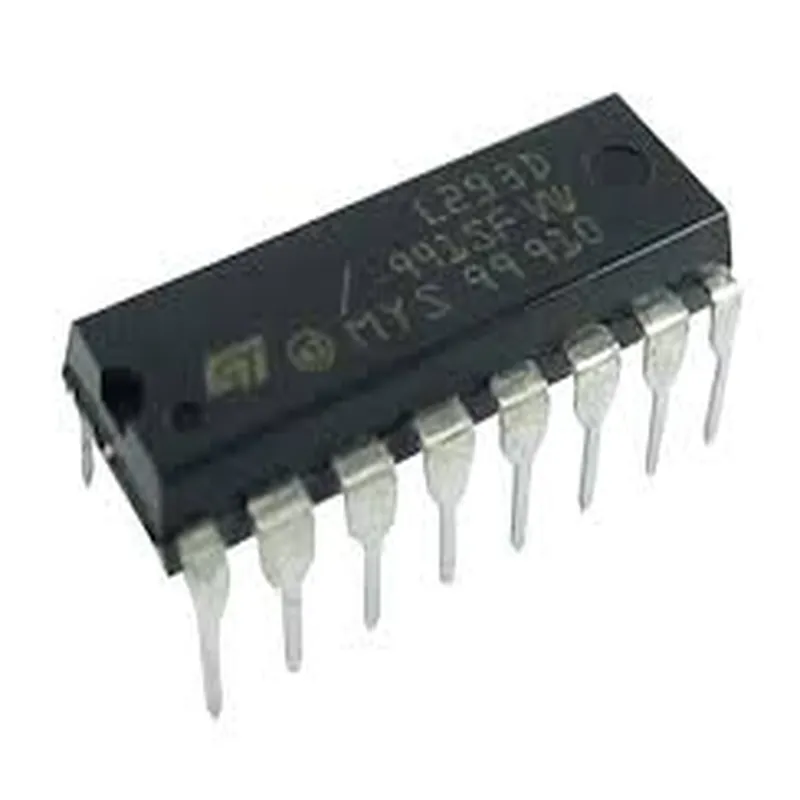
The L293D is a dual H-bridge motor driver integrated circuit (IC) designed to drive inductive loads such as DC motors, relays, and solenoids. It is a popular and widely used component in robotics, automation, and IoT projects that require bidirectional motor control.

Functionality

The L293D motor driver IC is capable of driving two DC motors independently, allowing for simultaneous forward and reverse rotation, as well as braking. The IC provides a high-current output stage that can handle high-voltage and high-current loads, making it suitable for driving a wide range of DC motors.

Key Features

  • Dual H-Bridge Configuration: The L293D features two independent H-bridge circuits, each capable of driving a DC motor.
  • High-Current Output: The IC can handle high output currents of up to 1A per channel, making it suitable for driving small to medium-sized DC motors.
  • High-Voltage Tolerance: The L293D can operate with input voltages ranging from 4.5V to 36V, making it compatible with a wide range of power supplies.
  • Internal Protection Diodes: The IC features internal protection diodes that prevent back-EMF damage when the motor is switched off or changes direction.
  • Enable Inputs: Each H-bridge circuit has an enable input (EN1 and EN2) that allows the user to control the motor driver's output stage.
  • Direction Inputs: The IC has four direction inputs (IN1, IN2, IN3, and IN4) that determine the motor's rotational direction.
  • Logic-Level Input Compatibility: The L293D's input stage is compatible with standard logic levels (TTL, CMOS, etc.), making it easy to interface with microcontrollers and other digital systems.
  • Overcurrent Protection: The IC features built-in overcurrent protection to prevent damage from excessive current draws.
  • Thermal Protection: The L293D has a thermal shutdown feature that protects the IC from overheating.
  • Compact Packaging: The IC is available in a 16-pin PDIP (Plastic Dual In-Line Package) or a 20-pin TSSOP (Thin Shrink Small Outline Package) package, making it suitable for use in space-constrained applications.

Pinout

The pinout for the L293D motor driver IC is as follows

| Pin Number | Pin Name | Function |

| --- | --- | --- |

| 1 | EN1 | Enable Input for H-Bridge 1 |

| 2 | IN1 | Direction Input for Motor 1 |

| 3 | IN2 | Direction Input for Motor 1 |

| 4 | VCC1 | Power Supply for H-Bridge 1 |

| 5 | OUT1 | Output Pin for Motor 1 |

| 6 | OUT2 | Output Pin for Motor 1 |

| 7 | GND | Ground |

| 8 | VCC2 | Power Supply for H-Bridge 2 |

| 9 | OUT3 | Output Pin for Motor 2 |

| 10 | OUT4 | Output Pin for Motor 2 |

| 11 | IN3 | Direction Input for Motor 2 |

| 12 | IN4 | Direction Input for Motor 2 |

| 13 | EN2 | Enable Input for H-Bridge 2 |

| 14-16 | NC | No Connection |

Applications

The L293D motor driver IC is commonly used in

Robotics and robotic arms

CNC machines and 3D printers

Automation systems

IoT projects requiring motor control

Hobby projects such as remote-controlled cars and drones

Conclusion

The L293D motor driver IC is a versatile and reliable component for driving DC motors in a wide range of applications. Its dual H-bridge configuration, high-current output, and internal protection features make it an ideal choice for designers and engineers requiring bidirectional motor control.

Pin Configuration

  • L293D Motor Driver IC Documentation
  • Pinout Explanation
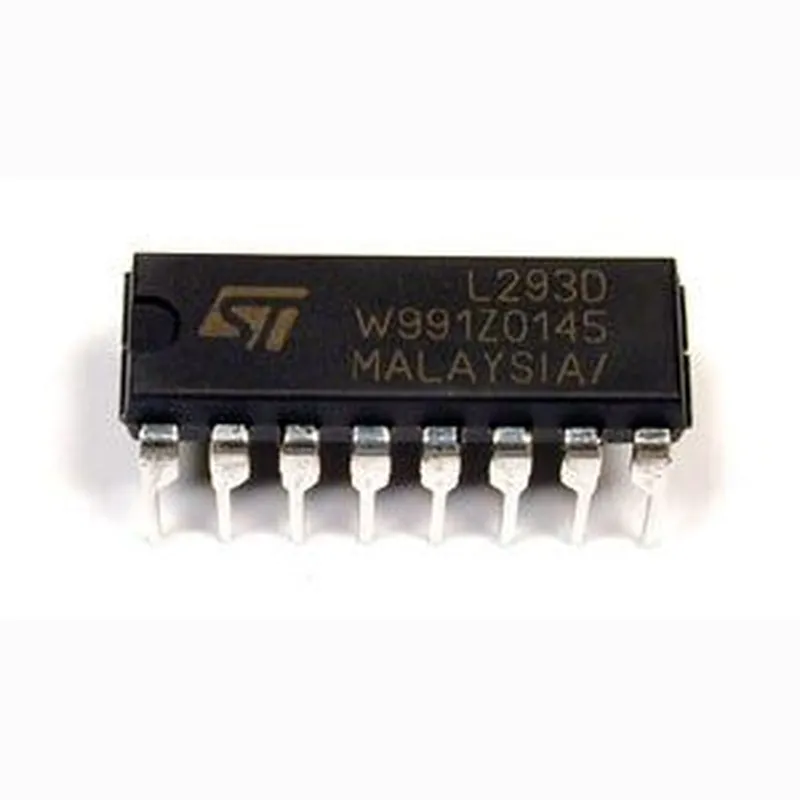
  • The L293D Motor Driver IC is a popular dual H-bridge motor driver IC used to control the speed and direction of DC motors. It has 16 pins, which are explained below:
  • Pin 1: Enable 1 (1,2EN)
  • Function: Enables or disables the first half of the H-bridge (Motor 1)
  • Logic: High (1) enables the motor, Low (0) disables the motor
  • Connection: Typically connected to a microcontroller's digital output or a logic signal
  • Pin 2: Input 1 (1A)
  • Function: Sets the direction of Motor 1
  • Logic: High (1) sets the motor direction to forward, Low (0) sets the motor direction to reverse
  • Connection: Typically connected to a microcontroller's digital output or a logic signal
  • Pin 3: Input 2 (1B)
  • Function: Sets the direction of Motor 1
  • Logic: High (1) sets the motor direction to forward, Low (0) sets the motor direction to reverse
  • Connection: Typically connected to a microcontroller's digital output or a logic signal
  • Pin 4: Output 1 (1Y)
  • Function: Outputs the motor control signal for Motor 1
  • Connection: Connected to one terminal of the motor
  • Pin 5: Output 2 (1Z)
  • Function: Outputs the motor control signal for Motor 1
  • Connection: Connected to the other terminal of the motor
  • Pin 6: VCC1
  • Function: Power supply for the internal logic circuitry
  • Connection: Connected to a voltage source (typically 5V) with a decoupling capacitor
  • Pin 7: VCC2
  • Function: Power supply for the motor driver output stage
  • Connection: Connected to a voltage source (typically 5-36V) with a decoupling capacitor
  • Pin 8: Ground (GND)
  • Function: Ground reference for the IC
  • Connection: Connected to the system ground
  • Pin 9: Enable 2 (3,4EN)
  • Function: Enables or disables the second half of the H-bridge (Motor 2)
  • Logic: High (1) enables the motor, Low (0) disables the motor
  • Connection: Typically connected to a microcontroller's digital output or a logic signal
  • Pin 10: Input 3 (3A)
  • Function: Sets the direction of Motor 2
  • Logic: High (1) sets the motor direction to forward, Low (0) sets the motor direction to reverse
  • Connection: Typically connected to a microcontroller's digital output or a logic signal
  • Pin 11: Input 4 (3B)
  • Function: Sets the direction of Motor 2
  • Logic: High (1) sets the motor direction to forward, Low (0) sets the motor direction to reverse
  • Connection: Typically connected to a microcontroller's digital output or a logic signal
  • Pin 12: Output 3 (3Y)
  • Function: Outputs the motor control signal for Motor 2
  • Connection: Connected to one terminal of the motor
  • Pin 13: Output 4 (3Z)
  • Function: Outputs the motor control signal for Motor 2
  • Connection: Connected to the other terminal of the motor
  • Pin 14: SENSE
  • Function: Provides feedback for current sensing and overcurrent protection
  • Connection: Typically connected to a sense resistor or a current sensing circuit
  • Pin 15: VCC
  • Function: Not connected internally
  • Connection: No connection or reserved for future use
  • Pin 16: Not connected
  • Function: No internal connection
  • Connection: No connection
  • Connection Structure
  • Here's a sample connection structure for the L293D Motor Driver IC:
  • Microcontroller (e.g., Arduino) L293D
  • + Digital output 1,2EN (Pin 1)
  • + Digital output 1A (Pin 2)
  • + Digital output 1B (Pin 3)
  • + Digital output 3,4EN (Pin 9)
  • + Digital output 3A (Pin 10)
  • + Digital output 3B (Pin 11)
  • Power supply L293D
  • + VCC1 (Pin 6)
  • + VCC2 (Pin 7)
  • Motor 1 L293D
  • + Terminal 1 1Y (Pin 4)
  • + Terminal 2 1Z (Pin 5)
  • Motor 2 L293D
  • + Terminal 1 3Y (Pin 12)
  • + Terminal 2 3Z (Pin 13)
  • Sense resistor or current sensing circuit L293D
  • + SENSE (Pin 14)
  • Note: This is a general connection structure and may vary depending on the specific application and motor requirements. Always refer to the L293D datasheet and application notes for detailed information and precautions.

Code Examples

L293D Motor Driver IC Documentation
Overview
The L293D is a dual H-bridge motor driver integrated circuit (IC) that allows bidirectional control of two DC motors or a single stepper motor. It is commonly used in robotics, automation, and IoT projects to control motor speed and direction.
Pinout and Description
The L293D IC has a 16-pin package with the following pinout:
| Pin # | Pin Name | Description |
| --- | --- | --- |
| 1 | Enable 1 (EN1) | Enables/Disables Motor 1 |
| 2 | Input 1 (IN1) | Input for Motor 1 direction control |
| 3 | Input 2 (IN2) | Input for Motor 1 direction control |
| 4 | Output 1 (OUT1) | Output for Motor 1 |
| 5 | Output 2 (OUT2) | Output for Motor 1 |
| 6 | GND | Ground connection |
| 7 | VCC | Power supply (5V or 12V) |
| 8 | Output 3 (OUT3) | Output for Motor 2 |
| 9 | Output 4 (OUT4) | Output for Motor 2 |
| 10 | Input 3 (IN3) | Input for Motor 2 direction control |
| 11 | Input 4 (IN4) | Input for Motor 2 direction control |
| 12 | Enable 2 (EN2) | Enables/Disables Motor 2 |
| 13 | SENSE | Sense pin for motor current monitoring (optional) |
| 14 | VCC1 | Power supply for internal circuitry (5V) |
| 15 | GND1 | Ground connection for internal circuitry |
| 16 | VCC2 | Power supply for internal circuitry (5V) |
Example 1: Controlling a DC Motor with an Arduino
In this example, we'll use an Arduino Uno to control the speed and direction of a DC motor using the L293D motor driver IC.
Hardware Connections:
L293D IC: VCC to Arduino's 5V, GND to Arduino's GND, EN1 to Arduino's Digital Pin 2, IN1 to Arduino's Digital Pin 3, IN2 to Arduino's Digital Pin 4, OUT1 and OUT2 to DC motor
 Arduino Uno: Digital Pins 2, 3, and 4 to L293D IC
Code:
```c++
const int enPin = 2;  // Enable pin for motor 1
const int in1Pin = 3;  // Input pin for motor 1 direction control
const int in2Pin = 4;  // Input pin for motor 1 direction control
void setup() {
  pinMode(enPin, OUTPUT);
  pinMode(in1Pin, OUTPUT);
  pinMode(in2Pin, OUTPUT);
}
void loop() {
  // Set motor direction (clockwise)
  digitalWrite(in1Pin, HIGH);
  digitalWrite(in2Pin, LOW);
// Set motor speed (50% duty cycle)
  analogWrite(enPin, 128);
delay(2000);
// Set motor direction (counterclockwise)
  digitalWrite(in1Pin, LOW);
  digitalWrite(in2Pin, HIGH);
// Set motor speed (50% duty cycle)
  analogWrite(enPin, 128);
delay(2000);
}
```
Example 2: Controlling a Stepper Motor with a Raspberry Pi
In this example, we'll use a Raspberry Pi to control the direction and step rate of a stepper motor using the L293D motor driver IC.
Hardware Connections:
L293D IC: VCC to Raspberry Pi's 5V, GND to Raspberry Pi's GND, EN1 to Raspberry Pi's GPIO Pin 17, IN1 to Raspberry Pi's GPIO Pin 23, IN2 to Raspberry Pi's GPIO Pin 24, OUT1 and OUT2 to Stepper motor
 Raspberry Pi: GPIO Pins 17, 23, and 24 to L293D IC
Code (Python):
```python
import RPi.GPIO as GPIO
import time
GPIO.setmode(GPIO.BCM)
enPin = 17  # Enable pin for motor 1
in1Pin = 23  # Input pin for motor 1 direction control
in2Pin = 24  # Input pin for motor 1 direction control
GPIO.setup(enPin, GPIO.OUT)
GPIO.setup(in1Pin, GPIO.OUT)
GPIO.setup(in2Pin, GPIO.OUT)
while True:
  # Set motor direction (clockwise)
  GPIO.output(in1Pin, GPIO.HIGH)
  GPIO.output(in2Pin, GPIO.LOW)
# Set motor step rate (500 steps per second)
  GPIO.output(enPin, GPIO.HIGH)
  time.sleep(0.002)
  GPIO.output(enPin, GPIO.LOW)
  time.sleep(0.002)
# Set motor direction (counterclockwise)
  GPIO.output(in1Pin, GPIO.LOW)
  GPIO.output(in2Pin, GPIO.HIGH)
# Set motor step rate (500 steps per second)
  GPIO.output(enPin, GPIO.HIGH)
  time.sleep(0.002)
  GPIO.output(enPin, GPIO.LOW)
  time.sleep(0.002)
```
Note: These examples are for illustration purposes only and may require modifications for specific use cases. Ensure proper voltage and current ratings for the motor driver IC and connected components.