RGB LED Module for boards compatible with Arduino


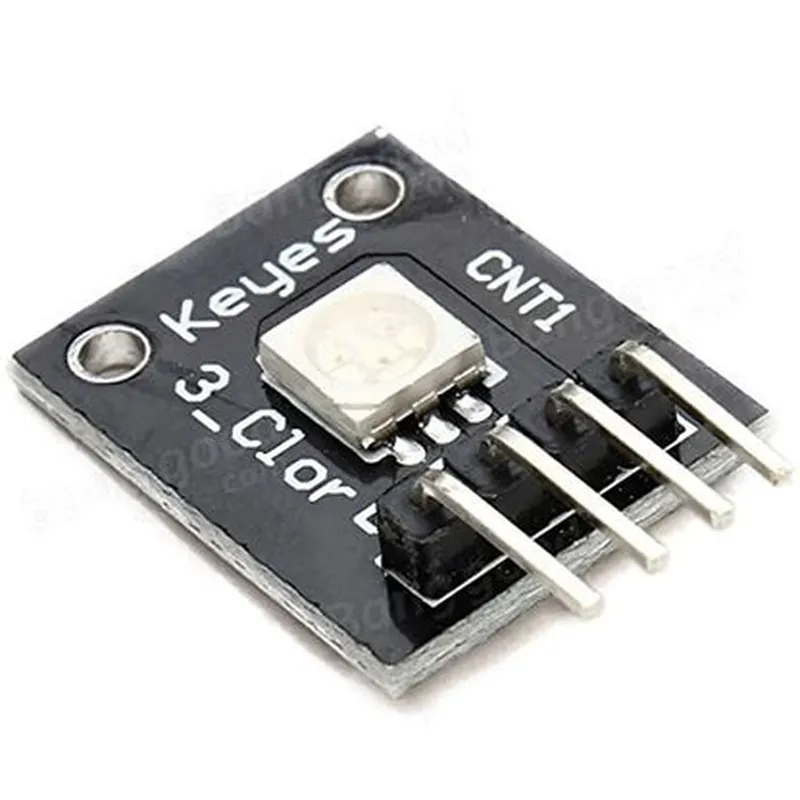
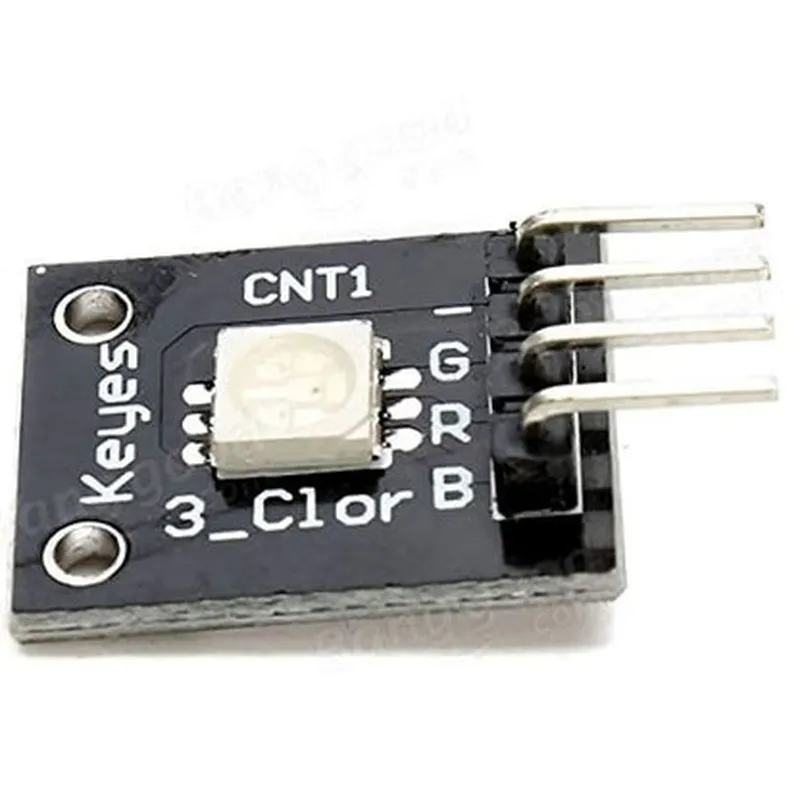
RGB LED Module for boards compatible with Arduino
The RGB LED Module is a compact, surface-mount device designed to provide a convenient and efficient way to add colorful, high-brightness lighting to Arduino-compatible boards and projects. This module combines three individual LEDs, each emitting a primary color (Red, Green, and Blue), to produce a wide range of vibrant colors and hues.
| The RGB LED Module is designed to be controlled by an Arduino-compatible microcontroller, allowing users to dynamically adjust the color, brightness, and pattern of the LEDs. By sending distinct digital signals to the module, the Arduino board can control the intensity and color of the LEDs, enabling a wide range of applications, including |
Ambient lighting
Indicators and notifications
Color-coded status displays
Interactive art installations
Robotics and automation projects
Tri-Color (Red, Green, Blue)
High Brightness (up to 10,000 mcd)
3.3V to 5V
20mA (max)
15mm x 10mm x 5mm
2g
3-pin male header (VCC, R, G, B)
Available upon request
Arduino library and example sketches available for download
Detailed tutorials and guides available on the manufacturer's website and online forums.
Component Documentation: RGB Led Module for Boards Compatible with ArduinoOverviewThe RGB Led Module is a compact, surface-mount device designed for boards compatible with Arduino. This module features a high-brightness RGB LED, which can produce 16,777,216 different color combinations. The module is controlled using three digital output pins, allowing for precise color control and flexibility in various IoT applications.Technical SpecificationsLED Type: High-brightness RGB LED
Operating Voltage: 5V
Current Consumption: 20mA (typical)
Digital Output Pins: 3 (R, G, B)
Compatible Boards: Arduino Uno, Arduino Mega, Arduino Nano, and other compatible boardsPinout DiagramThe pinout diagram for the RGB Led Module is as follows:| Pin | Function |
| --- | --- |
| R | Red LED Control |
| G | Green LED Control |
| B | Blue LED Control |
| VCC | Power Supply (5V) |
| GND | Ground |Code Examples### Example 1: Basic RGB LED ControlThis example demonstrates how to control the RGB LED module using the Arduino Uno board. The code will cycle through different colors:
```cpp
const int redPin = 9; // Pin for red LED control
const int greenPin = 10; // Pin for green LED control
const int bluePin = 11; // Pin for blue LED controlvoid setup() {
pinMode(redPin, OUTPUT);
pinMode(greenPin, OUTPUT);
pinMode(bluePin, OUTPUT);
}void loop() {
// Red
digitalWrite(redPin, HIGH);
digitalWrite(greenPin, LOW);
digitalWrite(bluePin, LOW);
delay(1000);// Green
digitalWrite(redPin, LOW);
digitalWrite(greenPin, HIGH);
digitalWrite(bluePin, LOW);
delay(1000);// Blue
digitalWrite(redPin, LOW);
digitalWrite(greenPin, LOW);
digitalWrite(bluePin, HIGH);
delay(1000);// Yellow
digitalWrite(redPin, HIGH);
digitalWrite(greenPin, HIGH);
digitalWrite(bluePin, LOW);
delay(1000);// Cyan
digitalWrite(redPin, LOW);
digitalWrite(greenPin, HIGH);
digitalWrite(bluePin, HIGH);
delay(1000);// Magenta
digitalWrite(redPin, HIGH);
digitalWrite(greenPin, LOW);
digitalWrite(bluePin, HIGH);
delay(1000);
}
```
### Example 2: Fade-in/Fade-out EffectThis example demonstrates how to create a fade-in/fade-out effect using the RGB LED module and the Arduino Uno board. The code will gradually increase and decrease the brightness of the LED:
```cpp
const int redPin = 9; // Pin for red LED control
const int greenPin = 10; // Pin for green LED control
const int bluePin = 11; // Pin for blue LED controlvoid setup() {
pinMode(redPin, OUTPUT);
pinMode(greenPin, OUTPUT);
pinMode(bluePin, OUTPUT);
}void loop() {
for (int i = 0; i < 256; i++) {
analogWrite(redPin, i);
analogWrite(greenPin, i);
analogWrite(bluePin, i);
delay(10);
}for (int i = 255; i >= 0; i--) {
analogWrite(redPin, i);
analogWrite(greenPin, i);
analogWrite(bluePin, i);
delay(10);
}
}
```
### Example 3: Color Temperature Control (optional)This example demonstrates how to control the color temperature of the RGB LED module using the Arduino Uno board. The code will gradually change the color temperature from warm white to cool white:
```cpp
const int redPin = 9; // Pin for red LED control
const int greenPin = 10; // Pin for green LED control
const int bluePin = 11; // Pin for blue LED controlvoid setup() {
pinMode(redPin, OUTPUT);
pinMode(greenPin, OUTPUT);
pinMode(bluePin, OUTPUT);
}void loop() {
for (int i = 0; i < 256; i++) {
// Warm white (2700K)
analogWrite(redPin, 255);
analogWrite(greenPin, 180);
analogWrite(bluePin, 60);
delay(10);// Cool white (6500K)
analogWrite(redPin, 120);
analogWrite(greenPin, 220);
analogWrite(bluePin, 255);
delay(10);
}
}
```
Note: The above code examples are for illustration purposes only and may require modifications to suit specific application requirements.