300 RPM Dual Shaft BO Motor + Wheel (2 pcs)


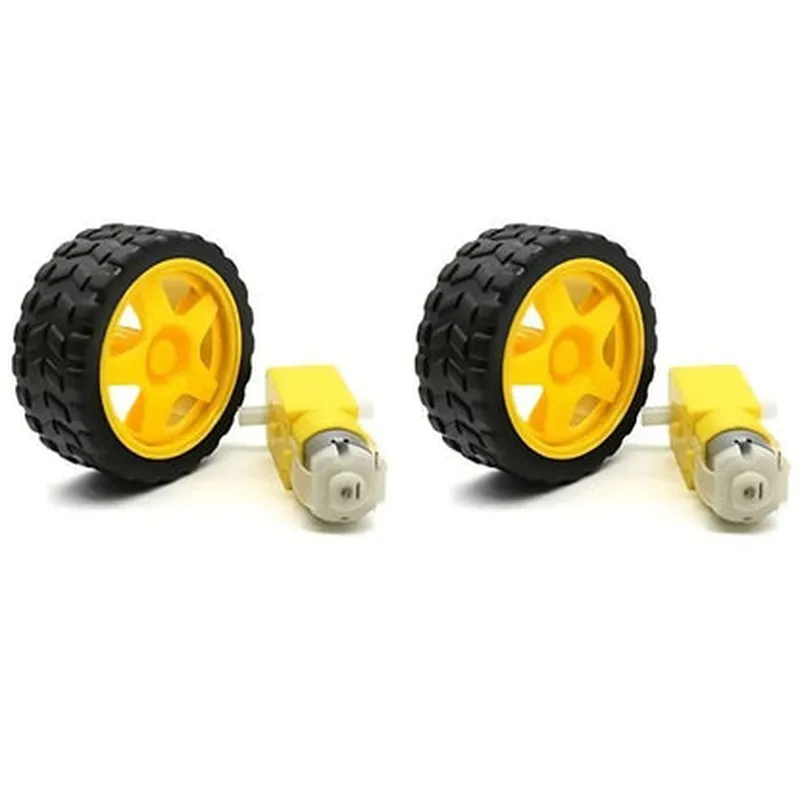
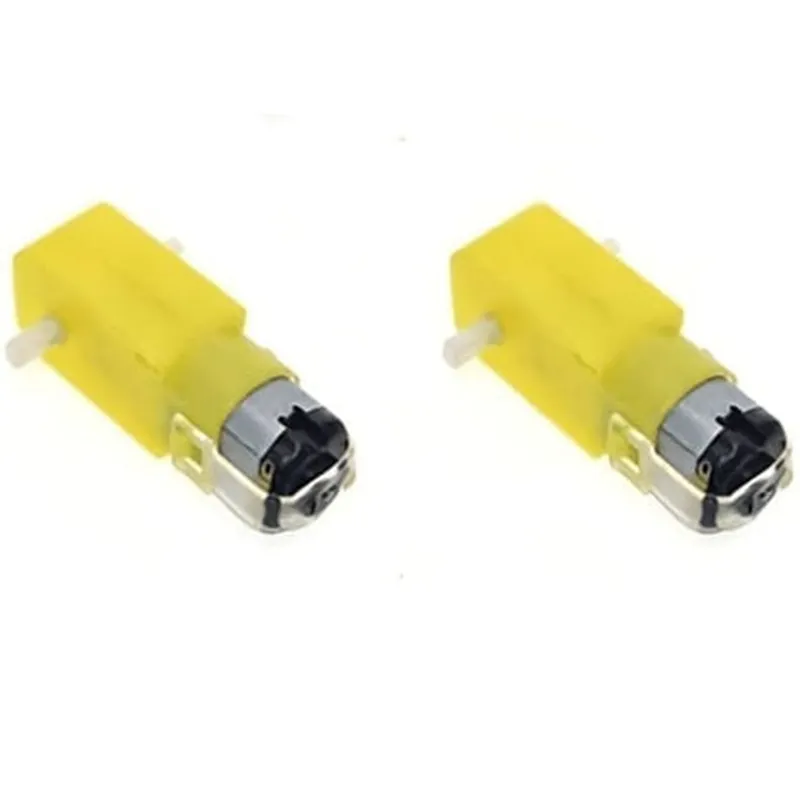
300 RPM Dual Shaft BO Motor + Wheel (2 pcs)
The 300 RPM Dual Shaft BO Motor + Wheel is a comprehensive package consisting of two pairs of high-quality brushed DC motors and matching wheels, designed for a wide range of robotics, automation, and IoT applications. This component is ideal for projects that require precise motor control, high torque, and efficient power transmission.
The primary function of the 300 RPM Dual Shaft BO Motor + Wheel is to provide a reliable and efficient means of converting electrical energy into mechanical energy. The motor's dual shaft design enables it to drive two separate loads or mechanisms independently, making it suitable for applications that require simultaneous movement of multiple components.
Brushed DC
300 RPM
3-6V DC
0.5-1.5A
1.5 kg-cm
3mm
60mm
Copper, Iron, and Plastic
120g (motor and wheel assembly)
-20C to 80C
-30C to 100C
Robotics
Automation
IoT Devices
Industrial Control Systems
Medical Devices
Aerospace Systems
Automotive Systems
RoHS Compliant
CE Certified
UL Recognized
1-year limited warranty
Dedicated technical support team for assistance with integration, troubleshooting, and maintenance.
2 x 300 RPM Dual Shaft BO Motors
2 x Wheels (60mm diameter)
Mounting screws and accessories
User manual and datasheet
The specifications and features mentioned above are subject to change without notice. Please consult the manufacturer's documentation and website for the most up-to-date information.
Component Documentation: 300 RPM Dual Shaft BO Motor + Wheel (2 pcs)OverviewThe 300 RPM Dual Shaft BO Motor + Wheel (2 pcs) is a high-performance motor system designed for robotics, automation, and IoT applications. This component consists of two identical motor units, each featuring a 300 RPM brushed DC motor with a dual shaft design, allowing for independent control of two connected wheels or mechanisms. This documentation provides a comprehensive overview of the component, its specifications, and code examples to help you get started with using it in your projects.SpecificationsMotor Type: Brushed DC Motor
RPM: 300 RPM
Dual Shaft Design: Allows for independent control of two connected wheels or mechanisms
Power: 3V - 12V DC
Current: 100mA - 500mA (dependent on voltage)
Torque: 1.2 kgf-cm
Wheel Size: 60mm diameter, 10mm width
Connector Type: 2x JST 2.0mm 2-pin (one for each motor)Code Examples### Example 1: Basic Motor Control using ArduinoIn this example, we will demonstrate how to control the 300 RPM Dual Shaft BO Motor + Wheel (2 pcs) using an Arduino Uno board.Hardware Requirements:Arduino Uno board
300 RPM Dual Shaft BO Motor + Wheel (2 pcs)
Breadboard and jumper wires
Power supply (3V - 12V DC)Software Requirements:Arduino IDE (version 1.8.x or later)Code:
```c
const int motorLeftForward = 2; // Pin for motor 1 forward direction
const int motorLeftBackward = 3; // Pin for motor 1 backward direction
const int motorRightForward = 4; // Pin for motor 2 forward direction
const int motorRightBackward = 5; // Pin for motor 2 backward directionvoid setup() {
pinMode(motorLeftForward, OUTPUT);
pinMode(motorLeftBackward, OUTPUT);
pinMode(motorRightForward, OUTPUT);
pinMode(motorRightBackward, OUTPUT);
}void loop() {
// Move forward
digitalWrite(motorLeftForward, HIGH);
digitalWrite(motorRightForward, HIGH);
delay(2000);
// Move backward
digitalWrite(motorLeftBackward, HIGH);
digitalWrite(motorRightBackward, HIGH);
delay(2000);
// Stop
digitalWrite(motorLeftForward, LOW);
digitalWrite(motorLeftBackward, LOW);
digitalWrite(motorRightForward, LOW);
digitalWrite(motorRightBackward, LOW);
delay(1000);
}
```
Explanation:In this example, we define the pin numbers for each motor direction and set them as output pins in the `setup()` function. In the `loop()` function, we demonstrate how to control the motors to move forward, backward, and stop using the `digitalWrite()` function.### Example 2: PWM Motor Control using Raspberry Pi (Python)In this example, we will demonstrate how to control the 300 RPM Dual Shaft BO Motor + Wheel (2 pcs) using a Raspberry Pi board with Python.Hardware Requirements:Raspberry Pi board
300 RPM Dual Shaft BO Motor + Wheel (2 pcs)
Breadboard and jumper wires
Power supply (3V - 12V DC)Software Requirements:Raspbian OS (version 10 or later)
Python 3.xCode:
```python
import RPi.GPIO as GPIO
import time# Set up GPIO mode
GPIO.setmode(GPIO.BCM)# Define motor pins
MOTOR_LEFT_FORWARD = 17
MOTOR_LEFT_BACKWARD = 23
MOTOR_RIGHT_FORWARD = 24
MOTOR_RIGHT_BACKWARD = 25# Set up motor pins as output
GPIO.setup(MOTOR_LEFT_FORWARD, GPIO.OUT)
GPIO.setup(MOTOR_LEFT_BACKWARD, GPIO.OUT)
GPIO.setup(MOTOR_RIGHT_FORWARD, GPIO.OUT)
GPIO.setup(MOTOR_RIGHT_BACKWARD, GPIO.OUT)# Set up PWM frequency
pwm_freq = 50# Create PWM objects
pwm_left = GPIO.PWM(MOTOR_LEFT_FORWARD, pwm_freq)
pwm_right = GPIO.PWM(MOTOR_RIGHT_FORWARD, pwm_freq)try:
while True:
# Set motor speed (0-100%)
pwm_left.start(50)
pwm_right.start(50)
time.sleep(2)
# Change motor direction
pwm_left.ChangeDutyCycle(0)
pwm_right.ChangeDutyCycle(0)
time.sleep(0.5)
pwm_left.ChangeDutyCycle(50)
pwm_right.ChangeDutyCycle(50)
time.sleep(2)
except KeyboardInterrupt:
# Clean up
pwm_left.stop()
pwm_right.stop()
GPIO.cleanup()
```
Explanation:In this example, we use the RPi.GPIO library to control the motors using PWM (Pulse Width Modulation). We define the motor pins, set them up as output pins, and create PWM objects with a frequency of 50 Hz. We then demonstrate how to control the motor speed and direction using the `start()` and `ChangeDutyCycle()` functions.Note: These code examples are for illustrative purposes only and may require modifications to suit your specific project requirements. Ensure you follow proper safety precautions when working with electrical components.