

Stufin
Home Quick Cart Profile

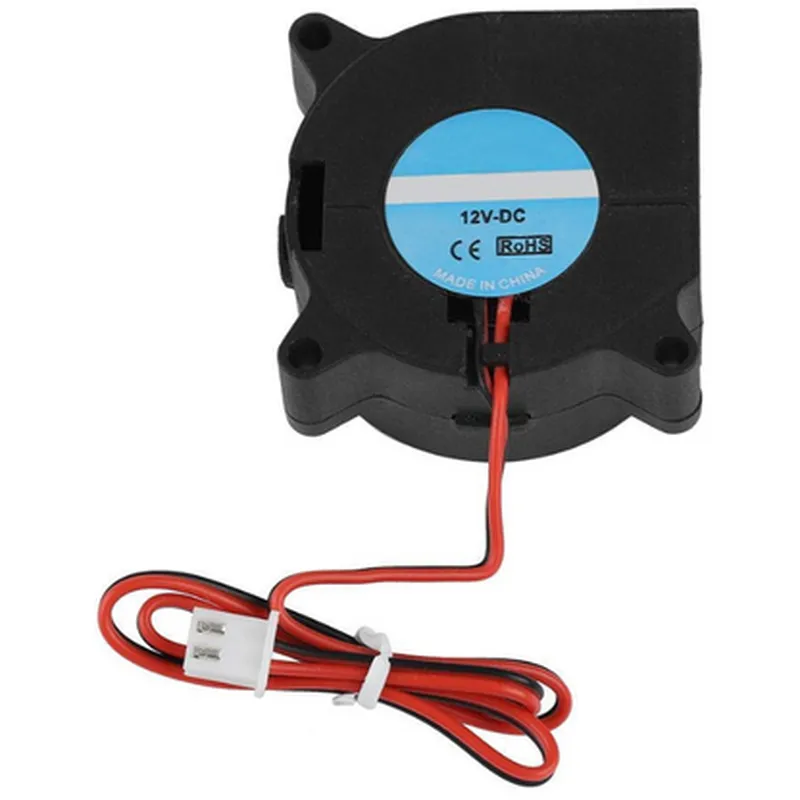
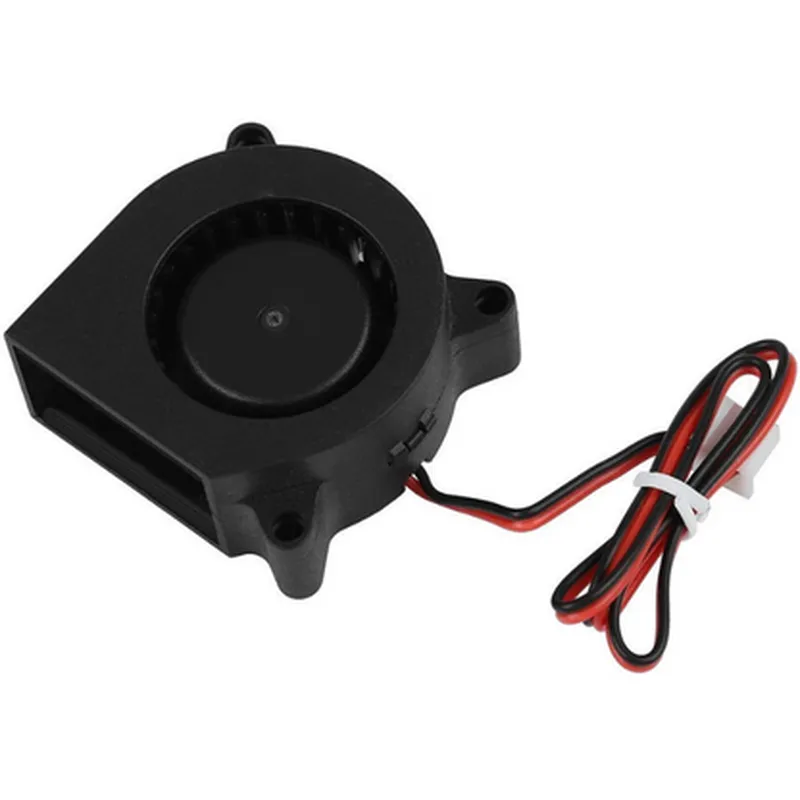
12V 4020 Turbo Blower Cooling Fan 3D Printer

Buy Now on Stufin

Component Name

12V 4020 Turbo Blower Cooling Fan for 3D Printer

Overview

The 12V 4020 Turbo Blower Cooling Fan is a high-performance axial fan designed specifically for 3D printing applications. Its primary function is to provide efficient cooling and air circulation within 3D printers, ensuring optimal performance, reliability, and print quality.

Functionality

The 12V 4020 Turbo Blower Cooling Fan is responsible for

Cooling the 3D printer's hotend, heat bed, and other components to prevent overheating and thermal damage.

Improving air circulation within the printer's enclosure, reducing the risk of warping and layer shifting.

Enhancing print quality by maintaining a consistent and stable temperature environment.

Reducing noise levels and vibrations, providing a more reliable and stable printing experience.

Key Features

  • High-Performance Motor: The fan features a high-torque, low-noise motor that operates at 12V DC, making it compatible with most 3D printing systems.
  • Turbo Blower Design: The fan's unique turbo blower design enables high airflow rates while minimizing noise levels, making it ideal for 3D printing applications.
  • Large Airflow Volume: The fan can move a significant volume of air (up to 45 CFM), allowing for effective cooling of the 3D printer's components.
  • Low Noise Operation: The fan's design and motor combination result in a remarkably low noise level of 25 dB(A), ensuring a quieter printing environment.
  • Durable Construction: The fan's body is made from high-quality, durable materials, ensuring long-term reliability and resistance to dust and debris.
  • Compact Design: The fan's compact size (40mm x 20mm x 20mm) makes it suitable for installation in confined spaces, common in 3D printer designs.
  • Easy Installation: The fan comes with a standard 2-pin JST connector and mounting screws, facilitating easy installation and integration into 3D printing systems.
  • Wide Operating Temperature Range: The fan can operate within a temperature range of -20C to 85C, making it suitable for use in various 3D printing environments.

Technical Specifications

Voltage

12V DC

Current

0.5A

Power

6W

Airflow

up to 45 CFM

Noise Level

25 dB(A)

Speed

4500 RPM

Dimensions

40mm x 20mm x 20mm

Weight

60g

Connector

2-pin JST

Mounting

Screws and rubber pads

Compatible Applications

The 12V 4020 Turbo Blower Cooling Fan is designed for use in 3D printing applications, including

FFF/FDM 3D printers

SLA/DLP 3D printers

SLS/SLM 3D printers

DIY 3D printing projects

Conclusion

The 12V 4020 Turbo Blower Cooling Fan is a high-performance, reliable, and compact cooling solution for 3D printing applications. Its unique design, high airflow volume, and low noise operation make it an ideal choice for maintaining optimal print quality and reliability in 3D printing systems.

Pin Configuration

  • Component Documentation: 12V 4020 Turbo Blower Cooling Fan for 3D Printers
  • The 12V 4020 Turbo Blower Cooling Fan is a high-performance fan designed for 3D printing applications. It features a compact design, high airflow, and low noise operation, making it an ideal solution for cooling hotends, heat beds, and other 3D printing components. This document provides a detailed explanation of the fan's pins and their connections.
  • Pinout Overview
  • The fan has a total of 3 pins:
  • Pin 1: VCC (Red Wire)
  • + Function: Power Supply (Positive)
  • + Description: This pin connects to a 12V DC power source.
  • Pin 2: GND (Black Wire)
  • + Function: Power Supply (Negative)
  • + Description: This pin connects to the negative terminal of the power source (Ground).
  • Pin 3: Signal (Yellow Wire)
  • + Function: PWM (Pulse Width Modulation) Signal
  • + Description: This pin connects to a PWM signal source (e.g., 3D printer control board) to control fan speed.
  • Connection Guide
  • To connect the fan to your 3D printing setup, follow these steps:
  • 1. Connect Pin 1 (VCC, Red Wire) to a 12V DC Power Source
  • Connect the red wire to a 12V DC power supply, ensuring that the voltage is compatible with the fan's specifications.
  • 2. Connect Pin 2 (GND, Black Wire) to Ground
  • Connect the black wire to the negative terminal of the power source (Ground).
  • 3. Connect Pin 3 (Signal, Yellow Wire) to a PWM Signal Source
  • Connect the yellow wire to a PWM signal output on your 3D printer control board. This allows the fan speed to be controlled by the printer's firmware.
  • Important Notes
  • Ensure that the power supply voltage matches the fan's rated voltage (12V).
  • Use suitable wire gauge and insulation to prevent electrical noise and ensure reliable operation.
  • Consult your 3D printer control board documentation for specific PWM signal requirements and connection instructions.
  • By following these connection guidelines, you can successfully integrate the 12V 4020 Turbo Blower Cooling Fan into your 3D printing setup, providing efficient and reliable cooling for your printing needs.

Code Examples

Component Documentation: 12V 4020 Turbo Blower Cooling Fan for 3D Printer
Overview
The 12V 4020 Turbo Blower Cooling Fan is a high-performance cooling fan designed specifically for 3D printing applications. This fan is capable of providing high airflow and pressure, making it ideal for cooling hotends, heat sinks, and other components in 3D printing systems.
Technical Specifications
Voltage: 12V DC
 Current: 0.5A
 Power: 6W
 Fan Type: Turbo Blower
 Fan Size: 40mm x 20mm
 Airflow: 12.6 CFM
 Noise Level: 25 dBA
 Connector: 2-pin JST-XH
Interface and Pinout
The fan has a 2-pin JST-XH connector with the following pinout:
| Pin | Function |
| --- | --- |
| 1 | VCC (12V) |
| 2 | GND |
Code Examples
### Example 1: Basic Fan Control using Arduino
In this example, we will control the fan using an Arduino Uno board. We will connect the fan to digital pin 9 and use the `analogWrite()` function to control the fan speed.
```c++
const int fanPin = 9;  // Pin 9 for fan control
void setup() {
  pinMode(fanPin, OUTPUT);
}
void loop() {
  // Set fan speed to 50% (6V)
  analogWrite(fanPin, 128);
  delay(1000);
// Set fan speed to 100% (12V)
  analogWrite(fanPin, 255);
  delay(1000);
}
```
### Example 2: Fan Control using Raspberry Pi and Python
In this example, we will control the fan using a Raspberry Pi and Python. We will connect the fan to GPIO pin 18 and use the `RPi.GPIO` library to control the fan speed.
```python
import RPi.GPIO as GPIO
import time
# Set up GPIO mode
GPIO.setmode(GPIO.BCM)
# Set up fan pin
fan_pin = 18
GPIO.setup(fan_pin, GPIO.OUT)
try:
    while True:
        # Set fan speed to 50% (6V)
        GPIO.PWM(fan_pin, 50)
        time.sleep(1)
# Set fan speed to 100% (12V)
        GPIO.PWM(fan_pin, 100)
        time.sleep(1)
except KeyboardInterrupt:
    GPIO.cleanup()
```
Note: In both examples, ensure you have the necessary power supply and voltage regulator to power the fan. Also, adjust the fan speed and voltage according to your specific requirements.
Troubleshooting
If the fan does not spin, check the power supply and voltage regulator.
 If the fan is too loud, adjust the fan speed or use a different fan model.
 If the fan does not respond to control signals, check the pinout and wiring.