STM32F103C8T6
| Analog-to-Digital Converter (ADC) | 12-bit, 500 MSa/s |


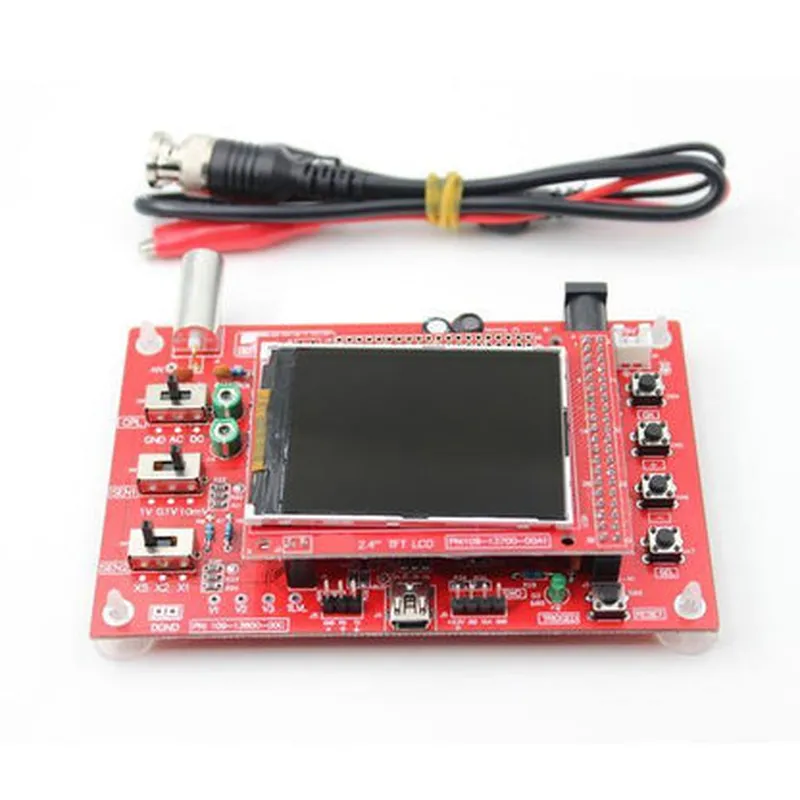
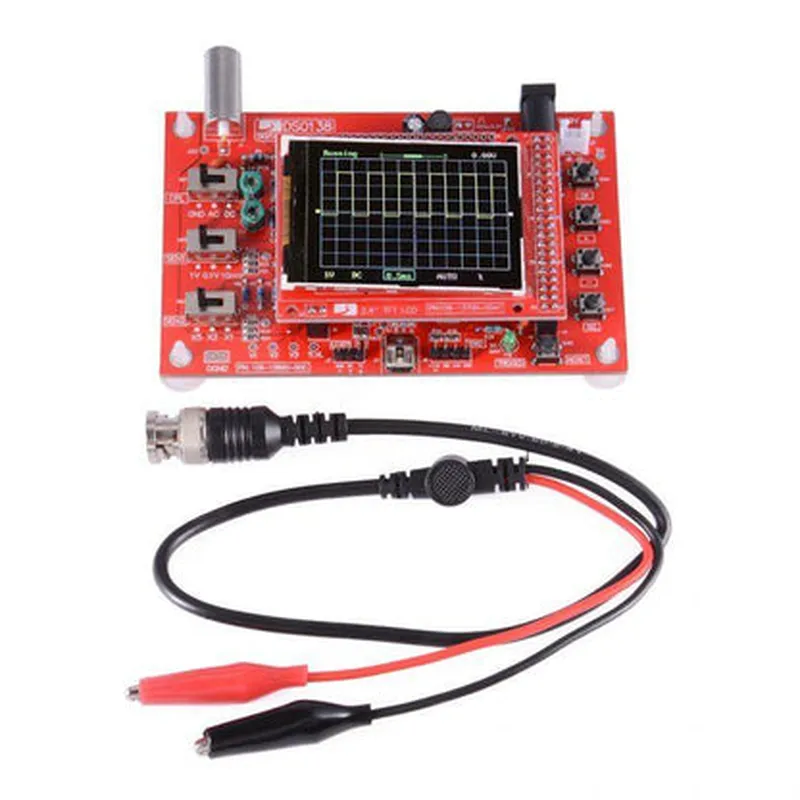
STM32F103C8T6
| Analog-to-Digital Converter (ADC) | 12-bit, 500 MSa/s |
2.4 inch, 320x240 pixels, color TFT LCD
2
0-50V peak-to-peak
1M
10 MHz
500 MSa/s
1000 waveforms (internal), expandable via microSD card
Rechargeable battery, USB charging
Open-source firmware (Arduino-compatible)
Kit Contents
Mainboard
2.4 inch Color TFT LCD Display
Front panel with buttons and knobs
Enclosure
Power adapter
USB cable
Rechargeable battery
MicroSD card (optional)
Jumper wires and probes (optional)
Target Audience
| The DSO138 DIY Oscilloscope Kit is designed for |
Electronic enthusiasts and hobbyists
Students and educators in electrical engineering and electronics
Professionals in electronics design, development, and testing
Anyone interested in building and customizing their own oscilloscope.
DSO138 DIY 2.4 inch Oscilloscope Kit DocumentationOverviewThe DSO138 DIY 2.4 inch Oscilloscope Kit is a compact, open-source oscilloscope module designed for educational and hobbyist projects. It features a 2.4-inch color TFT LCD display, a 1GSa/s sampling rate, and a bandwidth of 200MHz. The kit includes a pre-assembled PCB, a li-ion battery holder, and a USB cable.Technical SpecificationsDisplay: 2.4-inch color TFT LCD, 320x240 pixels
Sampling Rate: 1GSa/s
Bandwidth: 200MHz
Input Channels: 2
Input Impedance: 1M, 10pF
Power Supply: 5V (via USB or li-ion battery)
Dimensions: 100x65x20mmGetting StartedTo get started with the DSO138 DIY Oscilloscope Kit, follow these steps:1. Assemble the kit according to the manufacturer's instructions.
2. Connect the oscilloscope to a power source (USB or li-ion battery).
3. Use a USB cable to connect the oscilloscope to a computer or other device.Code Examples### Example 1: Basic Oscilloscope FunctionalityThe following code example demonstrates how to use the DSO138 DIY Oscilloscope Kit to display a simple waveform.
```c
#include <DSO138.h>void setup() {
// Initialize the oscilloscope
DSO138.begin();
// Set the trigger mode to auto
DSO138.setTriggerMode(DSO138_TRIGGER_AUTO);
// Set the timebase to 1ms/div
DSO138.setTimebase(DSO138_TIMEBASE_1MS);
// Enable Channel 1
DSO138.enableChannel(DSO138_CHANNEL_1);
}void loop() {
// Generate a simple sine wave on Channel 1
int amplitude = 100;
int frequency = 1000;
for (int i = 0; i < 256; i++) {
int sample = (amplitude sin(2 PI frequency i)) + 128;
DSO138.writeSample(DSO138_CHANNEL_1, sample);
}
// Wait for the oscilloscope to refresh
delay(10);
}
```
This code initializes the oscilloscope, sets the trigger mode to auto, and enables Channel 1. It then generates a simple sine wave on Channel 1 using the `writeSample()` function.### Example 2: Data Logging with ArduinoThe following code example demonstrates how to use the DSO138 DIY Oscilloscope Kit with an Arduino board to log data from a sensor.
```c
#include <DSO138.h>
#include <Arduino.h>const int sensorPin = A0; // Pin for the sensor
const int.logInterval = 10; // Logging interval in millisecondsvoid setup() {
// Initialize the oscilloscope
DSO138.begin();
// Set the trigger mode to auto
DSO138.setTriggerMode(DSO138_TRIGGER_AUTO);
// Set the timebase to 1ms/div
DSO138.setTimebase(DSO138_TIMEBASE_1MS);
// Enable Channel 1
DSO138.enableChannel(DSO138_CHANNEL_1);
// Initialize the Arduino serial port
Serial.begin(9600);
}void loop() {
// Read the sensor value
int sensorValue = analogRead(sensorPin);
// Write the sensor value to the oscilloscope
DSO138.writeSample(DSO138_CHANNEL_1, sensorValue);
// Log the data to the serial port
Serial.print("Sensor Value: ");
Serial.println(sensorValue);
// Wait for the logging interval
delay(logInterval);
}
```
This code initializes the oscilloscope and sets up an Arduino board to read data from a sensor. It then writes the sensor values to the oscilloscope using the `writeSample()` function and logs the data to the serial port using the `Serial.println()` function.ResourcesDSO138 DIY Oscilloscope Kit Manual: [www.jyetech.com/download/DSO138-Manual.pdf](http://www.jyetech.com/download/DSO138-Manual.pdf)
DSO138 Library for Arduino: [github.com/jyetech/DSO138-Arduino-Library](http://github.com/jyetech/DSO138-Arduino-Library)Note: The above code examples are for illustration purposes only and may require modification to work with your specific project.