Accelerometer or Tilt Sensor


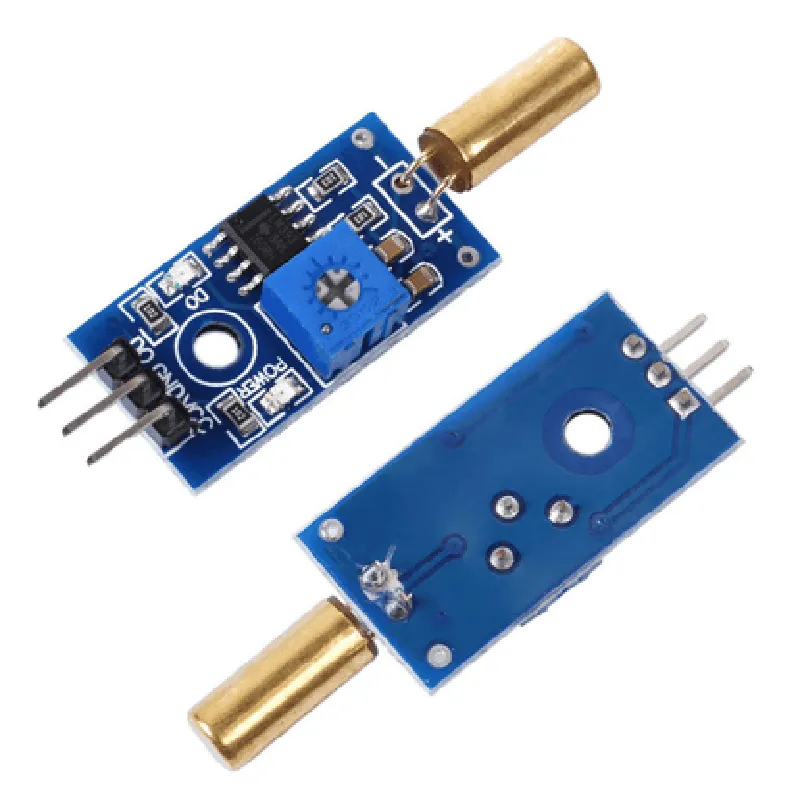
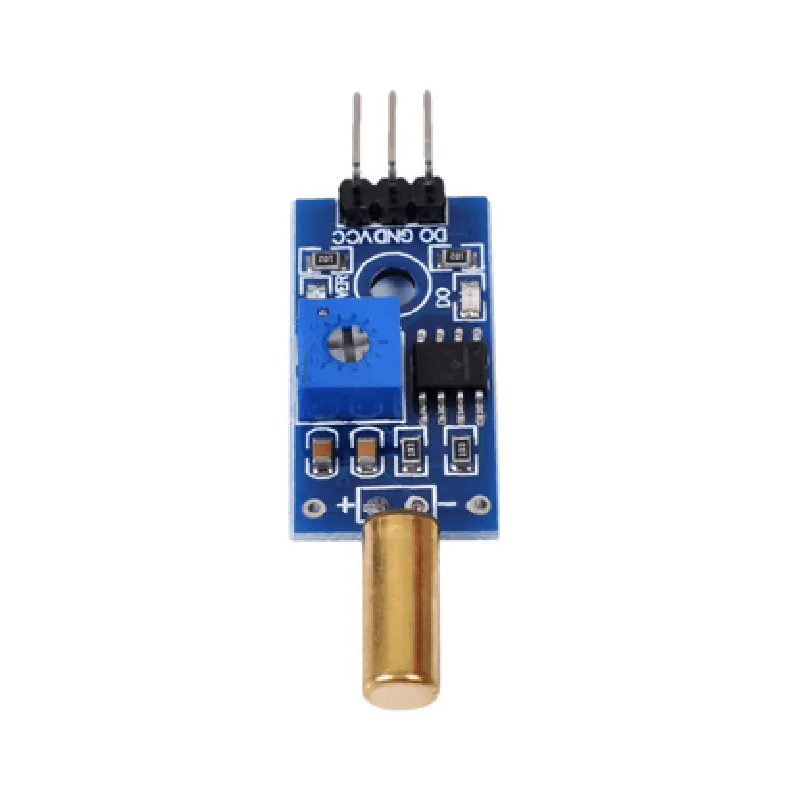
Accelerometer or Tilt Sensor
Typically 30 to 360
0.1 to 1
Analog (Voltage or Current) or Digital (I2C, SPI, or UART)
3.3V or 5V
<10mA
-20C to 80C
Typically 10mm x 10mm x 5mm
Applications
| The Tilt Sensor Module is suitable for a wide range of applications, including |
Robotics and automation systems
Industrial control systems
IoT devices (e.g., smart home systems, wearables)
Medical devices (e.g., patient monitoring systems)
Aerospace and defense systems
Gaming and simulation systems
Conclusion
The Tilt Sensor Module is a versatile and accurate component for measuring tilt angles in a wide range of applications. Its low power consumption, compact design, and simple interface make it an ideal choice for IoT and other applications where size and power efficiency are critical.
Tilt Sensor Module DocumentationOverviewThe Tilt Sensor Module is a digital tilt angle sensor that measures the inclination of an object or surface. It is commonly used in IoT applications such as robotics, automation, and motion detection. This module provides a digital output indicating the tilt angle, making it easy to interface with microcontrollers and other devices.Technical SpecificationsSupply Voltage: 3.3V - 5V
Output: Digital (0V or VCC)
Sensitivity: 10 - 80 (adjustable)
Accuracy: 5
Response Time: 10msPinoutVCC: Power supply (3.3V - 5V)
GND: Ground
OUT: Digital output (0V or VCC)Example 1: Basic Tilt Detection with ArduinoThis example demonstrates how to use the Tilt Sensor Module with an Arduino board to detect tilts.```cpp
const int tiltPin = 2; // Connect the OUT pin of the tilt sensor to digital pin 2 of the Arduinovoid setup() {
pinMode(tiltPin, INPUT);
Serial.begin(9600);
}void loop() {
int tiltState = digitalRead(tiltPin);
if (tiltState == HIGH) {
Serial.println("Tilt detected!");
} else {
Serial.println("No tilt detected.");
}
delay(50);
}
```Example 2: Using the Tilt Sensor with Raspberry Pi (Python)This example shows how to use the Tilt Sensor Module with a Raspberry Pi to control an LED based on the tilt angle.```python
import RPi.GPIO as GPIO
import timeGPIO.setmode(GPIO.BCM)tilt_pin = 17 # Connect the OUT pin of the tilt sensor to GPIO 17 of the Raspberry Pi
led_pin = 23 # Connect an LED to GPIO 23 of the Raspberry PiGPIO.setup(tilt_pin, GPIO.IN)
GPIO.setup(led_pin, GPIO.OUT)while True:
tilt_state = GPIO.input(tilt_pin)
if tilt_state:
GPIO.output(led_pin, GPIO.HIGH)
print("Tilt detected! LED on.")
else:
GPIO.output(led_pin, GPIO.LOW)
print("No tilt detected. LED off.")
time.sleep(0.5)
```Example 3: Using the Tilt Sensor with ESP32 (MicroPython)This example demonstrates how to use the Tilt Sensor Module with an ESP32 board to send tilt detection data to a web server.```python
import machine
import urequeststilt_pin = machine.Pin(15, machine.Pin.IN) # Connect the OUT pin of the tilt sensor to GPIO 15 of the ESP32while True:
tilt_state = tilt_pin.value()
if tilt_state:
print("Tilt detected!")
urequests.post("http://example.com/tilt_detected", data="tilt_detected=true")
else:
print("No tilt detected.")
urequests.post("http://example.com/tilt_detected", data="tilt_detected=false")
machine.sleep(0.5)
```Note: In all examples, ensure that the tilt sensor module is properly connected to the microcontroller or single-board computer according to the pinout specifications.