3dBi Dual Band WiFi Antenna with Cable for Wireless Routers


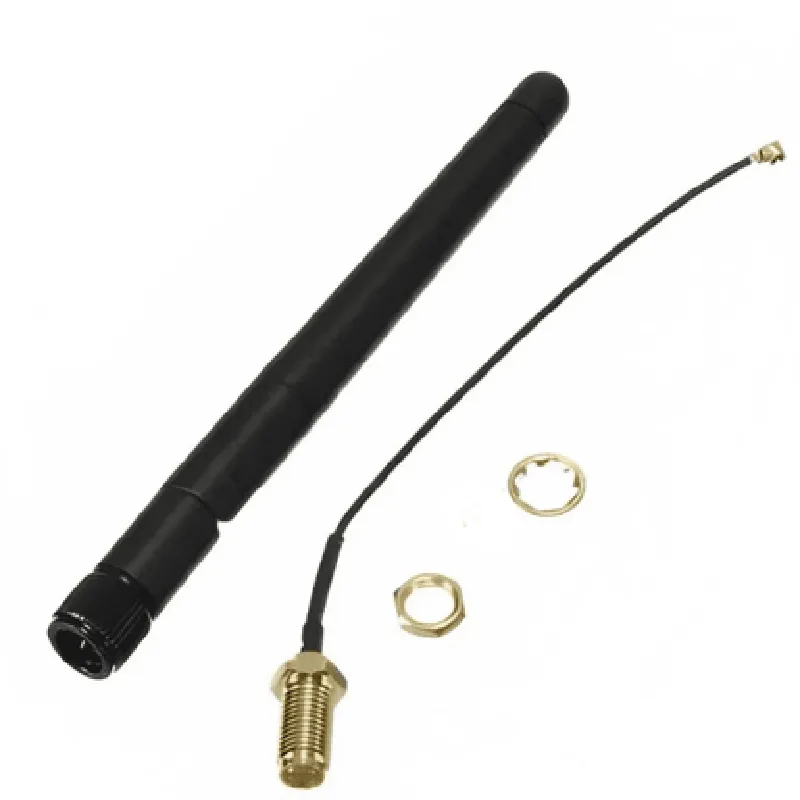
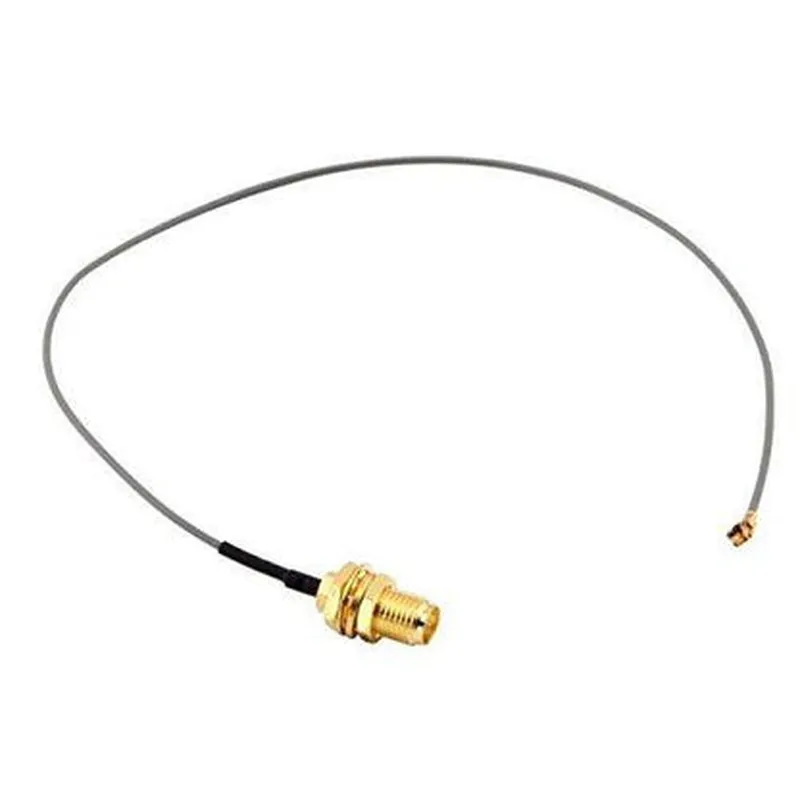
3dBi Dual Band WiFi Antenna with Cable for Wireless Routers
The 3dBi Dual Band WiFi Antenna with Cable for Wireless Routers is a high-gain, omnidirectional antenna designed to enhance the wireless signal strength and coverage of wireless routers, access points, and other WiFi-enabled devices. This antenna is ideal for applications requiring reliable and stable wireless connectivity, such as homes, offices, and industrial settings.
| The 3dBi Dual Band WiFi Antenna with Cable for Wireless Routers is designed to |
Improve the signal strength and range of wireless routers and access points
Enhance the overall wireless network coverage and reliability
Increase the number of connected devices and reduce dropped connections
Provide a stable and secure connection for IoT devices, smartphones, tablets, and laptops
2.4GHz and 5GHz
3dBi
Omnidirectional
1 meter (3.3 feet)
RP-SMA
50 ohms
-20C to 70C (-4F to 158F)
100mm x 25mm x 25mm (3.9 inches x 1 inch x 1 inch)
Wireless routers and access points
IoT devices and sensors
Smart homes and buildings
Industrial automation and control systems
Office and residential wireless networks
CE, FCC, and RoHS certified
Compliant with IEEE 802.11a/b/g/n/ac wireless standards
1-year limited warranty
Dedicated customer support and technical assistance team
The antenna is packaged with a 1-meter (3.3-foot) long cable and a set of installation instructions.
Additional accessories, such as mounting kits and extension cables, are available upon request.
Component Documentation: 3dBi Dual Band WiFi Antenna with Cable for Wireless RoutersOverviewThe 3dBi Dual Band WiFi Antenna with Cable is a high-gain, omnidirectional antenna designed for wireless routers, access points, and other IoT devices that require reliable and stable wireless connectivity. This antenna operates on both 2.4GHz and 5GHz frequency bands, making it suitable for a wide range of applications.Technical SpecificationsGain: 3dBi
Frequency Bands: 2.4GHz, 5GHz
Impedance: 50 ohms
Polarization: Vertical
Cable Length: 1m (3.3ft)
Connector Type: RP-SMA Male
Operating Temperature: -20C to +60CCode Examples### Example 1: Using the Antenna with an ESP32 WiFi Module (C++)In this example, we will demonstrate how to use the 3dBi Dual Band WiFi Antenna with an ESP32 WiFi module to establish a WiFi connection.```c
#include <WiFi.h>// Set up the ESP32 WiFi module
WiFi.mode(WIFI_STA);// Initialize the antenna
WiFi.setAntenna(WiFi_ANT_INT);// Set the WiFi credentials
const char ssid = "your_ssid";
const char password = "your_password";// Connect to the WiFi network
WiFi.begin(ssid, password);// Wait for the connection to establish
while (WiFi.status() != WL_CONNECTED) {
delay(1000);
Serial.println("Connecting to WiFi...");
}// Print the IP address
Serial.println("Connected to WiFi!");
Serial.println("IP address: ");
Serial.println(WiFi.localIP());
```### Example 2: Using the Antenna with a Raspberry Pi (Python)In this example, we will demonstrate how to use the 3dBi Dual Band WiFi Antenna with a Raspberry Pi to establish a WiFi connection using the Raspbian operating system.```python
import os
import time# Set up the WiFi interface
os.system("sudo ip link set wlan0 up")# Set the WiFi credentials
ssid = "your_ssid"
password = "your_password"# Connect to the WiFi network
os.system("sudo iwconfig wlan0 essid " + ssid + " key " + password)# Wait for the connection to establish
while True:
try:
# Check the WiFi connection status
output = os.popen("iwconfig wlan0 | grep 'Link Quality'").read()
if "Link Quality" in output:
print("Connected to WiFi!")
break
except:
print("Connecting to WiFi...")
time.sleep(1)
```### Example 3: Using the Antenna with an Arduino WiFi Shield (C++)In this example, we will demonstrate how to use the 3dBi Dual Band WiFi Antenna with an Arduino WiFi Shield to establish a WiFi connection.```c
#include <WiFi.h>// Initialize the WiFi Shield
WiFi.init();// Set the WiFi credentials
char ssid[] = "your_ssid";
char pass[] = "your_password";// Connect to the WiFi network
int status = WiFi.begin(ssid, pass);// Wait for the connection to establish
while (status != WL_CONNECTED) {
Serial.print("Attempting to connect to WPA SSID: ");
Serial.println(ssid);
status = WiFi.status();
delay(1000);
}// Print the IP address
Serial.println("Connected to WiFi!");
Serial.println("IP address: ");
IPAddress ip = WiFi.localIP();
Serial.println(ip);
```NotesMake sure to replace "your_ssid" and "your_password" with your actual WiFi credentials.
Ensure that the antenna is properly connected to the WiFi module, Raspberry Pi, or Arduino WiFi Shield before attempting to establish a WiFi connection.
The code examples provided are for illustration purposes only and may require modifications to suit your specific application.