MKS OSC V1.0 Stepper Motor Drive Simple Controller Pulse PWM Signal Generator Module Speed Control 8-24V


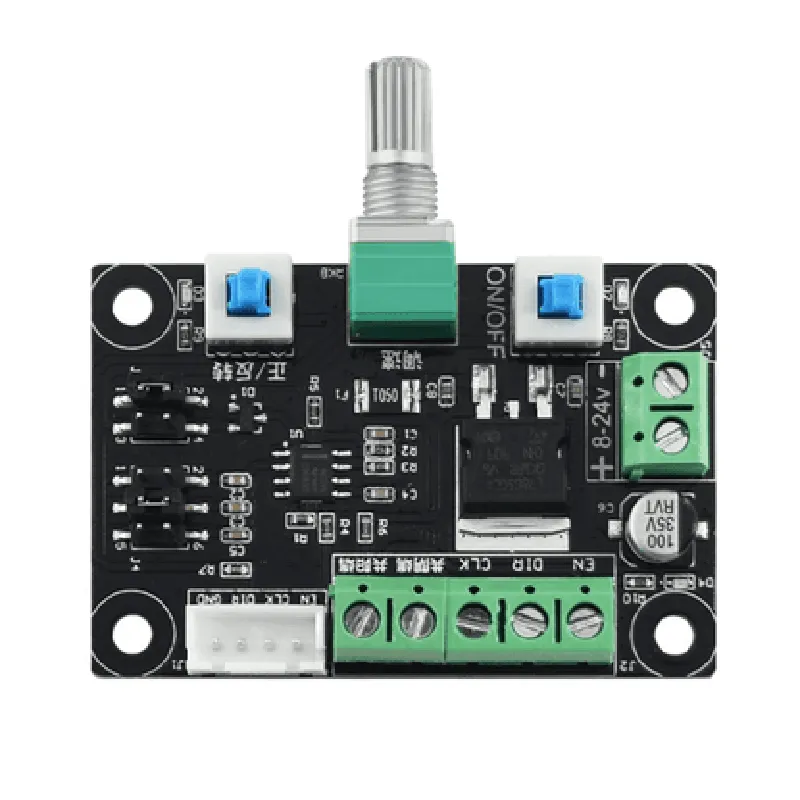
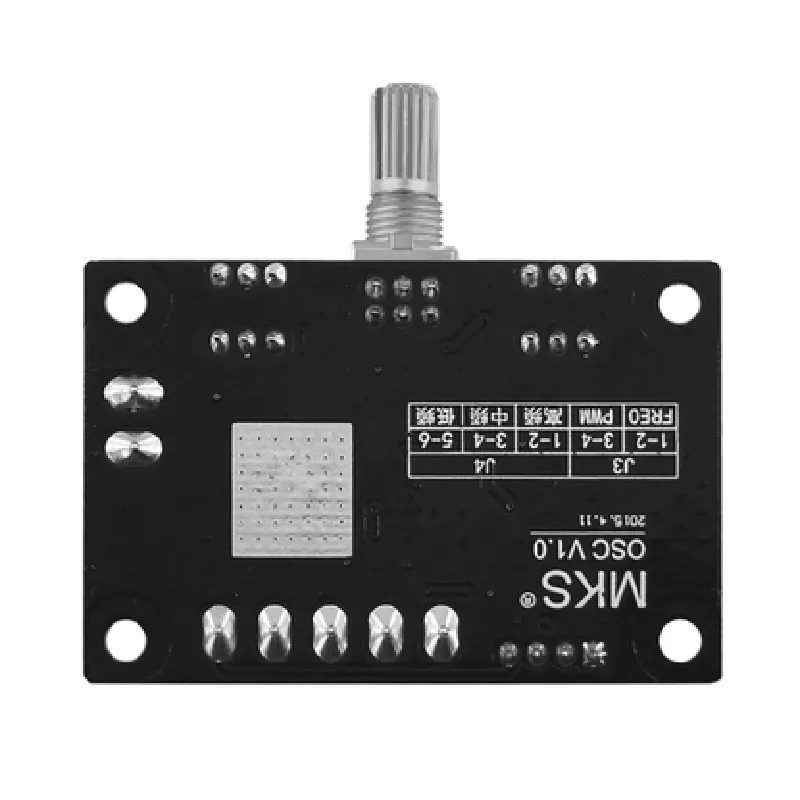
MKS OSC V1.0 Stepper Motor Drive Simple Controller Pulse PWM Signal Generator Module Speed Control 8-24V
The MKS OSC V1.0 is a stepper motor drive controller module designed to provide a simple and efficient way to control stepper motors. It is a pulse-width modulation (PWM) signal generator module that can operate with input voltage ranges from 8V to 24V, making it suitable for various applications. This module is ideal for use in robotics, CNC machines, 3D printers, and other devices that require precise motor control.
The MKS OSC V1.0 module is designed to control stepper motors by generating a PWM signal that regulates the motor's speed and direction. The module can be connected to a microcontroller or other control devices that provide a pulse input signal. The module's internal circuitry processes the input signal and generates a high-frequency PWM signal, which is then sent to the stepper motor.
| The module's key functionality includes | |
| Pulse-width modulation (PWM) signal generation | The module generates a PWM signal with a fixed frequency (typically in the range of 100 kHz to 200 kHz) and variable duty cycle. The duty cycle is proportional to the input pulse signal, allowing for precise control over the motor's speed. |
The module can control the direction and speed of a stepper motor by adjusting the PWM signal's frequency and duty cycle.
The module operates with an input voltage range of 8V to 24V, making it compatible with various power sources.
The module features a compact design, making it easy to integrate into existing systems or build new projects.
The module can operate with input voltages from 8V to 24V, making it suitable for a wide range of applications.
| High-frequency PWM generation | The module generates high-frequency PWM signals, ensuring smooth and precise motor control. |
The module requires minimal setup and configuration, making it accessible to users with varying levels of technical expertise.
The module is designed with reliability in mind, featuring a robust construction and high-quality components to ensure long-term operation.
8V to 24V
Up to 2A
100 kHz to 200 kHz (typical)
0% to 100%
-20C to 70C
45mm x 25mm x 15mm (L x W x H)
Input voltage (8V to 24V)
Ground connection
Input pulse signal from microcontroller or other control devices
Enable/disable input (active high)
Motor direction control input (clockwise or counterclockwise)
Stepper motor control output (PWM signal)
Robotics
CNC machines
3D printers
Automation systems
Motorized systems requiring precise speed control
MKS OSC V1.0 Stepper Motor Drive Simple Controller Pulse PWM Signal Generator Module Speed Control 8-24VOverviewThe MKS OSC V1.0 is a stepper motor drive simple controller module that generates a pulse PWM signal to control the speed of a stepper motor. It operates with a wide voltage range of 8-24V and is suitable for various applications, including robotics, CNC machines, and automation systems.PinoutsVCC: 8-24V power supply
GND: Ground
DIR: Direction control input (active high)
PUL: Pulse input (active high)
ENA: Enable input (active high)
VM: Motor voltage output
GND: GroundSignal DescriptionDIR: The direction control input determines the rotation direction of the stepper motor. A high level (VCC) sets the motor to rotate clockwise, while a low level (GND) sets the motor to rotate counterclockwise.
PUL: The pulse input generates the stepping pulse signal. The frequency of the pulse signal determines the motor speed. A high level (VCC) represents a step, and the motor will move one step for each pulse.
ENA: The enable input enables or disables the motor driver. A high level (VCC) enables the motor, while a low level (GND) disables the motor.Code Examples### Example 1: Basic Stepper Motor Control using ArduinoIn this example, we will use an Arduino Uno board to control the MKS OSC V1.0 module and rotate a stepper motor.```c
const int dirPin = 2; // DIR pin connected to digital pin 2
const int pulPin = 3; // PUL pin connected to digital pin 3
const int enaPin = 4; // ENA pin connected to digital pin 4void setup() {
pinMode(dirPin, OUTPUT);
pinMode(pulPin, OUTPUT);
pinMode(enaPin, OUTPUT);
digitalWrite(enaPin, HIGH); // Enable the motor
}void loop() {
digitalWrite(dirPin, HIGH); // Set direction clockwise
for (int i = 0; i < 100; i++) {
digitalWrite(pulPin, HIGH);
delayMicroseconds(500); // 500us pulse width
digitalWrite(pulPin, LOW);
delayMicroseconds(500); // 500us pulse width
}
digitalWrite(dirPin, LOW); // Set direction counterclockwise
for (int i = 0; i < 100; i++) {
digitalWrite(pulPin, HIGH);
delayMicroseconds(500); // 500us pulse width
digitalWrite(pulPin, LOW);
delayMicroseconds(500); // 500us pulse width
}
}
```### Example 2: Stepper Motor Speed Control using PWM Signal (Raspberry Pi)In this example, we will use a Raspberry Pi to generate a PWM signal to control the speed of a stepper motor connected to the MKS OSC V1.0 module.```python
import RPi.GPIO as GPIO
import timeGPIO.setmode(GPIO.BCM)dirPin = 17 # DIR pin connected to GPIO 17
pulPin = 18 # PUL pin connected to GPIO 18
enaPin = 23 # ENA pin connected to GPIO 23GPIO.setup(dirPin, GPIO.OUT)
GPIO.setup(pulPin, GPIO.OUT)
GPIO.setup(enaPin, GPIO.OUT)
GPIO.output(enaPin, GPIO.HIGH) # Enable the motortry:
while True:
# Set direction clockwise
GPIO.output(dirPin, GPIO.HIGH)
# Generate PWM signal with 50% duty cycle and 100Hz frequency
GPIO.output(pulPin, GPIO.HIGH)
time.sleep(0.01)
GPIO.output(pulPin, GPIO.LOW)
time.sleep(0.01)
# Change direction and speed
GPIO.output(dirPin, GPIO.LOW)
time.sleep(0.5) # 500ms delay
# Generate PWM signal with 25% duty cycle and 200Hz frequency
for i in range(100):
GPIO.output(pulPin, GPIO.HIGH)
time.sleep(0.005)
GPIO.output(pulPin, GPIO.LOW)
time.sleep(0.015)
except KeyboardInterrupt:
GPIO.cleanup()
```### Example 3: Microstepping Control using ESP32In this example, we will use an ESP32 board to control the MKS OSC V1.0 module and implement microstepping control for a stepper motor.```c
#include <WiFi.h>const int dirPin = 32; // DIR pin connected to GPIO 32
const int pulPin = 33; // PUL pin connected to GPIO 33
const int enaPin = 25; // ENA pin connected to GPIO 25void setup() {
pinMode(dirPin, OUTPUT);
pinMode(pulPin, OUTPUT);
pinMode(enaPin, OUTPUT);
digitalWrite(enaPin, HIGH); // Enable the motor
}void loop() {
// Set direction clockwise
digitalWrite(dirPin, HIGH);
// Microstepping control with 16 steps per full step
for (int i = 0; i < 16; i++) {
for (int j = 0; j < 100; j++) {
digitalWrite(pulPin, HIGH);
delayMicroseconds(50); // 50us pulse width
digitalWrite(pulPin, LOW);
delayMicroseconds(50); // 50us pulse width
}
delayMicroseconds(1000); // 1ms delay between microsteps
}
// Change direction and microstepping mode
digitalWrite(dirPin, LOW);
delay(500); // 500ms delay
// Microstepping control with 32 steps per full step
for (int i = 0; i < 32; i++) {
for (int j = 0; j < 100; j++) {
digitalWrite(pulPin, HIGH);
delayMicroseconds(25); // 25us pulse width
digitalWrite(pulPin, LOW);
delayMicroseconds(25); // 25us pulse width
}
delayMicroseconds(500); // 0.5ms delay between microsteps
}
}
```These examples demonstrate the basic usage of the MKS OSC V1.0 module in various contexts, including Arduino, Raspberry Pi, and ESP32. The module can be used in more complex applications, such as robotics, CNC machines, and automation systems, by controlling the direction, speed, and microstepping mode of the stepper motor.