FlySky FS-i4X 2.4GHz 4CH AFHDS R/C Transmitter with FS-A6 Receiver


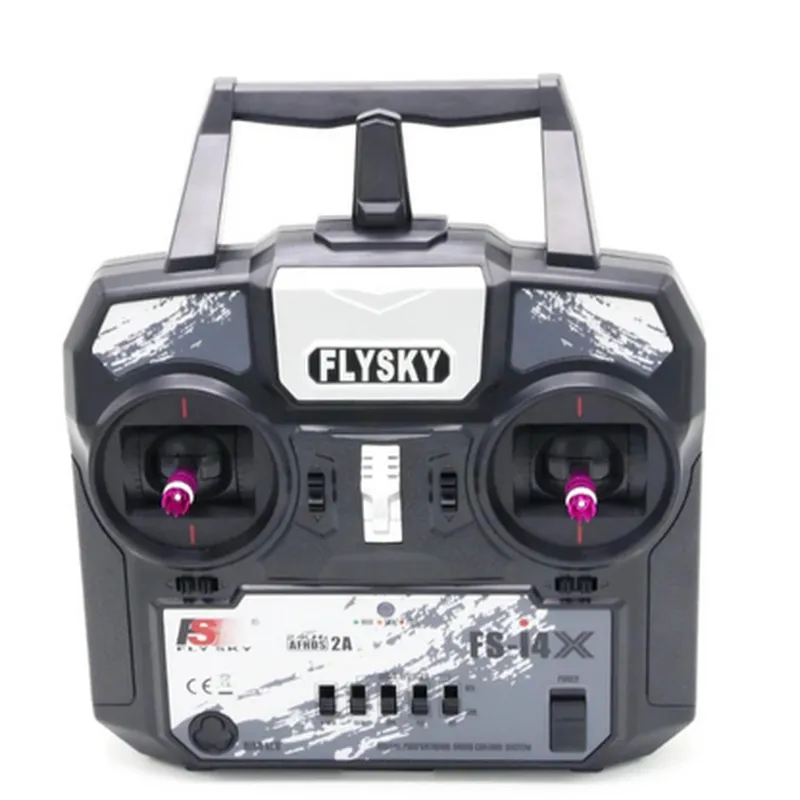
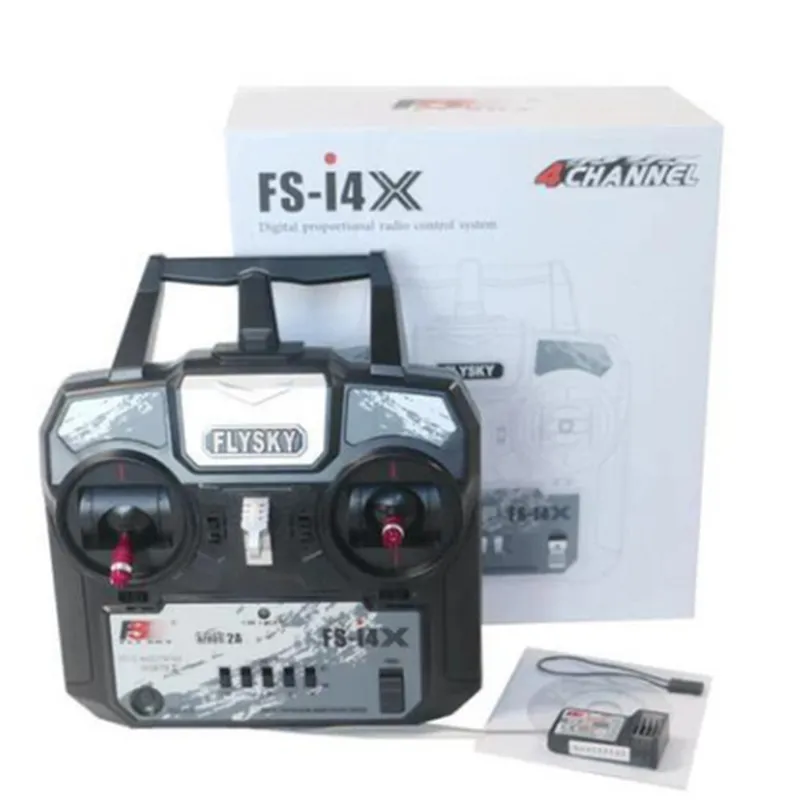
FlySky FS-i4X 2.4GHz 4CH AFHDS R/C Transmitter with FS-A6 Receiver
The FlySky FS-i4X is a 2.4GHz, 4-channel radio control (R/C) transmitter designed for remote control applications, specifically for drones, model aircraft, and robotic systems. The FS-i4X transmitter is paired with the FS-A6 receiver, providing a reliable and interference-resistant wireless communication system.
The FlySky FS-i4X transmitter is designed to transmit control signals to the FS-A6 receiver, which is connected to the remote-controlled device. The transmitter operates on the 2.4GHz frequency band, providing a reliable and stable connection between the transmitter and receiver. The system is designed to support quadcopter, hexcopter, and other multi-rotor devices, as well as fixed-wing models and robotic systems.
| + Frequency | 2.4GHz |
| + Channels | 4 |
| + Range | Up to 1.5km |
| + Power | 4 x AA batteries (not included) |
| + Weight | 270g |
| + Dimensions | 174 x 92 x 34mm |
| + Frequency | 2.4GHz |
| + Channels | 4 |
| + Range | Up to 1.5km |
| + Power | 4.5-6V DC |
| + Weight | 10g |
| + Dimensions | 40 x 21 x 10mm |
| The FlySky FS-i4X 2.4GHz 4CH AFHDS R/C Transmitter with FS-A6 Receiver is suitable for a variety of applications, including |
Drone and model aircraft control
Robotic systems control
Industrial automation and control
RC car and boat control
Aerial photography and videography
Agricultural and environmental monitoring
FlySky FS-i4X 2.4GHz 4CH AFHDS R/C Transmitter with FS-A6 Receiver DocumentationOverviewThe FlySky FS-i4X 2.4GHz 4CH AFHDS R/C Transmitter is a reliable and feature-rich remote control system designed for robotics, drones, and other IoT projects. It comes paired with the FS-A6 Receiver, providing a robust and interference-resistant communication link.Features2.4GHz frequency with Automatic Frequency Hopping Digital System (AFHDS) for minimal interference
4-channel transmitter with a range of up to 500 meters
Low power consumption and long battery life
Supports various modes, including airplane, helicopter, and glider modes
Compatible with a wide range of receivers, including the FS-A6 ReceiverGetting StartedTo use the FlySky FS-i4X Transmitter with the FS-A6 Receiver, follow these steps:1. Bind the transmitter and receiver by pressing and holding the binding button on the receiver and powering on the transmitter.
2. Configure the transmitter settings according to your project's requirements.
3. Connect the receiver to your device or microcontroller.Code Examples### Example 1: Arduino Control with FlySky FS-i4XThis example demonstrates how to use the FlySky FS-i4X Transmitter with an Arduino board to control a robotic car.```cpp
#include <AFHDS.h>#define RX_PIN 2 // Pin connected to the FS-A6 Receiver's CH1 pin
#define RX_PIN 3 // Pin connected to the FS-A6 Receiver's CH2 pin
#define RX_PIN 4 // Pin connected to the FS-A6 Receiver's CH3 pin
#define RX_PIN 5 // Pin connected to the FS-A6 Receiver's CH4 pinAFHDS afhds(RX_PIN);void setup() {
Serial.begin(9600);
}void loop() {
int ch1 = afhds.getChannelValue(1);
int ch2 = afhds.getChannelValue(2);
int ch3 = afhds.getChannelValue(3);
int ch4 = afhds.getChannelValue(4);// Control the robotic car based on the transmitter's input
if (ch1 > 1500) {
// Forward motion
} else if (ch1 < 1500) {
// Backward motion
}if (ch2 > 1500) {
// Right turn
} else if (ch2 < 1500) {
// Left turn
}Serial.print("CH1: ");
Serial.print(ch1);
Serial.print(" CH2: ");
Serial.print(ch2);
Serial.print(" CH3: ");
Serial.print(ch3);
Serial.print(" CH4: ");
Serial.println(ch4);delay(50);
}
```### Example 2: Python Control with FlySky FS-i4X and Raspberry PiThis example demonstrates how to use the FlySky FS-i4X Transmitter with a Raspberry Pi to control a robotic arm.```python
import RPi.GPIO as GPIO
import timeGPIO.setmode(GPIO.BCM)# Define the GPIO pins connected to the FS-A6 Receiver's pins
CH1_PIN = 17
CH2_PIN = 23
CH3_PIN = 24
CH4_PIN = 25GPIO.setup(CH1_PIN, GPIO.IN)
GPIO.setup(CH2_PIN, GPIO.IN)
GPIO.setup(CH3_PIN, GPIO.IN)
GPIO.setup(CH4_PIN, GPIO.IN)def get_channel_value(pin):
value = GPIO.input(pin)
if value == GPIO.HIGH:
return 2000
else:
return 1000while True:
ch1 = get_channel_value(CH1_PIN)
ch2 = get_channel_value(CH2_PIN)
ch3 = get_channel_value(CH3_PIN)
ch4 = get_channel_value(CH4_PIN)# Control the robotic arm based on the transmitter's input
if ch1 > 1500:
# Move arm up
elif ch1 < 1500:
# Move arm downif ch2 > 1500:
# Move arm left
elif ch2 < 1500:
# Move arm rightif ch3 > 1500:
# Move arm forward
elif ch3 < 1500:
# Move arm backwardif ch4 > 1500:
# Open gripper
elif ch4 < 1500:
# Close grippertime.sleep(0.05)
```These examples demonstrate how to use the FlySky FS-i4X Transmitter with the FS-A6 Receiver to control various IoT projects. By reading the channel values from the receiver and translating them into control signals, you can create complex and interactive projects with ease.