0-100A DC


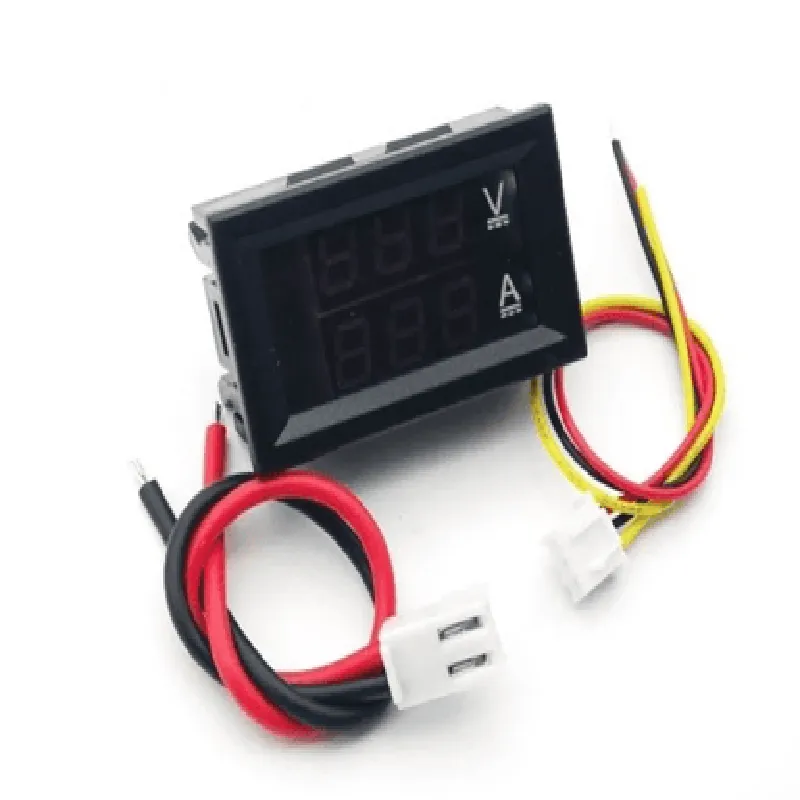
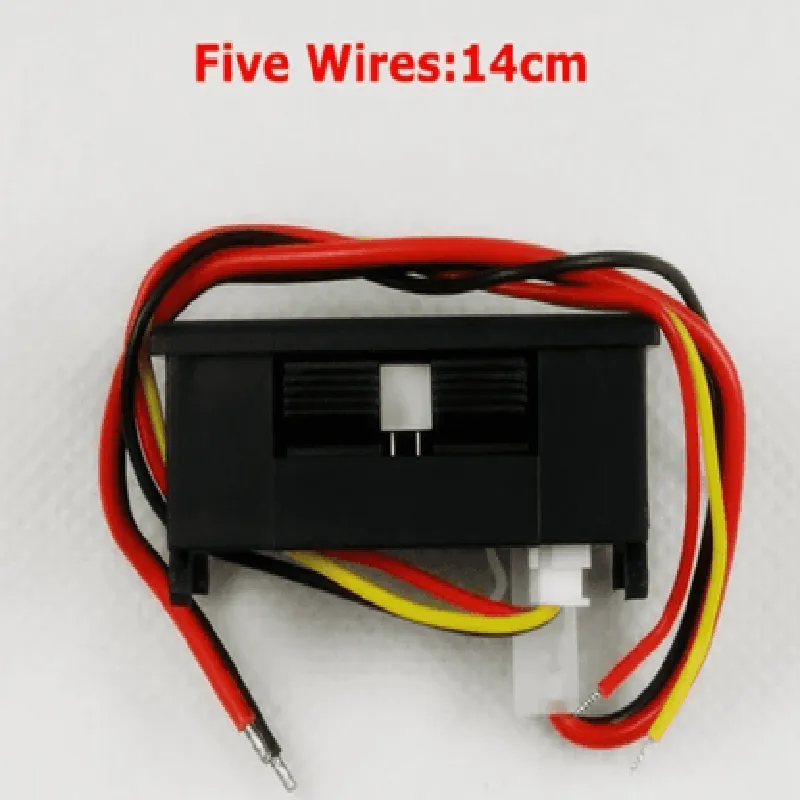
0-100A DC
1% of full scale
0.1A
Two independent LED displays for voltage and current measurements
Bright, high-contrast displays for clear visibility
3.5-digit display for voltage measurement
3.5-digit display for current measurement
-20C to 60C (-4F to 140F)
-40C to 80C (-40F to 176F)
4.5-30V DC
20mA
2 x screw terminals
2 x screw terminals
2 x screw terminals
45 x 45mm (1.77 x 1.77 inches)
3.5mm (0.14 inches)
55 x 55 x 25mm (2.17 x 2.17 x 0.98 inches)
CE certified
RoHS compliant
Applications
| The Digital Voltmeter Ammeter DC 100V 100A Dual Led Voltage Monitor Panel is suitable for a wide range of applications, including |
Wiring and Installation
The device should be installed on a flat, clean surface, with the panel cutout aligned with the mounting screws. Connect the voltage and current inputs to the corresponding screw terminals, ensuring correct polarity. Connect the power supply to the device, following the recommended voltage range. Refer to the datasheet for detailed wiring diagrams and installation instructions.
Troubleshooting and Maintenance
Regularly clean the device to prevent dust and moisture accumulation. Check for loose connections and ensure proper wiring. In case of malfunction, refer to the troubleshooting guide or contact the manufacturer for assistance.
Digital Voltmeter Ammeter DC 100V 100A Dual Led Voltage Monitor Panel (Without Shunt) DocumentationOverviewThe Digital Voltmeter Ammeter DC 100V 100A Dual Led Voltage Monitor Panel is a high-accuracy, high-current measurement module designed for monitoring DC voltage and current in various applications. This module features a dual LED display, allowing for simultaneous voltage and current measurement displays.Technical SpecificationsInput voltage range: 0-100V DC
Input current range: 0-100A DC
Resolution: 0.01V/0.1A
Accuracy: 1% (voltage), 2% (current)
Display: Dual LED, 3.5 digits (voltage), 4 digits (current)
Operating temperature: -20C to 70C
Power supply: 5V DC (from external source)PinoutThe module has the following pins:VCC: 5V power supply input
GND: Ground
VIN: Voltage input (0-100V DC)
Curr: Current input (0-100A DC)Examples and Code### Example 1: Basic Voltage and Current Measurement using ArduinoThis example demonstrates how to connect the Digital Voltmeter Ammeter module to an Arduino board and read voltage and current values.Hardware RequiredArduino Board (e.g., Arduino Uno)
Digital Voltmeter Ammeter DC 100V 100A Dual Led Voltage Monitor Panel
Breadboard and jumper wiresSoftware RequiredArduino IDE (version 1.8.x or later)Code
```c++
const int voltagePin = A0; // Voltage input pin
const int currentPin = A1; // Current input pinvoid setup() {
Serial.begin(9600);
}void loop() {
int voltageValue = analogRead(voltagePin);
float voltage = voltageValue (100.0 / 1023.0); // Convert analog value to voltage (0-100V)int currentValue = analogRead(currentPin);
float current = currentValue (100.0 / 1023.0); // Convert analog value to current (0-100A)Serial.print("Voltage: ");
Serial.print(voltage);
Serial.println("V");Serial.print("Current: ");
Serial.print(current);
Serial.println("A");delay(1000);
}
```
Example 2: Monitoring Battery Voltage and Current with Raspberry PiThis example demonstrates how to connect the Digital Voltmeter Ammeter module to a Raspberry Pi and read voltage and current values using Python.Hardware RequiredRaspberry Pi (e.g., Raspberry Pi 4)
Digital Voltmeter Ammeter DC 100V 100A Dual Led Voltage Monitor Panel
Breadboard and jumper wiresSoftware RequiredRaspbian OS (version 10 or later)
Python 3.xCode
```python
import time
import RPi.GPIO as GPIO# Set up GPIO pins
GPIO.setmode(GPIO.BCM)
voltagePin = 17 # Voltage input pin
currentPin = 23 # Current input pinwhile True:
# Read voltage value
voltageValue = GPIO.input(voltagePin)
voltage = voltageValue (100.0 / 1023.0) # Convert digital value to voltage (0-100V)# Read current value
currentValue = GPIO.input(currentPin)
current = currentValue (100.0 / 1023.0) # Convert digital value to current (0-100A)print("Voltage: {:.2f}V".format(voltage))
print("Current: {:.2f}A".format(current))time.sleep(1)
```
Note: In this example, we assume that the Raspberry Pi's internal ADC is used to read the voltage and current values. If you prefer to use an external ADC, you will need to modify the code accordingly.