The ATmega32U4 is a 32-bit AVR microcontroller that provides 32 KB of flash memory, 2.5 KB of SRAM, and 1 KB of EEPROM.
| Input/Output | The board features 20 digital input/output pins, 7 of which can be used as PWM outputs, and 12 analog input pins. |


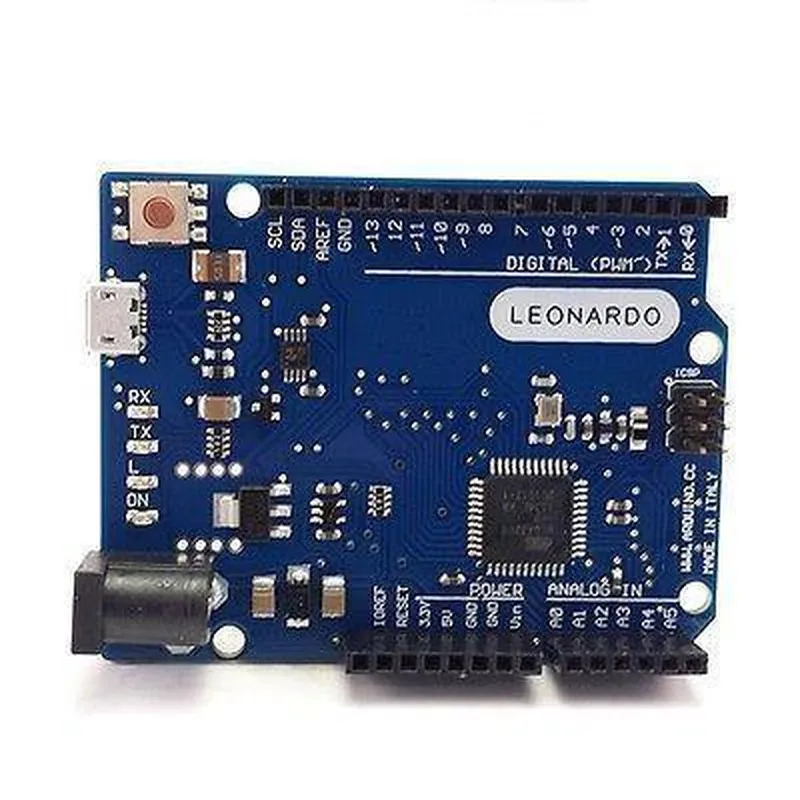
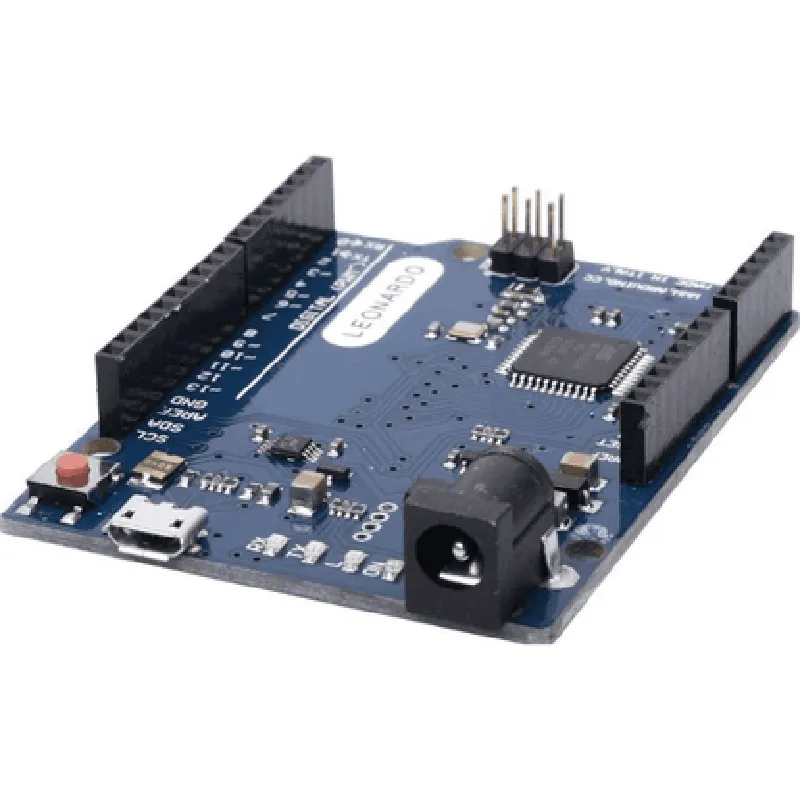
The ATmega32U4 is a 32-bit AVR microcontroller that provides 32 KB of flash memory, 2.5 KB of SRAM, and 1 KB of EEPROM.
| Input/Output | The board features 20 digital input/output pins, 7 of which can be used as PWM outputs, and 12 analog input pins. |
The board supports various communication protocols, including UART, SPI, and I2C.
The board has a built-in USB interface that allows it to connect to a computer and act as a USB device.
Key Features
| Some of the key features of the Arduino Leonardo R3 compatible board include | |
| Micro-USB Interface | The board features a micro-USB interface that allows it to connect to a computer and act as a USB device. |
| 12 Analog Input Pins | The board has 12 analog input pins that can be used to read analog signals from sensors and other devices. |
| 7 PWM Outputs | The board has 7 digital pins that can be used as PWM outputs, making it suitable for projects that require PWM control. |
| 16 MHz Clock Speed | The ATmega32U4 microcontroller has a clock speed of 16 MHz, making it suitable for demanding projects. |
| 32 KB Flash Memory | The board has 32 KB of flash memory, providing ample storage space for programs and data. |
| 2.5 KB SRAM | The board has 2.5 KB of SRAM, providing a generous amount of memory for data storage and processing. |
| 1 KB EEPROM | The board has 1 KB of EEPROM, providing a non-volatile storage space for data and programs. |
Dimensions and Layout
The Arduino Leonardo R3 compatible board has a compact design with a layout that is identical to the Arduino Leonardo R3 board. The board measures 68.6 mm x 53.3 mm (2.7 inches x 2.1 inches) and has a thickness of 10 mm (0.4 inches).
Shields and Accessories
The board is compatible with a range of shields and accessories, including motor shields, sensor shields, and display shields. This allows users to expand the functionality of the board to suit their specific project requirements.
Operating Conditions
| The Arduino Leonardo R3 compatible board operates within the following conditions |
0C to 70C (32F to 158F)
5V
5V to 12V
Certifications and Compliance
| The Arduino Leonardo R3 compatible board complies with the following certifications and standards |
The board is RoHS compliant, meaning it meets the European Union's restrictions on hazardous substances.
The board is CE certified, indicating that it meets the European Union's health, safety, and environmental protection standards.
Documentation and Resources
| A range of documentation and resources are available for the Arduino Leonardo R3 compatible board, including |
Detailed datasheets for the ATmega32U4 microcontroller and other components are available.
Comprehensive user manuals provide detailed information on setting up and using the board.
Sample code examples are available for various programming languages, including C, C++, and Python.
The Arduino community provides extensive support, including forums, tutorials, and project examples.
Arduino Leonardo R3 Compatible Board DocumentationOverviewThe Arduino Leonardo R3 compatible board is a microcontroller board based on the ATmega32U4 chip. It is a popular choice for building interactive projects, robots, and IoT devices. This board is compatible with the Arduino IDE and offers a range of features, including digital and analog input/output pins, serial communication capabilities, and USB connectivity.Hardware SpecificationsMicrocontroller: ATmega32U4
Operating Voltage: 5V
Input Voltage: 7-12V
Digital I/O Pins: 20
Analog Input Pins: 12
Analog Output Pins: 0
Flash Memory: 32 KB
SRAM: 2.5 KB
EEPROM: 1 KB
Clock Speed: 16 MHzCode Examples### Example 1: Blinking LEDThis example demonstrates how to use the Arduino Leonardo R3 compatible board to blink an LED connected to digital pin 13.```cpp
const int ledPin = 13; // choose the pin for the LEDvoid setup() {
pinMode(ledPin, OUTPUT); // set the pin as an output
}void loop() {
digitalWrite(ledPin, HIGH); // turn the LED on
delay(1000); // wait for 1 second
digitalWrite(ledPin, LOW); // turn the LED off
delay(1000); // wait for 1 second
}
```### Example 2: Reading Analog InputThis example demonstrates how to use the Arduino Leonardo R3 compatible board to read an analog input from a potentiometer connected to analog pin A0.```cpp
const int potPin = A0; // choose the pin for the potentiometer
int potValue = 0; // variable to store the potentiometer valuevoid setup() {
Serial.begin(9600); // initialize serial communication
}void loop() {
potValue = analogRead(potPin); // read the potentiometer value
Serial.print("Potentiometer value: ");
Serial.println(potValue); // print the value to the serial monitor
delay(500); // wait for 0.5 seconds
}
```### Example 3: USB Serial CommunicationThis example demonstrates how to use the Arduino Leonardo R3 compatible board to send and receive data over USB serial communication.```cpp
void setup() {
  Serial.begin(9600);  // initialize serial communication
}
void loop() {
if (Serial.available() > 0) {
String data = Serial.readStringUntil('
'); // read data from the serial port
Serial.print("Received data: ");
Serial.println(data); // print the received data
}
Serial.println("Hello, world!"); // send data over the serial port
delay(1000); // wait for 1 second
}
```Note: These examples assume that you have the Arduino IDE installed and have selected the correct board type (Arduino Leonardo) and serial port.