Stufin
Home Quick Cart Profile

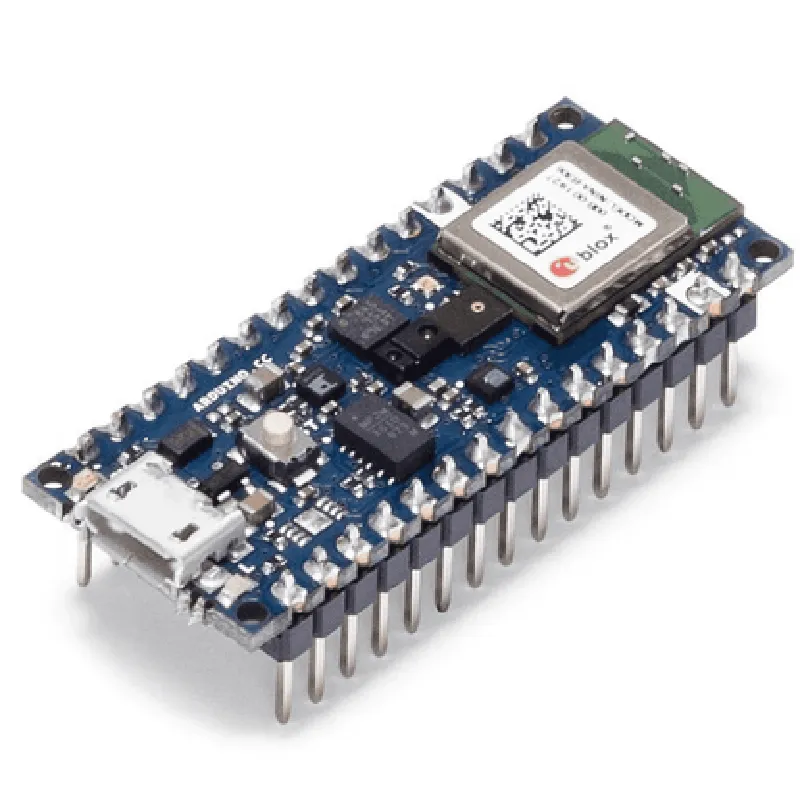
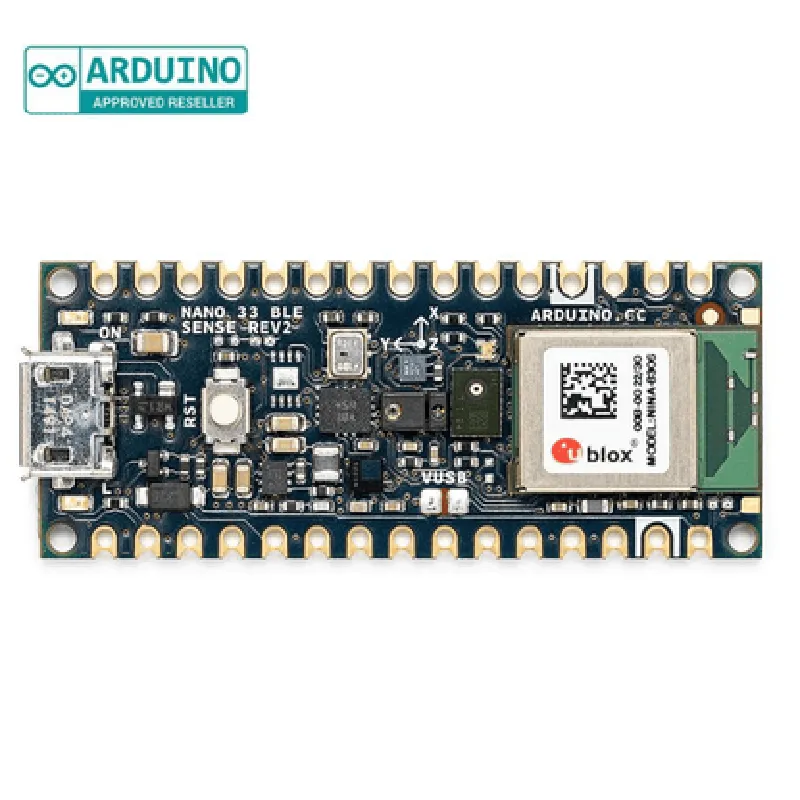
Arduino Nano BLE Sense Rev2 with Headers

Buy Now on Stufin

Microcontroller Functionality

The board is based on the Nordic nRF52840 System-on-Chip (SoC), which provides a high-performance 32-bit ARM Cortex-M4 processor with floating-point unit (FPU) and DSP instructions. This enables the board to handle complex tasks, such as data processing, control, and communication.

BLE Connectivity

The board features a built-in BLE transceiver, allowing it to communicate with other BLE devices, such as smartphones, tablets, and computers.

Advanced Sensing

The board comes equipped with a range of sensors, including
+ Accelerometer (LIS2DH12)Measures acceleration, orientation, and vibration.
+ Gyroscope (L3GD20)Measures angular velocity and orientation.
+ Magnetometer (MAG3110)Measures magnetic fields and direction.
+ Barometric Pressure Sensor (LPS22HB)Measures atmospheric pressure and altitude.
+ Temperature and Humidity Sensor (HTS221)Measures temperature and humidity.
Analog-to-Digital ConversionThe board features an 12-bit analog-to-digital converter (ADC) that enables analog signal processing and measurement.

Key Features

Compact Size

The board measures only 45 x 18 mm, making it ideal for use in space-constrained applications.

Low Power Consumption

The board is designed for low power consumption, making it suitable for battery-powered devices.

Easy Development

The board is compatible with the Arduino Integrated Development Environment (IDE) and supports C++ programming.

Header Pins

The board comes with pre-soldered header pins, making it easy to connect to breadboards, protoboards, and other development platforms.

Compatibility

The board is compatible with a wide range of operating systems, including Windows, macOS, and Linux.

Specifications

Microcontroller

Nordic nRF52840 SoC

Processor

32-bit ARM Cortex-M4 with FPU and DSP instructions

Clock Speed

Up to 64 MHz

Flash Memory

1 MB

SRAM

256 KB

BLE

Version 5.0, 2 Mbps, and Long Range (LoRa) modes

Sensors

Accelerometer, Gyroscope, Magnetometer, Barometric Pressure Sensor, Temperature and Humidity Sensor

ADC

12-bit, 8 channels

Power Supply

3.3V, 5V tolerant

Operating Temperature

-40C to 85C

Conclusion

The Arduino Nano BLE Sense Rev2 with Headers is a powerful and versatile microcontroller board that combines advanced sensing capabilities, BLE connectivity, and a robust microcontroller. Its compact size, low power consumption, and ease of development make it an ideal choice for a wide range of IoT applications.

Pin Configuration

  • Arduino Nano BLE Sense Rev2 with Headers Pinout Documentation
  • The Arduino Nano BLE Sense Rev2 with Headers is a compact, powerful, and feature-rich IoT development board that combines the benefits of Bluetooth Low Energy (BLE) connectivity, advanced sensing capabilities, and the popularity of the Arduino Nano form factor. This document provides a detailed explanation of each pin on the board, along with connection guidelines for effective use.
  • Pinout Structure
  • The Arduino Nano BLE Sense Rev2 with Headers features a 30-pin layout, with two rows of 15 pins each. The pins are divided into the following categories:
  • Digital pins (14)
  • Analog pins (8)
  • Power pins (5)
  • Special pins (3)
  • PinDescriptions
  • Here's a point-by-point explanation of each pin on the Arduino Nano BLE Sense Rev2 with Headers:
  • ### Digital Pins (14)
  • 1. D0/RX: Digital input/output pin, also used as the serial receive (RX) pin.
  • 2. D1/TX: Digital input/output pin, also used as the serial transmit (TX) pin.
  • 3. D2: Digital input/output pin.
  • 4. D3: Digital input/output pin, also used as an external interrupt pin.
  • 5. D4: Digital input/output pin.
  • 6. D5: Digital input/output pin.
  • 7. D6: Digital input/output pin.
  • 8. D7: Digital input/output pin.
  • 9. D8: Digital input/output pin.
  • 10. D9: Digital input/output pin, also used as a PWM (Pulse Width Modulation) pin.
  • 11. D10: Digital input/output pin, also used as a PWM pin.
  • 12. D11: Digital input/output pin, also used as a PWM pin.
  • 13. D12: Digital input/output pin, also used as a PWM pin.
  • 14. D13: Digital input/output pin, also used as a PWM pin and the on-board LED indicator.
  • ### Analog Pins (8)
  • 1. A0: Analog input pin, also used as a ADC (Analog-to-Digital Converter) pin.
  • 2. A1: Analog input pin, also used as a ADC pin.
  • 3. A2: Analog input pin, also used as a ADC pin.
  • 4. A3: Analog input pin, also used as a ADC pin.
  • 5. A4: Analog input pin, also used as a ADC pin and the SDA (Serial Data) pin for I2C communication.
  • 6. A5: Analog input pin, also used as a ADC pin and the SCL (Serial Clock) pin for I2C communication.
  • 7. A6: Analog input pin, also used as a ADC pin.
  • 8. A7: Analog input pin, also used as a ADC pin.
  • ### Power Pins (5)
  • 1. VIN: Input voltage pin, accepts 5V to 21V DC power supply.
  • 2. 3V3: 3.3V output pin, regulated voltage supply for powering external components.
  • 3. GND: Ground pin, provides a common ground reference for the board.
  • 4. 5V: 5V output pin, regulated voltage supply for powering external components (only available when powered via the USB port).
  • 5. RST: Reset pin, connects to the reset button on the board, used to reset the microcontroller.
  • ### Special Pins (3)
  • 1. BLE_RX: Bluetooth Low Energy (BLE) receive pin, used for BLE communication.
  • 2. BLE_TX: Bluetooth Low Energy (BLE) transmit pin, used for BLE communication.
  • 3. EN: Enable pin, used to control the power supply to the board (active low).
  • Connection Guidelines
  • When connecting pins on the Arduino Nano BLE Sense Rev2 with Headers, ensure:
  • Use the correct voltage levels for each pin (3.3V or 5V).
  • Use a logic level converter or voltage divider when connecting to external components with different voltage levels.
  • Avoid shorting pins, as this may damage the board or connected components.
  • Use the correct pinouts for I2C, SPI, or UART communication protocols.
  • Consult the datasheet for the connected component to ensure compatible pin usage.
  • By following these guidelines and understanding the pinout structure of the Arduino Nano BLE Sense Rev2 with Headers, you can successfully integrate this board into your IoT projects and unlock its full potential.

Code Examples

Arduino Nano BLE Sense Rev2 with Headers Documentation
The Arduino Nano BLE Sense Rev2 with Headers is a compact and versatile microcontroller board that combines the power of the Nordic nRF52840 processor with built-in Bluetooth Low Energy (BLE) capabilities, a range of sensors, and a small form factor. This documentation provides an overview of the board's features, pinouts, and code examples to get you started with your IoT projects.
Features:
Nordic nRF52840 processor
 Bluetooth Low Energy (BLE) capability
 Built-in sensors:
	+ LPS22HB pressure sensor
	+ LSM6DS3 accelerometer and gyroscope
	+ HTS221 temperature and humidity sensor
	+ APDS-9960 light sensor
	+ MP34DT05-A microphone
 14 digital I/O pins
 8 analog input pins
 16 MHz crystal oscillator
 USB connectivity and battery charging
 Compatible with the Arduino IDE
Pinouts:
The Arduino Nano BLE Sense Rev2 with Headers has a compact layout with the following pinouts:
Digital I/O pins: D0-D13
 Analog input pins: A0-A7
 Power pins: VCC, GND
 USB pins: USB+
 Reset pin: RST
 I2C pins: SCL, SDA
 SPI pins: SCK, MOSI, MISO
Code Examples:
### Example 1: BLE Peripheral with Sensor Data
In this example, we'll create a BLE peripheral that broadcasts sensor data from the built-in temperature and humidity sensor.
```c
#include <ArduinoBLE.h>
const char deviceName = "Arduino Nano BLE Sense";
const char serviceName = " Temperature and Humidity Service";
const char temperatureCharacteristic = "TemperatureCharacteristic";
const char humidityCharacteristic = "HumidityCharacteristic";
BLEService service(serviceName);
BLEFloatCharacteristic temperatureCharacteristic(temperatureCharacteristic, BLECharacteristic::PROPERTY_NOTIFY);
BLEFloatCharacteristic humidityCharacteristic(humidityCharacteristic, BLECharacteristic::PROPERTY_NOTIFY);
void setup() {
  Serial.begin(9600);
  while (! Serial);
  pinMode(LED_BUILTIN, OUTPUT);
// Initialize BLE
  if (!BLE.begin()) {
    Serial.println("Failed to initialize BLE");
    while (1);
  }
// Set device name and start advertising
  BLE.setDeviceName(deviceName);
  BLE.setLocalName(deviceName);
  BLE.advertise();
// Initialize sensors
  pinMode(LSM6DS3_INT, INPUT);
  pinMode(HTS221_INT, INPUT);
// Initialize the service and characteristics
  service.addCharacteristic(temperatureCharacteristic);
  service.addCharacteristic(humidityCharacteristic);
  BLE.addService(service);
}
void loop() {
  BLEDevice central = BLE.central();
  if (central) {
    Serial.print("Connected to central: ");
    Serial.println(central.address());
while (central.connected()) {
      // Read temperature and humidity data
      float temperature = readTemperature();
      float humidity = readHumidity();
// Update characteristic values
      temperatureCharacteristic.writeValue(temperature);
      humidityCharacteristic.writeValue(humidity);
delay(1000);
    }
    Serial.print("Disconnected from central: ");
    Serial.println(central.address());
  }
}
float readTemperature() {
  // Read temperature data from HTS221 sensor
  uint8_t tempData[2];
  HTS221.readTemp(tempData);
  int tempRaw = (tempData[0] << 8) | tempData[1];
  float temperature = -40 + (tempRaw  160) / 65536;
  return temperature;
}
float readHumidity() {
  // Read humidity data from HTS221 sensor
  uint8_t humidData[2];
  HTS221.readHumidity(humidData);
  int humidRaw = (humidData[0] << 8) | humidData[1];
  float humidity = -6 + (humidRaw  125) / 65536;
  return humidity;
}
```
### Example 2: I2C Sensor Interfacing
In this example, we'll demonstrate how to read data from the built-in LPS22HB pressure sensor using the I2C protocol.
```c
#include <Wire.h>
const int LPS22HB_I2C_ADDRESS = 0x5C;
void setup() {
  Serial.begin(9600);
  while (! Serial);
  Wire.begin();
// Initialize LPS22HB pressure sensor
  if (! lps22hbInit()) {
    Serial.println("Failed to initialize LPS22HB");
    while (1);
  }
}
void loop() {
  // Read pressure data from LPS22HB sensor
  int pressureData[2];
  if (lps22hbReadPressure(pressureData)) {
    int pressure = (pressureData[0] << 8) | pressureData[1];
    float pressureValue = pressure / 4096.0;
    Serial.print("Pressure: ");
    Serial.print(pressureValue);
    Serial.println(" mbar");
  }
delay(1000);
}
bool lps22hbInit() {
  Wire.beginTransmission(LPS22HB_I2C_ADDRESS);
  Wire.write(0x10); // Reset register
  Wire.write(0x00); // Reset value
  return (Wire.endTransmission() == 0);
}
bool lps22hbReadPressure(int pressureData) {
  Wire.beginTransmission(LPS22HB_I2C_ADDRESS);
  Wire.write(0x02); // Pressure register
  Wire.endTransmission();
  Wire.requestFrom(LPS22HB_I2C_ADDRESS, 2);
  pressureData[0] = Wire.read();
  pressureData[1] = Wire.read();
  return (Wire.available() == 0);
}
```
These examples demonstrate the Arduino Nano BLE Sense Rev2 with Headers' capabilities in IoT applications, including BLE peripheral functionality and I2C sensor interfacing.