7 X 2 Cm Gear Motor Robot Wheel, Tyres for 6 mm Shaft Geared DC Motor - 4 Pieces Robotics Science Project


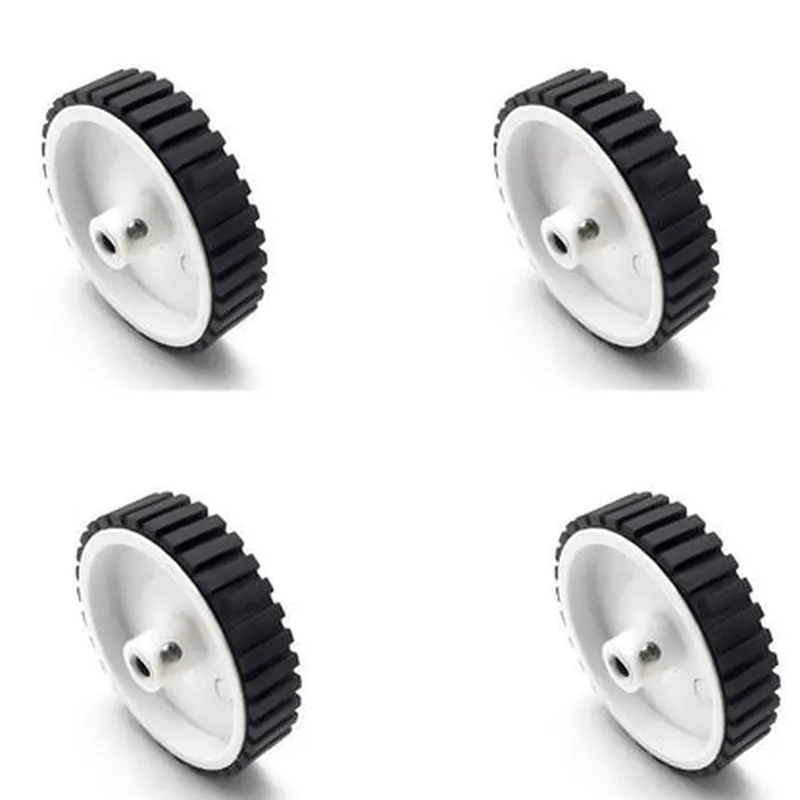
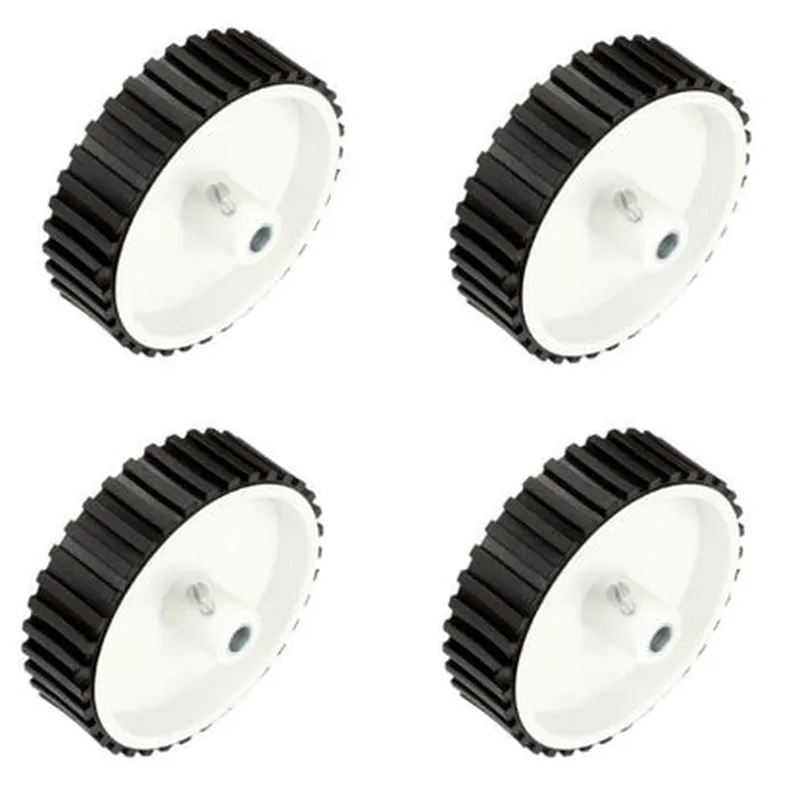
7 X 2 Cm Gear Motor Robot Wheel, Tyres for 6 mm Shaft Geared DC Motor - 4 Pieces Robotics Science Project
The 7 X 2 Cm Gear Motor Robot Wheel is a set of four robotic wheels designed for use with 6 mm shaft geared DC motors in robotics and science projects. These wheels are an essential component in building robots, robotic platforms, and other IoT devices that require mobility and precision movement.
The primary function of the Gear Motor Robot Wheel is to provide a smooth and efficient movement mechanism for robots and robotic platforms. The wheel's design allows it to rotate freely when connected to a geared DC motor, enabling the device to move in a controlled and precise manner.
7 cm
2 cm
Durable plastic
Knurled
6 mm
6 mm
4 pieces
Approximately 50 grams per wheel
| The 7 X 2 Cm Gear Motor Robot Wheel is suitable for a wide range of robotics and science projects, including |
Robotics platforms
Robotic arms
Autonomous vehicles
IoT devices
Science projects
Prototyping and development
The 7 X 2 Cm Gear Motor Robot Wheel is a high-quality, durable, and precision-designed component ideal for robotics and science projects. Its knurled tyre design, easy installation, and low friction make it an excellent choice for building robots and robotic platforms that require accurate and controlled movement.
Component Documentation: 7 x 2 Cm Gear Motor Robot Wheel, Tyres for 6 mm Shaft Geared DC MotorOverview
The 7 x 2 Cm Gear Motor Robot Wheel is a set of four robot wheels designed for use with 6 mm shaft geared DC motors. These wheels are ideal for robotics and science projects, providing a compact and efficient solution for mobility and movement.Technical SpecificationsWheel diameter: 7 cm
Wheel width: 2 cm
Shaft diameter: 6 mm
Material: Rubber tire with plastic hub
Package includes: 4 pieces of robot wheelsPinouts and ConnectionsThe wheels do not have any electronic connections, as they are purely mechanical components. The wheels are designed to be attached to a 6 mm shaft geared DC motor.Example 1: Using the Wheels with an Arduino and L298N Motor DriverIn this example, we will demonstrate how to use the 7 x 2 Cm Gear Motor Robot Wheels with an Arduino board and an L298N motor driver to control the movement of a robot.Hardware RequirementsArduino Board (e.g., Arduino Uno)
L298N Motor Driver
6 mm shaft geared DC motor
7 x 2 Cm Gear Motor Robot Wheels (4 pieces)
Jumper wiresSoftware RequirementsArduino IDECode Example
```cpp
const int leftMotorForward = 2; // Pin for left motor forward direction
const int leftMotorBackward = 3; // Pin for left motor backward direction
const int rightMotorForward = 4; // Pin for right motor forward direction
const int rightMotorBackward = 5; // Pin for right motor backward directionvoid setup() {
pinMode(leftMotorForward, OUTPUT);
pinMode(leftMotorBackward, OUTPUT);
pinMode(rightMotorForward, OUTPUT);
pinMode(rightMotorBackward, OUTPUT);
}void loop() {
// Move forward
digitalWrite(leftMotorForward, HIGH);
digitalWrite(rightMotorForward, HIGH);
delay(1000);
// Stop
digitalWrite(leftMotorForward, LOW);
digitalWrite(rightMotorForward, LOW);
delay(500);
// Move backward
digitalWrite(leftMotorBackward, HIGH);
digitalWrite(rightMotorBackward, HIGH);
delay(1000);
// Stop
digitalWrite(leftMotorBackward, LOW);
digitalWrite(rightMotorBackward, LOW);
delay(500);
}
```
Example 2: Using the Wheels with a Raspberry Pi and PythonIn this example, we will demonstrate how to use the 7 x 2 Cm Gear Motor Robot Wheels with a Raspberry Pi and Python to control the movement of a robot.Hardware RequirementsRaspberry Pi (e.g., Raspberry Pi 4)
6 mm shaft geared DC motor
7 x 2 Cm Gear Motor Robot Wheels (4 pieces)
Motor HAT (e.g., L298N Motor Driver HAT)Software RequirementsRaspbian OS
Python 3.xCode Example
```python
import RPi.GPIO as GPIO
import time# Set up GPIO mode
GPIO.setmode(GPIO.BCM)# Define motor pins
left_motor_forward = 17
left_motor_backward = 23
right_motor_forward = 24
right_motor_backward = 25# Set up motor pins as output
GPIO.setup(left_motor_forward, GPIO.OUT)
GPIO.setup(left_motor_backward, GPIO.OUT)
GPIO.setup(right_motor_forward, GPIO.OUT)
GPIO.setup(right_motor_backward, GPIO.OUT)while True:
# Move forward
GPIO.output(left_motor_forward, GPIO.HIGH)
GPIO.output(right_motor_forward, GPIO.HIGH)
time.sleep(1)
# Stop
GPIO.output(left_motor_forward, GPIO.LOW)
GPIO.output(right_motor_forward, GPIO.LOW)
time.sleep(0.5)
# Move backward
GPIO.output(left_motor_backward, GPIO.HIGH)
GPIO.output(right_motor_backward, GPIO.HIGH)
time.sleep(1)
# Stop
GPIO.output(left_motor_backward, GPIO.LOW)
GPIO.output(right_motor_backward, GPIO.LOW)
time.sleep(0.5)
```
These code examples demonstrate how to use the 7 x 2 Cm Gear Motor Robot Wheels with different microcontrollers and programming languages to control the movement of a robot.