4x3 Flexible Matrix Keypad


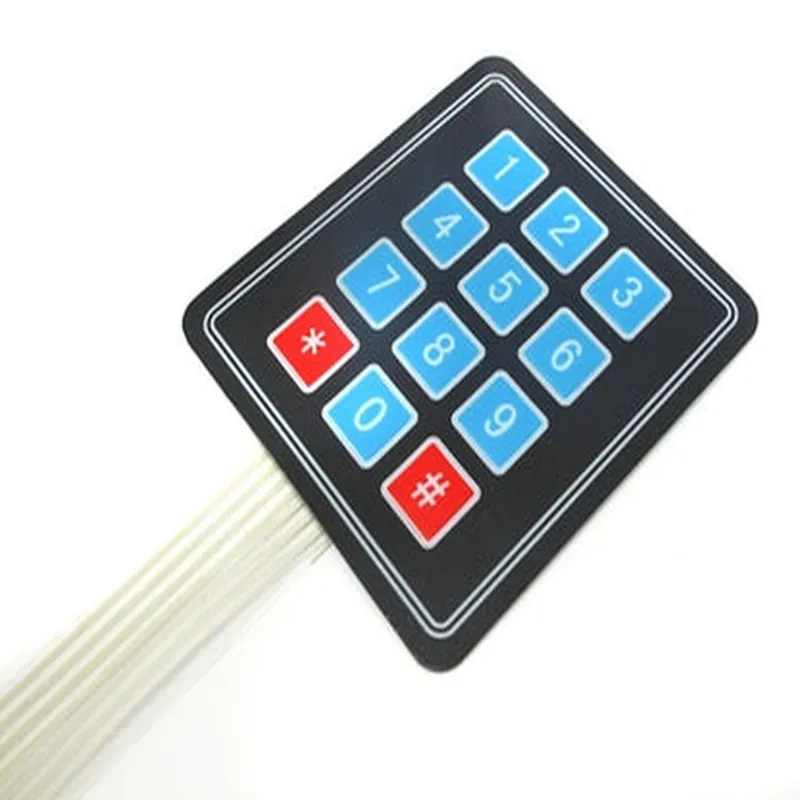
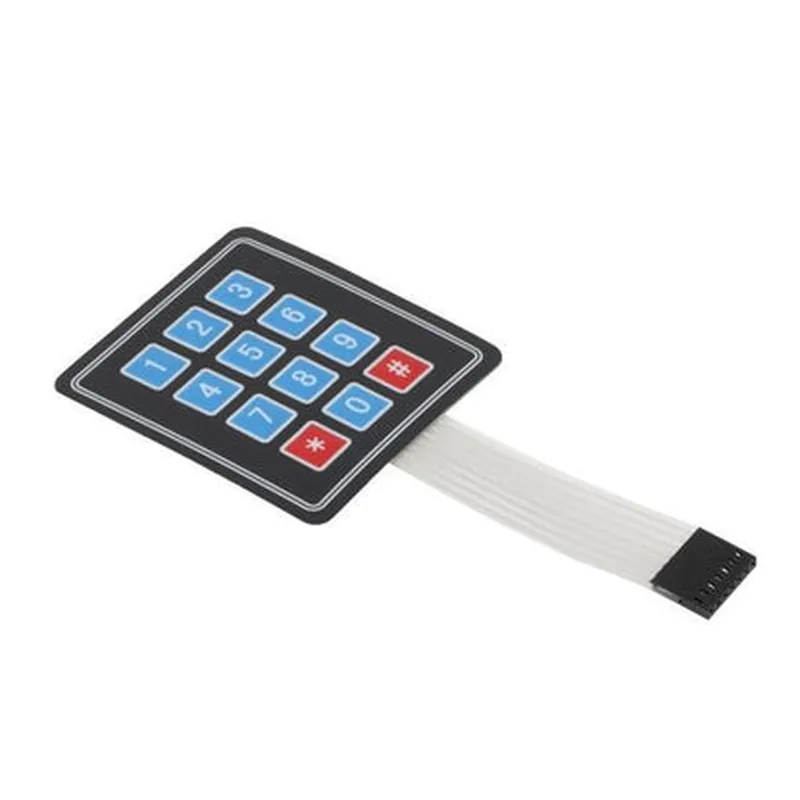
4x3 Flexible Matrix Keypad
The 4x3 Flexible Matrix Keypad is a versatile and compact human-machine interface (HMI) component designed for various IoT applications. This keypad combines a flexible and compact design with a 4x3 matrix layout, providing 12 individual switches for user input. Its flexible nature makes it ideal for use in wearable devices, robotics, industrial control systems, and other applications where a compact, customizable keypad is required.
The 4x3 Flexible Matrix Keypad is a membrane-based switch matrix that allows users to input data or commands into a connected microcontroller or processing unit. The keypad is designed to detect keypad presses and encode the input data into a digital signal, which is then transmitted to the connected device.
2.5V to 5.5V
10mA
Membrane-based switches
1 million cycles
-20C to 80C
-40C to 120C
40mm x 60mm x 0.5mm (flexible PCB) or 45mm x 65mm x 1.5mm (rigid PCB)
Wearable devices (smartwatches, fitness trackers)
Industrial control systems (robotics, machine control)
IoT devices (home automation, security systems)
Medical devices (patient monitoring systems)
Automotive systems (in-car entertainment, navigation)
| The 4x3 Flexible Matrix Keypad can be connected to a microcontroller or processing unit using a variety of interfaces, including |
I2C
SPI
UART
GPIO
| The 4x3 Flexible Matrix Keypad meets or exceeds the following certifications and standards |
RoHS compliant
REACH compliant
CE certified
UL certified (optional)
| The 4x3 Flexible Matrix Keypad is available in various package options, including |
1000 pieces
500 pieces
3000 pieces
Please contact our sales team for pricing, lead time, and customization options.
4x3 Flexible Matrix Keypad DocumentationOverviewThe 4x3 Flexible Matrix Keypad is a compact, flexible, and easy-to-use input device designed for IoT projects. It features 12 keys arranged in a 4x3 matrix, providing a convenient way to add user input functionality to your projects. This keypad is ideal for applications where a simple and intuitive interface is required.PinoutThe 4x3 Flexible Matrix Keypad has 7 pins:VCC: Power supply (typically 3.3V or 5V)
GND: Ground
R1-R4: Row pins (connected to microcontroller's digital inputs)
C1-C3: Column pins (connected to microcontroller's digital outputs)Connecting the KeypadTo connect the keypad to a microcontroller, follow these steps:1. Connect VCC to the power supply (3.3V or 5V).
2. Connect GND to the microcontroller's ground pin.
3. Connect the row pins (R1-R4) to digital input pins on the microcontroller.
4. Connect the column pins (C1-C3) to digital output pins on the microcontroller.Code Examples### Example 1: Basic Keypad Scan (Arduino)This example demonstrates a basic keypad scan using an Arduino board. The code uses the `digitalRead` function to read the row pins and the `digitalWrite` function to set the column pins.```cpp
const int rowPins[] = {2, 4, 5, 7}; // Row pins connected to digital inputs
const int colPins[] = {8, 9, 10}; // Column pins connected to digital outputs
const int numRows = sizeof(rowPins) / sizeof(rowPins[0]);
const int numCols = sizeof(colPins) / sizeof(colPins[0]);void setup() {
// Initialize row pins as inputs
for (int i = 0; i < numRows; i++) {
pinMode(rowPins[i], INPUT);
}
// Initialize column pins as outputs
for (int i = 0; i < numCols; i++) {
pinMode(colPins[i], OUTPUT);
}
}void loop() {
// Scan the keypad
for (int col = 0; col < numCols; col++) {
digitalWrite(colPins[col], HIGH);
for (int row = 0; row < numRows; row++) {
if (digitalRead(rowPins[row]) == LOW) {
// A key is pressed, print the key value
Serial.print("Key ");
Serial.print(row numCols + col + 1);
Serial.println(" is pressed.");
}
}
digitalWrite(colPins[col], LOW);
}
delay(20); // Debounce delay
}
```### Example 2: Keypad Interface with Interrupt (ESP32)This example demonstrates a keypad interface using an ESP32 board and interrupts to detect key presses.```cpp
#include <esp32-hal-gpio.h>const int rowPins[] = {GPIO_NUM_2, GPIO_NUM_4, GPIO_NUM_5, GPIO_NUM_7}; // Row pins connected to digital inputs
const int colPins[] = {GPIO_NUM_8, GPIO_NUM_9, GPIO_NUM_10}; // Column pins connected to digital outputs
const int numRows = sizeof(rowPins) / sizeof(rowPins[0]);
const int numCols = sizeof(colPins) / sizeof(colPins[0]);void IRAM_ATTR keypad Interrupt() {
// Clear the interrupt flag
gpio_isr_handler_remove_all(rowPins[0]);
// Scan the keypad
for (int col = 0; col < numCols; col++) {
gpio_set_level(colPins[col], 1);
for (int row = 0; row < numRows; row++) {
if (gpio_get_level(rowPins[row]) == 0) {
// A key is pressed, print the key value
Serial.print("Key ");
Serial.print(row numCols + col + 1);
Serial.println(" is pressed.");
}
}
gpio_set_level(colPins[col], 0);
}
}void setup() {
// Initialize row pins as inputs with pull-ups
for (int i = 0; i < numRows; i++) {
gpio_config_t io_config = {};
io_config.intr_type = GPIO_INTR_NEGEDGE;
io_config.mode = GPIO_MODE_INPUT;
io_config.pull_up_en = 1;
gpio_config(&io_config, rowPins[i]);
}
// Initialize column pins as outputs
for (int i = 0; i < numCols; i++) {
gpio_config_t io_config = {};
io_config.mode = GPIO_MODE_OUTPUT;
gpio_config(&io_config, colPins[i]);
}
// Attach the interrupt handler
gpio_isr_handler_add(rowPins[0], keypadInterrupt, NULL);
}void loop() {
// Nothing to do here, the interrupt handler will capture key presses
}
```### Example 3: Keypad Scanning with Debouncing (Raspberry Pi and Python)This example demonstrates a keypad scanning with debouncing using a Raspberry Pi and Python.```python
import RPi.GPIO as GPIO
import timerowPins = [17, 23, 24, 25] # Row pins connected to digital inputs
colPins = [4, 5, 6] # Column pins connected to digital outputs
numRows = len(rowPins)
numCols = len(colPins)# Set up GPIO mode
GPIO.setmode(GPIO.BCM)# Initialize row pins as inputs with pull-ups
for pin in rowPins:
GPIO.setup(pin, GPIO.IN, pull_up_down=GPIO.PUD_UP)# Initialize column pins as outputs
for pin in colPins:
GPIO.setup(pin, GPIO.OUT)def scanKeypad():
for col in range(numCols):
GPIO.output(colPins[col], 1)
for row in range(numRows):
if GPIO.input(rowPins[row]) == 0:
# A key is pressed, print the key value
print(f"Key {(row numCols + col + 1)} is pressed.")
# Debounce delay
time.sleep(0.1)
GPIO.output(colPins[col], 0)try:
while True:
scanKeypad()
time.sleep(0.01) # Scan interval
except KeyboardInterrupt:
GPIO.cleanup()
```These examples demonstrate how to use the 4x3 Flexible Matrix Keypad in various contexts, including Arduino, ESP32, and Raspberry Pi platforms.