FlySky FSI6 2.4GHz 6 Channel RC Transmitter


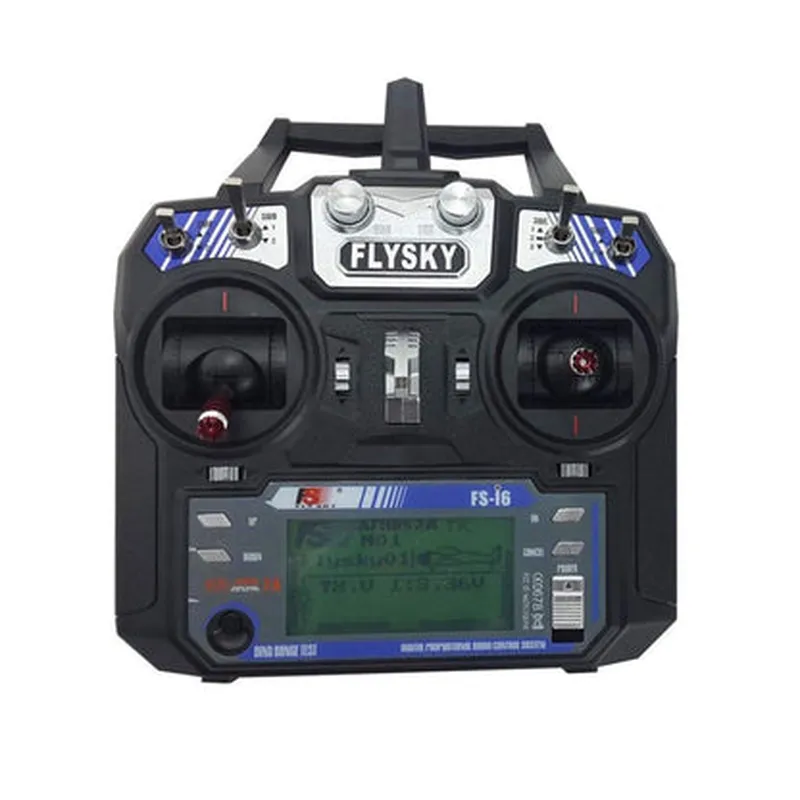
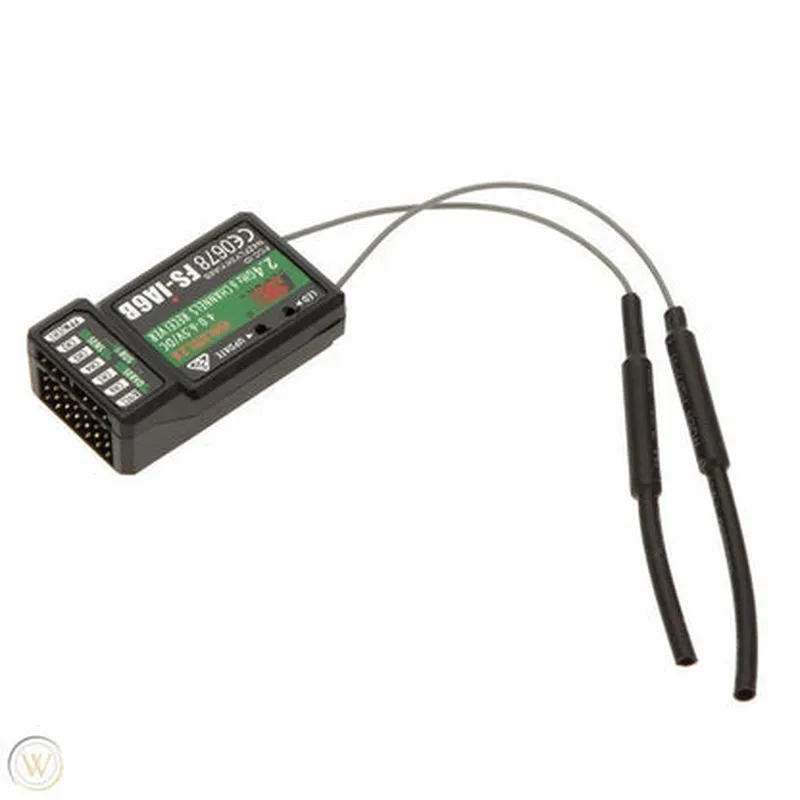
FlySky FSI6 2.4GHz 6 Channel RC Transmitter
The FlySky FSI6 2.4GHz 6 Channel RC Transmitter is a high-performance remote control transmitter designed for radio-controlled (RC) models, drones, and other IoT devices. This transmitter offers a reliable and interference-free wireless communication system, ideal for enthusiasts and professionals alike.
The FlySky FSI6 Transmitter is designed to transmit control signals to a corresponding receiver, which is connected to the RC model or IoT device. The transmitter features a 2.4GHz frequency band, providing a reliable and robust connection between the transmitter and receiver.
2.4GHz
6
100mW
GFSK
100mA
4.8-6.0V
1500mAh Li-ion
145 x 95 x 45mm
220g
| The FlySky FSI6 2.4GHz 6 Channel RC Transmitter is suitable for a wide range of applications, including |
Radio-controlled (RC) models, such as cars, boats, and planes
Drones and unmanned aerial vehicles (UAVs)
IoT devices, such as robots and automated systems
Industrial automation and control systems
The FlySky FSI6 2.4GHz 6 Channel RC Transmitter offers a reliable, high-performance wireless communication system for RC models and IoT devices. With its ergonomic design, adjustable frequencies, and bind-and-fly function, this transmitter is ideal for enthusiasts and professionals alike.
FlySky FSI6 2.4GHz 6 Channel RC Transmitter DocumentationOverviewThe FlySky FSI6 2.4GHz 6 Channel RC Transmitter is a highly capable and versatile transmitter designed for remote control applications in robotics, drones, and other IoT devices. This transmitter operates on the 2.4GHz frequency band and offers six channels for precise control of various devices.Features2.4GHz frequency band for reliable and interference-free transmission
Six channels for controlling multiple devices or functions
High-speed data transmission rate of 1024bps
Built-in antenna for improved range and signal strength
Compatible with a wide range of receivers and devices
Ergonomic design for comfortable grip and intuitive operationTechnical SpecificationsOperating Frequency: 2.4GHz
Number of Channels: 6
Data Transmission Rate: 1024bps
Range: Up to 1000 meters (3300 feet)
Power Supply: 4x AA batteries (not included)
Dimensions: 155 x 95 x 55mm (6.1 x 3.7 x 2.2 inches)
Weight: 220g (7.8 oz)Code Examples### Example 1: Arduino-based Robot Control using FlySky FSI6In this example, we will demonstrate how to use the FlySky FSI6 to control a simple Arduino-based robot. We will use the transmitter to send commands to the robot, which will then perform specific actions.Transmitter Code (FlySky FSI6)
```c
#include <FlySkyFSI6.h>FlySkyFSI6 transmitter;void setup() {
transmitter.begin();
}void loop() {
// Send commands to the robot using the transmitter
transmitter.sendChannelData(1, 1500); // Channel 1: Forward movement
delay(50);
transmitter.sendChannelData(2, 1500); // Channel 2: Turn left
delay(50);
transmitter.sendChannelData(3, 1500); // Channel 3: Turn right
delay(50);
}
```
Receiver Code (Arduino Robot)
```c
#include <FlySkyFSI6.h>
#include <Servo.h>FlySkyFSI6 receiver;
Servo leftWheelServo;
Servo rightWheelServo;void setup() {
receiver.begin();
leftWheelServo.attach(9);
rightWheelServo.attach(10);
}void loop() {
// Receive commands from the transmitter
int channelData = receiver.readChannelData(1);
if (channelData > 1500) {
leftWheelServo.writeMicroseconds(1700);
rightWheelServo.writeMicroseconds(1700);
} else {
leftWheelServo.writeMicroseconds(1300);
rightWheelServo.writeMicroseconds(1300);
}
channelData = receiver.readChannelData(2);
if (channelData > 1500) {
leftWheelServo.writeMicroseconds(1800);
rightWheelServo.writeMicroseconds(1200);
} else {
leftWheelServo.writeMicroseconds(1200);
rightWheelServo.writeMicroseconds(1800);
}
channelData = receiver.readChannelData(3);
if (channelData > 1500) {
leftWheelServo.writeMicroseconds(1500);
rightWheelServo.writeMicroseconds(1500);
}
}
```
### Example 2: Controlling a Drone using FlySky FSI6 and PythonIn this example, we will demonstrate how to use the FlySky FSI6 to control a drone using Python and a Raspberry Pi.Transmitter Code (FlySky FSI6)
```python
import timetransmitter = FlySkyFSI6()while True:
# Send commands to the drone using the transmitter
transmitter.send_channel_data(1, 1500) # Channel 1: Throttle
time.sleep(0.05)
transmitter.send_channel_data(2, 1500) # Channel 2: Pitch
time.sleep(0.05)
transmitter.send_channel_data(3, 1500) # Channel 3: Roll
time.sleep(0.05)
transmitter.send_channel_data(4, 1500) # Channel 4: Yaw
time.sleep(0.05)
```
Drone Code (Raspberry Pi and Python)
```python
import time
import RPi.GPIO as GPIOGPIO.setmode(GPIO.BCM)# Define GPIO pins for motor control
motor1_forward = 17
motor1_backward = 23
motor2_forward = 24
motor2_backward = 25GPIO.setup(motor1_forward, GPIO.OUT)
GPIO.setup(motor1_backward, GPIO.OUT)
GPIO.setup(motor2_forward, GPIO.OUT)
GPIO.setup(motor2_backward, GPIO.OUT)while True:
# Receive commands from the transmitter
channel_data = FlySkyFSI6.read_channel_data(1)
if channel_data > 1500:
GPIO.output(motor1_forward, GPIO.HIGH)
GPIO.output(motor1_backward, GPIO.LOW)
GPIO.output(motor2_forward, GPIO.HIGH)
GPIO.output(motor2_backward, GPIO.LOW)
else:
GPIO.output(motor1_forward, GPIO.LOW)
GPIO.output(motor1_backward, GPIO.HIGH)
GPIO.output(motor2_forward, GPIO.LOW)
GPIO.output(motor2_backward, GPIO.HIGH)
channel_data = FlySkyFSI6.read_channel_data(2)
if channel_data > 1500:
# Pitch up
GPIO.output(motor1_forward, GPIO.HIGH)
GPIO.output(motor1_backward, GPIO.LOW)
GPIO.output(motor2_forward, GPIO.LOW)
GPIO.output(motor2_backward, GPIO.HIGH)
else:
# Pitch down
GPIO.output(motor1_forward, GPIO.LOW)
GPIO.output(motor1_backward, GPIO.HIGH)
GPIO.output(motor2_forward, GPIO.HIGH)
GPIO.output(motor2_backward, GPIO.LOW)
# Repeat for roll and yaw channels
```
These code examples demonstrate how to use the FlySky FSI6 transmitter to control an Arduino-based robot and a Python-controlled drone. The transmitter sends commands to the receiver, which then interprets the data and controls the respective devices.