Red BO Motor Wheel - Set of 4 | Robotics Science Project


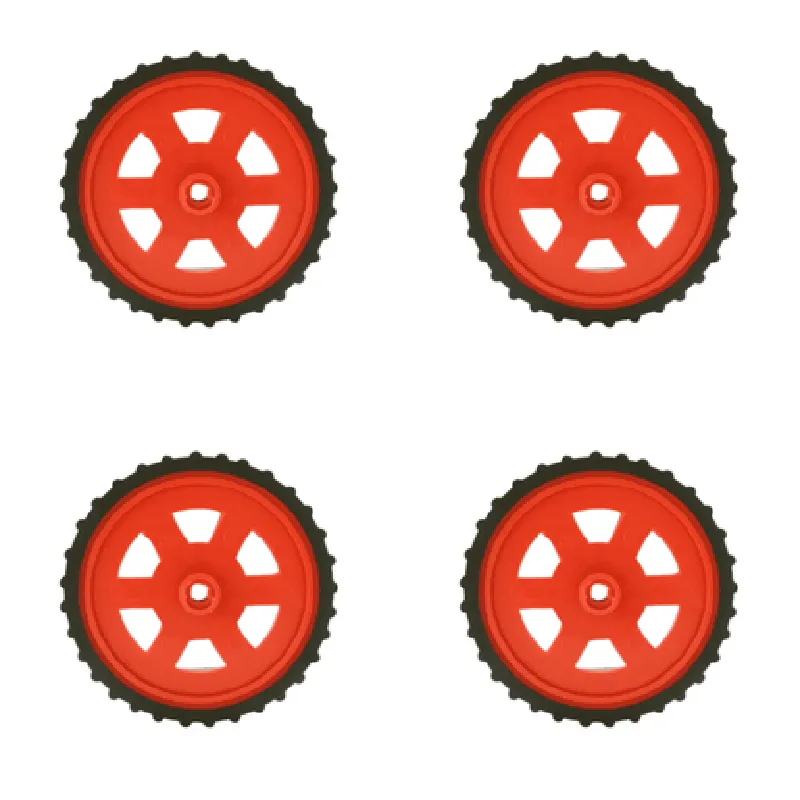
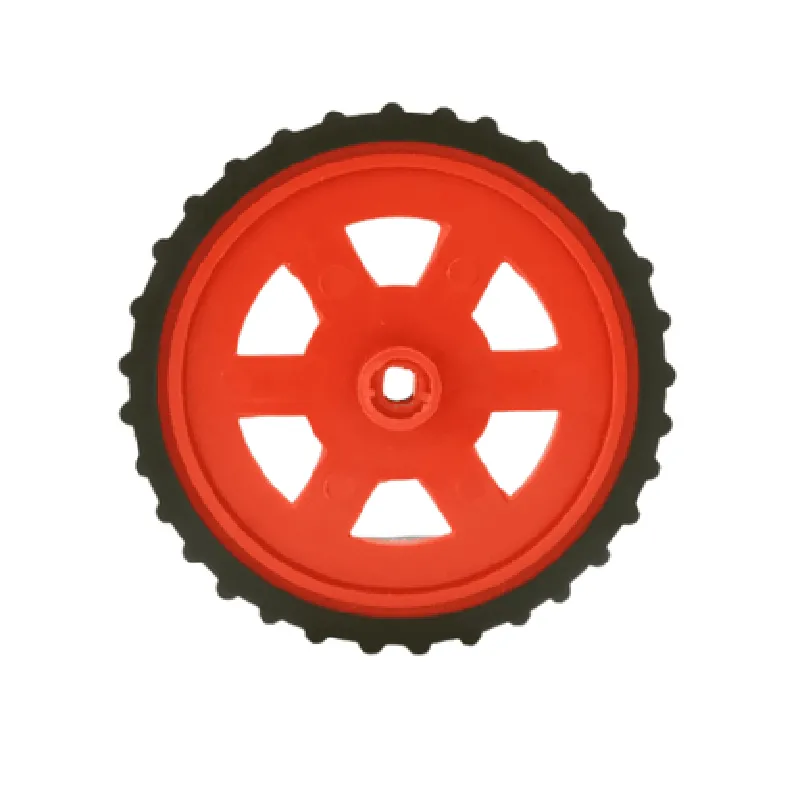
Red BO Motor Wheel - Set of 4 | Robotics Science Project
The Red BO Motor Wheel is a set of four wheel units designed for robotics and science projects. Each wheel is specifically engineered to provide a robust and efficient mobility solution for various robotic applications. This set of four wheels is ideal for building robots, robotic platforms, and autonomous vehicles that require reliable movement and navigation.
The primary function of the Red BO Motor Wheel is to provide a mechanical interface between the motor and the surface, allowing the robot or platform to move smoothly and efficiently. The wheel's design enables it to rotate freely, while the motor (sold separately) provides the necessary torque to propel the robot forward.
65mm
25mm
Plastic (hub) and Rubber (tire)
3mm diameter
Ball bearings
M3
Red anodized aluminum
4 wheels
| The Red BO Motor Wheel is ideal for various robotics and science projects, including |
Autonomous vehicles
Robot platforms
Line followers
Obstacle avoiders
Sumo robots
Robot battles
Educational projects
Hobbyist robotics
Red BO Motor Wheel - Set of 4 | Robotics Science ProjectOverviewThe Red BO Motor Wheel is a set of four wheels designed for robotics and science projects. Each wheel is equipped with a built-in DC motor and is ideal for building robots, robotic platforms, and other mechanized systems. The motor wheels are suitable for a wide range of applications, from simple robotics projects to complex autonomous vehicles.Technical SpecificationsMotor Type: DC Motor
Motor Speed: 100 RPM
Voltage: 6V
Current: 1A
Wheel Diameter: 65mm
Wheel Width: 20mm
Material: Plastic
Encoder: None
Interface: 3-Pin JST ConnectorArduino Code Example: Robot MovementThis example demonstrates how to control the Red BO Motor Wheel using an Arduino board to create a simple robot that moves forward and backward.```cpp
const int leftMotorForward = 2; // Pin for left motor forward direction
const int leftMotorBackward = 3; // Pin for left motor backward direction
const int rightMotorForward = 4; // Pin for right motor forward direction
const int rightMotorBackward = 5; // Pin for right motor backward directionvoid setup() {
pinMode(leftMotorForward, OUTPUT);
pinMode(leftMotorBackward, OUTPUT);
pinMode(rightMotorForward, OUTPUT);
pinMode(rightMotorBackward, OUTPUT);
}void loop() {
// Move forward
digitalWrite(leftMotorForward, HIGH);
digitalWrite(rightMotorForward, HIGH);
delay(2000);
// Stop
digitalWrite(leftMotorForward, LOW);
digitalWrite(rightMotorForward, LOW);
delay(1000);
// Move backward
digitalWrite(leftMotorBackward, HIGH);
digitalWrite(rightMotorBackward, HIGH);
delay(2000);
// Stop
digitalWrite(leftMotorBackward, LOW);
digitalWrite(rightMotorBackward, LOW);
delay(1000);
}
```Raspberry Pi Code Example: Motor Control using PythonThis example demonstrates how to control the Red BO Motor Wheel using a Raspberry Pi and the Python programming language.```python
import RPi.GPIO as GPIO
import timeGPIO.setmode(GPIO.BCM)left_motor_forward = 17
left_motor_backward = 23
right_motor_forward = 24
right_motor_backward = 25GPIO.setup(left_motor_forward, GPIO.OUT)
GPIO.setup(left_motor_backward, GPIO.OUT)
GPIO.setup(right_motor_forward, GPIO.OUT)
GPIO.setup(right_motor_backward, GPIO.OUT)try:
while True:
# Move forward
GPIO.output(left_motor_forward, GPIO.HIGH)
GPIO.output(right_motor_forward, GPIO.HIGH)
time.sleep(2)
# Stop
GPIO.output(left_motor_forward, GPIO.LOW)
GPIO.output(right_motor_forward, GPIO.LOW)
time.sleep(1)
# Move backward
GPIO.output(left_motor_backward, GPIO.HIGH)
GPIO.output(right_motor_backward, GPIO.HIGH)
time.sleep(2)
# Stop
GPIO.output(left_motor_backward, GPIO.LOW)
GPIO.output(right_motor_backward, GPIO.LOW)
time.sleep(1)
except KeyboardInterrupt:
GPIO.cleanup()
```Note: These code examples assume that the motor wheels are connected to the respective pins on the Arduino or Raspberry Pi board. Make sure to modify the pin connections according to your specific setup.