125V AC


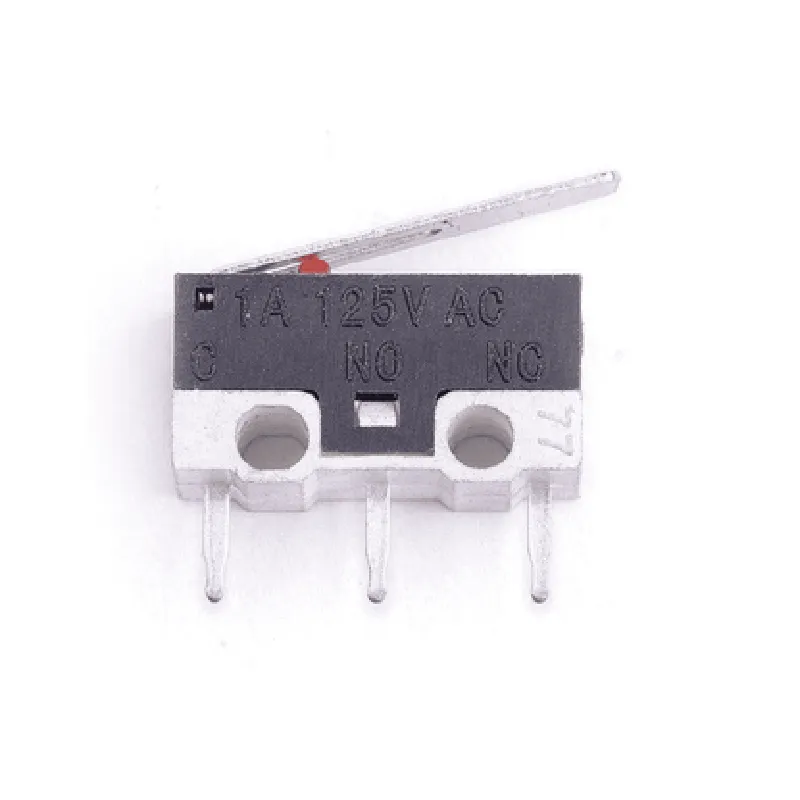
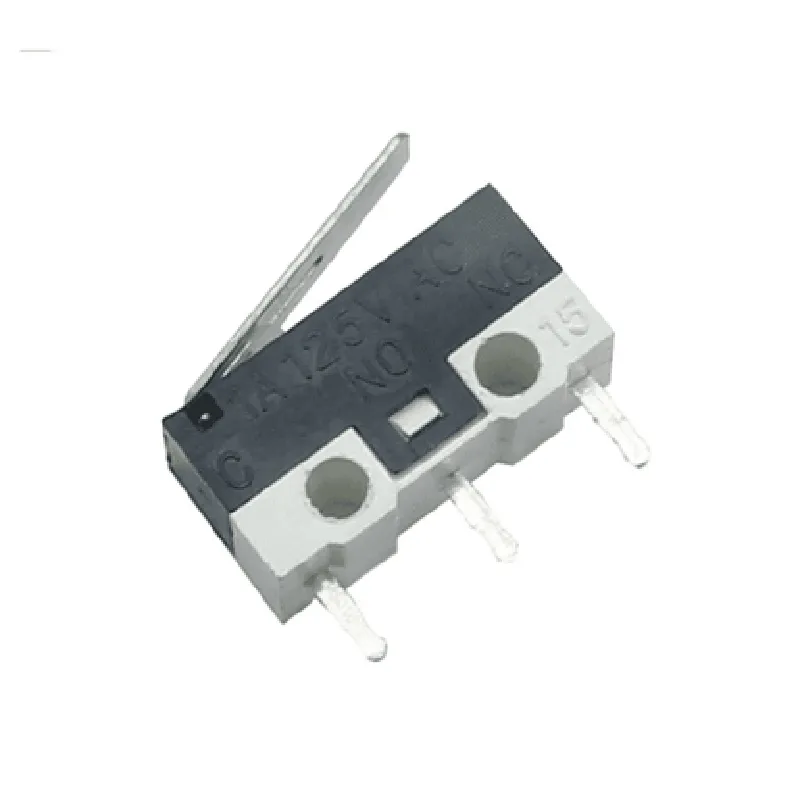
125V AC
1A
Single-pole double-throw (SPDT)
-20C to 80C
-40C to 100C
10G, 10-55Hz
15G, 11ms
100M at 500V DC
1500V AC, 1 minute
Conclusion
The Microswitch KW10-Z1P Limit Switch 1A 125V AC is a reliable and versatile component that offers high accuracy and precision in detecting physical changes. Its compact design, rugged construction, and high reliability make it an ideal choice for a wide range of IoT applications.
Microswitch KW10-Z1P Limit Switch 1A 125V AC DocumentationOverviewThe Microswitch KW10-Z1P Limit Switch 1A 125V AC is a type of electrical switch that is commonly used in industrial automation, robotics, and IoT applications. It is a compact, rugged, and reliable limit switch that can be used to detect the presence or absence of an object, or to trigger an action when a specific condition is met.Technical SpecificationsRating: 1A 125V AC
Type: Limit Switch
Contact Type: SPDT (Single Pole Double Throw)
Actuator Type: Roller Plunger
Operating Force: 1.5N
Pretravel: 0.5mm
Overtravel: 1.5mm
Electrical Life: 100,000 cycles
Operating Temperature: -25C to 85CPinoutThe Microswitch KW10-Z1P has three pins:Pin 1: Common (C)
Pin 2: Normally Open (NO)
Pin 3: Normally Closed (NC)Code ExamplesHere are some code examples that demonstrate how to use the Microswitch KW10-Z1P Limit Switch in different contexts:Example 1: Simple On/Off Control using ArduinoIn this example, we'll use the Microswitch KW10-Z1P to control an LED light using an Arduino board.
```c++
const int ledPin = 13; // Choose a pin for the LED
const int switchPin = 2; // Choose a pin for the Microswitchvoid setup() {
pinMode(ledPin, OUTPUT);
pinMode(switchPin, INPUT);
}void loop() {
int switchState = digitalRead(switchPin);
if (switchState == HIGH) {
digitalWrite(ledPin, HIGH); // Turn on the LED
} else {
digitalWrite(ledPin, LOW); // Turn off the LED
}
delay(50);
}
```
Example 2: Object Detection using Raspberry Pi and PythonIn this example, we'll use the Microswitch KW10-Z1P to detect the presence of an object using a Raspberry Pi and Python.
```python
import RPi.GPIO as GPIO# Set up GPIO mode
GPIO.setmode(GPIO.BCM)# Set up the Microswitch pin as an input
switch_pin = 17
GPIO.setup(switch_pin, GPIO.IN, pull_up_down=GPIO.PUD_UP)while True:
if GPIO.input(switch_pin) == GPIO.LOW:
print("Object detected!")
else:
print("No object detected.")
time.sleep(0.1)
```
Example 3: Home Automation using ESP32 and MicroPythonIn this example, we'll use the Microswitch KW10-Z1P to control a relay module using an ESP32 board and MicroPython.
```python
import machine
import utime# Set up the Microswitch pin as an input
switch_pin = machine.Pin(32, machine.Pin.IN)# Set up the relay module pin as an output
relay_pin = machine.Pin(33, machine.Pin.OUT)while True:
if switch_pin.value() == 0:
relay_pin.value(1) # Turn on the relay
else:
relay_pin.value(0) # Turn off the relay
utime.sleep(0.1)
```
These code examples demonstrate how to use the Microswitch KW10-Z1P Limit Switch in various contexts, including simple on/off control, object detection, and home automation.