

Stufin
Home Quick Cart Profile

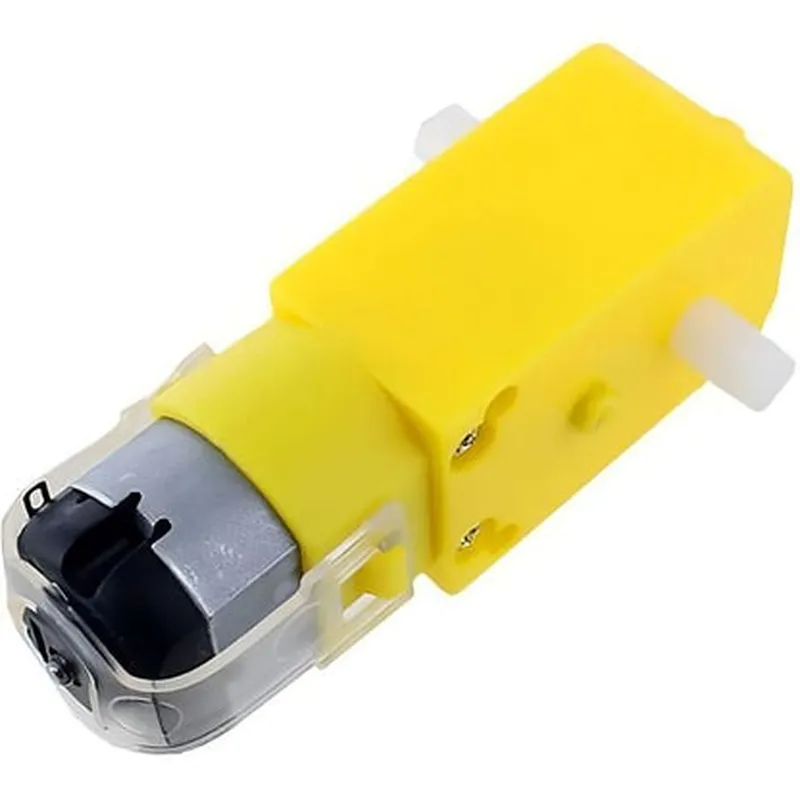
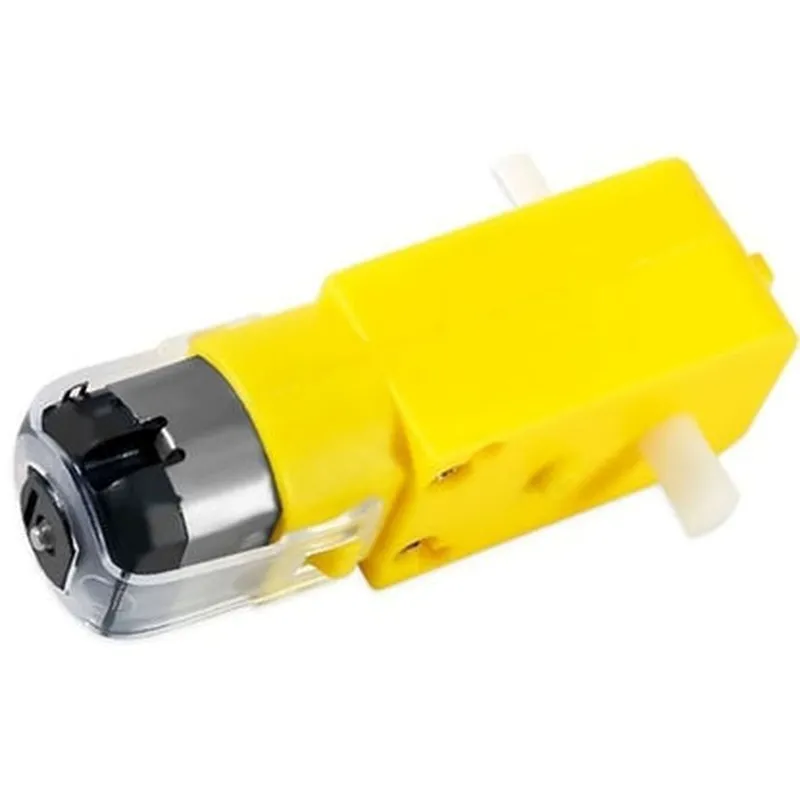
100 RPM Dual Shaft BO Motor-Straight

Buy Now on Stufin

Component Name

100 RPM Dual Shaft BO Motor-Straight

Overview

The 100 RPM Dual Shaft BO Motor-Straight is a high-performance, compact, and efficient Brushless Outrunner (BO) motor designed for various applications in the Internet of Things (IoT), robotics, and automation. This motor is particularly suited for applications requiring high torque and precision control.

Functionality

The 100 RPM Dual Shaft BO Motor-Straight is a type of electric motor that converts electrical energy into mechanical energy. Its primary function is to provide rotational motion to connected devices, such as gears, propellers, or wheels, through its dual shaft output. The motor's efficient design and high-torque output make it an ideal choice for applications requiring precise speed control and high power density.

Key Features

  • Dual Shaft Output: The motor features two parallel output shafts, allowing for the connection of two separate devices or mechanisms. This dual-shaft design enables the motor to power multiple components simultaneously, increasing overall system efficiency and simplifying design complexity.
  • High-Speed Operation: The motor is capable of operating at a maximum speed of 100 RPM, making it suitable for applications requiring rapid movement or high-frequency oscillations.
  • Brushless Outrunner Design: The BO motor design eliminates the need for brushes, which reduces wear and tear, increases efficiency, and extends the motor's lifespan.
  • High-Torque Output: The motor is designed to produce high torque, enabling it to drive heavy loads or overcome high friction forces.
  • Compact Design: The motor's compact size and lightweight construction make it ideal for applications where space is limited, such as in robotics, drones, or IoT devices.
  • Low Vibration: The motor's design and construction minimize vibration, ensuring smooth operation and reducing the risk of mechanical failure.
  • Easy Control: The motor can be controlled using standard PWM (Pulse-Width Modulation) signals, allowing for precise speed control and easy integration with microcontrollers or other control systems.
  • Low Noise Operation: The motor operates at a low noise level, making it suitable for applications where noise needs to be minimized, such as in audio or video recording devices.

Specifications

Rated Speed

100 RPM

Rated Voltage

12V

Rated Current

1A

Torque

1.5 kg-cm

Power

12W

Shaft Material

Stainless Steel

Motor Dimensions

35mm (L) x 25mm (W) x 20mm (H)

Weight

120g

Applications

The 100 RPM Dual Shaft BO Motor-Straight is suitable for a wide range of applications, including

Robotics and robotic arms

Drones and unmanned aerial vehicles (UAVs)

IoT devices and sensors

Automation and process control systems

Medical devices and equipment

Audio and video recording devices

Conclusion

The 100 RPM Dual Shaft BO Motor-Straight is a high-performance, compact, and efficient motor designed for applications requiring high torque and precise speed control. Its dual-shaft output, high-speed operation, and low vibration make it an ideal choice for a wide range of IoT, robotics, and automation applications.

Pin Configuration

  • 100 RPM Dual Shaft BO Motor-Straight Pinout and Connection Guide
  • The 100 RPM Dual Shaft BO Motor-Straight is a brushed DC motor designed for use in IoT projects and other applications. This motor features two shafts, one straight and one with a gearbox, which can be used to drive multiple components simultaneously. This guide provides a detailed explanation of the motor's pins and how to connect them.
  • Pinout:
  • The 100 RPM Dual Shaft BO Motor-Straight has a total of 4 pins, labeled as follows:
  • Pin 1: VCC (Red Wire)
  • Pin 2: GND (Black Wire)
  • Pin 3: Signal A (Yellow Wire)
  • Pin 4: Signal B (Blue Wire)
  • Pin Connection Guide:
  • To connect the motor to a microcontroller or driver, follow these steps:
  • 1. VCC (Pin 1, Red Wire):
  • Connect to the positive voltage supply (VCC) of your microcontroller or driver.
  • Typical voltage range: 3V to 6V DC.
  • 2. GND (Pin 2, Black Wire):
  • Connect to the ground (GND) of your microcontroller or driver.
  • Provides a common ground reference for the motor.
  • 3. Signal A (Pin 3, Yellow Wire):
  • Connect to a digital output pin on your microcontroller or driver.
  • Controls the direction and speed of the motor (see note below).
  • 4. Signal B (Pin 4, Blue Wire):
  • Connect to a digital output pin on your microcontroller or driver.
  • Controls the direction and speed of the motor (see note below).
  • Note: To control the motor, you need to provide a PWM (Pulse-Width Modulation) signal to both Signal A and Signal B pins. The frequency of the PWM signal determines the motor speed, while the duty cycle controls the direction. A typical setup would be:
  • Signal A: PWM signal with a frequency of 20-50 kHz and a duty cycle of 0-100% for forward rotation.
  • Signal B: PWM signal with a frequency of 20-50 kHz and a duty cycle of 0-100% for reverse rotation.
  • Important:
  • Make sure to use a suitable driver or motor controller to handle the motor's current and voltage requirements.
  • Consult the motor's datasheet and your microcontroller's documentation for specific connection and configuration details.
  • Always follow proper safety precautions when working with electrical components.
  • By following this guide, you should be able to connect and control the 100 RPM Dual Shaft BO Motor-Straight in your IoT project.

Code Examples

Component Documentation: 100 RPM Dual Shaft BO Motor-Straight
Overview
The 100 RPM Dual Shaft BO Motor-Straight is a compact and high-performance brushed DC motor designed for various IoT applications. This motor features a dual shaft design, allowing for the connection of two separate loads or mechanisms. With a rated speed of 100 RPM, this motor is suitable for applications requiring moderate rotational speed and high torque.
Technical Specifications
Rated Voltage: 3-12V DC
 Rated Speed: 100 RPM
 Rated Current: 500mA
 Stall Current: 2A
 Stall Torque: 1.5 kg-cm
 Shaft Diameter: 3mm (each shaft)
 Motor Body Dimensions: 30mm x 20mm x 15mm
 Weight: 25g
Pinout
The motor has four terminals:
VCC: Positive power supply
 GND: Negative power supply
 M+: Motor control input (clockwise rotation)
 M-: Motor control input (counterclockwise rotation)
Code Examples
### Example 1: Basic Motor Control with Arduino
This example demonstrates how to control the motor using an Arduino board. The motor will rotate in a clockwise direction when the `M+` pin is set high and in a counterclockwise direction when the `M-` pin is set high.
```c++
const int motorPlus = 2;  // M+ pin connected to digital pin 2
const int motorMinus = 3;  // M- pin connected to digital pin 3
void setup() {
  pinMode(motorPlus, OUTPUT);
  pinMode(motorMinus, OUTPUT);
}
void loop() {
  // Rotate motor clockwise
  digitalWrite(motorPlus, HIGH);
  digitalWrite(motorMinus, LOW);
  delay(1000);
// Rotate motor counterclockwise
  digitalWrite(motorPlus, LOW);
  digitalWrite(motorMinus, HIGH);
  delay(1000);
}
```
### Example 2: PWM Speed Control with Raspberry Pi (Python)
This example demonstrates how to control the motor's speed using PWM (Pulse Width Modulation) with a Raspberry Pi. The motor's speed will increase and decrease based on the PWM duty cycle.
```python
import RPi.GPIO as GPIO
import time
GPIO.setmode(GPIO.BCM)
motorPlus = 17  # M+ pin connected to GPIO 17
motorMinus = 23  # M- pin connected to GPIO 23
GPIO.setup(motorPlus, GPIO.OUT)
GPIO.setup(motorMinus, GPIO.OUT)
pwm = GPIO.PWM(motorPlus, 50)  # Set PWM frequency to 50 Hz
try:
    while True:
        # Increase motor speed
        for dc in range(0, 101, 10):
            pwm.start(dc)
            time.sleep(0.1)
# Decrease motor speed
        for dc in range(100, -1, -10):
            pwm.start(dc)
            time.sleep(0.1)
except KeyboardInterrupt:
    pwm.stop()
    GPIO.cleanup()
```
### Example 3: Motor Direction and Speed Control with ESP32 (MicroPython)
This example demonstrates how to control the motor's direction and speed using an ESP32 board with MicroPython.
```python
import machine
import time
motorPlus = machine.Pin(18, machine.Pin.OUT)  # M+ pin connected to GPIO 18
motorMinus = machine.Pin(19, machine.Pin.OUT)  # M- pin connected to GPIO 19
def set_motor_speed(speed):
    frequency = 50  # PWM frequency in Hz
    period = 1000000 // frequency  # PWM period in microseconds
    duty_cycle = int((speed / 100)  period)
    motorPlus.pulse_width.period(period)
    motorPlus.pulse_width.duty(duty_cycle)
try:
    while True:
        # Rotate motor clockwise with increasing speed
        for speed in range(0, 101, 10):
            set_motor_speed(speed)
            motorMinus.value(0)  # Set M- pin low
            time.sleep(0.1)
# Rotate motor counterclockwise with decreasing speed
        for speed in range(100, -1, -10):
            set_motor_speed(speed)
            motorPlus.value(0)  # Set M+ pin low
            motorMinus.value(1)  # Set M- pin high
            time.sleep(0.1)
except KeyboardInterrupt:
    motorPlus.value(0)
    motorMinus.value(0)
```
These examples demonstrate the basic control of the 100 RPM Dual Shaft BO Motor-Straight using various microcontrollers and programming languages. Please ensure to adjust the pin connections and motor control logic according to your specific application and hardware setup.