Stufin
Home Quick Cart Profile

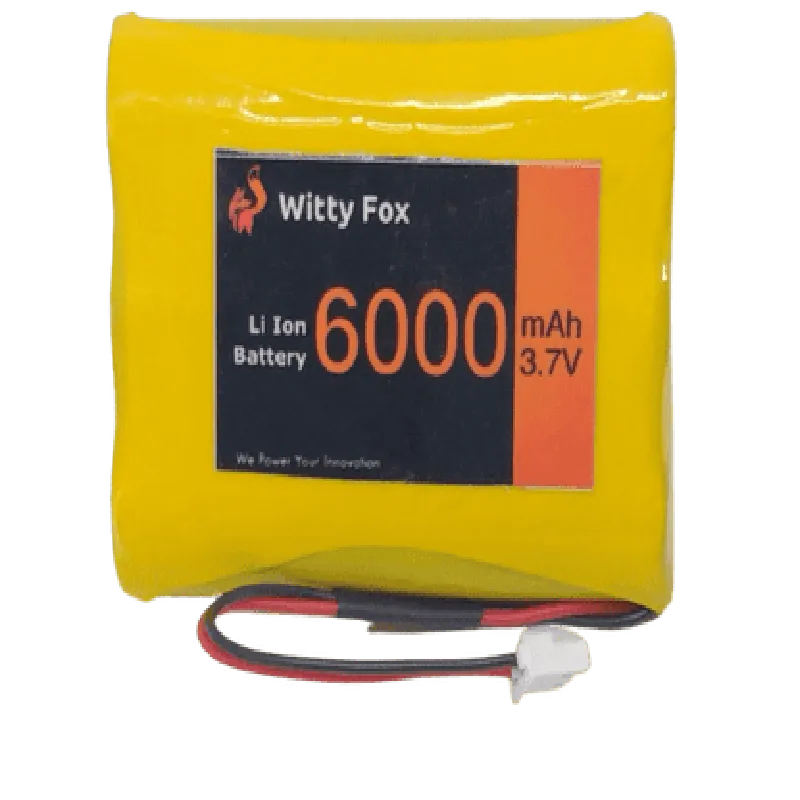
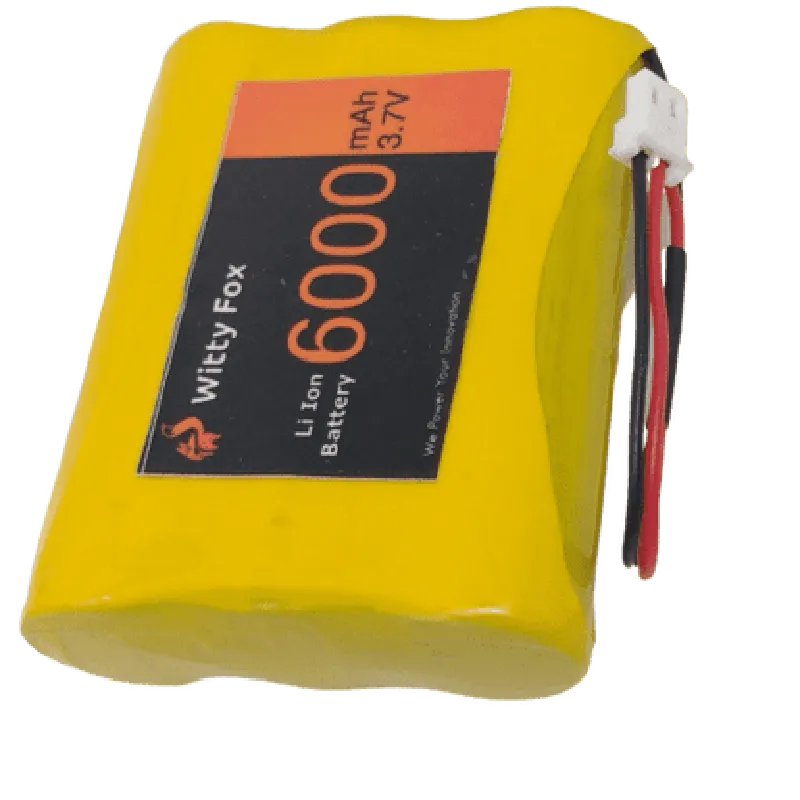
Witty Fox 3.7V 6000mAh Li-Ion Battery

Buy Now on Stufin

Component Description

Witty Fox 3.7V 6000mAh Li-Ion Battery

Overview

The Witty Fox 3.7V 6000mAh Li-Ion Battery is a high-capacity rechargeable battery designed for use in a wide range of Internet of Things (IoT) devices, robotics, and other portable electronic applications. This battery provides a reliable and efficient power source, making it an ideal choice for demanding projects.

Functionality

The Witty Fox 3.7V 6000mAh Li-Ion Battery is designed to store electrical energy and supply it to connected devices as needed. Its primary function is to act as a power source, enabling devices to operate for extended periods while maintaining a compact and lightweight design.

Key Features

### Physical Characteristics

Dimensions

69mm x 39mm x 20mm (L x W x H)

Weight

Approximately 120g

Terminal Type

JST XH2.54mm 2-Pin

### Electrical Characteristics

Nominal Voltage

3.7V

Capacity

6000mAh

Cycle Life

Up to 300 charge/discharge cycles

Self-Discharge RateLess than 3% per month

### Safety Features

Protection Circuit

Integrated overcharge, over-discharge, and short-circuit protection

Flame Retardant

Compliant with UL94-V0 flammability standard

### Operating Conditions

Operating Temperature

-20C to 45C (-4F to 113F)

Storage Temperature

-20C to 35C (-4F to 95F)

### Additional Features

Rechargeable

Supports up to 300 charge/discharge cycles

Compact Design

Ideal for compact IoT devices and wearable electronics

Low Self-DischargeRetains up to 85% of its capacity after 3 months of storage

Applications

The Witty Fox 3.7V 6000mAh Li-Ion Battery is suitable for a variety of IoT devices, including

Robot controllers and robotic systems

Wearable electronics and fitness trackers

Drones and UAVs

Portable sensors and data loggers

Smart home devices and automation systems

Certifications and Compliance

The Witty Fox 3.7V 6000mAh Li-Ion Battery complies with relevant industry standards, including

CE, FCC, and RoHS certifications

UN38.3 certification for shipping and transportation

Warranty and Support

The Witty Fox 3.7V 6000mAh Li-Ion Battery comes with a 1-year limited warranty and dedicated technical support for integration and application assistance.

Pin Configuration

  • Witty Fox 3.7V 6000mAh Li-Ion Battery Pinout Explanation
  • The Witty Fox 3.7V 6000mAh Li-Ion Battery is a rechargeable battery designed for various IoT applications. It has a standard pinout configuration, which is explained below:
  • Pinout Structure:
  • The battery has a total of 5 pins, which are:
  • 1. B+ (Positive Terminal)
  • Function: Positive terminal of the battery, provides power to the load.
  • Description: This pin is the positive terminal of the battery and should be connected to the positive input of the device or circuit.
  • 2. B- (Negative Terminal)
  • Function: Negative terminal of the battery, completes the circuit.
  • Description: This pin is the negative terminal of the battery and should be connected to the negative input of the device or circuit.
  • 3. PWMB (Protection Pin)
  • Function: This pin is used to protect the battery from overcharge, over-discharge, and short-circuit.
  • Description: This pin is connected to the protection circuitry inside the battery, which monitors the battery's state of charge and prevents damage from improper use.
  • 4. CW (ChargeIndicator)
  • Function: This pin indicates the charging status of the battery.
  • Description: This pin is connected to a LED or a charge indicator circuit, which lights up when the battery is charging and turns off when the battery is fully charged.
  • 5. TH (Thermistor Pin)
  • Function: This pin is used to monitor the internal temperature of the battery.
  • Description: This pin is connected to a thermistor, which is a temperature-sensing device that helps to prevent overheating and ensure safe charging/discharging of the battery.
  • Connecting the Pins:
  • To connect the pins, follow these steps:
  • Connect the B+ (Positive Terminal) pin to the positive input of your device or circuit.
  • Connect the B- (Negative Terminal) pin to the negative input of your device or circuit.
  • Connect the PWMB (Protection Pin) pin to the protection circuitry or a dedicated IC for battery protection (if required).
  • Connect the CW (ChargeIndicator) pin to a LED or a charge indicator circuit to monitor the charging status.
  • Connect the TH (Thermistor Pin) pin to a thermistor or a temperature-sensing device to monitor the internal temperature of the battery.
  • Important Notes:
  • Make sure to handle the battery with care, as it can be damaged if mishandled.
  • Use a proper charging circuit to prevent overcharge or undercharge, which can affect the battery's performance and lifespan.
  • Ensure proper connection of the pins to prevent short-circuits or damage to the battery or connected devices.
  • By following these guidelines, you can safely and effectively use the Witty Fox 3.7V 6000mAh Li-Ion Battery in your IoT projects.

Code Examples

Witty Fox 3.7V 6000mAh Li-Ion Battery Documentation
Overview
The Witty Fox 3.7V 6000mAh Li-Ion Battery is a high-capacity rechargeable lithium-ion battery designed for use in a wide range of IoT applications. With its compact size and reliable performance, this battery is ideal for powering devices that require a long-lasting power source.
Specifications
Voltage: 3.7V
 Capacity: 6000mAh
 Chemistry: Lithium-Ion (Li-Ion)
 Dimensions: 68.5mm x 40mm x 12.5mm
 Weight: 120g
 Operating Temperature: -20C to 45C
 Charging Cycles: Up to 500 cycles
Code Examples
### Example 1: Arduino Uno - Powering an IoT Sensor Node
In this example, we'll demonstrate how to use the Witty Fox 3.7V 6000mAh Li-Ion Battery to power an Arduino Uno-based IoT sensor node.
Hardware Requirements
Witty Fox 3.7V 6000mAh Li-Ion Battery
 Arduino Uno Board
 DHT11 Temperature and Humidity Sensor
 Breadboard and Jumper Wires
Code
```c
#include <dht.h>
#define DHT_PIN 2 // pin for DHT11 sensor
DHT dht(DHT_PIN, DHT11);
void setup() {
  Serial.begin(9600);
}
void loop() {
  int temperature = dht.readTemperature();
  int humidity = dht.readHumidity();
  
  Serial.print("Temperature: ");
  Serial.print(temperature);
  Serial.println(" C");
  Serial.print("Humidity: ");
  Serial.print(humidity);
  Serial.println(" %");
  
  delay(1000);
}
```
Description
In this example, we connect the Witty Fox 3.7V 6000mAh Li-Ion Battery to the Arduino Uno board, which powers the DHT11 temperature and humidity sensor. The code reads the temperature and humidity values from the sensor and prints them to the serial console.
### Example 2: ESP32 - Powering a Wi-Fi Enabled IoT Device
In this example, we'll demonstrate how to use the Witty Fox 3.7V 6000mAh Li-Ion Battery to power an ESP32-based Wi-Fi enabled IoT device.
Hardware Requirements
Witty Fox 3.7V 6000mAh Li-Ion Battery
 ESP32 Dev Board
 Wi-Fi Antenna
 Breadboard and Jumper Wires
Code
```c
#include <WiFi.h>
const char ssid = "your_wifi_ssid";
const char password = "your_wifi_password";
void setup() {
  Serial.begin(115200);
  WiFi.begin(ssid, password);
  
  while (WiFi.status() != WL_CONNECTED) {
    delay(1000);
    Serial.println("Connecting to WiFi...");
  }
  
  Serial.println("Connected to WiFi");
  Serial.println("Initializing Wi-Fi...");
}
void loop() {
  // Add your Wi-Fi enabled IoT code here
  delay(1000);
}
```
Description
In this example, we connect the Witty Fox 3.7V 6000mAh Li-Ion Battery to the ESP32 Dev Board, which powers the Wi-Fi module. The code establishes a Wi-Fi connection using the provided SSID and password, and then enters a loop where you can add your Wi-Fi enabled IoT code.
Note: Make sure to modify the SSID and password to match your Wi-Fi network credentials.