3.7V


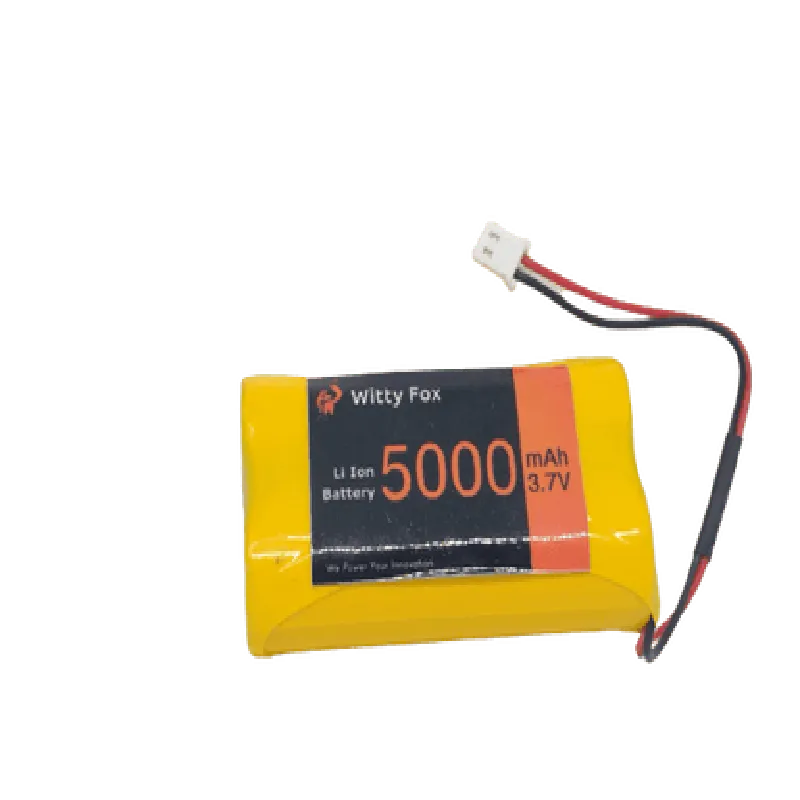
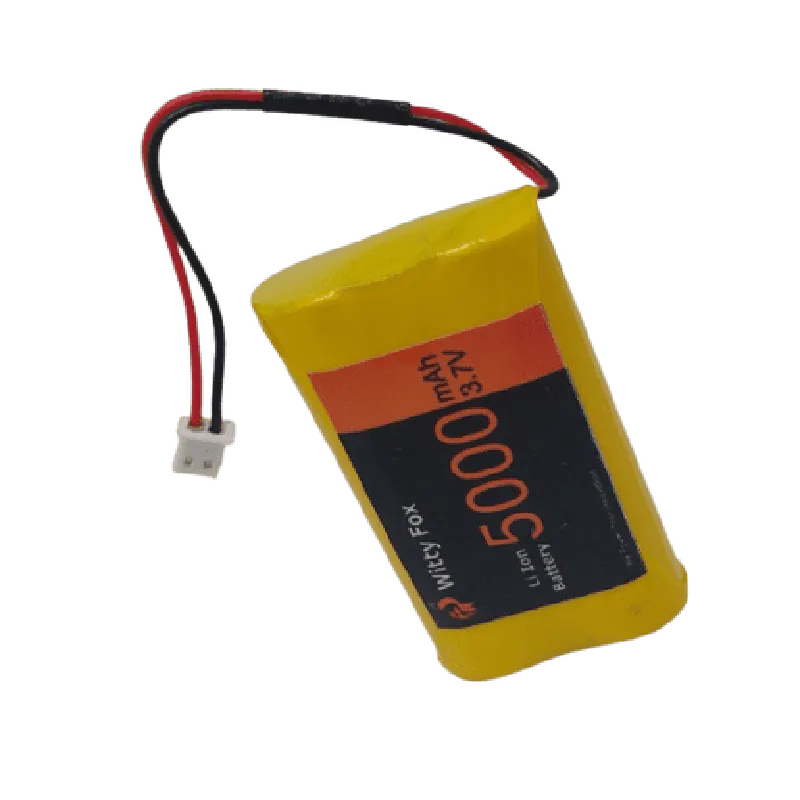
3.7V
5000mAh
300-500 cycles
2-3 hours
| Discharge Cut-off Voltage | 2.5V |
-20C to 40C
-20C to 30C
68.5 x 43.5 x 18.5 mm
120g
Applications
| The Witty Fox 3.7V 5000mAh Li-Ion Battery is suitable for a wide range of IoT applications, including |
Robotics
Drones
Wearable devices
IoT sensors and devices
Portable electronics
Medical devices
Safety Precautions
When handling the Witty Fox 3.7V 5000mAh Li-Ion Battery, ensure to follow proper safety precautions to avoid damage to the battery and prevent injury.
Avoid exposing the battery to high temperatures, flames, or sparks.
Handle the battery with care to prevent physical damage.
Avoid overcharging or over-discharging the battery.
Follow proper charging and storage procedures.
By following these guidelines and specifications, the Witty Fox 3.7V 5000mAh Li-Ion Battery can provide a reliable and efficient power source for a wide range of IoT applications.
Witty Fox 3.7V 5000mAh Li-Ion Battery DocumentationOverviewThe Witty Fox 3.7V 5000mAh Li-Ion Battery is a rechargeable lithium-ion battery designed for use in IoT projects and devices. This battery provides a high capacity of 5000mAh, making it suitable for applications that require a reliable power source.SpecificationsNominal Voltage: 3.7V
Capacity: 5000mAh
Chemistry: Lithium-Ion (Li-Ion)
Dimensions: 69.30 mm x 43.20 mm x 11.40 mm
Weight: approximately 95gConnecting the BatteryThe Witty Fox 3.7V 5000mAh Li-Ion Battery has two standard JST-XH connectors for charging and discharging. The positive terminal is marked with a "+" sign, and the negative terminal is marked with a "-" sign.Code Examples### Example 1: Charging the Battery using an Arduino BoardIn this example, we will demonstrate how to charge the Witty Fox 3.7V 5000mAh Li-Ion Battery using an Arduino board.Hardware RequirementsArduino Board (e.g., Arduino Uno)
Witty Fox 3.7V 5000mAh Li-Ion Battery
USB Cable
Breadboard and Jumper WiresCode
```c
#include <Arduino.h>// Define the charging pin (digital pin 2 in this example)
const int chargingPin = 2;void setup() {
pinMode(chargingPin, OUTPUT);
}void loop() {
// Set the charging pin high to enable charging
digitalWrite(chargingPin, HIGH);
delay(1000); // Charge for 1 second
digitalWrite(chargingPin, LOW);
delay(1000); // Wait for 1 second before charging again
}
```
### Example 2: Powering an ESP32 Board using the BatteryIn this example, we will demonstrate how to power an ESP32 board using the Witty Fox 3.7V 5000mAh Li-Ion Battery.Hardware RequirementsESP32 Board (e.g., ESP32 DevKitC)
Witty Fox 3.7V 5000mAh Li-Ion Battery
Breadboard and Jumper WiresCode
```c
#include <WiFi.h>void setup() {
Serial.begin(115200);// Initialize the ESP32 board
WiFi.mode(WIFI_OFF);
WiFi.forceSleepBegin();// Power management setup
powerManagementSetup();
}void loop() {
Serial.println("Battery powered ESP32 board is running...");
delay(1000);
}void powerManagementSetup() {
// Configure the ESP32 board to use the battery as a power source
esp_pwr_mgr_init();
esp_pwr_mgr_set_battery_config(ESP_PWR_MGR_BAT_CONFIG_DEFAULT);
}
```
### Example 3: Monitoring Battery Voltage using an STM32 BoardIn this example, we will demonstrate how to monitor the voltage of the Witty Fox 3.7V 5000mAh Li-Ion Battery using an STM32 board.Hardware RequirementsSTM32 Board (e.g., STM32 Nucleo-64)
Witty Fox 3.7V 5000mAh Li-Ion Battery
Breadboard and Jumper WiresCode
```c
#include <mbed.h>AnalogIn batteryVoltage(A0); // Assume A0 is connected to the battery voltage pinint main() {
while (1) {
float voltage = batteryVoltage.read() 3.3f; // Read battery voltage (0-3.3V)
printf("Battery Voltage: %.2f V
", voltage);
wait(1); // Wait for 1 second before reading again
}
return 0;
}
```
Important NotesAlways follow proper safety precautions when working with batteries and electrical components.
Make sure to use a suitable charging circuit and follow the manufacturer's guidelines for charging the battery.
The code examples provided are for illustration purposes only and may require modifications to work with your specific project or setup.