2.0V to 5.5V


2.0V to 5.5V
5mA to 10mA
Compatible with TTL logic levels
Adjustable using onboard potentiometer
10ms to 100ms
15mm x 15mm x 2mm (L x W x H)
1.5g
Applications
| The TTP223 Touch Switch Module is suitable for a wide range of applications, including |
Use the module to control lights, fans, and other appliances with a touch.
Use the module to create touch-based control interfaces for industrial equipment.
Use the module to create interactive controls for wearable devices.
Use the module as a cost-effective and easy-to-use touch sensor solution for prototyping and development projects.
Pinout Diagram
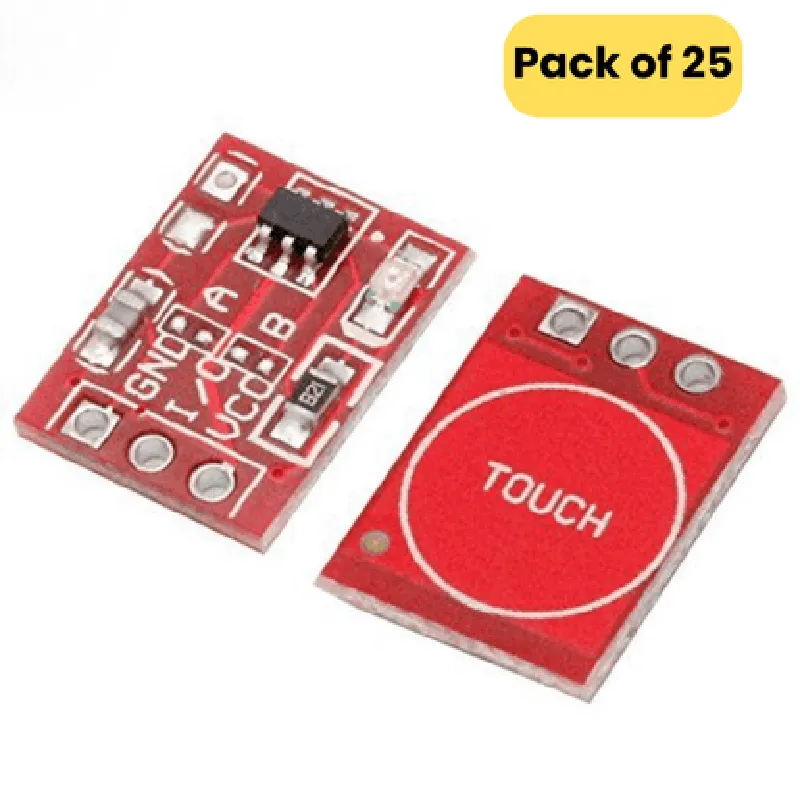
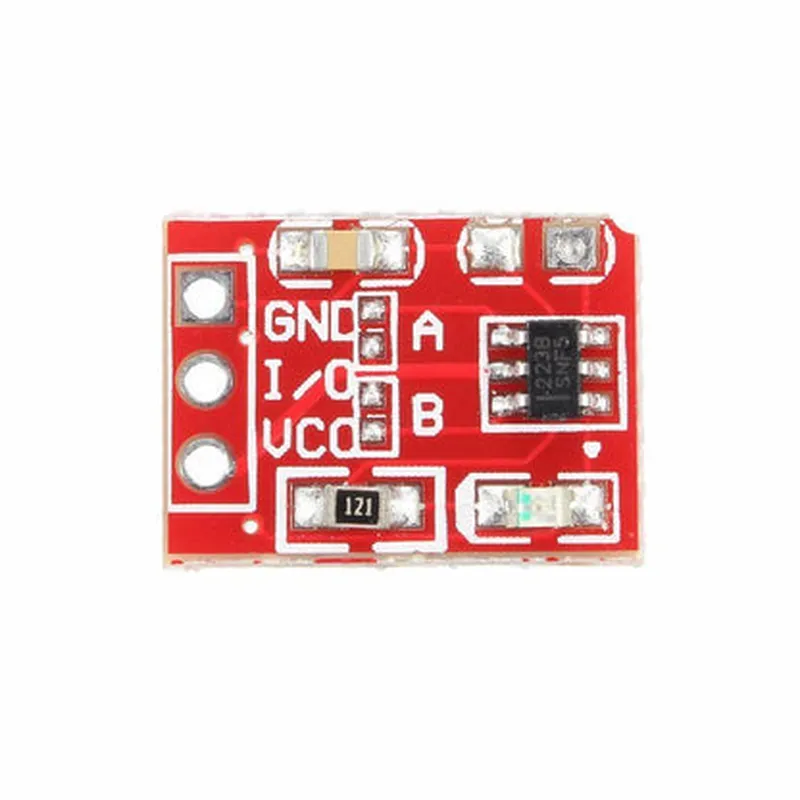
| The TTP223 Touch Switch Module has the following pinout |
Power supply (2.0V to 5.5V)
Ground
Output signal (TTL logic level)
Sensitivity adjustment pin (connect to potentiometer)
Conclusion
The TTP223 Touch Switch Module is a reliable and easy-to-use capacitive touch sensor module that offers high sensitivity and low power consumption. With its compact design and simple connection scheme, it is suitable for a wide range of applications, from smart home automation to industrial control systems and wearable devices.
TTP223 Touch Switch Module DocumentationOverviewThe TTP223 Touch Switch Module is a capacitive touch sensor module that allows users to detect touch events without the need for physical buttons or switches. This module is ideal for IoT projects that require touch-sensitive interfaces. The module comes in a pack of 25, making it an affordable and convenient option for prototyping and production.PinoutThe TTP223 Touch Switch Module has three pins:VCC: Power supply pin (typically 3.3V or 5V)
GND: Ground pin
OUT: Output pin that signals a touch event (digital output)FeaturesCapacitive touch sensor technology
High sensitivity and accuracy
Low power consumption
Simple and compact design
Compatible with various microcontrollers and development boardsCode Examples### Example 1: Basic Touch Detection using ArduinoThis example demonstrates how to use the TTP223 Touch Switch Module with an Arduino board to detect touch events and turn an LED on or off.```cpp
const int touchPin = 2; // Connect OUT pin of TTP223 to digital pin 2 on Arduino
const int ledPin = 13; // Connect an LED to digital pin 13 on Arduinovoid setup() {
pinMode(touchPin, INPUT);
pinMode(ledPin, OUTPUT);
}void loop() {
int touchState = digitalRead(touchPin);
if (touchState == HIGH) {
digitalWrite(ledPin, HIGH); // Turn LED on when touch is detected
} else {
digitalWrite(ledPin, LOW); // Turn LED off when no touch is detected
}
delay(50);
}
```### Example 2: Debouncing Touch Events using Raspberry Pi (Python)This example demonstrates how to use the TTP223 Touch Switch Module with a Raspberry Pi to detect touch events while implementing debouncing to prevent false triggers.```python
import RPi.GPIO as GPIO
import timeGPIO.setmode(GPIO.BCM)
touch_pin = 17 # Connect OUT pin of TTP223 to GPIO 17 on Raspberry Pi
GPIO.setup(touch_pin, GPIO.IN, pull_up_down=GPIO.PUD_UP)def debounce(touch_pin):
count = 0
while count < 5:
if GPIO.input(touch_pin) == GPIO.LOW:
count += 1
else:
count = 0
time.sleep(0.01)
return Truewhile True:
if debounce(touch_pin):
print("Touch detected!")
# Perform desired action when touch is detected
time.sleep(0.1)
```Notes and ConsiderationsWhen using the TTP223 Touch Switch Module, ensure that the module is properly connected to a power source and ground.
The OUT pin of the module should be connected to a digital input pin on the microcontroller or development board.
In noisy environments or when using the module with other capacitive components, it may be necessary to add additional filtering or shielding to prevent false triggers.
The module's sensitivity can be adjusted by adding an external capacitor between the OUT pin and ground. Increase the capacitor value to increase sensitivity, and decrease the value to decrease sensitivity.