Stufin
Home Quick Cart Profile

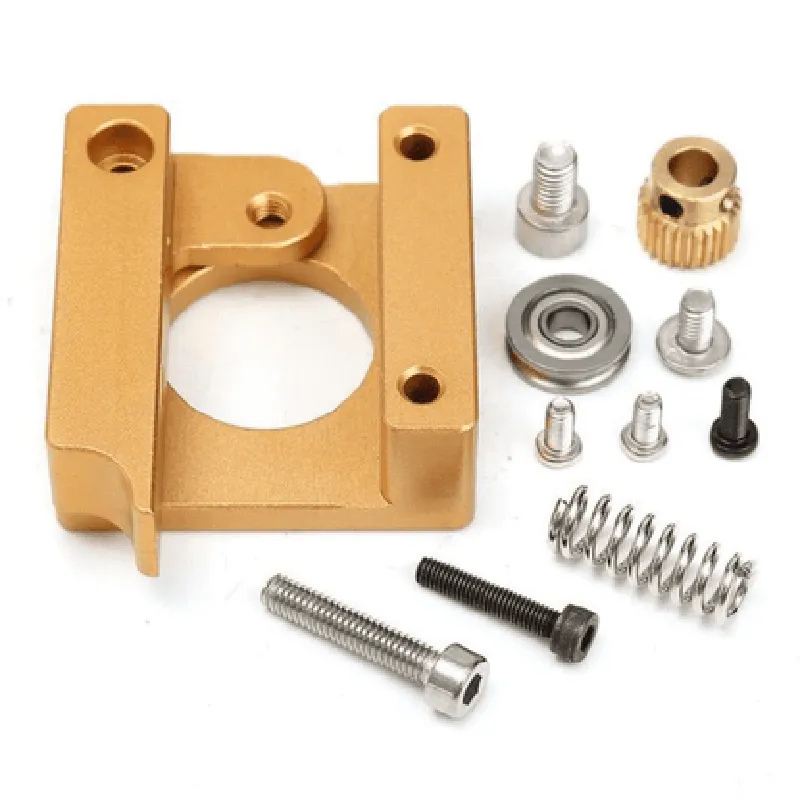
Extruder Kit Left Side MK8 Aluminum 3D Printer Block


Buy Now on Stufin

Component Name

Extruder Kit Left Side MK8 Aluminum 3D Printer Block
Overview

The Extruder Kit Left Side MK8 Aluminum 3D Printer Block is a critical component in 3D printing technology, designed to facilitate the extrusion process in Fused Deposition Modeling (FDM) 3D printers. This kit comprises a robust aluminum block, crafted to provide a precise and reliable printing experience.
Functionality

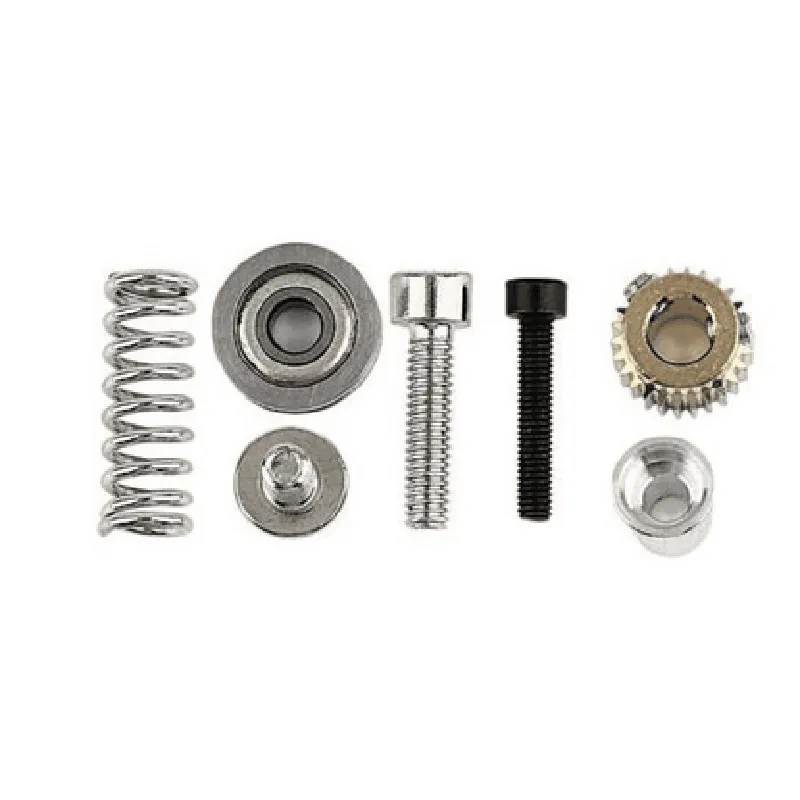
The primary function of the Extruder Kit Left Side MK8 Aluminum 3D Printer Block is to house and support the extruder mechanism, which is responsible for melting and depositing filament onto the print bed. The block ensures accurate alignment, smooth movement, and efficient heat dissipation during the printing process.

Key Features

  • Aluminum Construction: The block is machined from high-quality aluminum, providing exceptional strength, durability, and thermal conductivity.
  • MK8 Compatibility: The kit is designed to be compatible with the popular MK8 extruder system, ensuring seamless integration with a wide range of 3D printers.
  • Left-Side Orientation: The block is specifically designed for left-side extruder mounting, allowing for optimal printer configuration and accessibility.
  • Heat Sink Integration: The aluminum block features an integrated heat sink, which helps to dissipate heat generated during the extrusion process, preventing overheating and ensuring consistent print quality.
  • Bearing-guided Movement: The block features precision-machined bearing guides, ensuring smooth and accurate movement of the extruder mechanism.
  • Threaded Holes and Mounting Points: The block includes threaded holes and mounting points for secure attachment of the extruder mechanism, hotend, and other necessary components.
  • Anodized Finish: The aluminum block features an anodized finish, which provides enhanced corrosion resistance and wear protection.

Material

Aluminum alloy

Dimensions

60mm x 40mm x 20mm (L x W x H)

Weight

approximately 120g

Thread size

M4 x 0.7

Compatibility

MK8 extruder system

Operating temperature range

0C to 50C

Recommended maximum temperature

40C

Installation and Maintenance

To ensure proper installation and maintenance, follow these guidelines

Mount the Extruder Kit Left Side MK8 Aluminum 3D Printer Block securely to the printer frame using the provided screws and mounting points.

Ensure proper alignment of the extruder mechanism and hotend.

Regularly inspect and clean the block and extruder mechanism to prevent damage from filament residue and other contaminants.

Warranty and Support

The Extruder Kit Left Side MK8 Aluminum 3D Printer Block is backed by a 1-year limited warranty. For technical support, documentation, and troubleshooting resources, please visit the manufacturer's website or contact their customer service department.

By incorporating the Extruder Kit Left Side MK8 Aluminum 3D Printer Block into your 3D printing setup, you can expect improved print quality, increased durability, and enhanced overall performance.

Pin Configuration

  • Extruder Kit Left Side MK8 Aluminum 3D Printer Block Pinout Documentation
  • The Extruder Kit Left Side MK8 Aluminum 3D Printer Block is a crucial component in 3D printing technology. This documentation provides a detailed explanation of the pins on the block, their functions, and how to connect them.
  • Pinout Diagram:
  • The Extruder Kit Left Side MK8 Aluminum 3D Printer Block has a total of 12 pins, divided into two rows of 6 pins each. The pinout diagram is as follows:
  • Row 1:
  • Pin 1: VCC (Red)
  • Pin 2: GND (Black)
  • Pin 3: Enable ( ENABLE)
  • Pin 4: Step (STEP)
  • Pin 5: Direction (DIR)
  • Pin 6: NC (Not Connected)
  • Row 2:
  • Pin 7: VCC (Red)
  • Pin 8: GND (Black)
  • Pin 9: Heat (HEAT)
  • Pin 10: Thermistor (THERMISTOR)
  • Pin 11: Fan (FAN)
  • Pin 12: NC (Not Connected)
  • Pin Descriptions and Connection Guide:
  • 1. VCC (Pin 1 and Pin 7):
  • Function: Power supply voltage (typically 12V or 24V)
  • Connection: Connect to the power supply unit (PSU) or the motherboard's power output
  • Color: Red
  • 2. GND (Pin 2 and Pin 8):
  • Function: Ground connection
  • Connection: Connect to the power supply unit (PSU) or the motherboard's ground output
  • Color: Black
  • 3. Enable (Pin 3):
  • Function: Enables the stepper motor driver
  • Connection: Connect to the motherboard's enable pin or the stepper motor driver's enable input
  • Note: Typically, this pin is connected to a digital output on the motherboard to control the stepper motor driver
  • 4. Step (Pin 4):
  • Function: Step signal input for the stepper motor driver
  • Connection: Connect to the motherboard's step signal output or the stepper motor driver's step input
  • Note: This pin receives the step signal from the motherboard to control the stepper motor's movement
  • 5. Direction (Pin 5):
  • Function: Direction signal input for the stepper motor driver
  • Connection: Connect to the motherboard's direction signal output or the stepper motor driver's direction input
  • Note: This pin receives the direction signal from the motherboard to determine the stepper motor's rotation direction
  • 6. NC (Pin 6):
  • Function: Not connected (no internal connection)
  • Connection: None
  • Note: This pin is reserved and not used in most cases
  • 7. Heat (Pin 9):
  • Function: Heat control signal output
  • Connection: Connect to the hotend's heater cartridge or a heater element
  • Note: This pin controls the hotend's temperature by switching the heater on or off
  • 8. Thermistor (Pin 10):
  • Function: Thermistor input for temperature measurement
  • Connection: Connect to a thermistor sensor mounted on the hotend
  • Note: This pin measures the hotend's temperature and provides feedback to the motherboard or temperature control module
  • 9. Fan (Pin 11):
  • Function: Fan control signal output
  • Connection: Connect to a cooling fan mounted on the printer
  • Note: This pin controls the fan's rotation speed or switches it on/off
  • 10. NC (Pin 12):
  • Function: Not connected (no internal connection)
  • Connection: None
  • Note: This pin is reserved and not used in most cases
  • Connection Summary:
  • VCC and GND pins connect to the power supply unit (PSU) or the motherboard's power output
  • Enable, Step, and Direction pins connect to the motherboard's digital outputs or the stepper motor driver's inputs
  • Heat pin connects to the hotend's heater cartridge or a heater element
  • Thermistor pin connects to a thermistor sensor mounted on the hotend
  • Fan pin connects to a cooling fan mounted on the printer
  • NC pins (6 and 12) are reserved and not used in most cases

Code Examples

Extruder Kit Left Side MK8 Aluminum 3D Printer Block Documentation
Overview
The Extruder Kit Left Side MK8 Aluminum 3D Printer Block is a critical component in 3D printing systems. It is designed to work in conjunction with the right-side extruder kit to form a complete extrusion system. This component is constructed from high-quality aluminum, ensuring durability and heat dissipation. The MK8 design ensures compatibility with a wide range of 3D printers and hotends.
Technical Specifications
Material: Aluminum
 Compatibility: MK8 design, fits most 3D printers and hotends
 Dimension: 60mm x 40mm x 20mm (L x W x H)
 Weight: 120g
 Temperature Range: Up to 300C
Code Examples
### Example 1: Basic Extruder Configuration using Marlin Firmware
This example demonstrates how to configure the Extruder Kit Left Side MK8 Aluminum 3D Printer Block using Marlin firmware.
```c
// Marlin Firmware Configuration
// Define the extruder settings
#define EXTRUDER_COUNT 1
#define EXTRUDER.Offset 0
// Set the extruder temperature
#define TEMP_SENSOR_EXTRUDER 0
#define TEMP_SET_EXTRUDER 210
// Define the extruder steppers
#define EXTRUDER_STEPS_PER_MM 415.92
#define EXTRUDER_MAX_FEEDRATE 30
#define EXTRUDER_MAX_ACCELERATION 500
// Initialize the extruder
void extruder_init() {
  // Initialize the extruder stepper motor
  stepper.init(EXTRUDER_STEPS_PER_MM, EXTRUDER_MAX_FEEDRATE, EXTRUDER_MAX_ACCELERATION);
  // Set the extruder temperature
  setTargetTemp(TEMP_SET_EXTRUDER);
}
```
### Example 2: Python Script for Extruder Control using PySerial
This example demonstrates how to control the Extruder Kit Left Side MK8 Aluminum 3D Printer Block using a Python script and PySerial library.
```python
import serial
# Open the serial connection to the 3D printer
ser = serial.Serial('COM3', 115200, timeout=1)
# Set the extruder temperature
def set_extruder_temp(temp):
  ser.write(f"M104 S{temp}
".encode())
  response = ser.readline().decode().strip()
  print(f"Extruder temperature set to {temp}C")
# Home the extruder
def home_extruder():
  ser.write("G28 E
".encode())
  response = ser.readline().decode().strip()
  print("Extruder homed")
# Extrude 10mm of filament
def extrude_filament(amount):
  ser.write(f"G1 E{amount} F300
".encode())
  response = ser.readline().decode().strip()
  print(f"Extruded {amount}mm of filament")
# Example usage
set_extruder_temp(210)
home_extruder()
extrude_filament(10)
```
These code examples demonstrate the basic configuration and control of the Extruder Kit Left Side MK8 Aluminum 3D Printer Block. The actual implementation may vary depending on the specific 3D printer and control system used.
Additional Resources
Marlin Firmware Documentation: <https://marlinfw.org/docs/configuration/configuration.html>
 PySerial Library Documentation: <https://pyserial.readthedocs.io/en/latest/index.html>