USB 2.0 (full-speed)


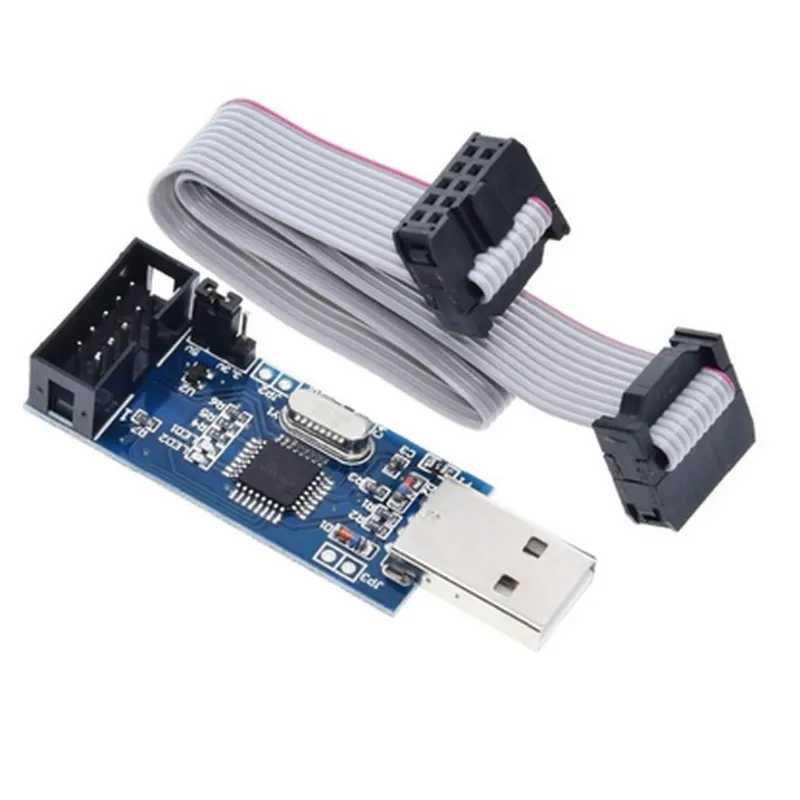
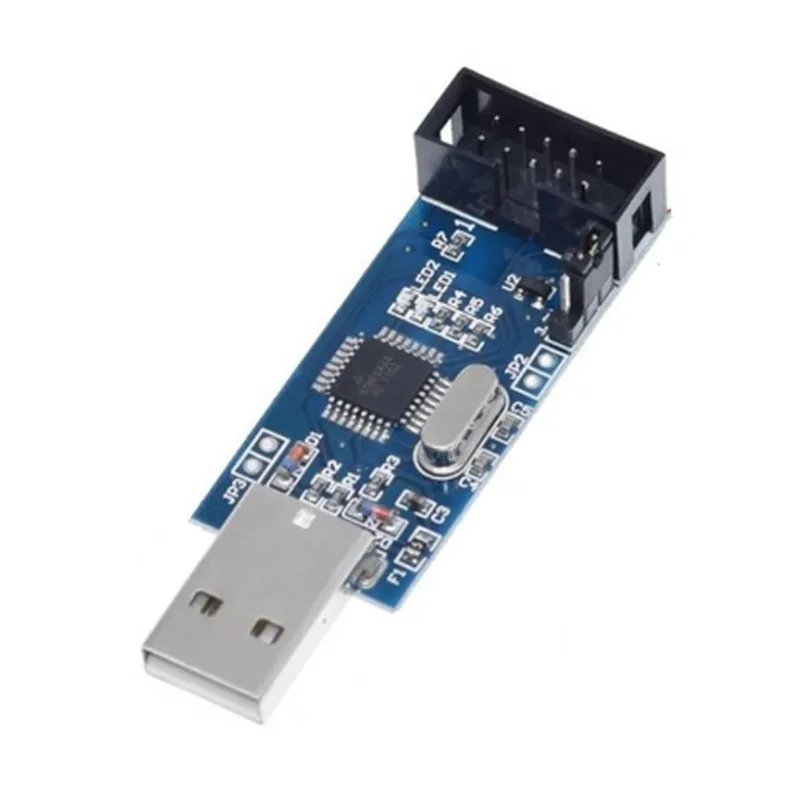
USB 2.0 (full-speed)
6-pin or 10-pin ISP connector
1.8V to 5V (selectable)
Up to 115.2 kbps
0C to 40C
50 mm x 30 mm x 15 mm (approximately)
Applications
| The AVR USB ISP Programmer is an essential tool for a wide range of applications, including |
Embedded system development
Robotics and automation
IoT projects
Prototyping and proof-of-concept development
Education and training
By providing a convenient, efficient, and reliable programming and debugging solution, the AVR USB ISP Programmer streamlines the development process, saving time and resources for developers, hobbyists, and professionals working with AVR microcontrollers.
AVR USB ISP Programmer DocumentationOverviewThe AVR USB ISP Programmer is a versatile and widely-used component for programming and debugging AVR microcontrollers. It connects to a computer via USB and provides an In-System Programming (ISP) interface to communicate with AVR devices. This documentation provides an overview of the component, its features, and code examples to get you started with using it in various contexts.FeaturesCompatible with most AVR microcontrollers
USB connectivity for easy connection to computers
Supports ISP programming and debugging
Can be used with popular development environments like Arduino and AVR StudioCode Examples### Example 1: Using the AVR USB ISP Programmer with ArduinoIn this example, we'll use the AVR USB ISP Programmer to program an ATmega328P microcontroller using the Arduino IDE.Hardware RequirementsAVR USB ISP Programmer
ATmega328P microcontroller
Breadboard and jumper wiresSoftware RequirementsArduino IDE (version 1.8.x or later)
AVR USB ISP Programmer drivers ( installed and configured properly)Code
```c
#include <Arduino.h>#define LED_PIN 13void setup() {
pinMode(LED_PIN, OUTPUT);
}void loop() {
digitalWrite(LED_PIN, HIGH);
delay(1000);
digitalWrite(LED_PIN, LOW);
delay(1000);
}
```
Steps to Program the ATmega328P1. Connect the ATmega328P microcontroller to the breadboard and connect the ISP pins to the AVR USB ISP Programmer.
2. Open the Arduino IDE and select the correct board and programmer (AVR ISP) in the Tools menu.
3. Compile and upload the code to the ATmega328P using the AVR USB ISP Programmer.
4. Observe the LED connected to pin 13 toggling on and off.### Example 2: Using the AVR USB ISP Programmer with AVR StudioIn this example, we'll use the AVR USB ISP Programmer to program an ATtiny85 microcontroller using AVR Studio.Hardware RequirementsAVR USB ISP Programmer
ATtiny85 microcontroller
Breadboard and jumper wiresSoftware RequirementsAVR Studio (version 7.x or later)
AVR USB ISP Programmer drivers (installed and configured properly)Code
```c
#include <avr/io.h>int main(void) {
DDRB = 0x01; // Set PB0 as output
while(1) {
PORTB ^= 0x01; // Toggle PB0
_delay_ms(1000);
}
return 0;
}
```
Steps to Program the ATtiny851. Connect the ATtiny85 microcontroller to the breadboard and connect the ISP pins to the AVR USB ISP Programmer.
2. Open AVR Studio and create a new project for the ATtiny85.
3. Write and compile the code using the AVR GCC compiler.
4. Select the AVR USB ISP Programmer as the programming tool and upload the code to the ATtiny85.
5. Observe the LED connected to pin PB0 toggling on and off.These examples demonstrate the versatility of the AVR USB ISP Programmer in programming and debugging AVR microcontrollers in various contexts. With its ease of use and compatibility with popular development environments, this component is an essential tool for any IoT project.