The module records audio signals from the microphone or input source and stores the data in its internal Flash memory.


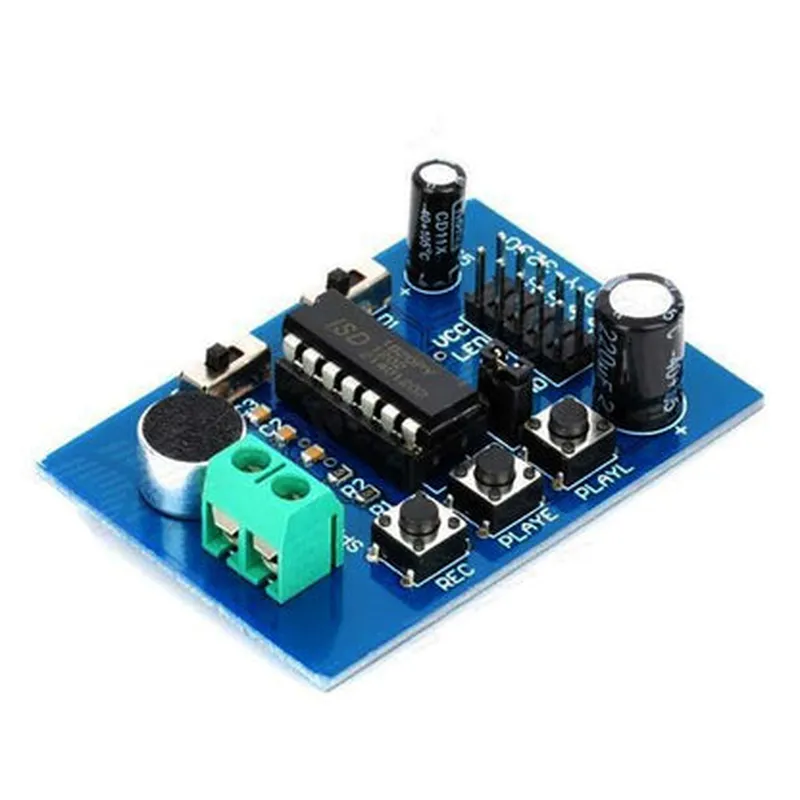
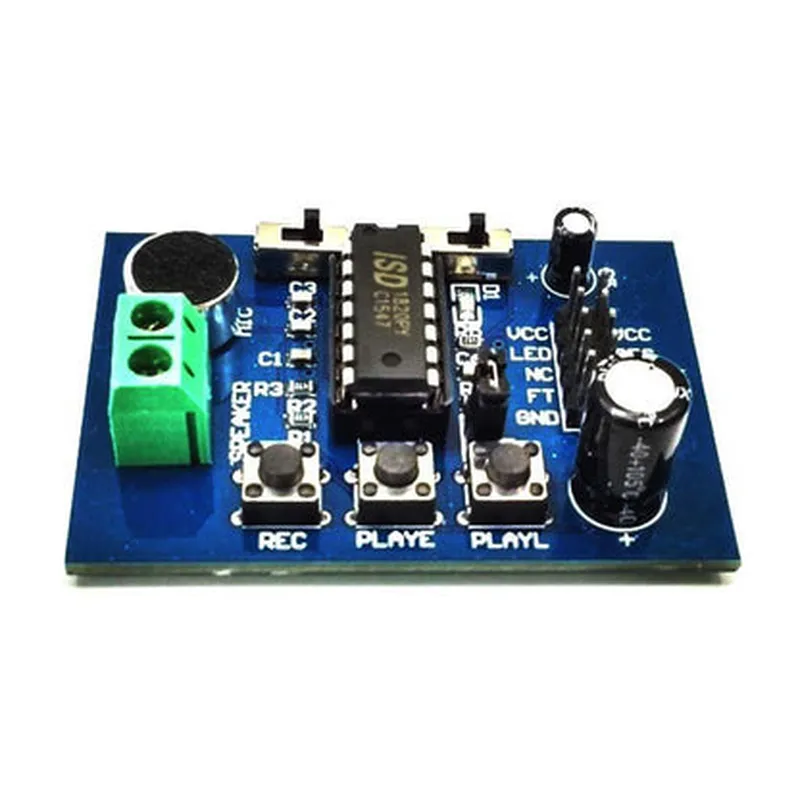
The module records audio signals from the microphone or input source and stores the data in its internal Flash memory.
The module plays back the recorded audio data through an external speaker or output device.
The module is in a low-power standby state, waiting for a trigger or command to enter recording or playback mode.
Key Features
Technical Specifications
2.4V to 3.6V
Typically 10mA (recording), 5mA (playback), and 1mA (standby)
Up to 1 minute (depending on the sampling frequency and bit rate)
Up to 44.1 kHz
Up to 128 kbps
8MB
-20C to 70C
-40C to 85C
5% to 95% (non-condensing)
Applications
| The ISD1820 Sound Voice Board Recording Module is suitable for various IoT applications, including |
Voice assistants and smart home devices
Wearable devices and fitness trackers
Toy and game development
Industrial automation and control systems
Medical and healthcare devices
Conclusion
The ISD1820 Sound Voice Board Recording Module is a versatile and cost-effective solution for capturing and storing high-quality audio recordings in various IoT applications. Its compact size, low power consumption, and simple command set make it an ideal choice for developers and designers looking to add audio recording and playback functionality to their designs.
ISD1820 Sound Voice Board Recording Module DocumentationOverviewThe ISD1820 Sound Voice Board Recording Module is a compact, low-power audio recording module designed for various IoT applications. It features a high-quality audio codec, a microphone, and a low-noise amplifier, making it an ideal component for voice-activated devices, audio recorders, and other sound-based projects.Key FeaturesHigh-quality audio recording (up to 16-bit, 32 kHz)
Low power consumption (< 10 mA)
Onboard microphone and low-noise amplifier
Supports external microphone input
Compatible with 3.3V and 5V microcontrollersPins and InterfacesVCC: Power supply (3.3V or 5V)
GND: Ground
MIC: External microphone input
PLAY: Playback mode selection pin
REC: Record mode selection pin
busy: Busy indicator pin
OUT: Audio output pin
SDO: SPI data output pin
SCK: SPI clock pin
CS: SPI chip select pinCode Examples### Example 1: Basic Audio Recording using ArduinoThis example demonstrates how to use the ISD1820 module to record a 10-second audio clip using an Arduino board.
```c
#include <SPI.h>#define ISD1820_CS 10 // Chip select pin
#define ISD1820_REC 9 // Record mode selection pin
#define ISD1820_PLAY 8 // Playback mode selection pinvoid setup() {
pinMode(ISD1820_CS, OUTPUT);
pinMode(ISD1820_REC, OUTPUT);
pinMode(ISD1820_PLAY, OUTPUT);
SPI.begin();
}void loop() {
// Start recording
digitalWrite(ISD1820_REC, HIGH);
delay(10 1000); // Record for 10 seconds
digitalWrite(ISD1820_REC, LOW);// Play back the recorded audio
digitalWrite(ISD1820_PLAY, HIGH);
delay(10 1000); // Play back the recorded audio
digitalWrite(ISD1820_PLAY, LOW);
}
```
### Example 2: Audio Recording with External Microphone using Raspberry Pi (Python)This example shows how to use the ISD1820 module with an external microphone and a Raspberry Pi to record a 5-second audio clip.
```python
import RPi.GPIO as GPIO
import time
import spidev# Set up GPIO pins
GPIO.setmode(GPIO.BCM)
ISD1820_CS = 17
ISD1820_REC = 23
GPIO.setup(ISD1820_CS, GPIO.OUT)
GPIO.setup(ISD1820_REC, GPIO.OUT)# Set up SPI interface
spi = spidev.SpiDev()
spi.open(0, 0)
spi.max_speed_hz = 1000000def record_audio():
# Start recording
GPIO.output(ISD1820_REC, GPIO.HIGH)
time.sleep(5) # Record for 5 seconds
GPIO.output(ISD1820_REC, GPIO.LOW)# Read the recorded audio data
audio_data = bytearray(32000) # 16-bit audio, 32 kHz, 5 seconds
spi.xfer2([0x03] + list(audio_data)) # Read audio data via SPIreturn audio_data# Record audio
audio_data = record_audio()# Save the recorded audio to a file (e.g., "audio.wav")
with open("audio.wav", "wb") as f:
f.write(audio_data)
```
### Example 3: Audio Playback using ESP8266 (MicroPython)This example demonstrates how to use the ISD1820 module with an ESP8266 board to play back a pre-recorded audio file.
```python
import machine
import os# Set up GPIO pins
isd1820_cs = machine.Pin(5, machine.Pin.OUT)
isd1820_play = machine.Pin(4, machine.Pin.OUT)# Set up SPI interface
spi = machine.SPI(0, baudrate=1000000, polarity=0, phase=0)# Load the pre-recorded audio file
with open("audio.bin", "rb") as f:
audio_data = f.read()# Play back the audio
isd1820_cs.value(0) # Select the ISD1820 module
isd1820_play.value(1) # Enter playback mode
spi.write(audio_data) # Send the audio data via SPI
isd1820_play.value(0) # Exit playback mode
isd1820_cs.value(1) # Deselect the ISD1820 module
```
These code examples demonstrate the basic functionality of the ISD1820 Sound Voice Board Recording Module. You can modify and expand upon these examples to suit your specific IoT project requirements.