Stufin
Home Quick Cart Profile

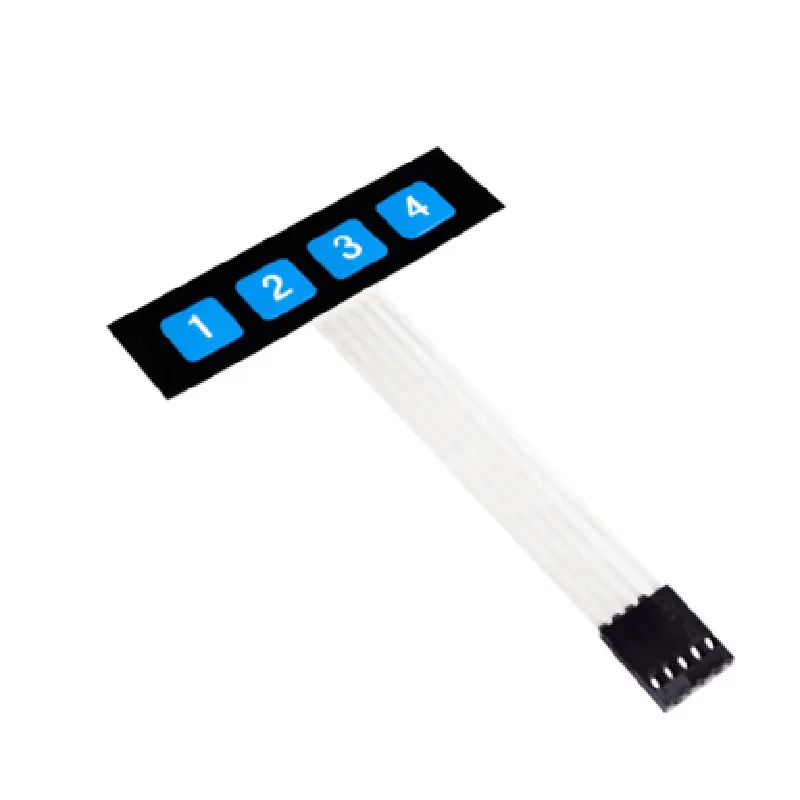
1 x 4 Membrane Keypad


Buy Now on Stufin

Component Name

1 x 4 Membrane Keypad
Description

The 1 x 4 Membrane Keypad is a compact, single-piece keypad designed for user interface applications in various electronic devices. It is a membrane-based keypad, consisting of a single layer of conductive material and a flexible, soft-touch membrane that provides a tactile feedback mechanism. This keypad is an essential component in many IoT devices, offering a simple and intuitive way for users to interact with the system.
Functionality

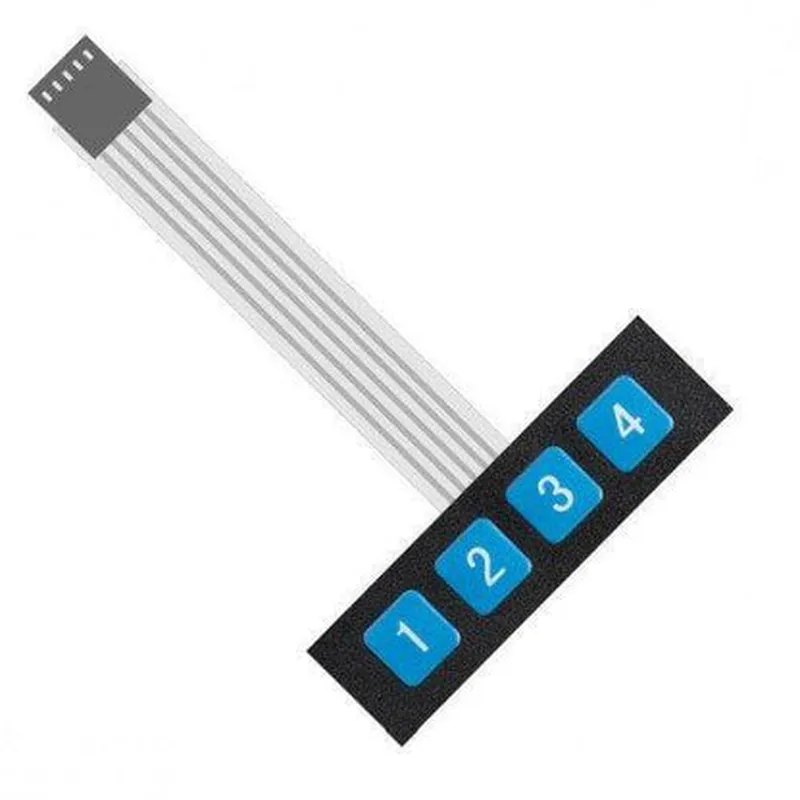
The 1 x 4 Membrane Keypad is designed to provide a simple and efficient way for users to input commands, data, or selections into an electronic device. The keypad consists of four individual buttons, each assigned a specific function or value. When a button is pressed, it connects the conductive material on the membrane to the underlying circuit, generating an electrical signal that is sent to the microcontroller or processor. The processor then interprets the signal and performs the corresponding action.

Key Features

  • Compact Design: The 1 x 4 Membrane Keypad is designed to be compact and space-efficient, making it ideal for use in small electronic devices, IoT projects, and embedded systems.
  • Simple to Use: The keypad provides a simple and intuitive way for users to interact with the device, with clear and distinct buttons that are easy to press and release.
  • Reliable Operation: The membrane-based design ensures reliable operation, even in harsh environments, with minimal risk of mechanical failure or wear and tear.
  • Low Power Consumption: The keypad operates at a low voltage and current, making it suitable for battery-powered devices and IoT applications where power efficiency is crucial.
  • Easy Integration: The keypad is easy to integrate into various electronic devices, with a standard 4-pin interface that can be connected directly to a microcontroller or processor.
  • Customizable: The keypad can be customized to meet specific application requirements, with options for custom legends, colors, and layouts.
  • Durable: The keypad is designed to withstand repeated use and handling, with a durable construction that resists scratches, abrasion, and environmental factors.

Operating Voltage

3.3V to 5V

Operating Current

10mA to 20mA

Interface

4-pin (VCC, GND, S1, S2)

Dimensions

35mm x 20mm x 4mm

Material

Plastic and conductive material

Operating Temperature

-20C to 70C

Storage Temperature

-40C to 85C

Applications

The 1 x 4 Membrane Keypad is suitable for use in a wide range of IoT devices and applications, including

Smart home automation systems

Industrial control systems

Security systems

Medical devices

Consumer electronics

Robotics and automation projects

Arduino and Raspberry Pi projects

Overall, the 1 x 4 Membrane Keypad is a reliable, user-friendly, and versatile component that provides a simple and efficient way for users to interact with electronic devices.

Pin Configuration

  • 1 x 4 Membrane Keypad Component Documentation
  • Overview
  • The 1 x 4 Membrane Keypad is a compact, low-cost keypad module designed for use in various IoT and embedded system applications. It features a single row of four membrane-style keys, providing a simple and reliable user interface solution.
  • Pinout Description
  • The 1 x 4 Membrane Keypad has a total of 5 pins, which are described below:
  • Pin 1: VCC (Power Supply)
  • Function: Power supply pin for the keypad module
  • Description: Connect to a positive voltage supply (typically +5V or +3.3V) to power the keypad module.
  • Connection: Connect to the positive terminal of a power source, such as a battery or a power supply unit.
  • Pin 2: OUT (Output Signal)
  • Function: Output signal pin for the keypad module
  • Description: This pin provides a digital output signal indicating which key is pressed. The output is active-low, meaning it will be pulled low when a key is pressed.
  • Connection: Connect to a digital input pin of a microcontroller or other processing unit to read the keypad input.
  • Pin 3: K1 (Key 1 Input)
  • Function: Input pin for Key 1
  • Description: This pin is connected to one terminal of the first membrane key (Key 1).
  • Connection: Internally connected to the keypad module's switching circuitry.
  • Pin 4: K2 (Key 2 Input)
  • Function: Input pin for Key 2
  • Description: This pin is connected to one terminal of the second membrane key (Key 2).
  • Connection: Internally connected to the keypad module's switching circuitry.
  • Pin 5: GND (Ground)
  • Function: Ground pin for the keypad module
  • Description: Connect to a ground connection to complete the power supply circuit.
  • Connection: Connect to the negative terminal of a power source, such as a battery or a power supply unit.
  • Connection Structure
  • To connect the 1 x 4 Membrane Keypad to a microcontroller or other processing unit, follow these steps:
  • 1. Connect Pin 1 (VCC) to a positive voltage supply (e.g., +5V or +3.3V).
  • 2. Connect Pin 5 (GND) to a ground connection.
  • 3. Connect Pin 2 (OUT) to a digital input pin on the microcontroller or processing unit.
  • 4. The keypad module will internally connect Pins 3 (K1), 4 (K2), and the remaining two key inputs to the switching circuitry.
  • Example Connection Diagram
  • Here is a simple example connection diagram for the 1 x 4 Membrane Keypad:
  • ```
  • +-----------+
  • | Keypad |
  • +-----------+
  • |
  • |
  • v
  • +-----------+ +-----------+
  • | VCC (1) | | +5V/3.3V |
  • +-----------+ +-----------+
  • |
  • |
  • v
  • +-----------+ +-----------+
  • | OUT (2) | | DIGITAL IN |
  • | | | (Microcontroller) |
  • +-----------+ +-----------+
  • |
  • |
  • v
  • +-----------+ +-----------+
  • | K1 (3) | | Internally |
  • | | | Connected |
  • +-----------+ +-----------+
  • |
  • |
  • v
  • +-----------+ +-----------+
  • | K2 (4) | | Internally |
  • | | | Connected |
  • +-----------+ +-----------+
  • |
  • |
  • v
  • +-----------+ +-----------+
  • | GND (5) | | GND |
  • +-----------+ +-----------+
  • ```
  • Note: This is a basic connection diagram and may vary depending on the specific microcontroller or processing unit being used. Consult the datasheet of the microcontroller and keypad module for specific connection requirements.

Code Examples

1 x 4 Membrane Keypad Documentation
Overview
The 1 x 4 Membrane Keypad is a compact, convenient input device for various IoT projects. It consists of four switches, arranged in a single row, that react to pressure, providing a reliable and affordable way to add user input to your applications.
Pinout
The keypad has five pins:
VCC (Power supply, typically 5V or 3.3V)
 GND (Ground)
 K1, K2, K3, K4 (Switch outputs)
Connecting the Keypad
To use the keypad, connect VCC to the power supply of your microcontroller or board, and GND to the ground. The four switch outputs (K1-K4) can be connected to digital input pins on your microcontroller or board.
Code Examples
### Example 1: Basic Keypad Scanning with Arduino
This example demonstrates how to scan the keypad and read the pressed key using an Arduino board.
```c++
const int rowPin = 2;  // Connect K1 to digital pin 2
const int colPins[] = {3, 4, 5, 6};  // Connect K2-K4 to digital pins 3-6
void setup() {
  Serial.begin(9600);
  pinMode(rowPin, INPUT);
  for (int i = 0; i < 4; i++) {
    pinMode(colPins[i], INPUT);
  }
}
void loop() {
  int keyPressed = 0;
  for (int i = 0; i < 4; i++) {
    if (digitalRead(colPins[i]) == HIGH) {
      keyPressed = i + 1;  // Key 1-4 pressed
      break;
    }
  }
  if (keyPressed > 0) {
    Serial.print("Key ");
    Serial.print(keyPressed);
    Serial.println(" pressed");
    delay(50);  // Debounce
  }
}
```
### Example 2: Keypad as a Debounced Input with Raspberry Pi (Python)
This example shows how to use the keypad as a debounced input with the Raspberry Pi using Python and the RPi.GPIO library.
```python
import RPi.GPIO as GPIO
import time
GPIO.setmode(GPIO.BCM)
# Set up keypad pins
row_pin = 17
col_pins = [23, 24, 25, 26]
GPIO.setup(row_pin, GPIO.IN, pull_up_down=GPIO.PUD_UP)
for pin in col_pins:
    GPIO.setup(pin, GPIO.IN, pull_up_down=GPIO.PUD_UP)
def read_keypad():
    key_pressed = 0
    for i, pin in enumerate(col_pins):
        if GPIO.input(pin) == GPIO.LOW:
            key_pressed = i + 1  # Key 1-4 pressed
            break
    return key_pressed
while True:
    key = read_keypad()
    if key > 0:
        print(f"Key {key} pressed")
        time.sleep(0.05)  # Debounce
```
Note: These examples are for illustration purposes only. You may need to adjust the code to fit your specific use case and microcontroller or board. Additionally, consider adding more complex debouncing mechanisms or state machines to handle multiple key presses and other scenarios.