Power supply input (2.35V to 5.5V)


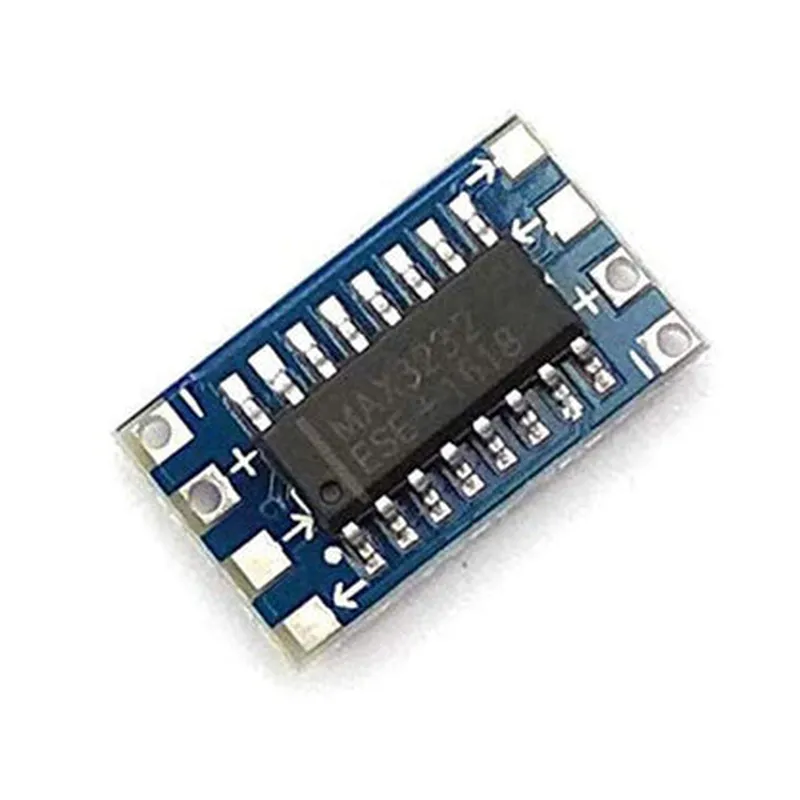
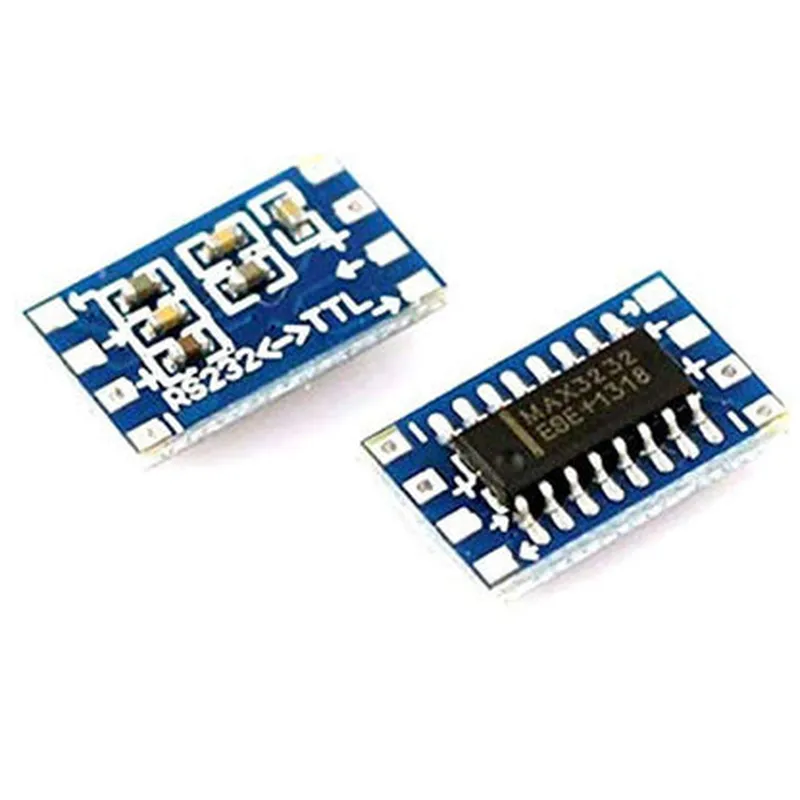
Power supply input (2.35V to 5.5V)
Ground
TTL receive data input
TTL transmit data output
RS232 request to send input
RS232 clear to send output
RS232 transmit data output
RS232 receive data input
Applications
| The MAX3232 Mini RS232 to TTL Module is suitable for a wide range of applications, including |
Industrial automation systems
Embedded systems
IoT devices
Robotics and robotic arms
CNC machines
Medical devices
Serial communication devices
Conclusion
The MAX3232 Mini RS232 to TTL Module is a compact, high-performance converter module ideal for applications requiring reliable and efficient conversion between RS232 and TTL serial protocols. Its compact design, low-power consumption, and high-speed conversion rates make it an excellent choice for a wide range of applications.
MAX3232 Mini RS232 to TTL Module DocumentationOverviewThe MAX3232 Mini RS232 to TTL Module is a compact, low-power, and high-performance interface converter that allows for seamless communication between RS232 and TTL serial interfaces. This module is ideal for connecting microcontrollers, single-board computers, and other TTL devices to RS232 peripherals, such as computers, terminals, and modems.PinoutThe MAX3232 Mini RS232 to TTL Module has the following pinout:| Pin | Function |
| --- | --- |
| VCC | Power supply (3.3V or 5V) |
| GND | Ground |
| R_IN | RS232 input (receive data) |
| T_OUT | TTL output (transmit data) |
| R_OUT | RS232 output (transmit data) |
| T_IN | TTL input (receive data) |
| EN | Enable pin (active low) |Example 1: Connecting to an Arduino UnoIn this example, we'll demonstrate how to use the MAX3232 Mini RS232 to TTL Module to connect an Arduino Uno to a PC via a serial RS232 connection.Hardware ConnectionConnect the VCC pin of the MAX3232 module to the 5V pin of the Arduino Uno.
Connect the GND pin of the MAX3232 module to the GND pin of the Arduino Uno.
Connect the R_IN pin of the MAX3232 module to the RX pin (Digital Pin 0) of the Arduino Uno.
Connect the T_OUT pin of the MAX3232 module to the TX pin (Digital Pin 1) of the Arduino Uno.
Connect the RS232 cable to the PC and the R_OUT pin of the MAX3232 module.Software Code (Arduino)
```c
void setup() {
Serial.begin(9600); // Initialize serial communication at 9600 baud
}void loop() {
if (Serial.available() > 0) {
char receivedChar = Serial.read();
Serial.print("Received: ");
Serial.println(receivedChar);
}
delay(50);
}
```
Example 2: Connecting to a Raspberry PiIn this example, we'll demonstrate how to use the MAX3232 Mini RS232 to TTL Module to connect a Raspberry Pi to a serial device, such as a GPS module.Hardware ConnectionConnect the VCC pin of the MAX3232 module to the 3.3V pin of the Raspberry Pi.
Connect the GND pin of the MAX3232 module to the GND pin of the Raspberry Pi.
Connect the T_IN pin of the MAX3232 module to the TX pin of the GPS module.
Connect the R_OUT pin of the MAX3232 module to the RX pin of the GPS module.Software Code (Python)
```python
import serial# Open the serial port
ser = serial.Serial('/dev/ttyS0', 9600, timeout=1)while True:
# Read data from the GPS module
data = ser.readline()
print(data.decode())# Send data to the GPS module
ser.write(b'AT+CGPSINFO
')
```
Example 3: Using the Enable PinIn this example, we'll demonstrate how to use the enable pin (EN) to control the power supply to the MAX3232 module.Hardware ConnectionConnect the VCC pin of the MAX3232 module to a digital output pin of a microcontroller (e.g., Arduino Uno).
Connect the EN pin of the MAX3232 module to another digital output pin of the microcontroller.
Connect the GND pin of the MAX3232 module to the GND pin of the microcontroller.Software Code (Arduino)
```c
const int enablePin = 2; // Digital pin connected to EN pin
const int powerPin = 3; // Digital pin connected to VCC pinvoid setup() {
pinMode(enablePin, OUTPUT);
pinMode(powerPin, OUTPUT);
digitalWrite(enablePin, LOW); // Disable the MAX3232 module
digitalWrite(powerPin, LOW); // Turn off power supply
}void loop() {
// Turn on power supply and enable the MAX3232 module
digitalWrite(powerPin, HIGH);
digitalWrite(enablePin, HIGH);
delay(1000);// Communicate with the serial device using the MAX3232 module
Serial.begin(9600);
Serial.println("Hello, world!");// Turn off power supply and disable the MAX3232 module
digitalWrite(enablePin, LOW);
digitalWrite(powerPin, LOW);
delay(1000);
}
```
These examples demonstrate the versatility and ease of use of the MAX3232 Mini RS232 to TTL Module in various contexts.