DIY Kits D2-6 Bluetooth Remote Control Intelligent Car


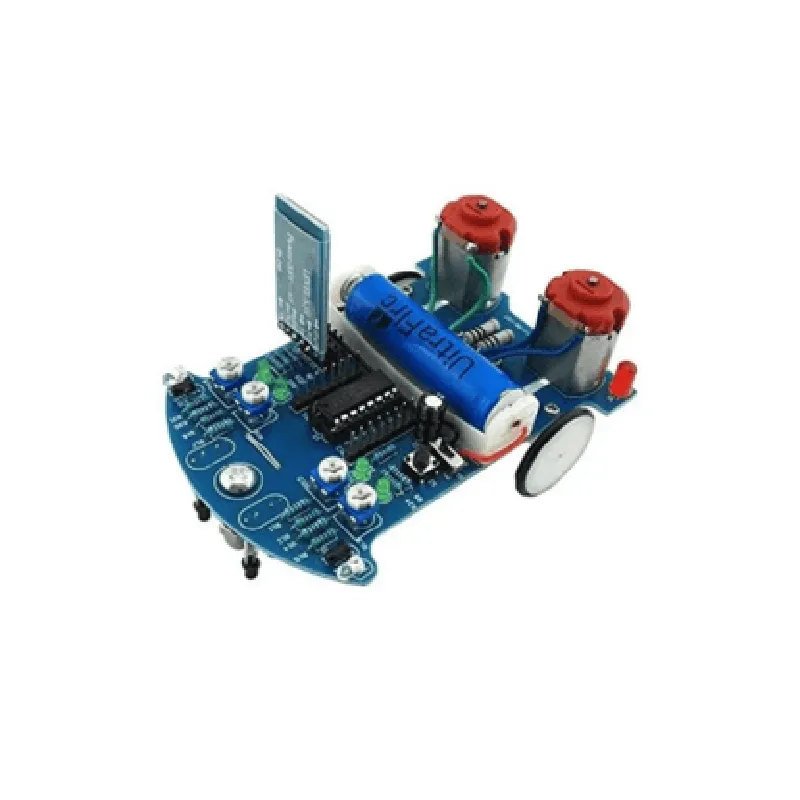
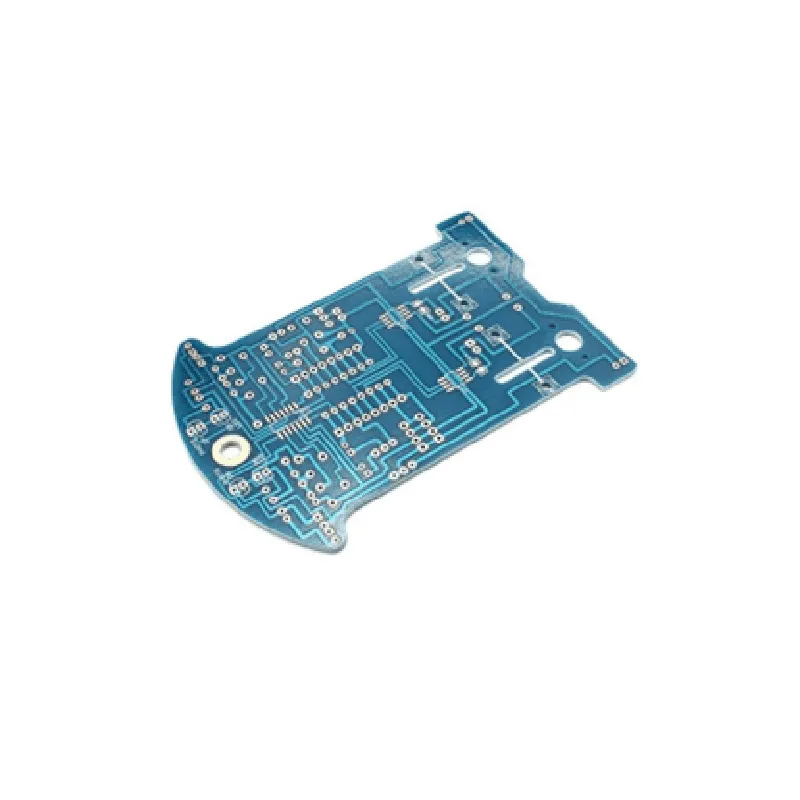
DIY Kits D2-6 Bluetooth Remote Control Intelligent Car
The DIY Kits D2-6 Bluetooth Remote Control Intelligent Car is a comprehensive kit designed for enthusiasts and hobbyists to build and customize their own Bluetooth-controlled robotic car. This kit combines advanced technology with a user-friendly design, allowing users to explore the world of robotics and IoT.
The DIY Kits D2-6 Bluetooth Remote Control Intelligent Car kit enables users to build a fully functional remote-controlled car that can be operated using a smartphone or tablet via Bluetooth connectivity. The kit includes all necessary components, including the main control board, motor drivers, Bluetooth module, and other essential parts.
| ### 1. Main Control Board |
Microcontroller-based board with a high-performance processor
On-board sensor interfaces for obstacle detection and line tracking
Supports multiple motor control modes (forward, backward, left, right, and stop)
| ### 2. Bluetooth Module |
2.4 GHz
Supports Bluetooth 4.0 and backwards compatible with older versions
10 meters (33 feet)
| ### 3. Motor Driver |
High-current motor driver capable of handling up to 2A per channel
Supports brushed DC motors with a maximum voltage of 12V
| ### 4. Sensor Interfaces |
Infrared obstacle detection sensor for object avoidance
Line tracking sensor for navigation and following a predetermined path
| ### 5. Power Management |
On-board power management system with voltage regulator and capacitor for stable operation
Supports various power sources, including batteries and external power supplies
| ### 6. Wheels and Chassis |
Durable and flexible wheels for smooth movement and traction
Aluminum alloy chassis for added strength and stability
| ### 7. Software and Programming |
Compatible with a variety of programming languages, including C, C++, and Blockly
Supports smartphone apps for remote control and monitoring
| ### 8. Expansion and Customization |
Extensive range of expansion ports for adding custom sensors, actuators, and peripherals
Supports integration with other IoT devices and platforms
| ### 9. Assembly and Debugging |
Detailed assembly instructions and online resources for easy setup and troubleshooting
Debugging tools and diagnostic interfaces for identifying and resolving issues
6-12V DC
500mA (typical), 2A (max)
150 mm (L) x 100 mm (W) x 60 mm (H)
200g (approximate)
CE Marking (Conformit Europene)
FCC Declaration of Conformity (Federal Communications Commission)
RoHS Compliant (Restriction of Hazardous Substances)
| The DIY Kits D2-6 Bluetooth Remote Control Intelligent Car kit is designed for |
Hobbyists and enthusiasts interested in robotics and IoT
Students and educators in electronics, computer science, and engineering
Professionals and researchers in robotics, automation, and mechatronics
| This kit offers a unique combination of education, innovation, and fun, allowing users to |
Develop their skills in robotics, IoT, and programming
Explore the capabilities of Bluetooth technology and its applications
Create and customize their own robotic car projects
Integrate with other IoT devices and platforms for more complex projects
DIY Kits D2-6 Bluetooth Remote Control Intelligent Car Component DocumentationOverviewThe DIY Kits D2-6 Bluetooth Remote Control Intelligent Car is a comprehensive IoT component that allows users to build and control a Bluetooth-enabled remote control car. This component includes a Bluetooth module, a microcontroller, and a motor driver, making it an ideal solution for DIY enthusiasts and robotics projects.Key FeaturesBluetooth 4.0 module for wireless communication
STC15F104W microcontroller for controlling the car's movements
L298N motor driver for driving DC motors
6-channel remote control for precise control
Support for Android and iOS devicesHardware ConnectionsVCC: Connect to a 5V power source
GND: Connect to ground
RX: Connect to Bluetooth module's RX pin
TX: Connect to Bluetooth module's TX pin
M1, M2: Connect to motor driver's input pins
OUT1, OUT2: Connect to motor driver's output pinsSoftware LibraryTo interact with the DIY Kits D2-6 Bluetooth Remote Control Intelligent Car, you'll need to use a serial communication library in your preferred programming language. For this example, we'll use the Arduino Serial library.Code Examples### Example 1: Basic Bluetooth Remote ControlIn this example, we'll demonstrate how to use the DIY Kits D2-6 Bluetooth Remote Control Intelligent Car to control the car's movements using a Bluetooth-enabled Android device.```c++
#include <SoftwareSerial.h>#define RX_PIN 2
#define TX_PIN 3SoftwareSerial bluetooth(RX_PIN, TX_PIN);void setup() {
bluetooth.begin(9600);
}void loop() {
if (bluetooth.available()) {
char command = bluetooth.read();
if (command == 'F') { // Forward
digitalWrite(M1, HIGH);
digitalWrite(M2, LOW);
} else if (command == 'B') { // Backward
digitalWrite(M1, LOW);
digitalWrite(M2, HIGH);
} else if (command == 'L') { // Left
digitalWrite(M1, LOW);
digitalWrite(M2, LOW);
delay(500);
digitalWrite(M1, HIGH);
digitalWrite(M2, LOW);
} else if (command == 'R') { // Right
digitalWrite(M1, LOW);
digitalWrite(M2, LOW);
delay(500);
digitalWrite(M1, LOW);
digitalWrite(M2, HIGH);
} else {
digitalWrite(M1, LOW);
digitalWrite(M2, LOW);
}
}
}
```### Example 2: Obstacle Avoidance using Ultrasonic SensorIn this example, we'll demonstrate how to use the DIY Kits D2-6 Bluetooth Remote Control Intelligent Car to create an obstacle avoidance system using an ultrasonic sensor.```c++
#include <SoftwareSerial.h>
#include <Ultrasonic.h>#define RX_PIN 2
#define TX_PIN 3
#define TRIGGER_PIN 4
#define ECHO_PIN 5SoftwareSerial bluetooth(RX_PIN, TX_PIN);
Ultrasonic ultrasonic(TRIGGER_PIN, ECHO_PIN);void setup() {
bluetooth.begin(9600);
ultrasonic.begin();
}void loop() {
int distance = ultrasonic.read();
if (distance < 20) { // Obstacle detected
digitalWrite(M1, LOW);
digitalWrite(M2, LOW);
delay(500);
digitalWrite(M1, HIGH);
digitalWrite(M2, LOW);
delay(500);
} else {
digitalWrite(M1, HIGH);
digitalWrite(M2, LOW);
}
}
```Note: These examples are for illustrative purposes only and may require modifications to work with your specific setup. Ensure you adjust the pin connections and communication protocols according to your specific requirements.