CP2102 Micro USB Module


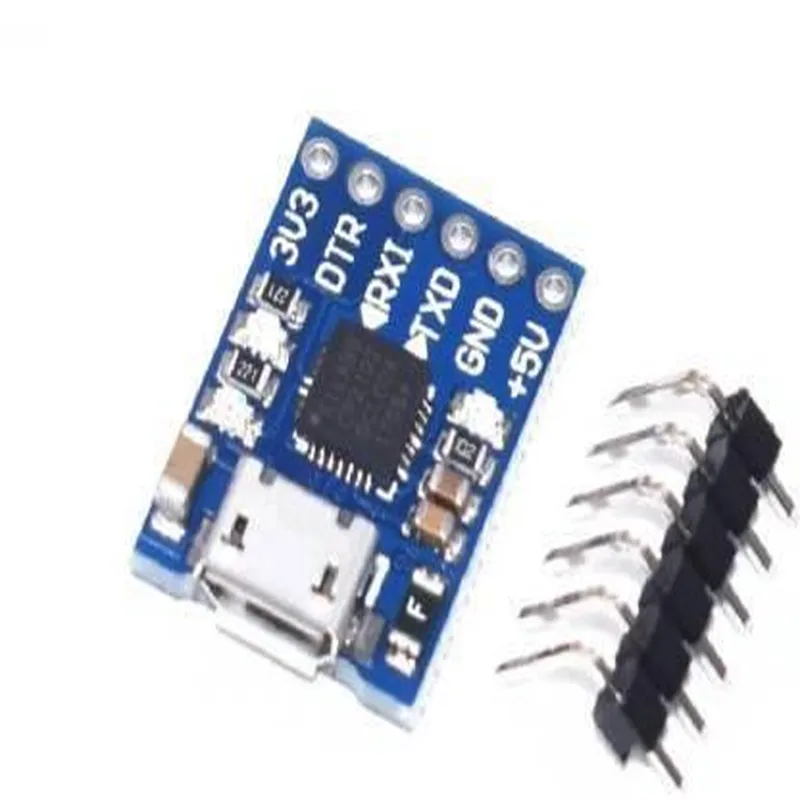
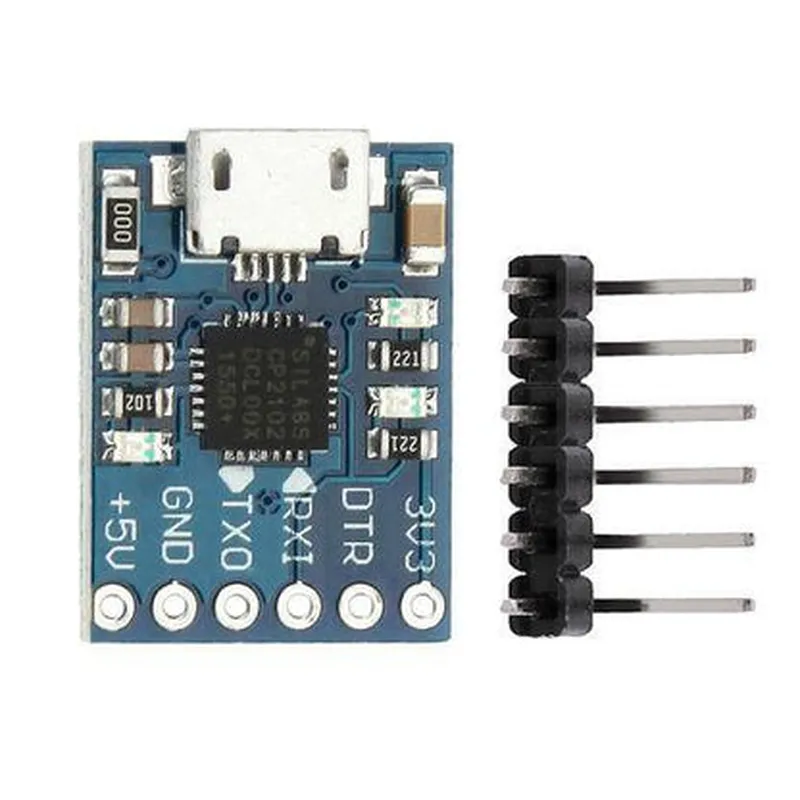
CP2102 Micro USB Module
The CP2102 Micro USB Module is a widely used, compact, and versatile serial communication module that provides a convenient interface between a microcontroller or other digital devices and a computer. It is based on the CP2102 USB-to-UART bridge controller from Silicon Labs, which converts USB signals to serial UART signals, enabling easy communication between devices.
The CP2102 Micro USB Module acts as a USB-to-UART bridge, allowing devices to communicate with a computer or other USB-enabled devices. The module takes care of the USB protocol, enabling the connected device to focus on its primary function without worrying about the complexities of USB communication.
3.3V to 5V
-40C to 85C
up to 480 Mbps
3.3V or 5V tolerant
adjustable from 300 bps to 1 Mbps
17.5 mm x 14.5 mm x 4.5 mm
| The CP2102 Micro USB Module is widely used in various applications, including |
USB-based serial communication projects
Microcontroller development boards
Robotics and automation systems
Industrial control systems
Internet of Things (IoT) projects
Wearable devices and other battery-powered applications
CP2102 Micro USB Module DocumentationOverviewThe CP2102 Micro USB Module is a compact, USB-to-UART bridge module based on the CP2102 chip from Silicon Labs. It provides a convenient and reliable way to add USB connectivity to microcontrollers, embedded systems, and other devices. This module is ideal for IoT, robotics, and other applications where a serial interface is required.FeaturesUSB 2.0 full-speed interface
UART interface with RX, TX, RTS, and CTS signals
Baud rate up to 1 Mbps
Supports various operating systems, including Windows, macOS, and Linux
Compact size: 18.5 x 15.5 mmPinout| Pin | Function |
| --- | --- |
| VCC | Power supply (3.3V or 5V) |
| GND | Ground |
| RXD | UART receive data |
| TXD | UART transmit data |
| RTS | UART request to send |
| CTS | UART clear to send |
| D+ | USB data plus |
| D- | USB data minus |Code Examples### Example 1: Serial Communication with ArduinoIn this example, we will use the CP2102 Micro USB Module to establish a serial communication between an Arduino board and a computer.Hardware ConnectionsConnect the CP2102 module to the Arduino board as follows:
+ VCC to Arduino 3.3V or 5V
+ GND to Arduino GND
+ RXD to Arduino TX (Digital Pin 1)
+ TXD to Arduino RX (Digital Pin 0)
Connect the CP2102 module to the computer using a micro-USB cableArduino Code (Serial Communication)
```c++
void setup() {
Serial.begin(9600); // Initialize serial communication at 9600 bps
}void loop() {
Serial.println("Hello, World!"); // Send a string to the computer
delay(1000);
}
```
Computer Code (Python)
```python
import serial# Open the serial port
ser = serial.Serial('COM3', 9600, timeout=1) # Replace COM3 with the actual portwhile True:
# Read data from the serial port
data = ser.readline().decode().strip()
if data:
print(data) # Print the received data
```
### Example 2: UART Communication with Raspberry PiIn this example, we will use the CP2102 Micro USB Module to establish a UART communication between a Raspberry Pi and a microcontroller.Hardware ConnectionsConnect the CP2102 module to the Raspberry Pi as follows:
+ VCC to Raspberry Pi 3.3V
+ GND to Raspberry Pi GND
+ RXD to Raspberry Pi GPIO 14 (UART RX)
+ TXD to Raspberry Pi GPIO 15 (UART TX)
Connect the CP2102 module to the microcontroller as follows:
+ RXD to microcontroller TX
+ TXD to microcontroller RXRaspberry Pi Code (Python)
```python
import serial# Open the serial port
ser = serial.Serial('/dev/ttyUSB0', 9600, timeout=1) # Replace ttyUSB0 with the actual portwhile True:
# Send data to the microcontroller
ser.write(b'Hello, micro!) # Send a byte string
data = ser.readline().decode().strip() # Read data from the microcontroller
if data:
print(data) # Print the received data
```
Microcontroller Code (C)
```c
#include <uart.h>#define UART_BAUDRATE 9600int main() {
uart_init(UART_BAUDRATE); // Initialize UART at 9600 bpswhile (1) {
uart_puts("Hello, RPi!"); // Send a string to the Raspberry Pi
char data[20];
uart_gets(data, 20); // Receive data from the Raspberry Pi
printf("%s
", data); // Print the received data
}
}
```
Note: The above code examples are simplified and may require additional error handling and modifications to suit your specific application.