5V DC


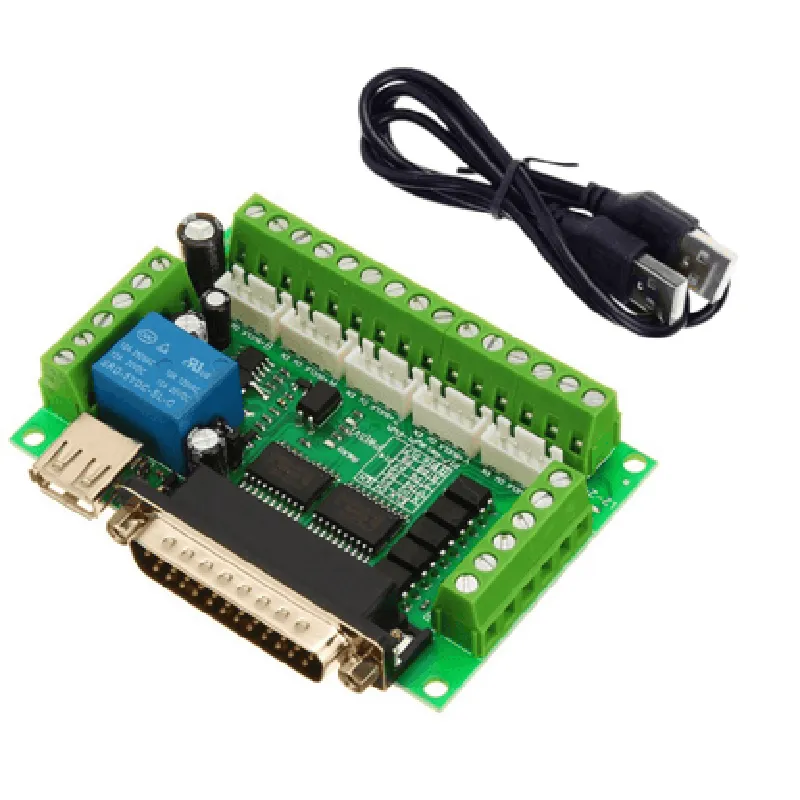
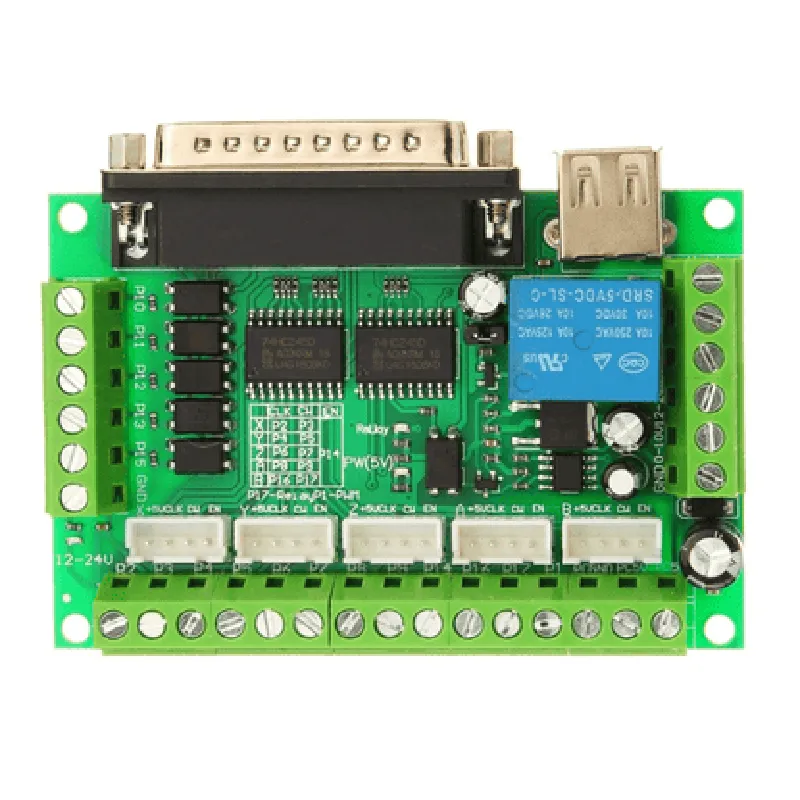
5V DC
5V DC
USB
Photovoltaic output optocouplers
Compatible with popular stepper motor drivers
100 mm x 60 mm (3.94 in x 2.36 in)
50 grams (1.76 oz)
Application
| The MACH3 Interface Board CNC 5 Axis with Optocoupler for Stepper Motor Driver is suitable for a wide range of CNC applications, including |
CNC milling machines
CNC lathes
CNC routers
CNC engravers
CNC plasma cutters
Robotics and automation systems
By providing a reliable and efficient interface between the computer and the CNC machine, this board enables precise control and monitoring of CNC applications.
MACH3 Interface Board CNC 5 Axis with Optocoupler for Stepper Motor DriverOverviewThe MACH3 Interface Board CNC 5 Axis with Optocoupler for Stepper Motor Driver is a high-performance interface board designed for Computer Numerical Control (CNC) systems. It connects to a computer via a male-to-male USB cable and provides an optocoupler-protected interface for controlling up to 5-axis stepper motor drivers. This board is compatible with the popular MACH3 CNC software.Technical SpecificationsInterface: USB 2.0, optocoupler-protected
Number of axes: 5
Stepper motor driver interface: Supports up to 5 axes with optocoupler protection
Power supply: External 5V-24V DC power supply
USB cable: 1.5 meters, male-to-male
Compatibility: MACH3 CNC softwareSoftware RequirementsMACH3 CNC software (version 3.x or later)
Windows operating system (XP, 7, 8, 10)Code Examples### Example 1: Basic CNC Movement Control using MACH3 SoftwareIn this example, we will demonstrate how to use the MACH3 Interface Board to control a 3-axis CNC machine using the MACH3 software.MACH3 G-Code
```
; Initialize the CNC machine
G21
G90
G94; Move the X-axis to 10mm
G01 X10 F100; Move the Y-axis to 20mm
G01 Y20 F100; Move the Z-axis to 30mm
G01 Z30 F100; Home the CNC machine
G28
```
MACH3 ConfigurationIn the MACH3 software, configure the interface board as follows:Port: USB
Baud rate: 115200
Data bits: 8
Parity: None
Stop bits: 1
Axis configuration:
+ X-axis: Enabled, Step/Cycle: 10, Dir/Cycle: 10
+ Y-axis: Enabled, Step/Cycle: 10, Dir/Cycle: 10
+ Z-axis: Enabled, Step/Cycle: 10, Dir/Cycle: 10### Example 2: Python Script for CNC Movement Control using Pyserial LibraryIn this example, we will demonstrate how to use the MACH3 Interface Board with a Python script to control a 2-axis CNC machine using the Pyserial library.Python Code
```python
import serial# Initialize the serial connection
ser = serial.Serial('COM3', 115200, timeout=1)# Define the CNC movement commands
def move_x-axis_mm(mm):
ser.write(b'G01 X' + str(mm).encode() + b' F100
')def move_y-axis_mm(mm):
ser.write(b'G01 Y' + str(mm).encode() + b' F100
')# Move the X-axis to 10mm
move_x_axis_mm(10)# Move the Y-axis to 20mm
move_y_axis_mm(20)# Close the serial connection
ser.close()
```
_pyserial Library Requirements_Pyserial library (version 3.x or later)
Python (version 3.x or later)Note: In this example, replace 'COM3' with the actual COM port number assigned to the MACH3 Interface Board.### Example 3: C++ Code for CNC Movement Control using CSerial LibraryIn this example, we will demonstrate how to use the MACH3 Interface Board with a C++ program to control a 5-axis CNC machine using the CSerial library.C++ Code
```c
#include <CSerial.h>int main() {
// Initialize the serial connection
CSerial ser("COM3", 115200);// Define the CNC movement commands
void move_axis(int axis, int mm) {
char command[20];
sprintf(command, "G01 %c%d F100
", 'X' + axis, mm);
ser.Write(command, strlen(command));
}// Move the X-axis to 10mm
move_axis(0, 10);// Move the Y-axis to 20mm
move_axis(1, 20);// Move the Z-axis to 30mm
move_axis(2, 30);// Close the serial connection
ser.Close();return 0;
}
```
CSerial Library Requirements_CSerial library (version 1.x or later)
Microsoft Visual C++ (version 2010 or later)Note: In this example, replace 'COM3' with the actual COM port number assigned to the MACH3 Interface Board.