DIY Colorful Wind Generator Car


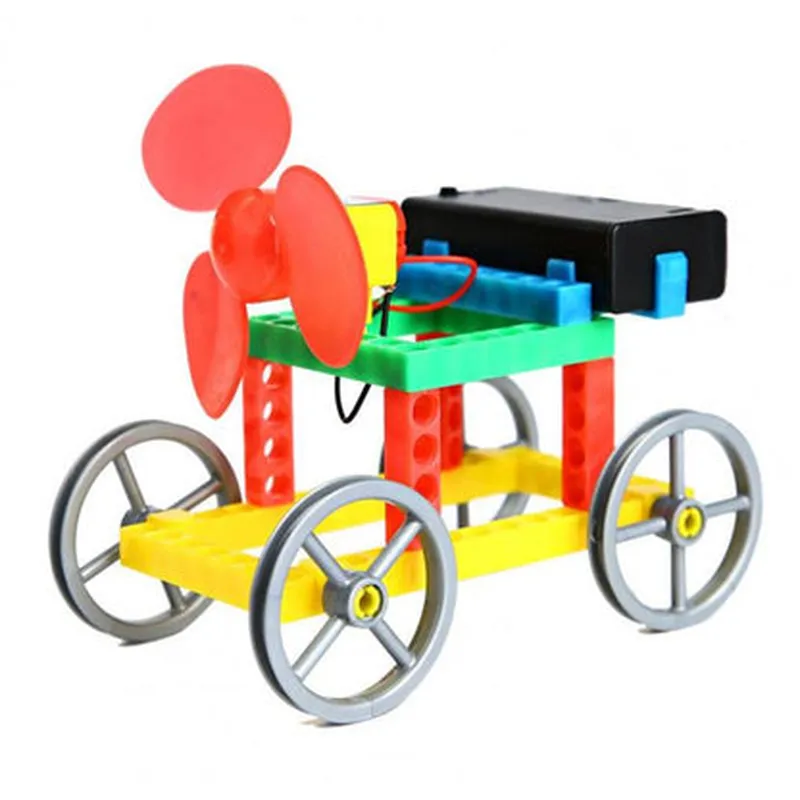
DIY Colorful Wind Generator Car
The DIY Colorful Wind Generator Car is an innovative and educational Internet of Things (IoT) component that combines renewable energy harvesting with a fun, interactive, and colorful design. This creative project enables users to build a miniature wind-powered car that generates electricity and transmits data to a mobile device or computer, promoting hands-on learning and exploration of IoT, energy harvesting, and environmental sustainability.
3.3V - 12V
Up to 100mA
Up to 500 RPM
Arduino or ESP32-compatible
Wi-Fi, Bluetooth, or LoRa
| + Voltage | 0-12V |
| + Current | 0-100mA |
| + Temperature | -20C to 80C |
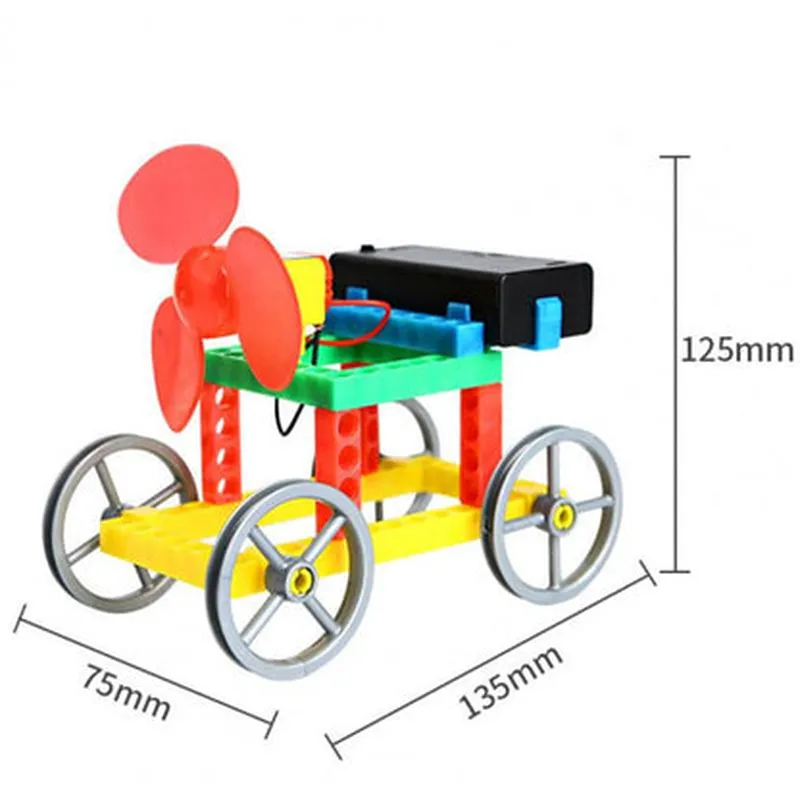
10cm x 5cm x 5cm (L x W x H)
DIY Colorful Wind Generator Car Component DocumentationOverviewThe DIY Colorful Wind Generator Car is an innovative IoT component that combines a small wind turbine with a colorful car chassis, allowing users to generate electricity while adding a decorative touch to their surroundings. This component is ideal for DIY enthusiasts, educators, and inventors looking to create interactive and educational projects.Technical SpecificationsWind Turbine: 3V, 0.5A output
Car Chassis: Colorful, durable plastic construction
Dimensions: 10 cm (L) x 6 cm (W) x 4 cm (H)
Weight: 150g
Compatible with Arduino, Raspberry Pi, and other microcontrollersCode Examples### Example 1: Basic Wind Generator Car using ArduinoIn this example, we'll connect the DIY Colorful Wind Generator Car to an Arduino board to read the generated voltage and display it on an LCD screen.Hardware RequirementsDIY Colorful Wind Generator Car
Arduino Uno board
LCD screen (16x2)
Breadboard and jumper wiresCode
```c
const int windTurbinePin = A0; // Analog input pin for wind turbine
const int lcdRsPin = 12; // LCD RS pin
const int lcdEnablePin = 11; // LCD Enable pin
const int lcdDBus[] = {5, 4, 3, 2}; // LCD data bus pins#include <LiquidCrystal.h>LiquidCrystal_I2C lcd(lcdRsPin, lcdEnablePin, lcdDBus);void setup() {
Serial.begin(9600);
lcd.begin(16, 2);
lcd.setCursor(0, 0);
lcd.print("Wind Generator Car");
lcd.setCursor(0, 1);
lcd.print("Voltage: ");
}void loop() {
int windVoltage = analogRead(windTurbinePin);
float voltageValue = windVoltage 5.0 / 1023.0;
lcd.setCursor(10, 1);
lcd.print(voltageValue, 2);
Serial.print("Voltage: ");
Serial.println(voltageValue);
delay(500);
}
```
Example 2: Raspberry Pi-based Wind Speed Monitoring SystemIn this example, we'll connect the DIY Colorful Wind Generator Car to a Raspberry Pi board to measure wind speed and display it on a GUI using Python and PyQt5.Hardware RequirementsDIY Colorful Wind Generator Car
Raspberry Pi 3 or 4 board
Breadboard and jumper wiresCode
```python
import RPi.GPIO as GPIO
import time
import PyQt5.QtWidgets as QtWidgets
import PyQt5.QtCore as QtCore# Set up GPIO pin for wind turbine
GPIO.setmode(GPIO.BCM)
GPIO.setup(17, GPIO.IN, pull_up_down=GPIO.PUD_UP)class WindSpeedMonitor(QtWidgets.QMainWindow):
def __init__(self):
super().__init__()self.initUI()def initUI(self):
self.setGeometry(300, 300, 400, 200)
self.setWindowTitle('Wind Speed Monitor')self.label = QtWidgets.QLabel('Wind Speed: ')
self.label.setGeometry(50, 50, 150, 20)self.windSpeedText = QtWidgets.QTextEdit()
self.windSpeedText.setGeometry(50, 70, 150, 20)self.timer = QtCore.QTimer(self)
self.timer.timeout.connect(self.readWindSpeed)
self.timer.start(1000) # Update every 1 seconddef readWindSpeed(self):
windCount = 0
startTime = time.time()
while time.time() - startTime < 1:
if GPIO.input(17) == 1:
windCount += 1
windSpeed = windCount 3.14 / 60 # Convert to m/s
self.windSpeedText.setText(str(windSpeed))if __name__ == '__main__':
app = QtWidgets.QApplication([])
window = WindSpeedMonitor()
window.show()
app.exec_()
```
These code examples demonstrate how to use the DIY Colorful Wind Generator Car in different contexts, showcasing its potential for creative and educational projects.